Table of Contents
Manus Design can use an uploaded document as context for an infographic, then let you refine objects and text on an interactive canvas. The efficient workflow is to extract and verify the information first, generate the layout second, and edit the final text before downloading.
Do not upload confidential, copyrighted, or personally identifying material unless you are authorized to use it and have reviewed the service's current privacy and retention terms.
1. Open Manus Design
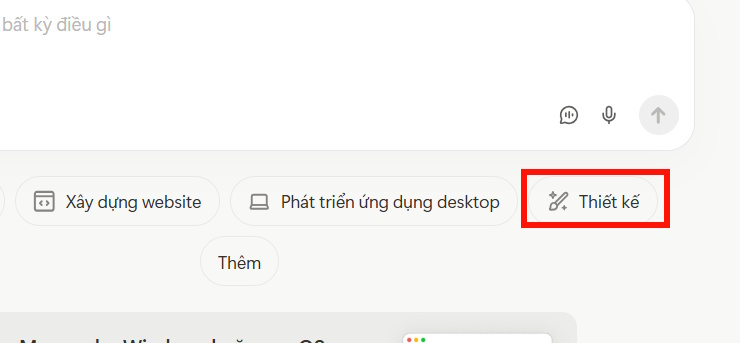
Go to the official Manus AI Design page, sign in, and start a design task. In the main workspace, choose Design if Manus does not select it automatically.

2. Upload the source document
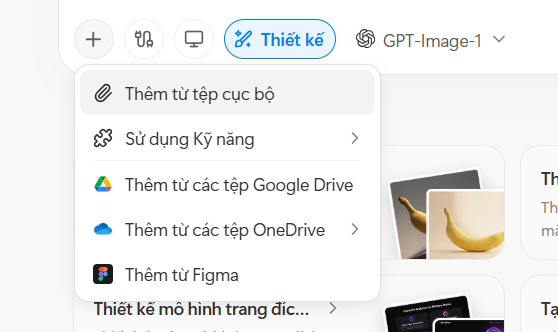
Select the add or plus button and choose Add file from local. Use a clean source file with clear headings, complete dates, and labels for tables or charts. If the document contains several unrelated topics, upload only the section required for this infographic.
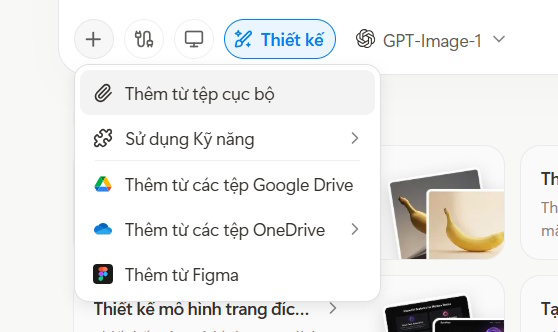
If the interface offers multiple design or image models, choose based on the task. Favor a mode that supports editable text and layout elements when the graphic contains many labels.
3. Write a specific infographic brief
A useful prompt defines the audience, dimensions, information hierarchy, number of sections, and factual constraints. For example:
Using only the uploaded document, create a horizontal infographic for Grade 7 students.

Content:
- title: [TITLE];
- show exactly five dated events in chronological order;
- for each event include the exact year, a heading of no more than 6 words, and a description of no more than 25 words;
- add a final “Why it matters” box of no more than 40 words.

Design:
- 16:9 horizontal layout;
- large readable type and high contrast;
- consistent timeline;
- simple icons that do not imply facts absent from the source;
- leave adequate space around Vietnamese diacritics.

Accuracy:
- do not add dates, names, quotations, statistics, or causal claims not present in the document;
- before designing, list the five selected events with source references for my approval;
- mark any ambiguous fact as “needs verification.”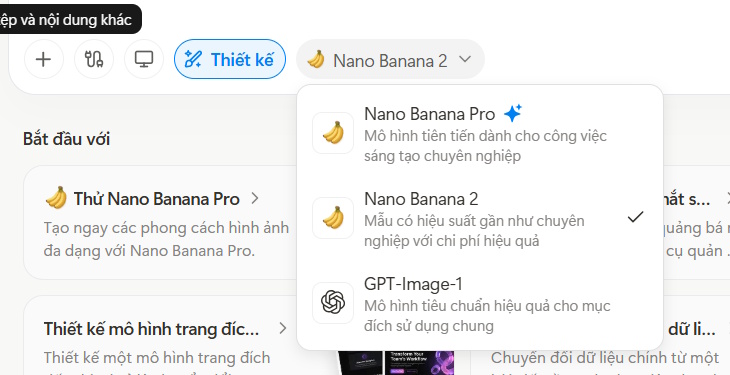
4. Check the extracted content before the design
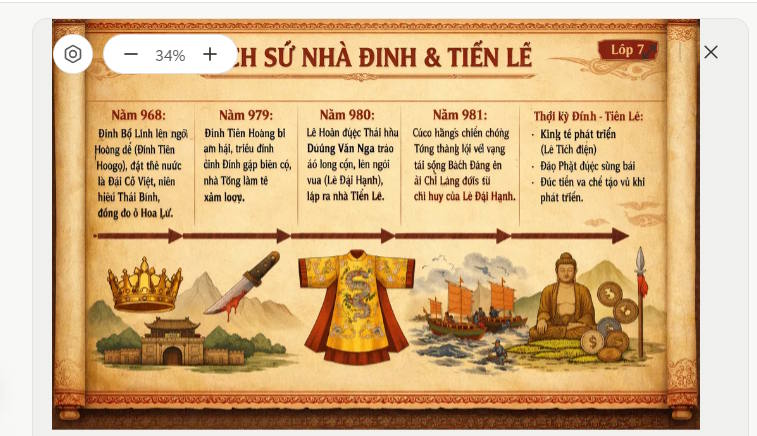
Ask Manus to show its proposed facts and wording separately. Compare each date, name, number, and quotation with the uploaded source. An attractive timeline can still contain a fabricated transition or a compressed statement that changes the meaning.
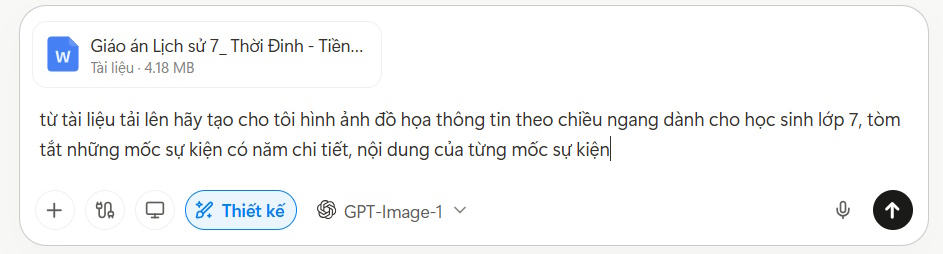
Once the fact list is correct, let the design generate. Inspect the result at its intended display size, not only zoomed in.
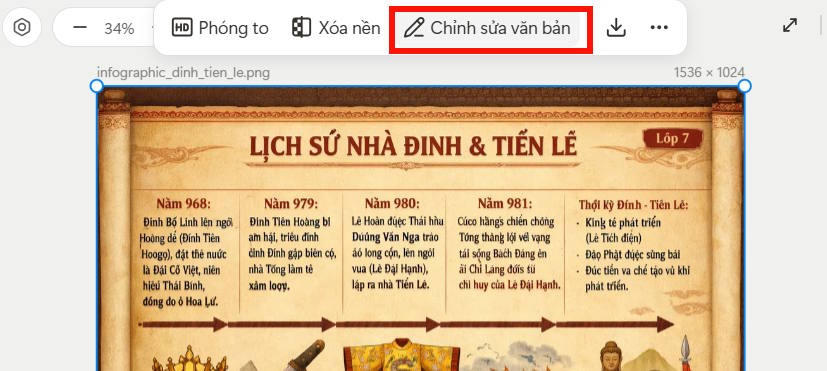
5. Edit text and layout on the canvas
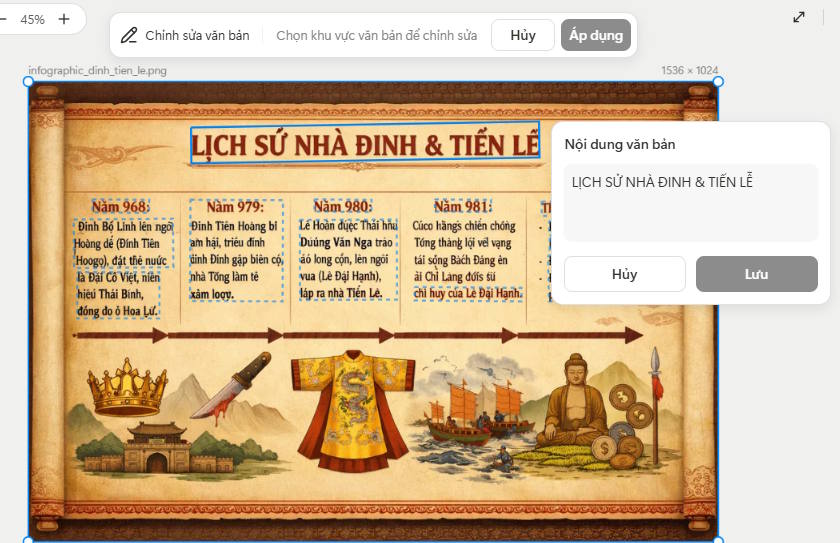
Select the infographic and use Edit Text or the equivalent object-editing control. Manus's current Design page says it supports editable text overlays; this is preferable to regenerating the whole image for a spelling change.
Replace incorrect wording, then save. Check every line for spelling, broken words, clipped characters, and altered diacritics. Vietnamese and other accented scripts can expose font or rendering problems, especially when text has been rasterized as part of an image.
6. Run a final quality review
- Accuracy: every fact is supported by the uploaded document.
- Hierarchy: the title, main events, and supporting descriptions are visually distinct.
- Readability: type remains legible on a phone, projector, or printed page as intended.
- Accessibility: contrast is sufficient and meaning does not depend on color alone.
- Consistency: dates, punctuation, capitalization, icon style, and spacing follow one system.
- Attribution: required source credits and image licenses are included.
- Privacy: no hidden or visible personal data from the source appears in the design.
7. Download the finished infographic
Use the download control and select the available format and resolution that fit the destination. Open the downloaded file separately to confirm its dimensions, text clarity, colors, and cropping.
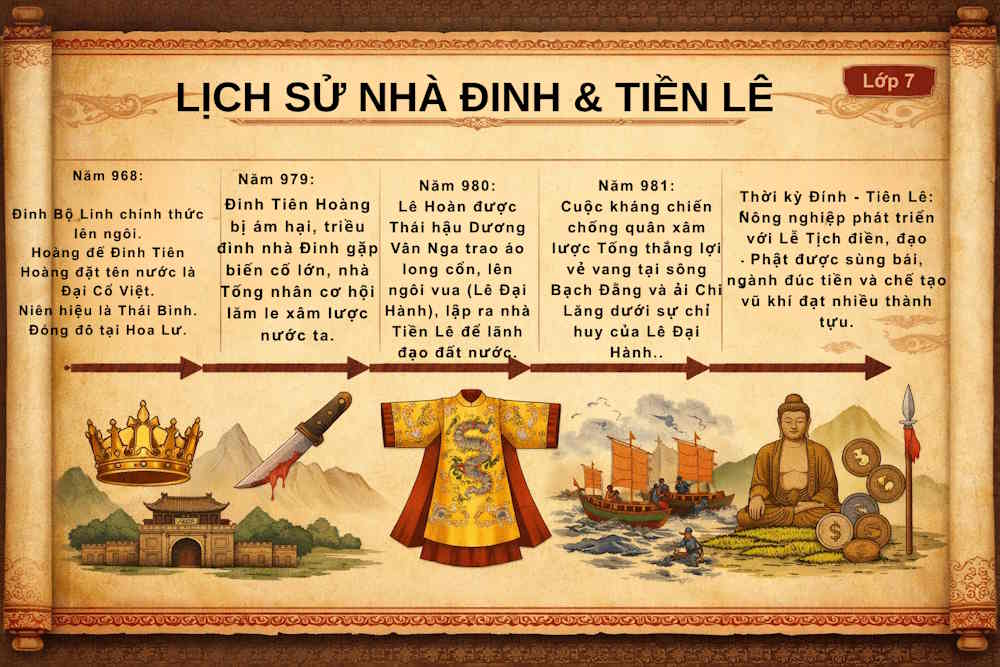
Keep the verified source notes and, when possible, an editable project copy. If a fact changes later, update the text rather than regenerating the entire visual and risking new errors.
Related Articles
 Create Infographics on Lovart Extremely Quickly3 minutes read
 Design Infographics on Gamma AI with Just Voice Commands3 minutes read
 Manus AI: Explained5 minutes read
 How to Create Infographics with AI Simply: Step-by-Step Guide7 minutes read
 Design Infographics in Canva AI from Data4 minutes read
 What Is ChatGPT Images 2?6 minutes read
Reader Comments 0
Sign in with email or Google to join the discussion.