Table of Contents
Registry defragmentation is not the same as defragmenting files on a mechanical hard drive. A registry defragmenter rewrites Windows registry hive files to remove unused internal space. On a modern Windows PC, this rarely produces a noticeable performance improvement, and it does not “repair all registry errors” or make applications automatically run faster.

What Free Registry Defrag does
The legacy utility analyzes registry hive files, creates compacted copies, and asks Windows to restart so the new files can be used. The original installation guide referred to an old installer named free-registry-defrag_240.exe; its screenshots and compatibility claims should not be treated as current download guidance.
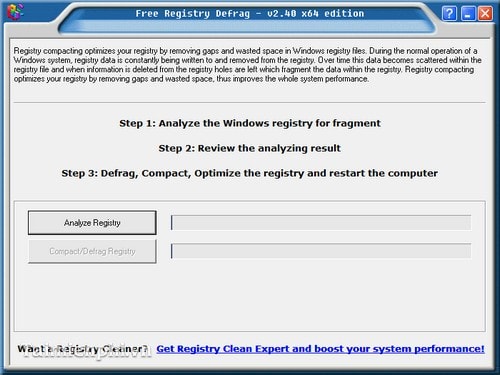
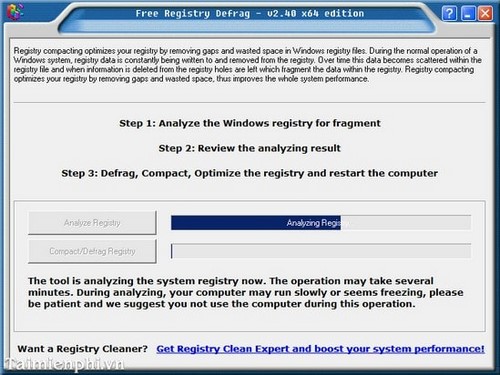
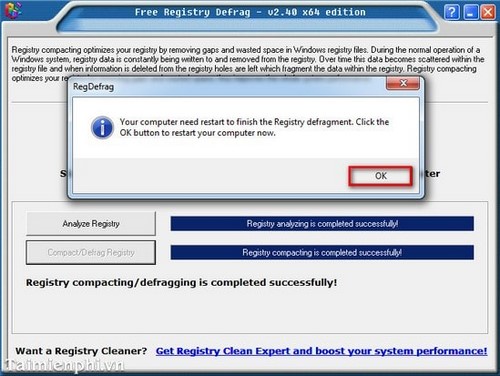
Compacting a hive may reduce its file size, but a smaller registry is not evidence of fewer errors or a faster PC. Windows loads and caches registry data as needed, so the advertised benefit is often too small to measure in normal use.
Risks to consider
- A tool that rewrites registry hives operates on essential startup and configuration data.
- An interrupted operation, incompatible version, or bundled installer can create more problems than it solves.
- Registry “error” counts used by cleanup utilities are not a reliable measure of system health.
- A system restore point is useful, but it is not a complete backup of personal files.
Do not download the old installer from an unofficial mirror. If an organization requires a specific maintenance tool, verify its publisher, digital signature, supported Windows versions, licensing, and recovery procedure first.
Safer ways to improve Windows performance
- Open Task Manager and disable startup applications you do not need.
- Remove unused applications through Settings rather than deleting their registry entries manually.
- Keep adequate free space on the system drive and use Windows Storage cleanup tools.
- Install Windows and hardware-driver updates from official sources.
- Run
DISM /Online /Cleanup-Image /RestoreHealthfollowed bysfc /scannowwhen there is evidence of corrupted Windows files. - Check drive health if the PC freezes, files become corrupt, or storage errors appear.
Registry compaction is not disk defragmentation
For an HDD, Windows Optimize Drives can consolidate fragmented files. For an SSD, Windows performs media-appropriate optimization such as TRIM. A registry utility should not be used as a substitute for either process. See TipsMake's overview of drive-defragmentation tools and hard-drive health checks.
If Windows is working normally, routine registry defragmentation is unnecessary. Focus on backups, supported software, drive health, startup load, and the specific symptom you are trying to solve.
Related Articles
 How to Use Smart Defrag to Defragment Hard Drives Effectively6 minutes read
 How to Install and Use Iobit Smart Defrag to Defragment Your Hard Drive4 minutes read
 How to Use Auslogics Disk Defrag to Defragment Your Hard Drive6 minutes read
 These Quality Hard Drive Defragmentation Software7 minutes read
 How to Defrag a Computer5 minutes read
 How to Defrag a Hard Drive with the Disk Defragmenter3 minutes read
Reader Comments 0
Sign in with email or Google to join the discussion.