Table of Contents
If Instagram is creating extra copies of photos or videos on your phone, turn off the relevant saving control in Instagram's archiving and download settings. The exact label differs by device and app version, but it may appear as Save original photos, Save posted photos, or Save Story to gallery/camera roll.
What this setting does
Instagram can save a local copy of media you capture or publish through the app. Turning the option off prevents future automatic copies from being added to your Photos or Gallery library. It does not normally delete existing files, remove published Instagram posts, or lower the quality of photos already stored on your phone.
Upload-quality controls are separate. If your goal is to change how Instagram uploads media over mobile data, look for data usage or media quality settings rather than the local saving option.
Turn off saved copies of Instagram photos
- Open Instagram and tap your profile picture.
- Tap the three-line menu in the upper-right corner.
- Open Settings and activity if that screen appears.
- Look for Archiving and downloading, Original photos, or a similarly named media-saving section.
- Turn off Save original photos, Save posted photos, or the equivalent option shown by your device.
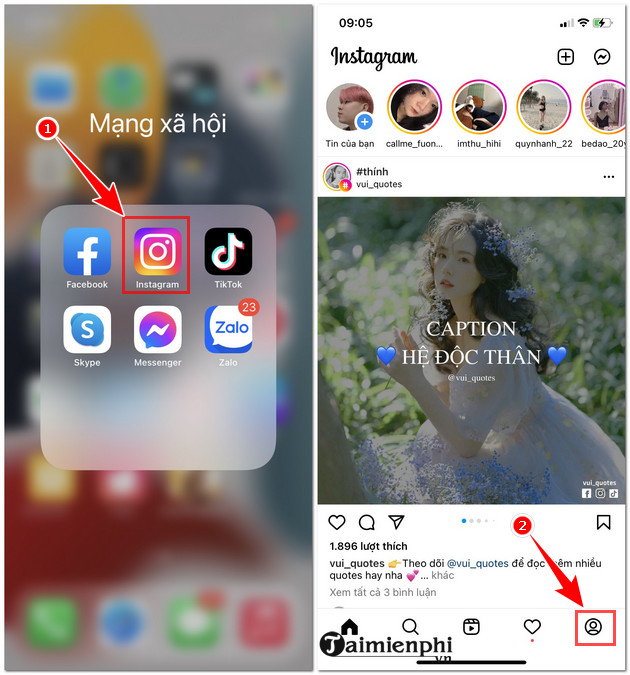
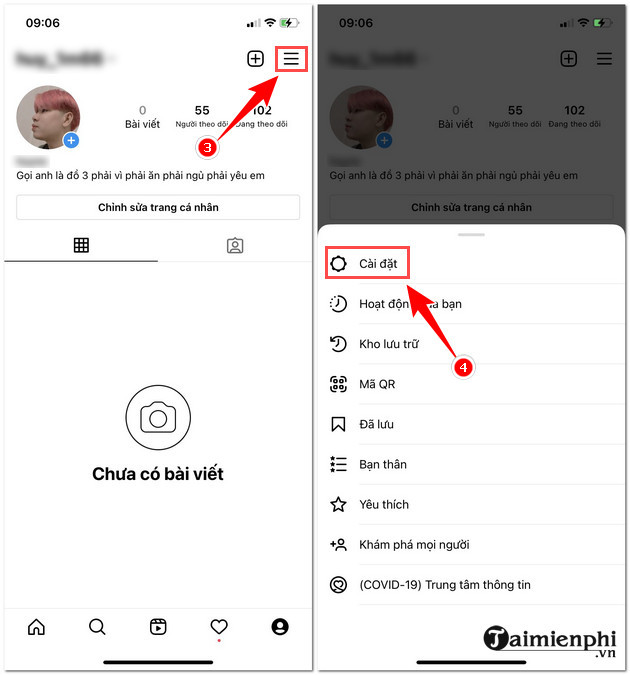
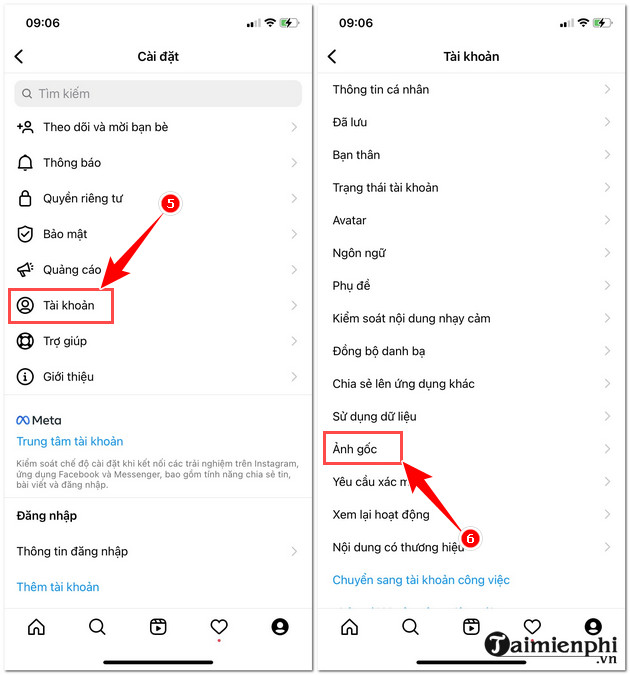
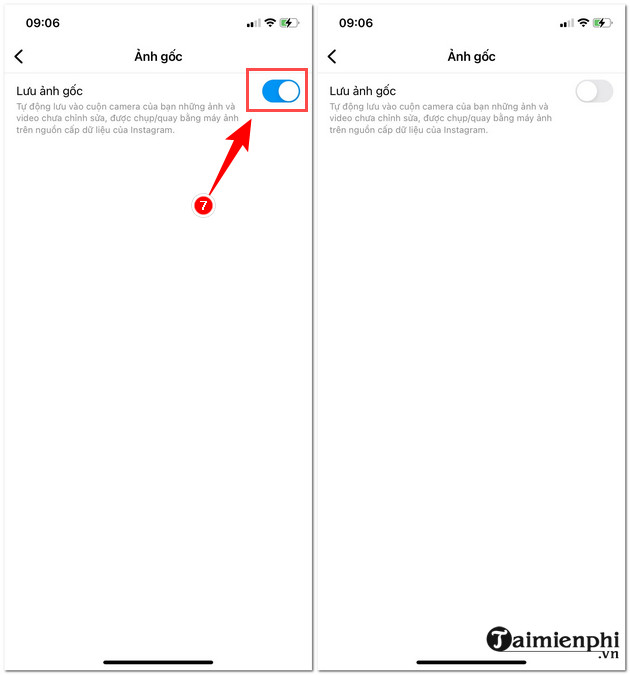
The screenshots show an older route through Settings > Account > Original Photos. Current versions may place the control under Archiving and downloading, so follow the setting name rather than the old menu position.
Stop Stories from saving automatically
Story saving can be controlled separately from regular photo saving. In the same archiving and download area, look for an option such as Save Story to gallery or Save Story to camera roll and turn it off.
Do not disable Save Story to archive unless you also want Instagram to stop keeping expired Stories privately in your account. The archive is stored within Instagram, while Gallery or Camera Roll refers to a local copy on the phone.
Check whether the change worked
- Take a test photo in Instagram or publish a harmless test Story.
- Wait for the upload to finish.
- Open the phone's Photos or Gallery app.
- Check the Recents, Instagram, Pictures, or Movies folders.
If a new copy still appears, identify whether it came from Instagram, the phone camera, a third-party editor, or a cloud photo service. Several apps can save versions of the same media.
Why Instagram may still save a file
- A separate Story option is enabled: Turn off both regular-photo and Story-to-gallery saving if you do not want either copy.
- The media was captured with the phone camera: The original belongs to the camera app and is not an Instagram duplicate.
- An editor exported a copy: Check the editor's save or export settings.
- The setting did not sync: Close Instagram, reopen it, and verify the toggle again.
- The app is outdated: Install the current version from the official app store.
Remove existing duplicates safely
Turning off automatic saving affects future media only. Before deleting old copies, confirm which file has the best quality and whether it is backed up. Compare the creation date, dimensions, duration, and file size when the two versions look identical.
If a cloud photo service is involved, make sure you understand whether deleting a local item also deletes its synchronized cloud copy. TipsMake's guide to Google Photos storage features explains tools that can free device space after backup. For related Instagram settings, browse the social-network guides.
Keep manual saving available
Disabling automatic copies does not prevent you from saving an individual Story or downloading your own content when Instagram offers that option. Use manual saving when you need a local backup, then verify the file before relying on it.
Related Articles
 How to Save Instagram Original Photos to Albums on Iphone3 minutes read
 How to Send High Quality HD Photos on Instagram3 minutes read
 How to Turn Off Automatic Saving of Screenshots to Google Photos2 minutes read
 How to Turn Off Saving Whatsapp Photos to Your Phone2 minutes read
 How to Share Original Quality Photos via Airdrop on iOS 133 minutes read
 How to Download HD Photos, Original Photos, Sharp Photos Fullsize3 minutes read
Reader Comments 0
Sign in with email or Google to join the discussion.