Table of Contents
Learn how to turn off automatic text correction on whatsapp with clear steps, practical tips, and troubleshooting guidance for a reliable result.
How to disable WhatsApp auto-fix on iPhone
Step 1
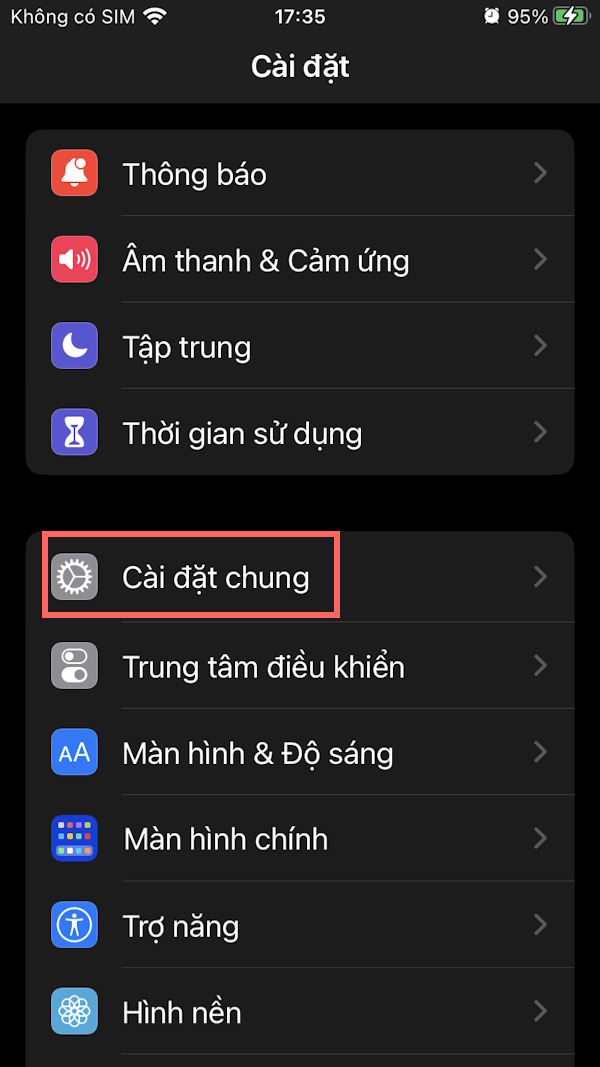
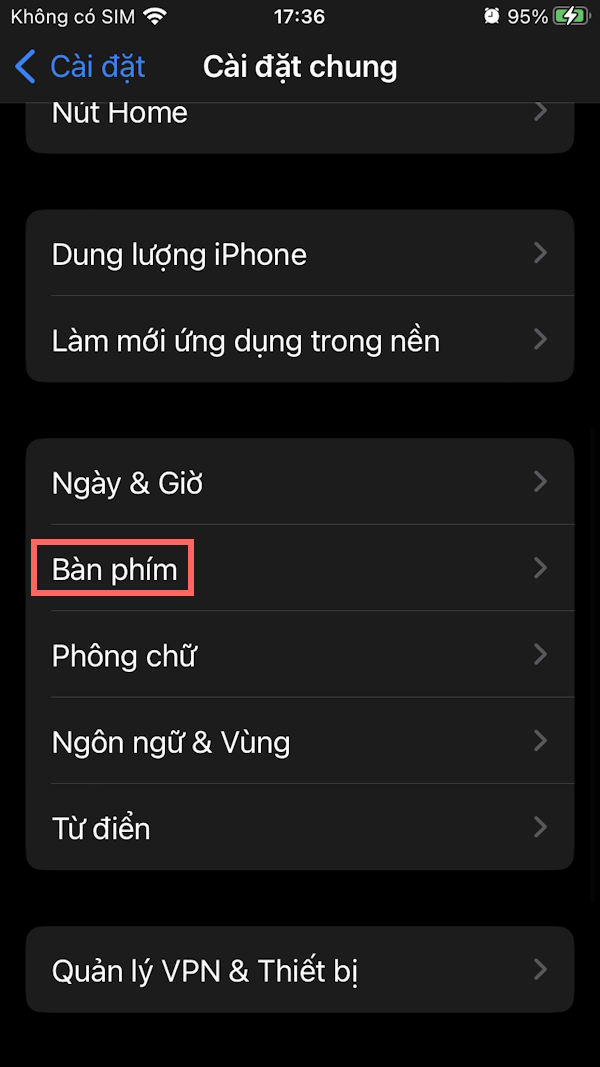
Go to Settings and then tap General . Next, tap Keyboard to adjust the settings.
Step 2
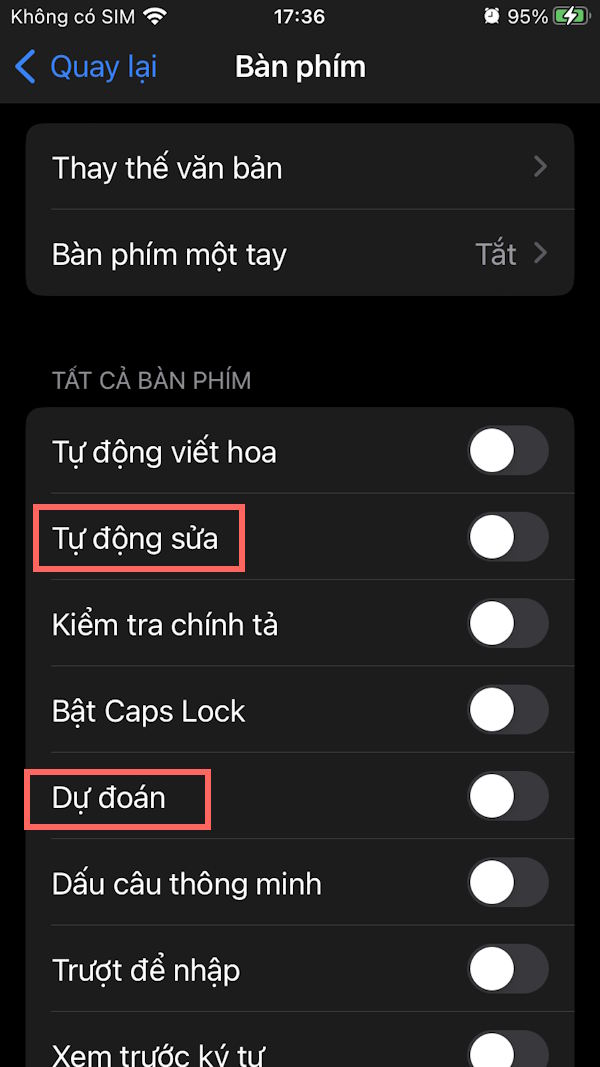
To switch to the new interface, simply turn off AutoCorrect and Predictive .
Go back to the WhatsApp app and you'll see that the auto-correction and content prediction features have been turned off.
How to turn off WhatsApp auto-fix on Android
Step 1
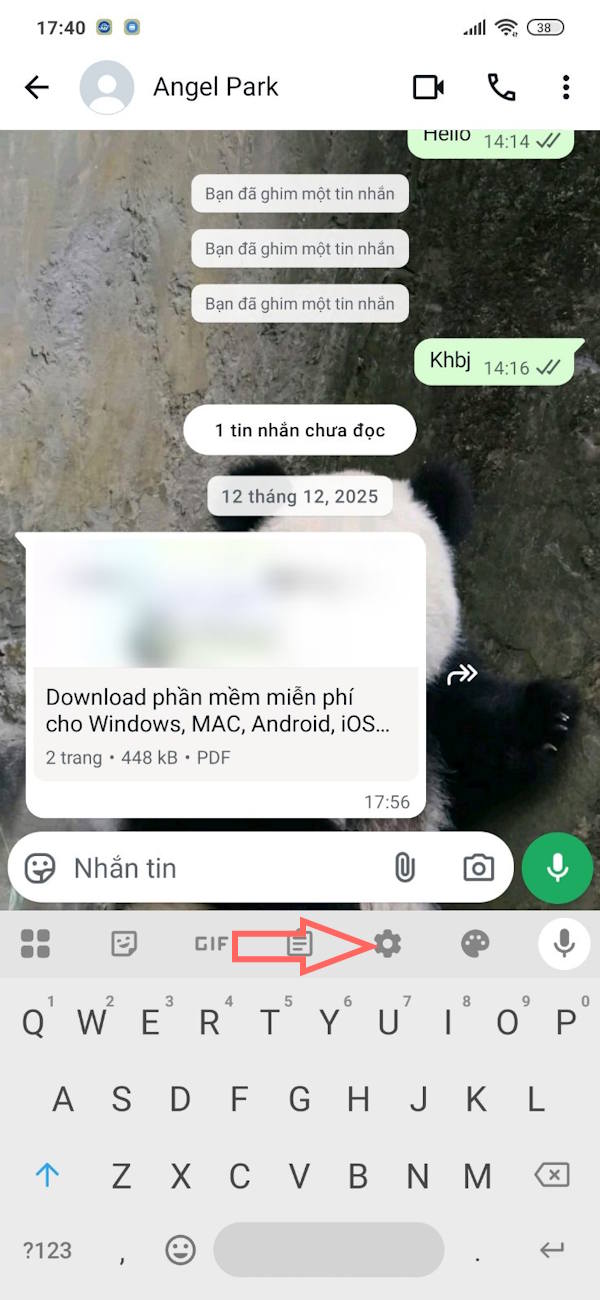
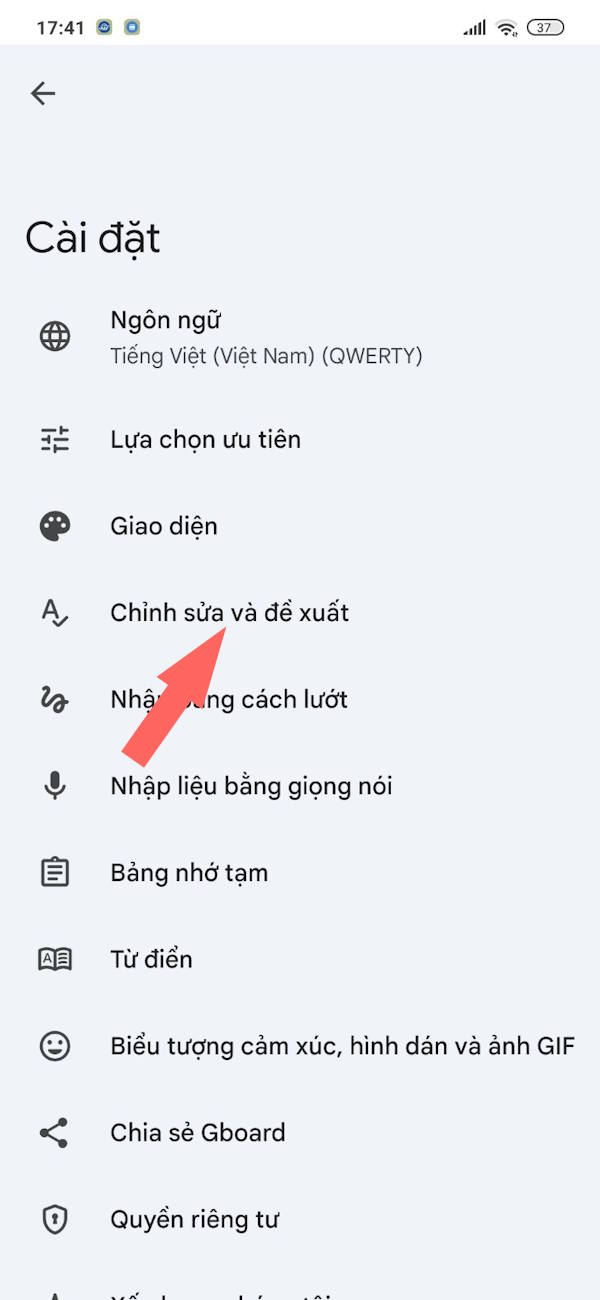
In the WhatsApp interface, in the message input field, tap the gear icon to switch to the keyboard settings interface. Then tap Edit and suggestions .
Step 2
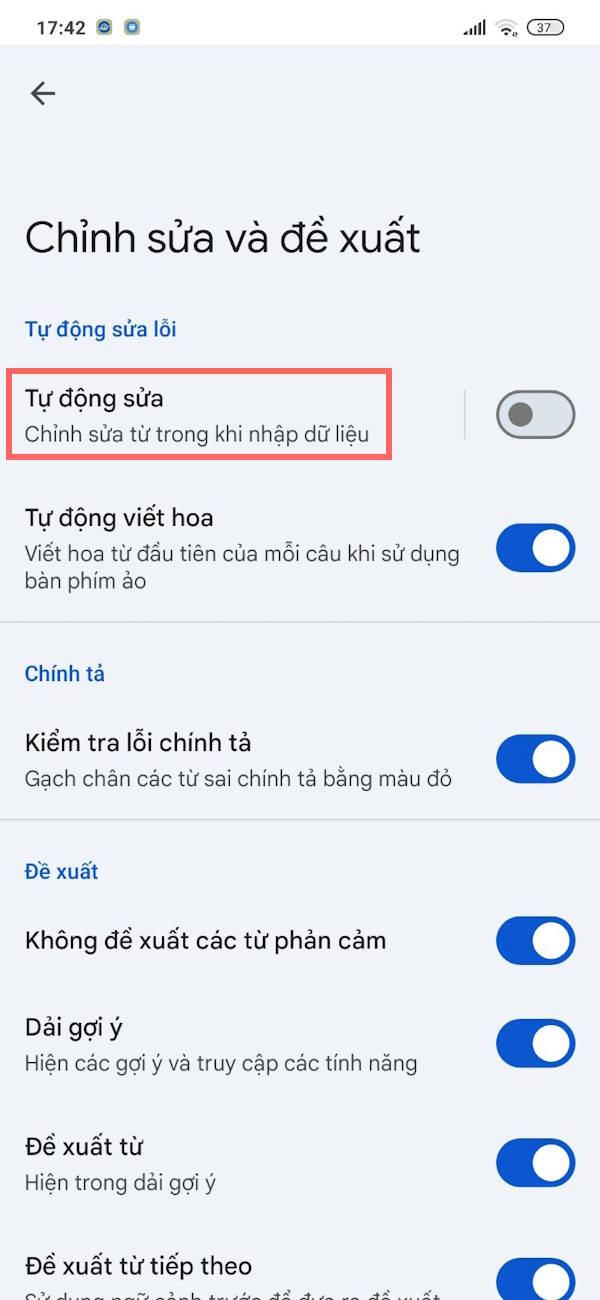
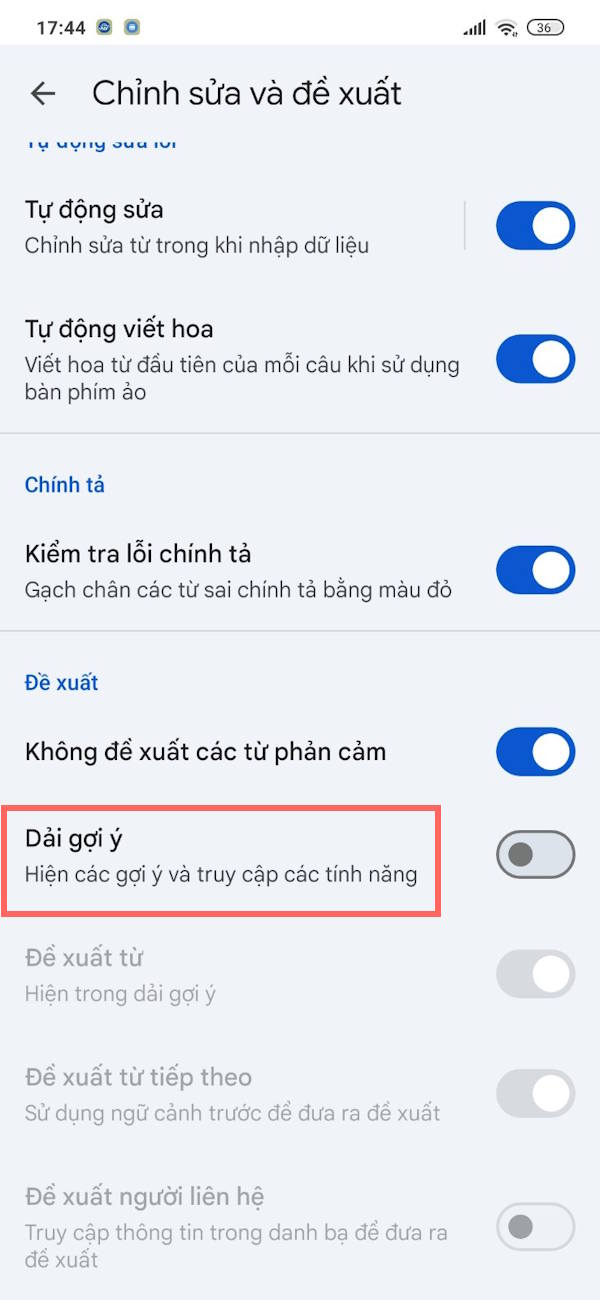
In the interface shown in the image, you need to turn off AutoCorrect at the top and turn off Content Suggestion Strip when typing messages on WhatsApp Android at the bottom.
Final Thoughts
Use this guide as a practical checklist for how to turn off automatic text correction on whatsapp. Work through the steps in order, verify each result, and adjust the options to match your needs.
FAQ
What do you need before following this How to Turn Off Automatic Text Correction on WhatsApp guide?
Review the required tools, accounts, settings, or materials mentioned in the article. Learn how to turn off automatic text correction on whatsapp with clear steps, practical tips, and troubleshooting guidance for a reliable result.
What are the main steps for how to turn off automatic text correction on whatsapp?
Follow the sections in order, especially How to disable WhatsApp auto-fix on iPhone, Step 1, Step 2. Complete each step before continuing and verify the result as you go.
What should you do if the process does not work as expected?
Recheck the prerequisites, update the relevant app or service, review the settings, and repeat the step that caused the issue. Use any troubleshooting notes included in the guide.
Related Articles
 How to 'Read' Whatsapp Voice Messages on Android or Iphone3 minutes read
 How to Control Auto-fix Feature on iPhone / iPad6 minutes read
 How to Turn Off Saving Whatsapp Photos to Your Phone2 minutes read
 How to Format Text in WhatsApp Chats: Step-by-Step Guide5 minutes read
 These Features Make It Easier to Master Whatsapp16 minutes read
 TOP AI Tools That Best Support Microsoft Word4 minutes read
Reader Comments 0
Sign in with email or Google to join the discussion.