Table of Contents
Online malware scanners can provide additional information about a suspicious file or URL by comparing results from multiple security engines. They are a second opinion, not a guarantee that a download is safe and not a replacement for protection on your device.
Before uploading anything, consider privacy. Public analysis services may share submitted files, URLs, and reports with partners or researchers. Do not upload confidential documents, credentials, private source code, or links containing access tokens to a public scanner.
Check an existing report before uploading
If you have a file’s hash, a service may let you look up an existing report without sending the file contents. Confirm that the hash describes your exact copy and check the report date. An old report may not reflect current detection information.
For ordinary public software downloads, first verify the publisher and source. A scan does not turn an unknown installer or cracked application into a trustworthy one. The checks to make before opening a downloaded file provide a broader review.
Scan a file with VirusTotal
- Open VirusTotal and select the file-scanning option.
- Read the submission notice and current size limit. Do not rely on limits shown in old screenshots.
- Select a file you are permitted to submit. Review an existing report if offered, or request analysis as appropriate.
- Wait for the results and inspect the individual detections, report date, and available file details.
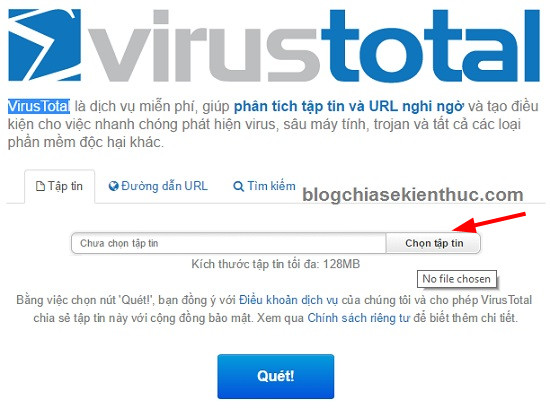
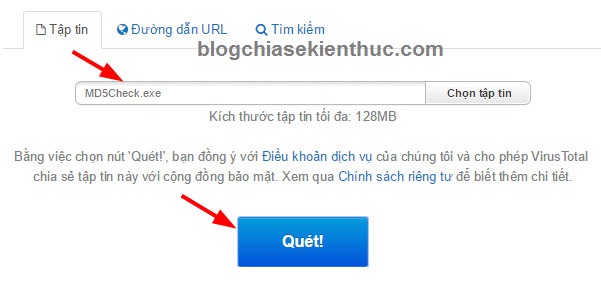
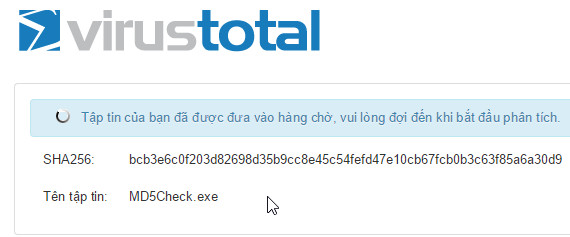
VirusTotal explains its sharing model in How it works. A normal public submission is different from its separate private-scanning service. Do not assume that signing in makes an upload private.
Interpret the detection count carefully
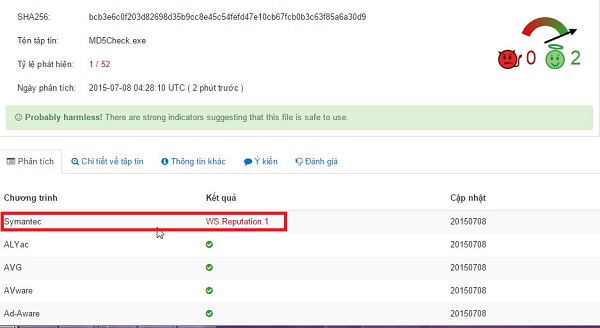
- Zero detections: no participating engine flagged the item in that analysis. New or otherwise undetected malware may still be missed.
- One or a few detections: investigate the labels and context. A false positive is possible, but the count alone does not prove that explanation.
- Several corroborating detections: do not run the file while the concern is unresolved.
- Timeouts or unsupported results: these are not clean verdicts. Some engines may not have completed analysis.
Do not interpret “1 out of 52” as a percentage chance that the file is malicious. Security-engine results are not independent votes with equal reliability. If you think a legitimate file is misidentified, follow VirusTotal’s false-positive guidance and contact the detecting vendor.
Check a URL
Use the URL option to inspect a public web address. Avoid submitting password-reset links, signed download links, private document URLs, or other addresses that grant access to non-public information.
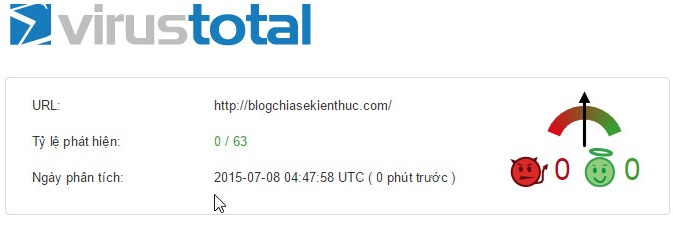
A URL reputation result is not the same as scanning every file reachable from that page. If you later download a file, inspect the exact file separately when appropriate. A previously clean website can also change.
Use another service when it adds useful context
MetaDefender Cloud offers file and URL analysis. Review its submission and privacy notice before uploading, and compare the report details rather than merely choosing whichever service reports fewer detections.
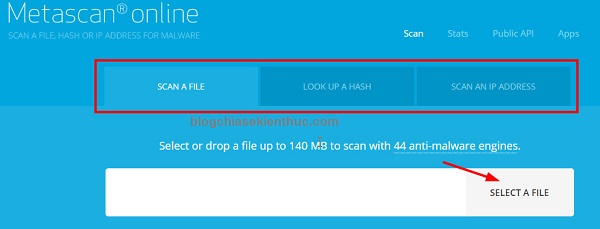
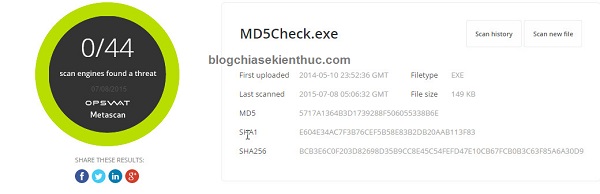
The VirSCAN screenshots below illustrate another older multi-engine workflow. They are retained as examples of selecting a file and reading a report, not as confirmation of present availability or upload limits.

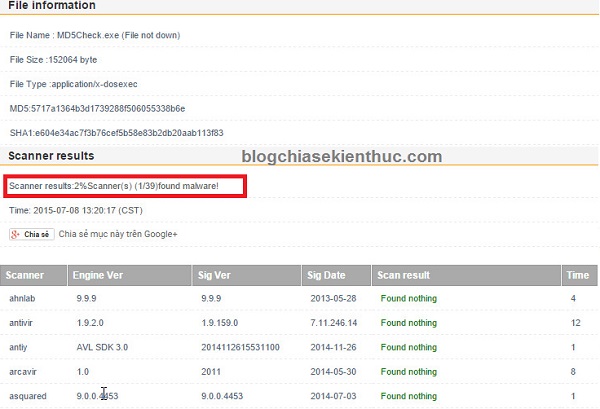
There is little value in repeatedly uploading a file to many services simply to obtain a clean result. Focus on the source, signature where available, detection labels, and whether the file is needed at all.
What online scanning cannot do
A public file report does not remove an infection from your computer, restore stolen credentials, or reverse actions already taken by a malicious program. If you have opened a suspicious file, use your device’s security tools and appropriate incident-response help rather than relying on its web report alone.
On Windows, the Windows Security guide explains protection status and scanning controls. Keep protection enabled while investigating. For private files, an approved local scan or your organization’s security team is usually a better starting point than a public upload.
Related Articles
 Instructions on how to scan for viruses online without installing additional software
 How to Run Microsoft Defender Virus Scans with PowerShell
 How to Check an APK for Malware Before Installing It
 How to scan virus files ZIP, RAR with ZipeZip
 Why can't Google Drive scan this file for viruses? How to fix?
 3 ways to scan Windows 10 system-wide viruses with Microsoft Defender
Reader Comments 0
Sign in with email or Google to join the discussion.