Table of Contents
This updated guide explains how to Retrieve a Hacked or Lost Zalo Account through clear steps, practical examples, and important checks that help prevent common errors.
Step 1: Recovering your Zalo password, you can only use the application on the phone to get it. So you need to install Zalo application first, if you have not installed Zalo can download here:
Android: https://play. google. com/store/apps/details? id=com. zing. zalo&hl=en
IOS: https://apps. apple. com/en/app/zalo/id579523206
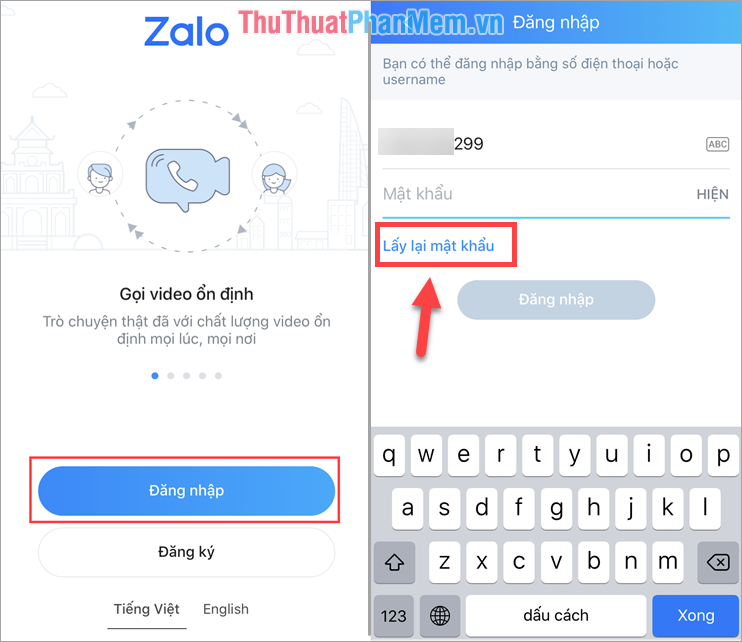
Step 2: You proceed to launch the application and select Login . Then you select Retrieve password to continue.
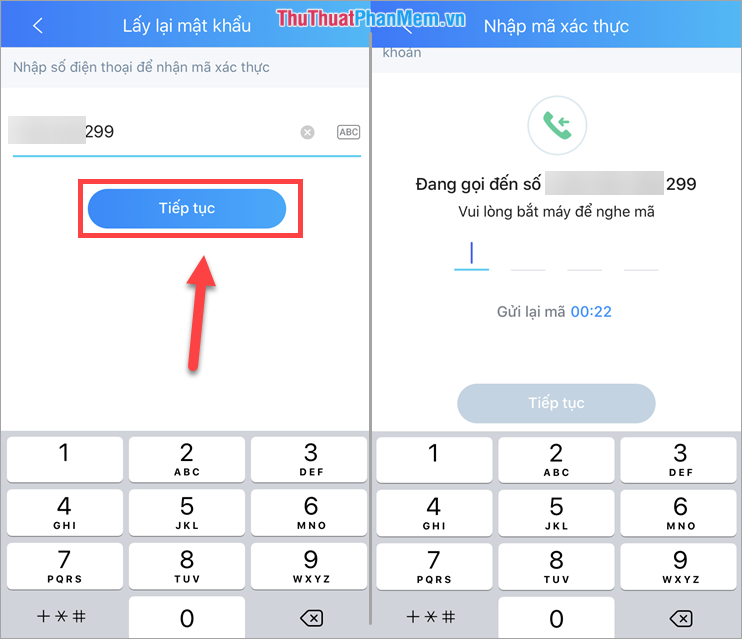
Step 3: Then you enter your phone number and click Continue . Zalo system will have someone call you to read the verification code so you should pay attention to the phone.
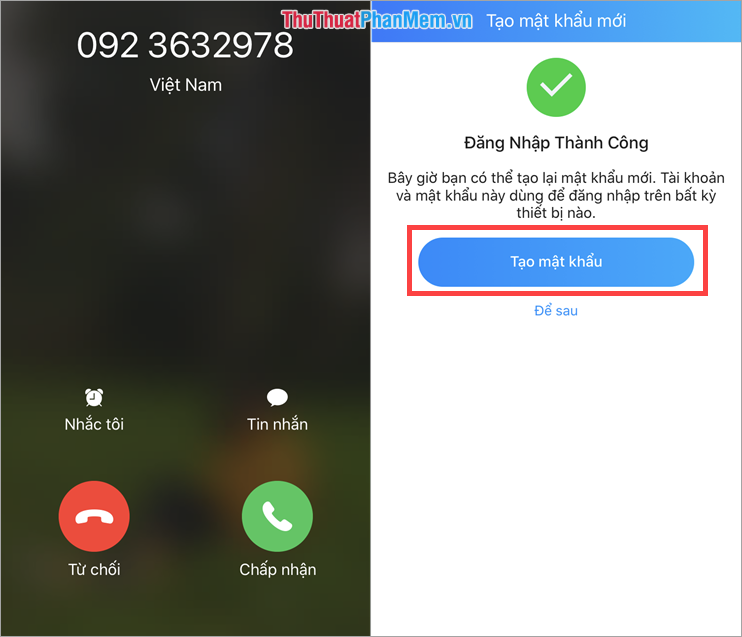
Step 4: The Zalo system will call and read the 4-digit code (read it twice), remember the code and enter it. Then you select Create password to set a new password.
Step 5: You proceed to enter a new password and click Update to update the new password.
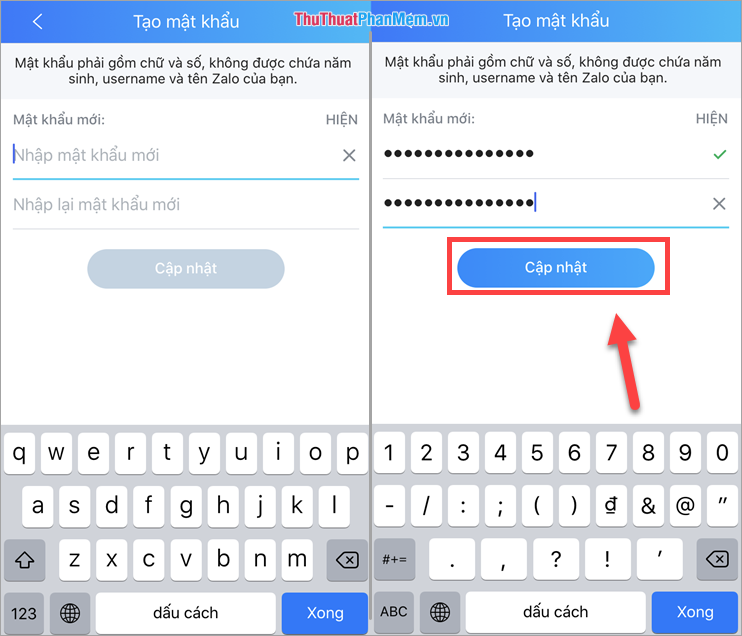
So you have proceeded to recover Zalo password for Zalo nick, when you recover Zalo password, it will mean that other devices that are logging in your Zalo nick are also logged out..
In this article, Software Tips have shown you how to recover the Zalo password fastest and most effective. Good luck!
FAQ
What is the easiest way to Retrieve a Hacked or Lost Zalo Account?
Start with the requirements in this guide, then follow each step in order. Check the result after every major change so problems are easier to identify.
Can beginners follow these instructions?
Yes. The process is organized into practical steps, and you can repeat any step before moving forward.
What should I check if the method does not work?
Confirm your software or device version, permissions, settings, file format, and internet connection when the task depends on online services.
Related Articles
 Tips to Retrieve Zalo Account After Being Hacked5 minutes read
 Instructions to Retrieve the Zalo Password on the Phone4 minutes read
 The Most Detailed Way to Retrieve a Hacked Facebook Account6 minutes read
 What to Do When Forgetting Your Facebook Password?8 minutes read
 How to Get Back Facebook Is Hacked and Lose Registration Email5 minutes read
 How to Retrieve Zalo Password When Losing Sim Registration6 minutes read
Reader Comments 0
Sign in with email or Google to join the discussion.