Table of Contents
This guide explains how to merge Music into Videos Quickly & Professionally, with clear steps, practical tips, and important checks before you begin.

1. Proshow Producer Software
This is a multimedia section, you can use to edit videos, insert photos, music into videos. However, this is a paid software, you can download a 15-day trial to experience before making a decision whether or not to spend the cost to buy the software.
Link to download software: http://www. photodex. com/proshow/producer
After downloading and installing. You proceed to open the software.
Step 1 : At the interface of the software you perform the steps in turn
- Select the folder containing videos and mp3 files.
- Drag and drop Videos and MP3 music files into the software tools.

After pulling the Video and music successfully. On the Slide List tab will display like this:
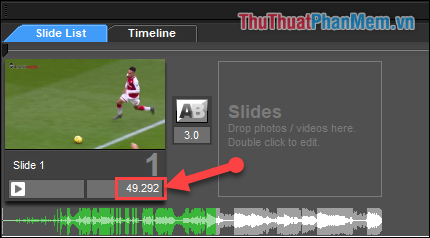
- You adjust the time to display video in the software by the default number of seconds of the original video.
Step 2 : Turn off the default sound of Video.
(1) Double-click the selected video in the Slide List tab.
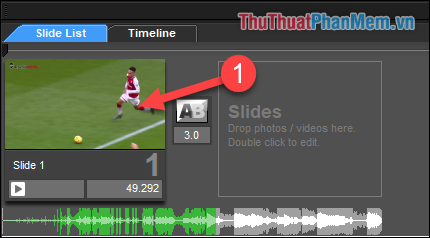
(2) In the new window, select the video section in the left tool column
(3) You set the Volume / Volume to 0%
(4) Select OK.
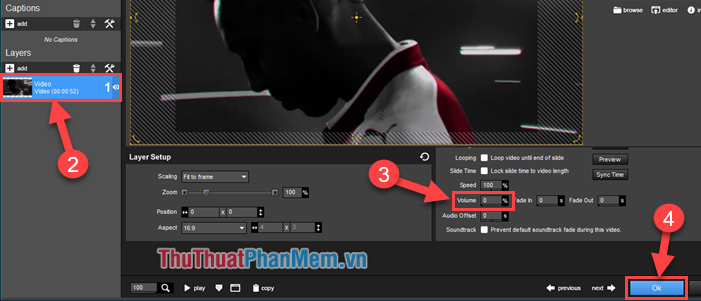
Step 3 : Edit the MP3 music file.
If the music file you have cut the desired piece of music, you can skip this step .
(1) Double-click the music file in the Slide List tab.
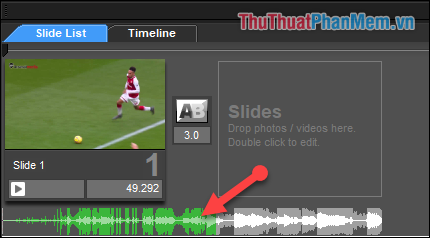
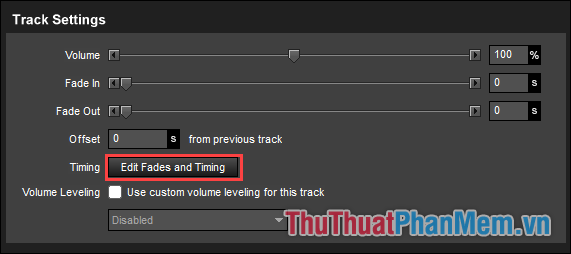
(2) On the Track Settings tab, choose Edit Fades and Timing .
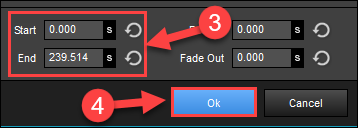
(3) Adjust music start and end time
(4) Then select OK.
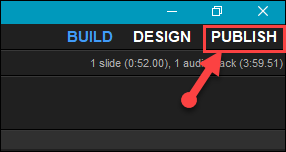
Step 4 : After completing the installation, you select Publish in the right corner of the software
Step 5 :
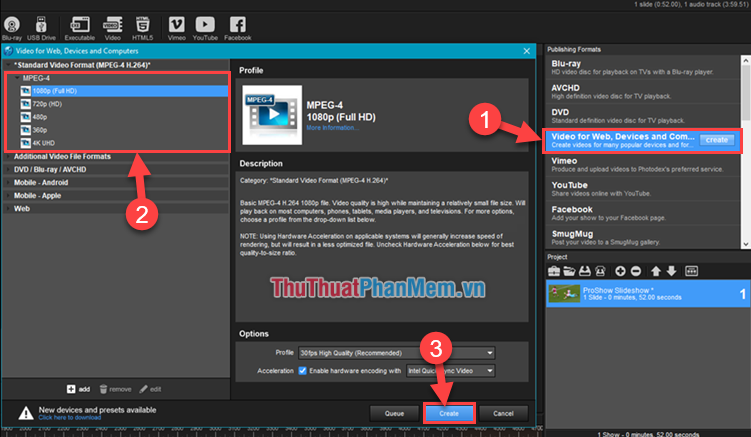
(1) Select Video for Web, Devices and Computer .
(2) Select the Video quality you want to export.
(3) Then select OK .
Step 6 : You choose the name Video, select the folder containing. Then press Save to start the process of creating a new video after pairing music.
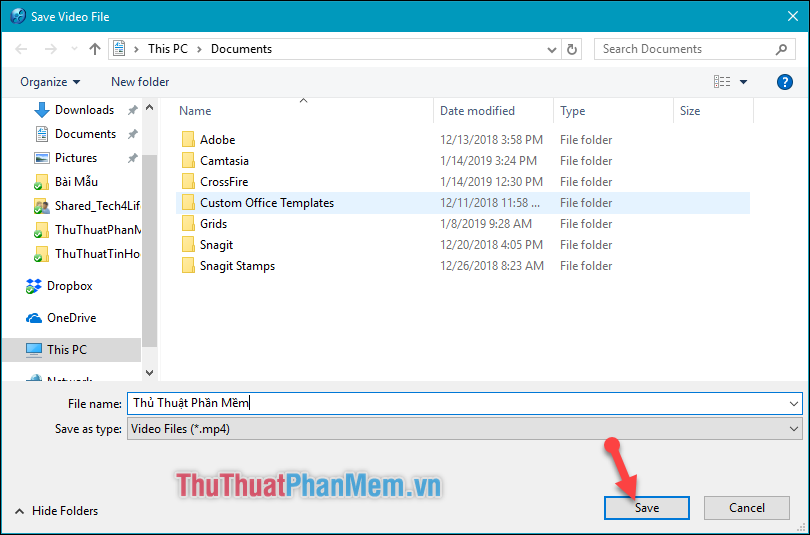
Depending on the length of video you create and the quality of the video you install, the time it takes for you to export new videos quickly.
2. Format Factory software
You can download and install the software at:
http://www. pcfreetime. com/formatfactory/index. php? language=en
Note: During the installation process, you check ' No, Thanks ' to not have to install additional software.
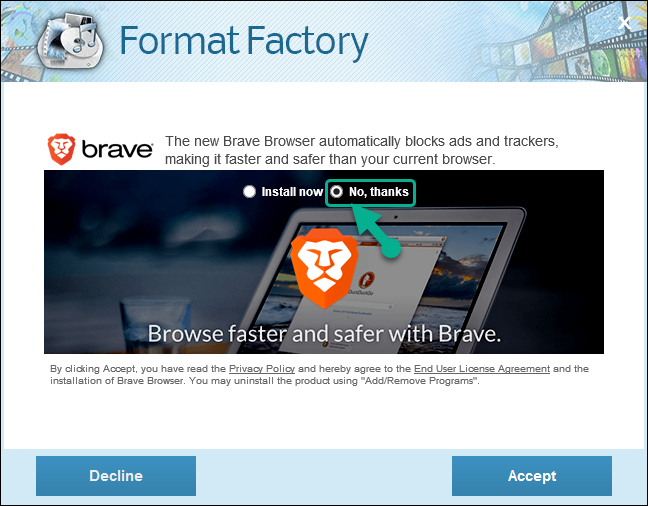
After installing the software, you proceed to open the software to start making music on video.
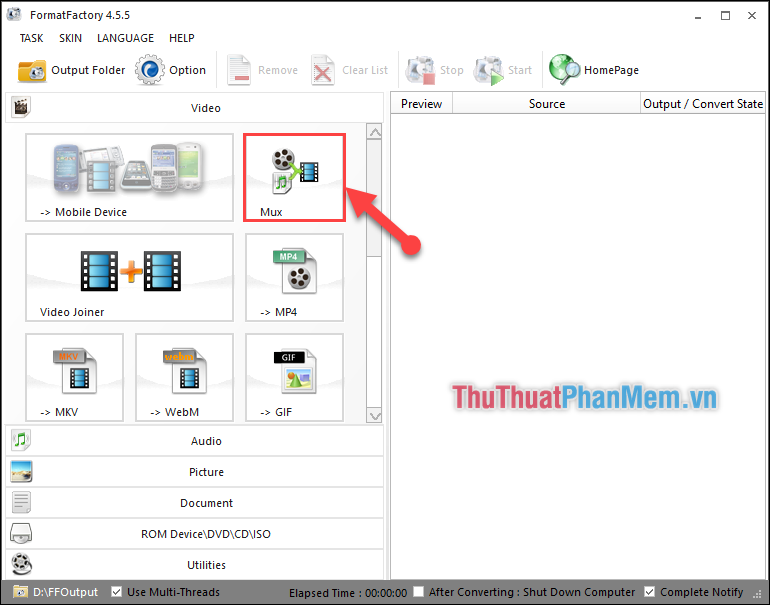
Step 1 : In the main interface of the software, select the Mux tool.
Step 2 : You add videos and music to pair.
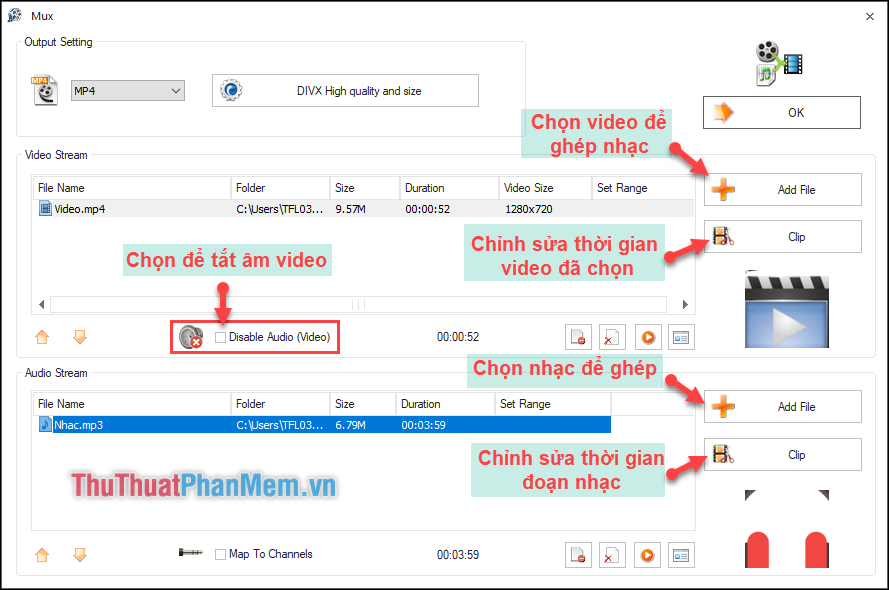
Step 3 :
(1) Output video quality option.
(2) After completing all, click OK .

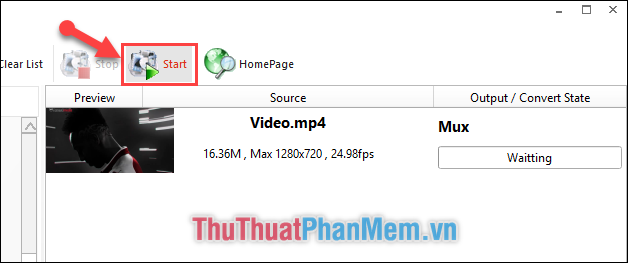
Step 4 : Then in the main interface, select Start to start combining music into the video.
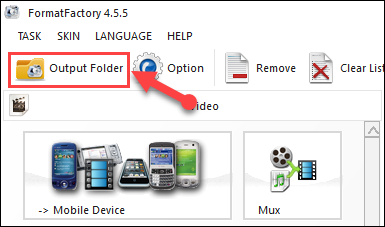
Step 5 : After the pairing process is complete, select Output Folder in the left corner of the software to go to the folder containing your merged videos.
Above are 2 software that TipsMake. com would like to introduce to you to help you can merge music into Video quickly and professionally. I wish you successful implementation. Thank you for watching the article!
FAQ
What should I know about Merge Music into Videos Quickly & Professionally?
Focus on the key features, requirements, limitations, and practical use cases explained in this guide.
How do I get the best results with Merge Music into Videos Quickly & Professionally?
Follow the recommended steps, use current software or information, confirm compatibility, and review settings before major changes.
Are there any risks or limitations?
Potential limitations depend on compatibility, data quality, cost, privacy, support, and how the product or method is used.
Related Articles
 How to Use VideoShow to Merge Music into Videos3 minutes read
 How to Merge Videos Online on Your Computer Quickly, without4 minutes read
 How to Combine Videos on Capcut, Combine 2 Videos into 13 minutes read
 How to Create Videos from Photos with ProShow Producer Quickly and6 minutes read
 How to Pin Music in Apple Music2 minutes read
 How to Install Savior on Chrome to Download Music and Videos2 minutes read
Reader Comments 0
Sign in with email or Google to join the discussion.