Table of Contents
To create a Perplexity API key, sign in to the API Console, create an API group, configure billing if required, then generate a key inside that group. Copy the key once, store it in a secrets manager or protected environment variable, and never place it in browser code, a mobile app bundle, a screenshot, or a public repository.
Perplexity's API platform has changed since the screenshots in this guide were captured. Sonar Chat Completions remains supported, but Perplexity now recommends the Agent API for new production workloads. Use the screenshots as orientation and follow the labels in the current console.
Before you create a key
- Decide whether the project needs the Agent API, Search API, Embeddings API, or legacy Sonar compatibility.
- Create separate development and production groups or keys.
- Choose an owner for billing, rotation, incident response, and access review.
- Read the current pricing and rate-limit documentation.
Create a Perplexity API group and key
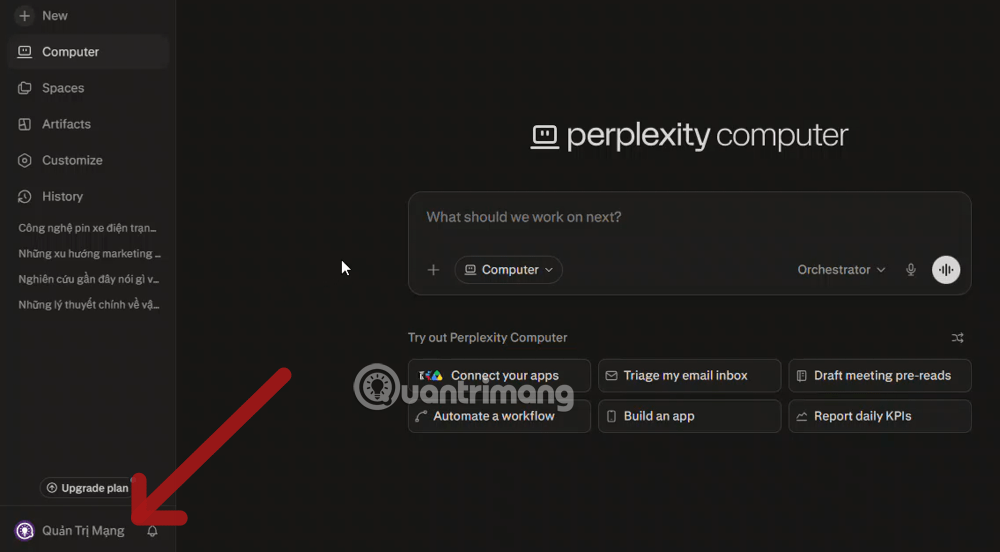
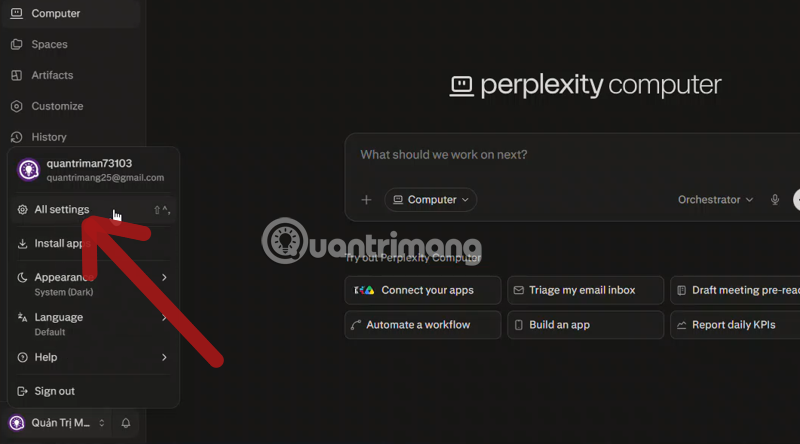
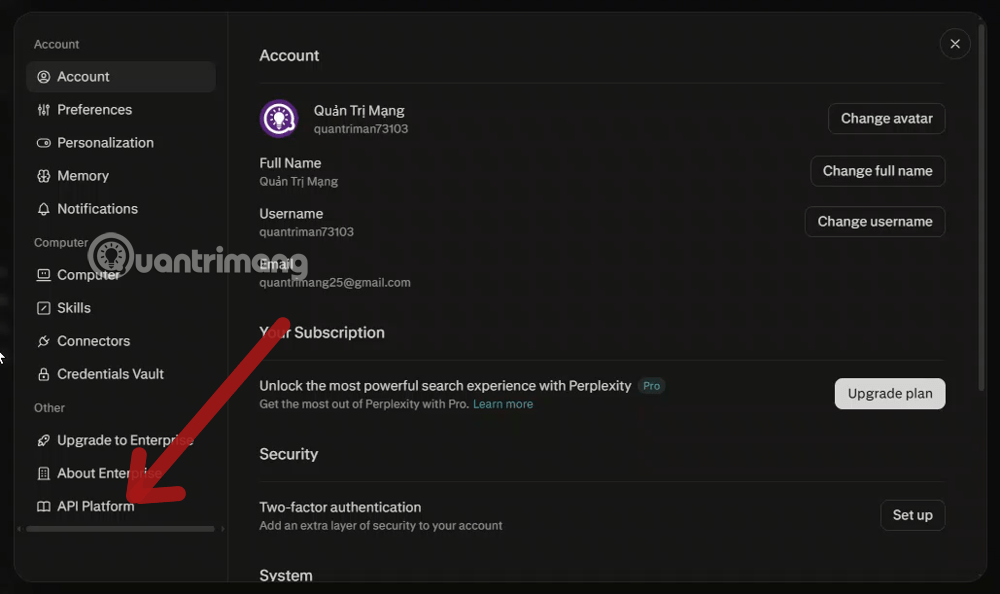
1. Open account settings and the API Console
From Perplexity, open the account menu and look for the API Platform or use the official API Console link from Perplexity's documentation.
2. Authenticate to the API Console
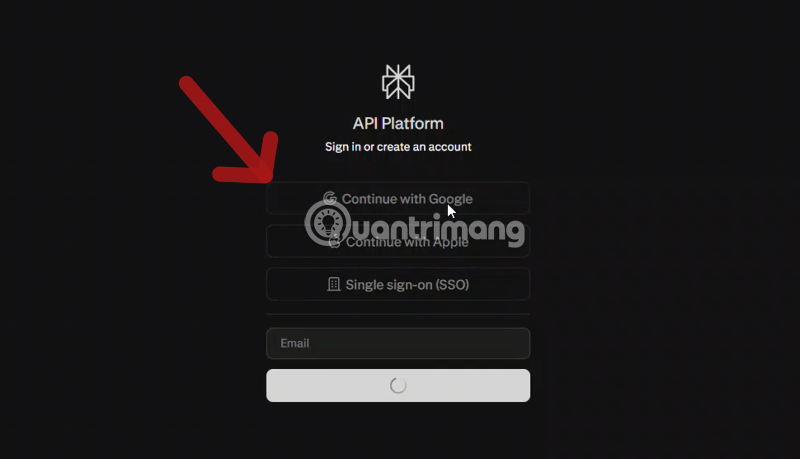
Sign in using the account and identity method that should own the project. For a team deployment, avoid creating a production key under an employee's unmanaged personal account.
3. Create an API group
Current Perplexity documentation requires an API group before a key can be generated. Create a clearly named group such as project-development or project-production. Groups organize keys, billing, and member access.
If the console opens directly to billing or keys, check Group Settings and confirm that you are in the intended group before continuing. The official API key management guide describes the current prerequisite.
4. Configure billing and usage monitoring
Add an approved payment method or credits when the console requires them. API billing is separate from access to Perplexity's consumer web app.
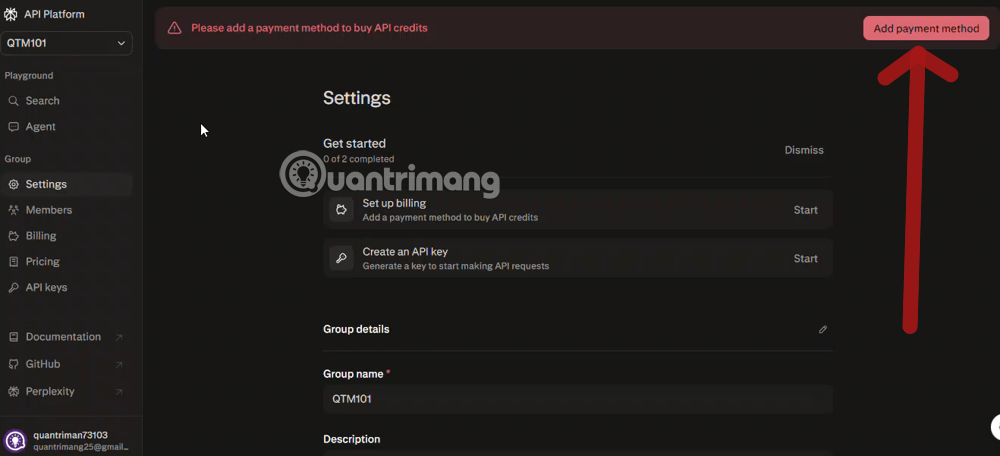
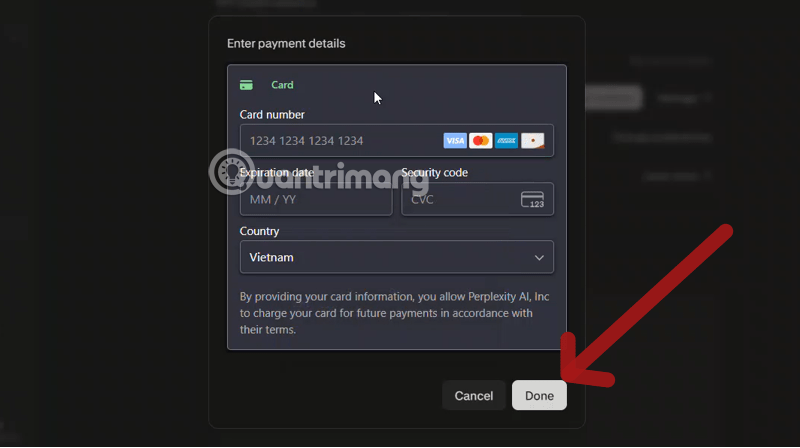
Enter payment details only in the official Perplexity payment flow. Do not store card data in project documentation. Configure available usage alerts, monitor spend by key, and test application-side budgets and timeouts; a dashboard limit should not be your only safeguard.
5. Generate and copy the key
Open API Keys within the correct group and choose Generate API Key. Give the key a descriptive name if the interface allows it.
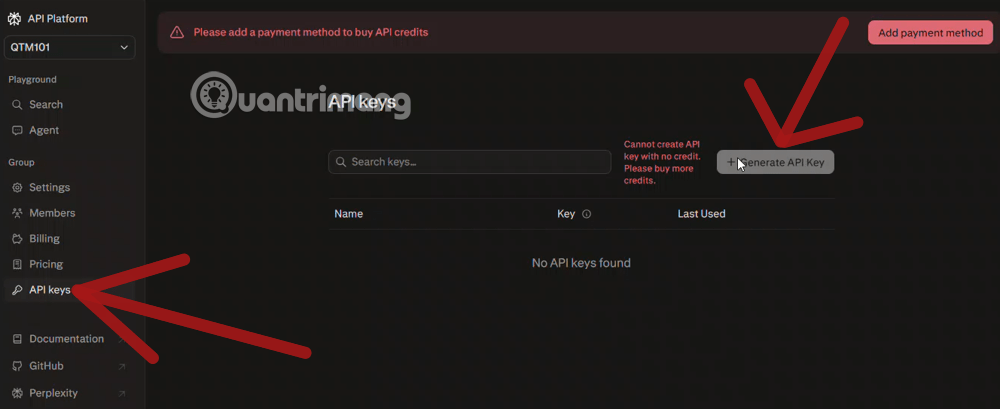
The full value is displayed once. Copy it immediately into a secrets manager or password manager. If it is lost, exposed, or committed to source control, revoke it and create a replacement; deleting the visible line from a Git commit does not make a leaked credential safe again.
Store the key as an environment variable
For local development, set PERPLEXITY_API_KEY in your shell or a protected .env file that is excluded from version control. Production systems should use the hosting platform's secret store.
# macOS or Linux
export PERPLEXITY_API_KEY="replace-with-your-key"

# Windows PowerShell
$env:PERPLEXITY_API_KEY="replace-with-your-key"
Do not send the key from frontend JavaScript. A web or mobile client should call your authenticated backend, and the backend should call Perplexity.
Make a test request with the current SDK
Perplexity provides Python and TypeScript SDKs. The current Python package can be installed with:
pip install perplexityaiWith the environment variable set, a minimal Agent API request follows this pattern:
from perplexity import Perplexity

client = Perplexity()

response = client.responses.create(
    preset="low",
    input="Summarize the latest official documentation for this topic and cite the sources."
)

print(response.output_text)
Consult the Agent API quickstart for current presets, response fields, and error handling. If an existing application uses OpenAI's Chat Completions client, the legacy Sonar interface supports a compatible format, but Perplexity's migration guidance recommends evaluating the Agent API for new production work.
Production security checklist
- Create a different key for each application and environment.
- Limit who can view, rotate, or delete production credentials.
- Never log the Authorization header or the complete key.
- Add request timeouts, retry limits, rate controls, and maximum response sizes.
- Track cost and errors by key; alert on unexpected spikes.
- Validate citations and retrieved content before displaying or acting on an answer.
- Rotate keys on a schedule and immediately after suspected exposure.
- Return a controlled error to users instead of exposing provider responses or stack traces.
Where the Perplexity API fits
The platform can support web-grounded question answering, research assistants, retrieval inside an internal workflow, and applications that need cited search results. Citations are not proof that an answer is correct: check whether each source supports the adjacent claim and whether the source is authoritative and current.
For a product-level comparison, see TipsMake's guide to Perplexity versus ChatGPT. If the key will be used in an automation, the n8n workflow example shows the broader pattern of keeping credentials on the server side.
Related Articles
 How to Use the Space Feature in Perplexity AI7 minutes read
 Why Is a Perplexity Pro Subscription Worth It: Causes and Fixes6 minutes read
 How to Use Perplexity to Create AI Images on WhatsApp3 minutes read
 A Comprehensive Guide to Academic Knowledge on Perplexity AI3 minutes read
 How to Integrate Gemini with Perplexity AI: Step-by-Step Guide6 minutes read
 How to Get the Most Out of Your New Perplexity Pro Subscription6 minutes read
Reader Comments 0
Sign in with email or Google to join the discussion.