Table of Contents
This article will guide you on how to enable the "Find Nearby" feature on Zalo.
Zalo's Discover Friends feature may appear as a Mini App instead of a main-screen tool. In the mobile app, open Explore > Mini Apps, search for Discover Friends, review the publisher and requested permissions, and continue only if you are comfortable sharing location for the feature. The exact labels and availability can vary by Zalo version, region, and account.
Use location-based discovery with care
- Grant precise location only while using the feature if your phone offers that choice.
- Do not display a home address, workplace, daily routine, phone number, or other identifying details to strangers.
- Treat profile details and messages from nearby accounts as unverified. Do not send money, verification codes, identity documents, or intimate images.
- Meet new contacts only in a public place and tell a trusted person where you will be.
- When finished, close the Mini App and review Zalo and phone-level location permissions. Block or report unwanted accounts.
If Discover Friends is missing
Update Zalo from the official app store, search the Mini Apps catalog, and confirm that location services are enabled for Zalo. If the Mini App still does not appear, it may not be available for that account or current app build; avoid installing unofficial APKs or following links that ask for a Zalo password or one-time code.
For more control over who can contact or identify you, see TipsMake's guides to Zalo privacy settings, blocking a Zalo contact, and limiting messages from strangers.
How to enable "Find nearby" on Zalo to add friends
Step 1:
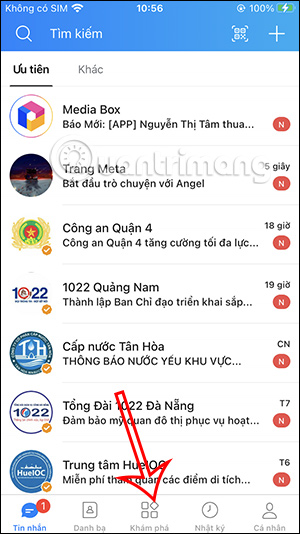
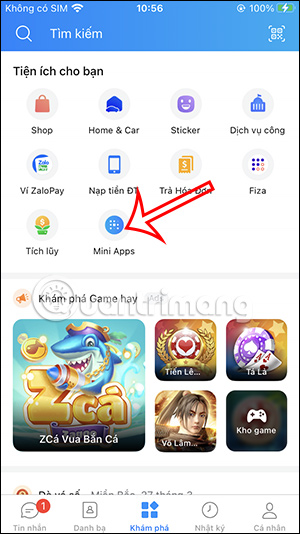
On the Zalo app interface, tap the "Explore" section at the bottom. Then tap the "Mini Apps" section to view the applications.
Step 2:
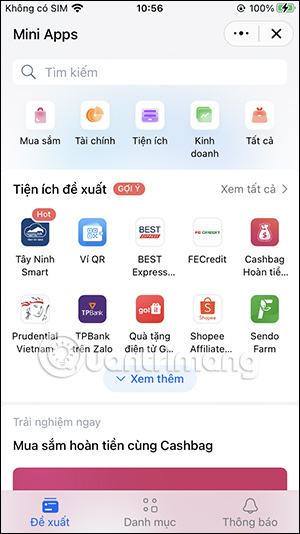
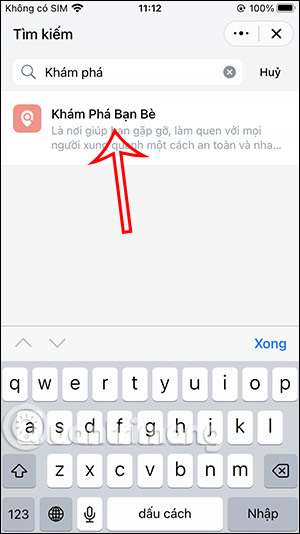
Now, in the app interface, find the Discover Friends app to use. If you can't find it, in the search bar at the top of the interface, type the keyword "discover" and you will see the Discover Friends feature to select.
Step 3:
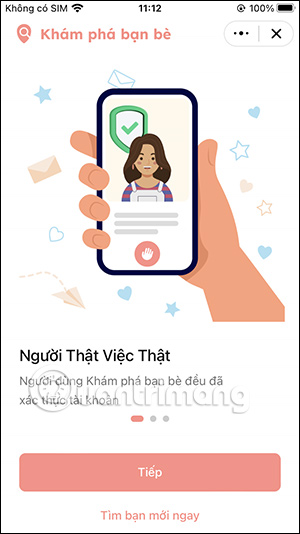
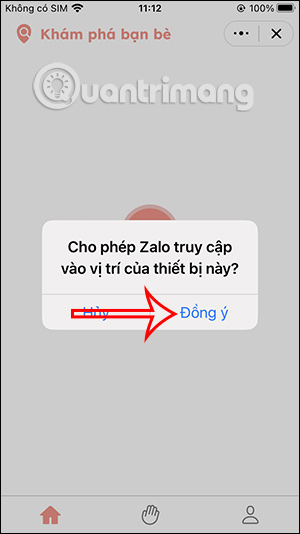
Switch to the app's introduction interface. Press Next to use it, then we need to enable location services on Zalo to share our location with others.
Step 4:
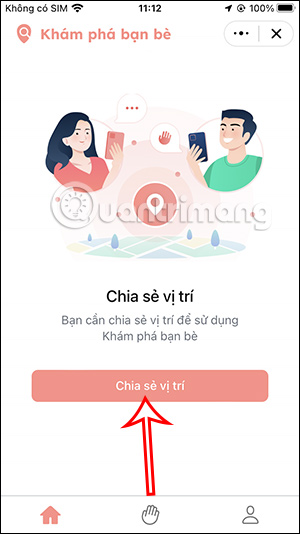
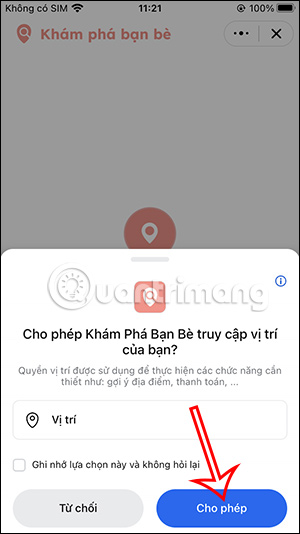
You tap Share Location to proceed. Next, the user taps Allow to grant this feature access to the current location on the device.
Step 5:
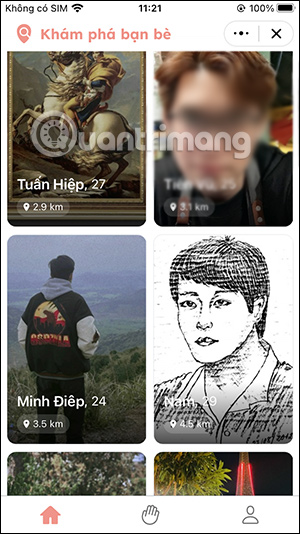
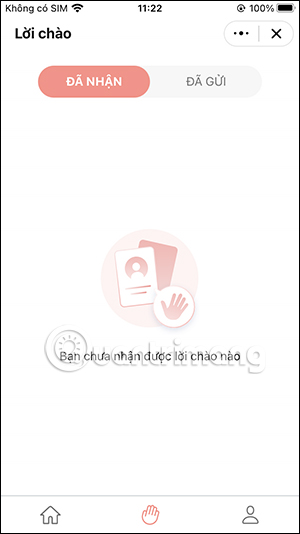
As a result, users will see new friends on Zalo around their current location. You can tap on their Zalo account to view their information and add them as friends if needed. All friend requests received and sent through this feature will be managed under the hand icon as shown below.
Step 6:
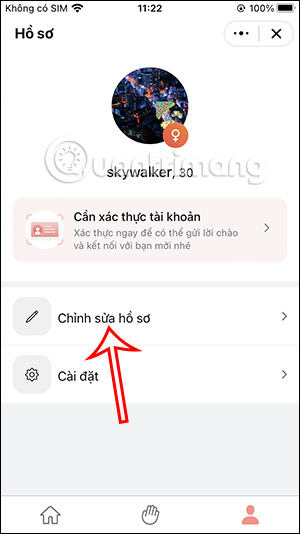
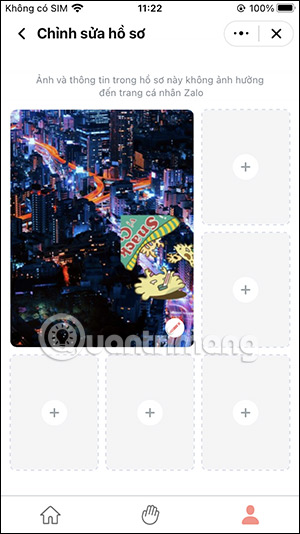
When you tap the person icon, options to edit your personal information and change your details will appear. Tap " Edit Profile" to add your personal photo.
Step 7:
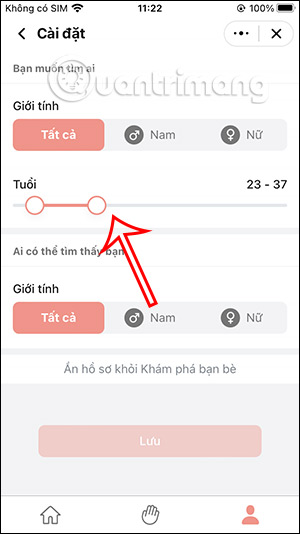
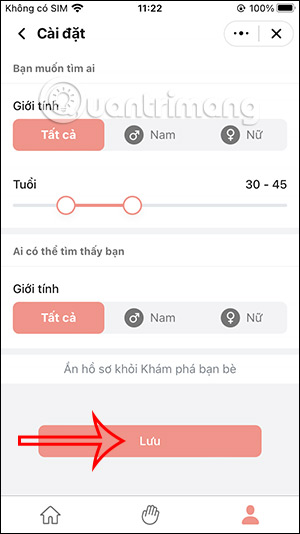
In the Settings section, you can change their friend search criteria to include the age range and gender of their friends. Click Save at the bottom to save the changes.
Related Articles
 Do You Know How to Retrieve Old Messages on the Zalo PC?5 minutes read
 Instructions to Block Accounts from Discovering Friends on Zalo3 minutes read
 How to Make Friends on Zalo Computer Version Via Facebook4 minutes read
 Instructions on How to Share and Send GIF Images Via Zalo5 minutes read
 Instructions on How to Delete the Update of Contacts on Zalo3 minutes read
 How to Use Zalo Web Without Installing Software6 minutes read
Reader Comments 0
Sign in with email or Google to join the discussion.