Table of Contents
Facebook does not display your current password inside the Facebook app. You can reveal it only if a browser or password manager previously saved it. If no saved Facebook entry exists, use Facebook's password-reset process instead of installing a password-recovery tool.
Before you start
- Follow these steps only on a device and account you own or are authorized to use.
- Search for both facebook.com and Facebook; the saved entry may use either label.
- Your phone or computer may require Face ID, Touch ID, a screen-lock PIN, or the operating-system password before revealing the credential.
- A saved password may be outdated. If Facebook rejects it, reset the password and update the saved entry.
Find a saved Facebook password on Android
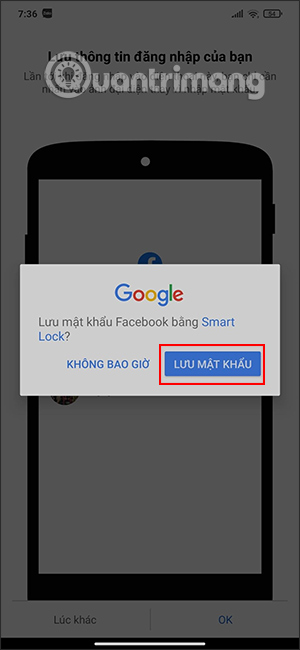
Google Password Manager replaces the older “Chrome Smart Lock” name used in the original instructions. It can store website and app credentials in your Google Account.
- Open Chrome.
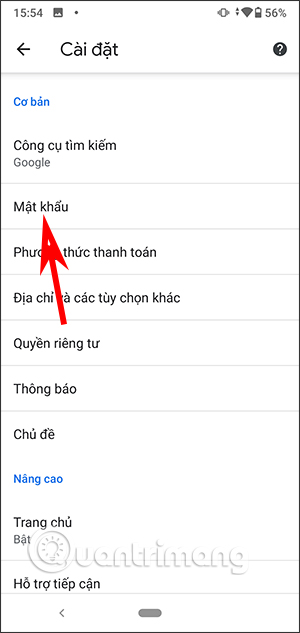
- Tap the three-dot menu, then Settings > Google Password Manager.
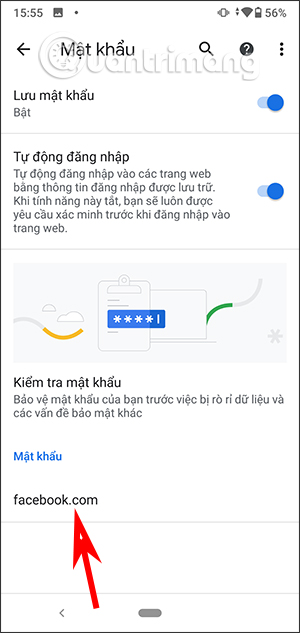
- Search for Facebook or facebook.com and select the matching entry.
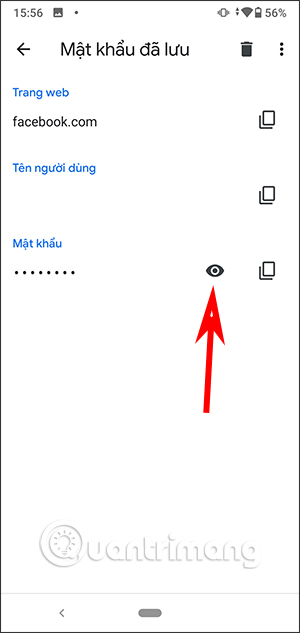
- Tap the eye icon to reveal the password, then authenticate with the phone's screen lock when prompted.
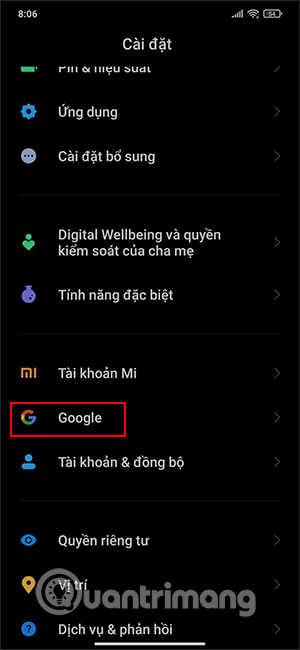
You can also open Android Settings, search for Password Manager, and select Google Password Manager. The exact route varies by phone. Google's Android password-management instructions show the current Chrome route.
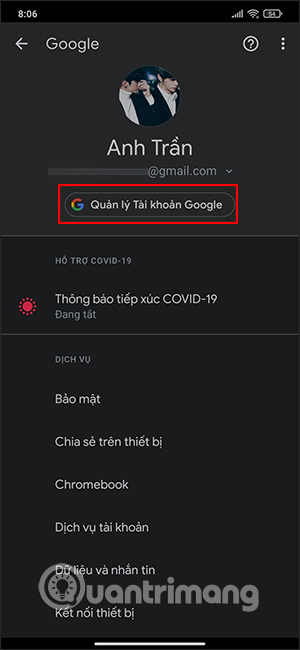
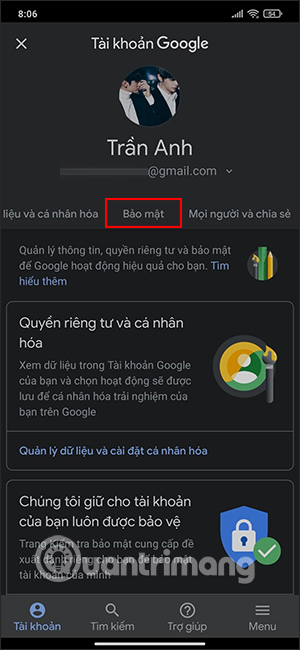
The following screenshots show older Google Account and Smart Lock interfaces. They remain useful for recognizing the saved Facebook entry, but labels and placement may differ on a current device.
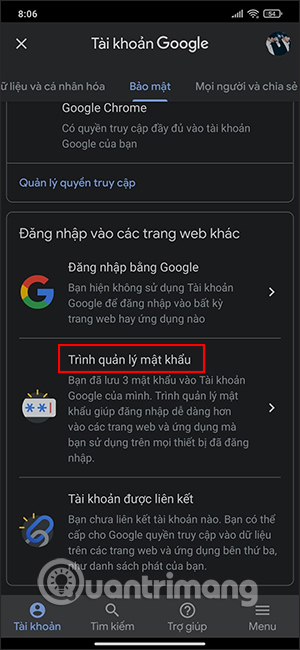
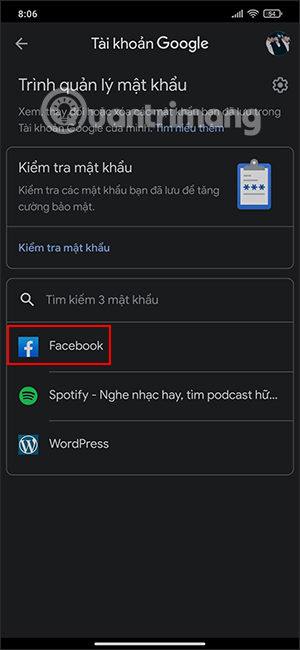
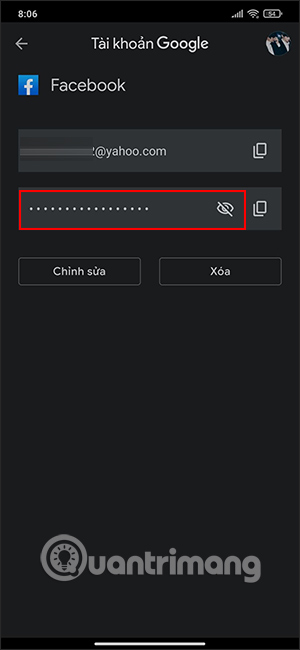
Use Chrome's password list on Android
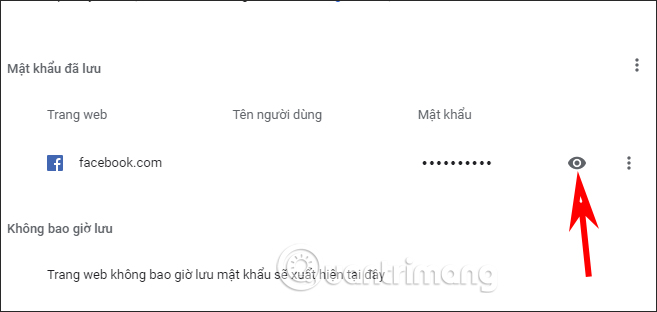
If you logged in to facebook.com in Chrome and accepted the save-password prompt, the entry appears in the same Google Password Manager. Open Chrome > menu > Settings > Google Password Manager, search for facebook.com, and authenticate to reveal it.
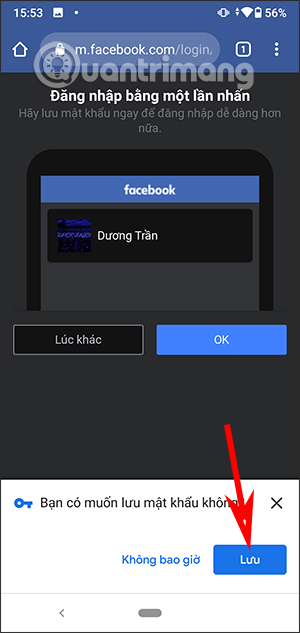
Find a saved Facebook password in Chrome on a computer
- Open Chrome and select the three-dot menu.
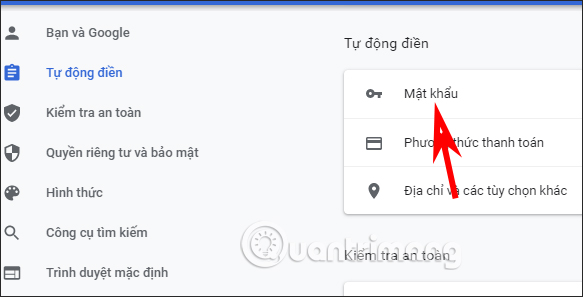
- Choose Passwords and autofill > Google Password Manager. You can also enter passwords.google.com while signed in to the correct Google Account.
- Search for facebook.com and open the entry.
- Select the eye icon and complete the operating system's authentication prompt.
Google documents the current desktop route in Manage passwords in Chrome.
Find a saved Facebook password in Firefox
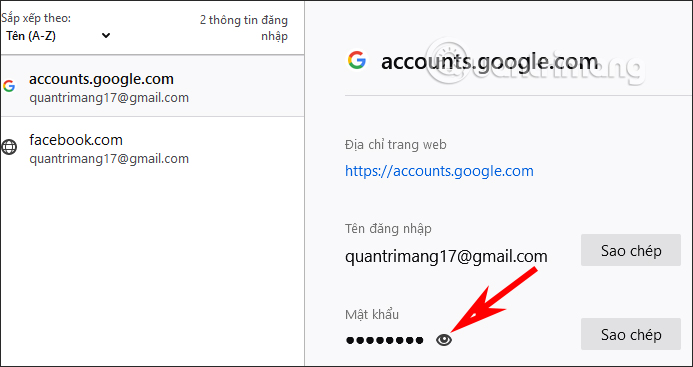
- Open Firefox's menu and choose Passwords or Logins and Passwords. Entering about:logins in the address bar opens the same manager.
- Search for facebook.com and select the saved login.
- Select the eye icon to reveal the password. Firefox may request the device password or a Primary Password if one is configured.
See Mozilla's Firefox Password Manager guide for the available controls.
Find a saved Facebook password on iPhone
On iOS 18 or later, Apple provides a dedicated Passwords app. Open it, authenticate with Face ID, Touch ID, or the passcode, search for Facebook, select the account, and tap the Password field. Apple's current steps are in Find saved passwords and passkeys on iPhone.
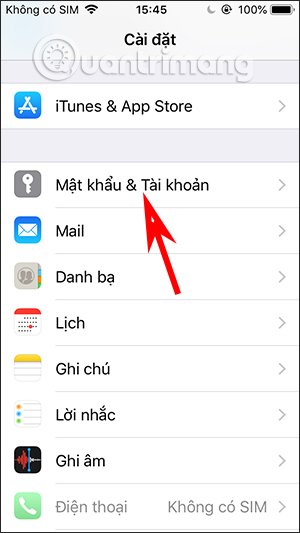
On iOS 17 or earlier, open Settings > Passwords, authenticate, and select the Facebook or facebook.com entry. Older iOS versions used labels such as Passwords & Accounts and Website & App Passwords, which appear in the screenshots below.
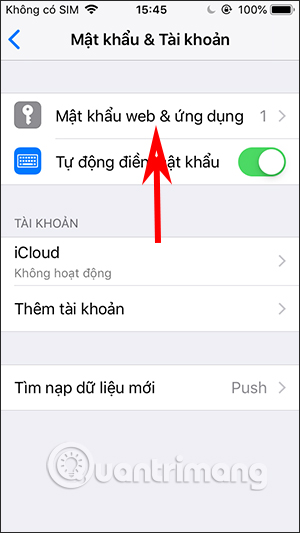
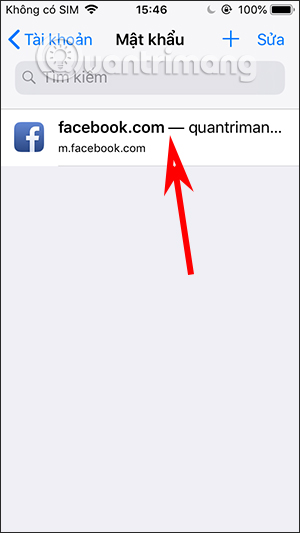
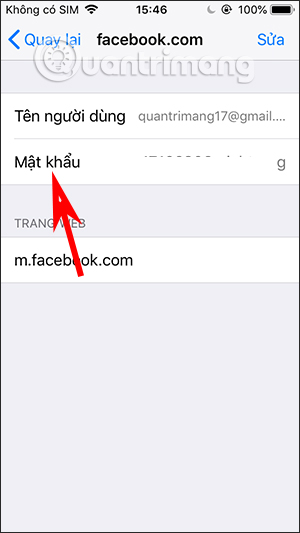
If Facebook is absent, Safari or another password manager did not save the login to Apple Passwords. Saving it now will not reveal a password you have already forgotten.
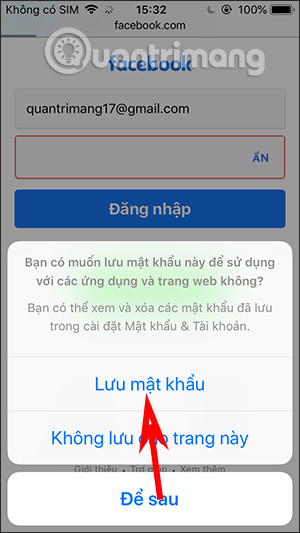
If the Facebook password was not saved
Select Forgot password? on Facebook's login page and use an email address or phone number attached to the account. Facebook explains this route in its password-change and recovery guidance. Never use a website, extension, or app that claims it can extract an unsaved Facebook password; a legitimate password manager can show only credentials it previously stored.
Protect the password after you find it
- Do not reveal it where someone else can see the screen.
- Use a unique password for Facebook and enable two-factor authentication.
- If the saved entry is old, update or delete it after you successfully change the Facebook password.
- On a shared computer, do not leave the browser profile or password manager unlocked.
Related Articles
 Change Your Facebook Password on Your Phone, How to Change Mk Fb5 minutes read
 How to View Wi - Fi Password on iPhone Extremely Simple3 minutes read
 Instructions to Change Facebook Password on Computer4 minutes read
 Forgot Your Saved Wi-Fi Password?6 minutes read
 How to View Saved Wi-Fi Passwords on Windows 7/8/103 minutes read
 How to Retrieve Facebook Password When Forgotten by Phone7 minutes read
Reader Comments 0
Sign in with email or Google to join the discussion.