Table of Contents
The safest way to download a TikTok post is the platform's built-in Save video or Save photo option. It appears only when the creator's download settings and your account or region allow it. Saved TikTok videos normally include the platform watermark and creator identifier.
If the button is missing, share the post as a link or ask the creator for the original file. A third-party downloader may bypass the creator's preference, expose the link to another service, show deceptive ads, or remove attribution. Use one only for a video you own or have explicit permission to download.
Download a TikTok video in the mobile app
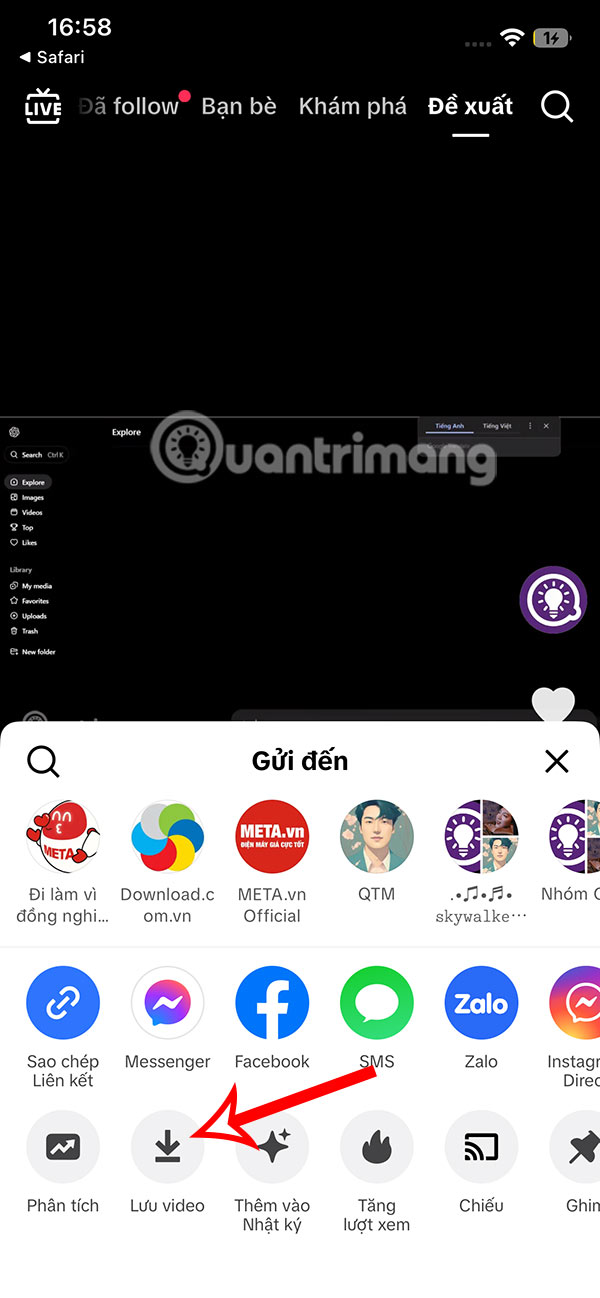
- Open the video in TikTok and tap Share.
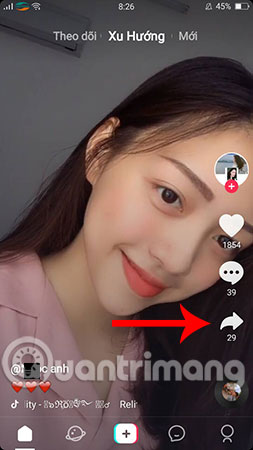
- Tap Save video. For a photo post, the option may be named Save photo.
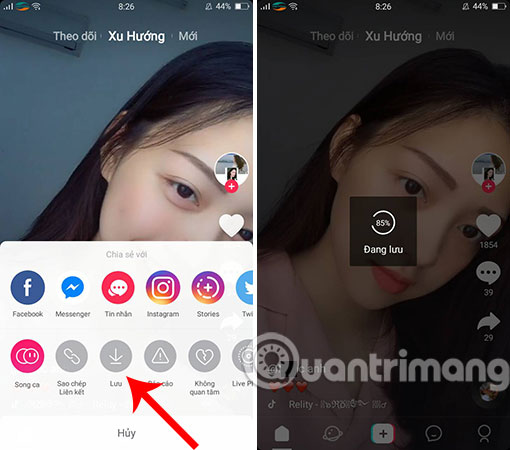
- Allow Photos or storage access if your phone asks for it. Wait for the progress indicator, then open Photos, Gallery, or the device's media folder.

If Save video is not shown, the creator may have disabled downloads, the post may come from a private account, or the feature may be unavailable for that post or region. TikTok says users can still share a link when downloads are disabled.
Save your own TikTok before or after posting
On the final Post screen, open More options and turn on Save to device before publishing. TikTok may also show a Save button in the editing side panel. Keeping your original camera file is better than downloading the posted copy because the original avoids an added watermark and another round of compression.
If you already posted the video, open your own post, tap Share, and use Save video. TikTok keeps download and sharing options available to the owner even when downloads are disabled for other people.
Download from a computer
The available desktop controls vary by post and TikTok interface. First, open the video on TikTok.com, use the post's Share menu, and look for an official download option. If none appears, do not install an unknown browser extension or paste account credentials into a downloader.
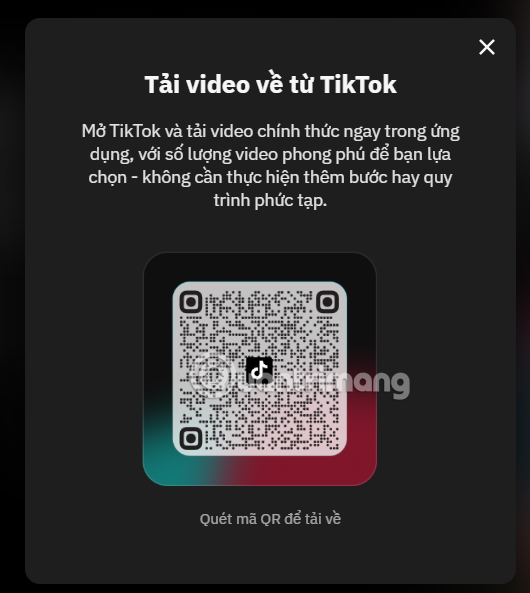
TikTok has also offered a web handoff page that accepts a public video URL and displays a QR code:
https://www.tiktok.com/download-video/vi-VN- Copy the video's public TikTok URL and paste it into the page.
- Select the download control.

- If the page displays a QR code, scan it with the phone that has TikTok installed.
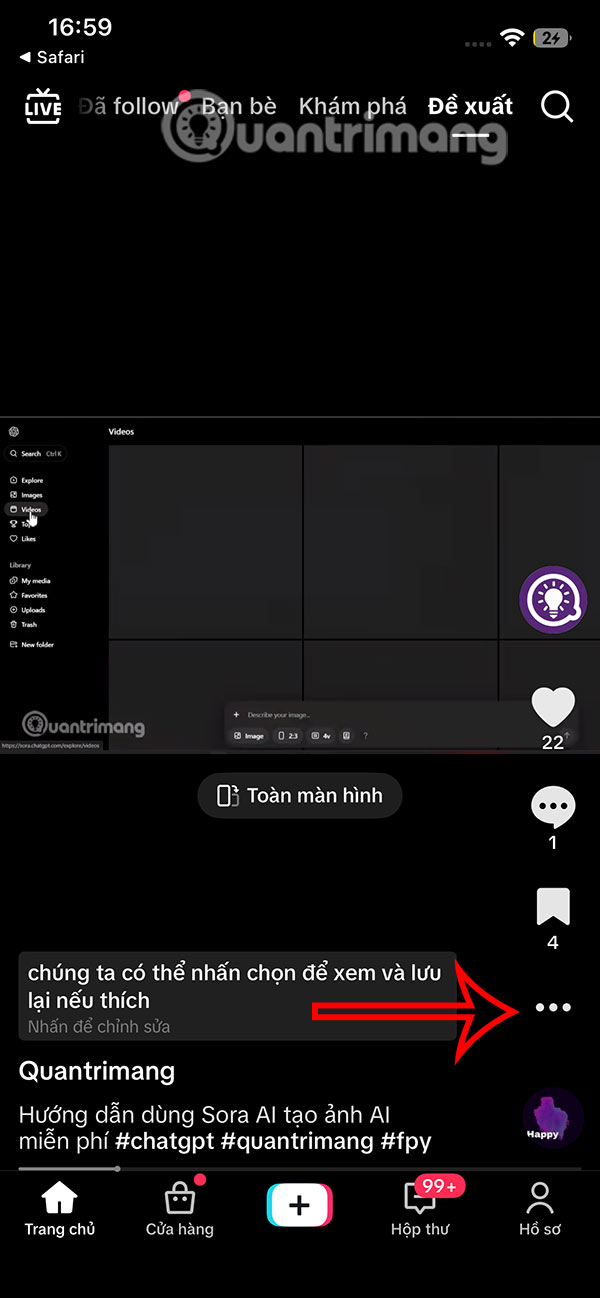
- Open the video, tap its menu or Share button, and select Save video when permitted.
This workflow may ultimately save to the phone rather than the PC. For your own content, transferring the original file from your phone, cloud storage, or editing computer preserves better quality.
Optional: save an authorized video with a browser downloader
Use this method only when you own the video, the creator has given permission, or the download is otherwise lawful. It is not a way to override a private account or obtain content you cannot access normally.
- In TikTok, tap Share and choose Copy link.
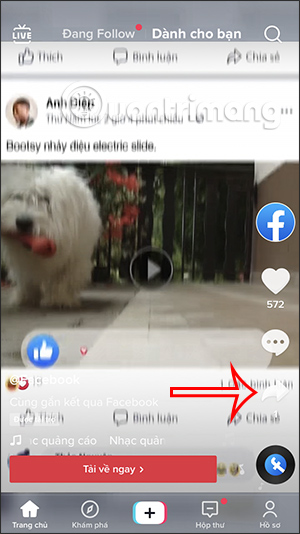
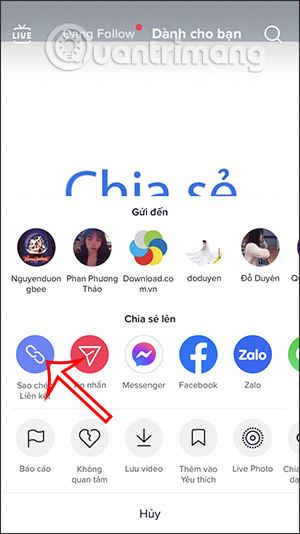
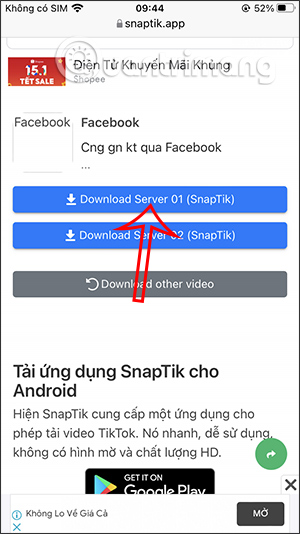
- Open a reputable downloader in Safari or Chrome. The original guide used SnapTik; it is a third-party service not affiliated with TikTok. Paste only the public post URL and select Download.
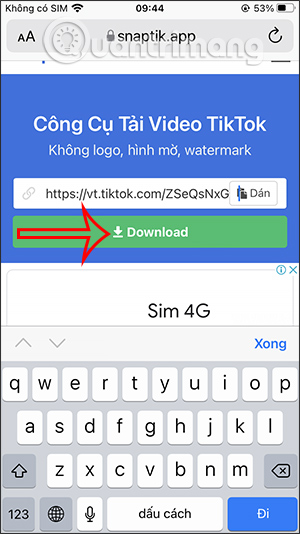
- Select the normal media-download option and confirm the browser prompt. Do not accept notification permissions, install a profile or APK, sign in with TikTok, or enter payment details.
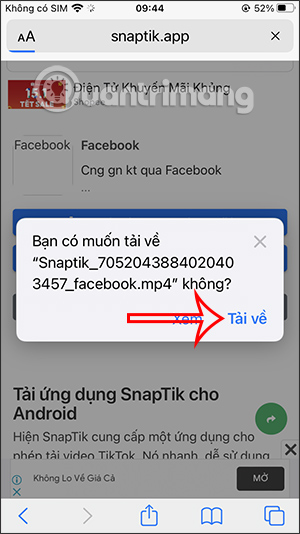
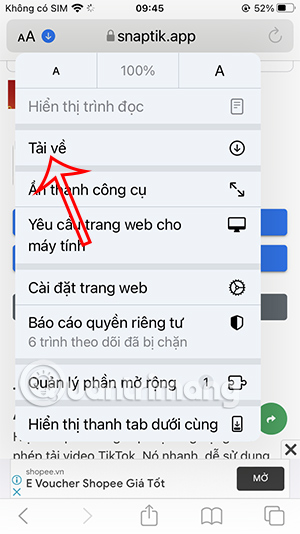
- On an iPhone or iPad, open Safari's Downloads list and select the file.

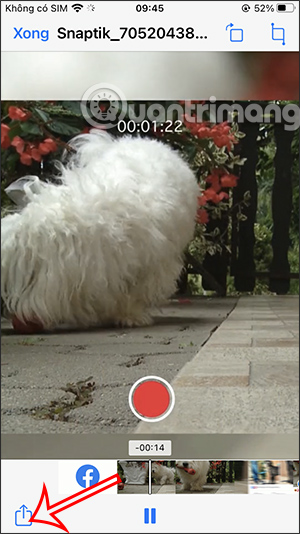
- Use the iOS Share button and choose Save Video to place the file in Photos.
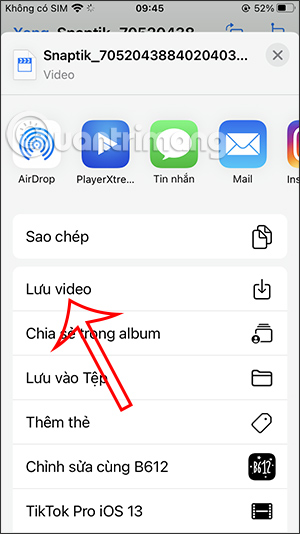
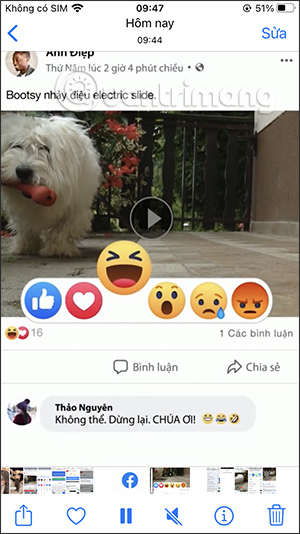
Third-party sites can change owners, advertising partners, and download behavior. Scan downloaded files, close pop-ups, and do not reuse a browser session that displays sensitive work. A service advertising “no watermark” does not remove the creator's copyright or give permission to repost.
Why Save video may be missing
- The creator turned off video downloads.
- The account is private.
- The creator is under 16, for whom downloads are disabled by default.
- The post type, music license, account status, or region does not support the option.
- Your TikTok app needs an update or lacks Photos/storage permission.
If it is your post, go to Profile > Menu > Settings and privacy > Privacy > Downloads to review the download setting. TikTok's official download controls determine whether other users see Save video.
Find a downloaded TikTok file
- iPhone or iPad: check Photos when saved through TikTok. A browser download may first appear in Files > Downloads.
- Android: check Gallery, Google Photos, or Files > Downloads, depending on the app and browser.
- Windows or macOS: open the browser's Downloads panel and show the file in its folder.
If a file has sound but no picture, or will not open, delete it and use TikTok's built-in save option. Avoid “video repair” apps from unknown publishers.
Respect copyright, privacy, and attribution

Saving a post for personal offline viewing is different from republishing it. The creator can still own the video, music, performance, and branding. Ask permission before reposting, editing, using it commercially, or removing attribution. Do not download private, intimate, or sensitive content, and never use a saved video to impersonate, harass, or mislead someone.
When possible, share the original TikTok link. It preserves the creator's profile, caption, engagement, corrections, and removal controls while avoiding an extra copy on your device.
Related Articles
 Download Videos on Tiktok Without Logo on IPhone, Android and PC8 minutes read
 How to Download TikTok Videos Without Logo on Your Phone9 minutes read
 How to Watch Tiktok Videos on Computers Without an Account5 minutes read
 How to Download TikTok Videos to Your Computer3 minutes read
 How to Download TikTok Videos Without a Watermark Using Snaptik - Extremely Simple7 minutes read
 How to Watch and Download Tiktok Videos on Windows 102 minutes read
Reader Comments 0
Sign in with email or Google to join the discussion.