Table of Contents
When a stranger logs in, or even when you log into Facebook on an unfamiliar device, you'll receive login alerts to help you stay more vigilant. Here's how to enable Facebook login alerts.
Facebook login alerts notify you when the service detects a sign-in from an unrecognized browser or device. In the Facebook app or website, open Settings & privacy > Settings > Accounts Center > Password and security, select Login alerts, choose the Facebook profile, and enable the available alert channels. Menu labels can vary by app version; if you cannot find the setting, open Security Checkup.
What to do when an alert arrives
- Do not sign in through a link in an unexpected email or message. Open the Facebook app or type facebook.com yourself.
- Review the device, approximate location, browser, and time under Where you're logged in. Location estimates can be imprecise, especially on mobile networks or VPNs.
- If the login was yours, mark or recognize it only after confirming the details.
- If it was not yours, log out that session, change to a unique password, and enable two-factor authentication. Also secure the email account tied to Facebook.
- Review contact information, connected apps, recent posts, messages, and ad or payment activity for unauthorized changes.
Login alerts are an early-warning control, not a substitute for a unique password and two-factor authentication. Meta's Security Checkup reviews login alerts and other protections, and the Help Center explains Facebook two-factor authentication. TipsMake also covers Facebook password recovery and compares authenticator app alternatives.
Turn on Facebook login alerts on your phone
Step 1:
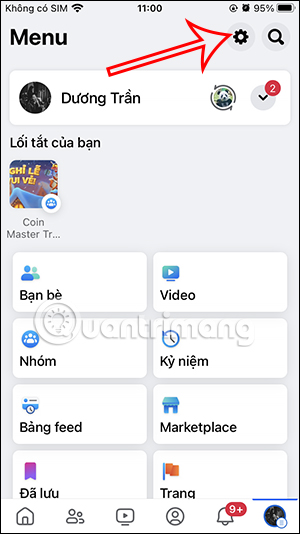
On the Facebook app interface, users tap the three horizontal lines icon in the bottom right corner. Next, tap the gear icon.
Step 2:
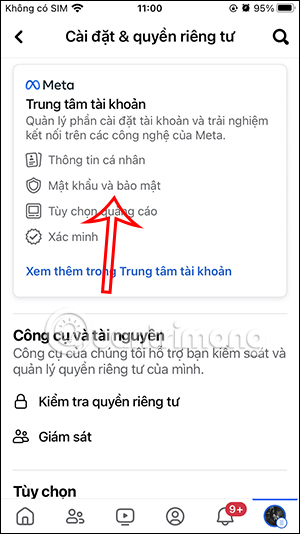
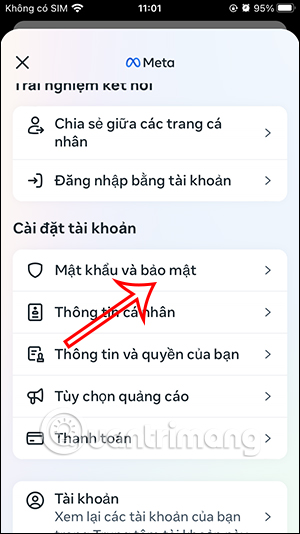
On the new interface, click on the "Password and Security" section. A new interface will appear; users will then click on " Password and Security" again to continue.
Step 3:
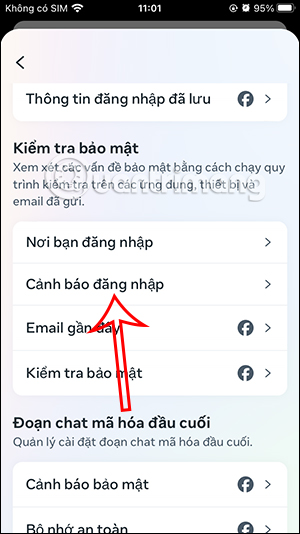
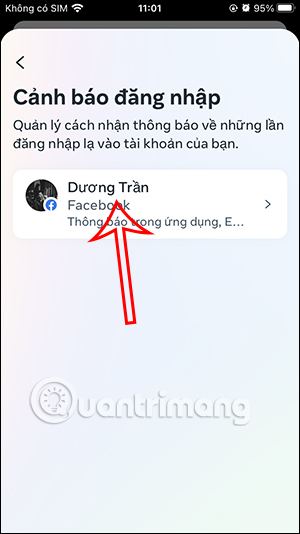
In the new management interface, click on the Login Alerts section to configure this option. Click on your personal Facebook account to set up login alerts.
Step 4:
Then you will have two options to receive Facebook login alerts: via the Facebook app when a stranger logs into Facebook, or via the email address registered with your Facebook account. You can choose one of the two methods, or both.


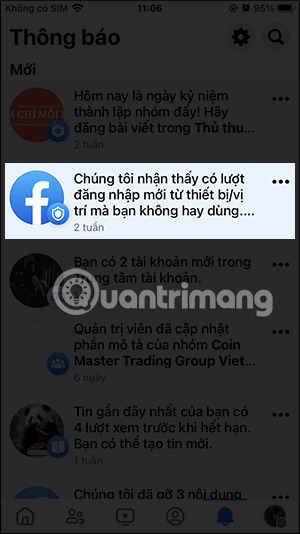
When you notice Facebook logging in from an unfamiliar device or an unfamiliar login, you'll receive a notification like the one shown in the image.
Enable Facebook login alerts on your computer
Step 1:
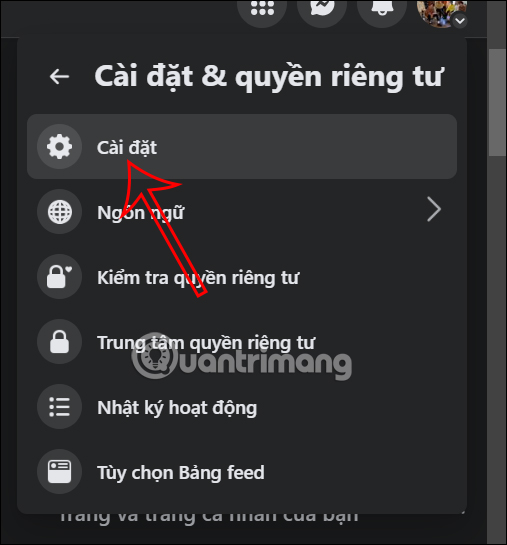
On the Facebook interface on a computer, users click on their profile picture and then select Settings.
Step 2:
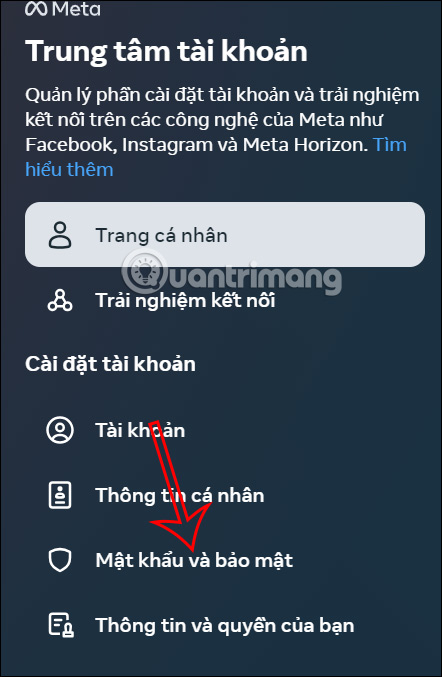
On the left side of the interface, click on the Password and Security option.
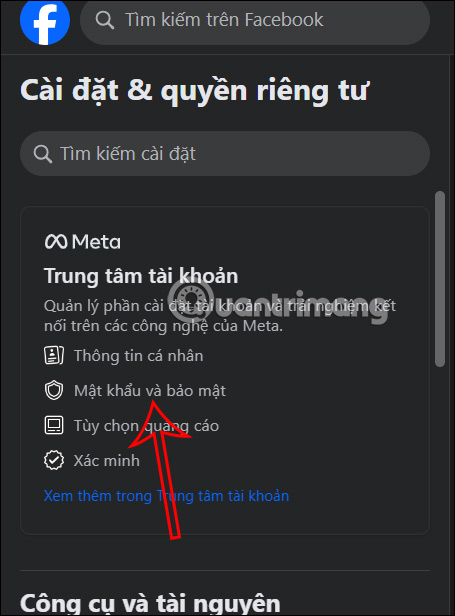
You will now be taken to a new interface; click on Password and Security.
Step 3:
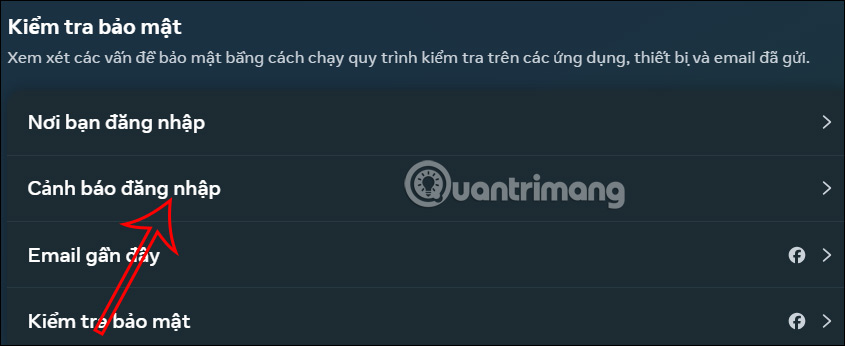
Look at the content next to it, find the Security Check section, and then click on Login Alerts to adjust the settings.
Step 4:
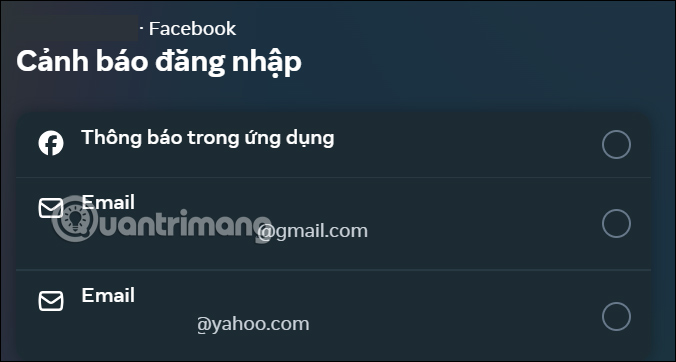
We click on the Facebook account for which we want to set up Facebook login alerts on our computer. Then, you also select the method you want to receive Facebook login alerts, either via email or via the app.
Video tutorial on how to enable Facebook login alerts
Related Articles
 How to Customize Login with Facebook Avatar4 minutes read
 Ways to Login to Facebook: How to Access Facebook6 minutes read
 5 How to Fix the Latest Update of Facebook Login Error 20218 minutes read
 How to Know Your Facebook Has Been Hacked5 minutes read
 Instructions to Change the Facebook Login Interface2 minutes read
 How to Enable Pedestrian Collision Warning on Android: Step-by-Step Guide4 minutes read
Reader Comments 0
Sign in with email or Google to join the discussion.