Table of Contents
Now you can quickly find previously watched Facebook videos without having to like them, or save them to search through saved Facebook Reels videos.
Now you can quickly find recently watched Facebook videos without having to like or save them to search through saved Facebook Reels. In this guide, you'll learn how to quickly find recently watched Reels videos on Facebook on your phone and on your computer.
How to find recently watched Facebook Reels videos on your phone.
Find Facebook Reels videos you've viewed in the Reels section.
Step 1:
On the Facebook app, tap the Reels icon at the bottom. To access the video viewing interface, tap your account icon in the upper right corner.

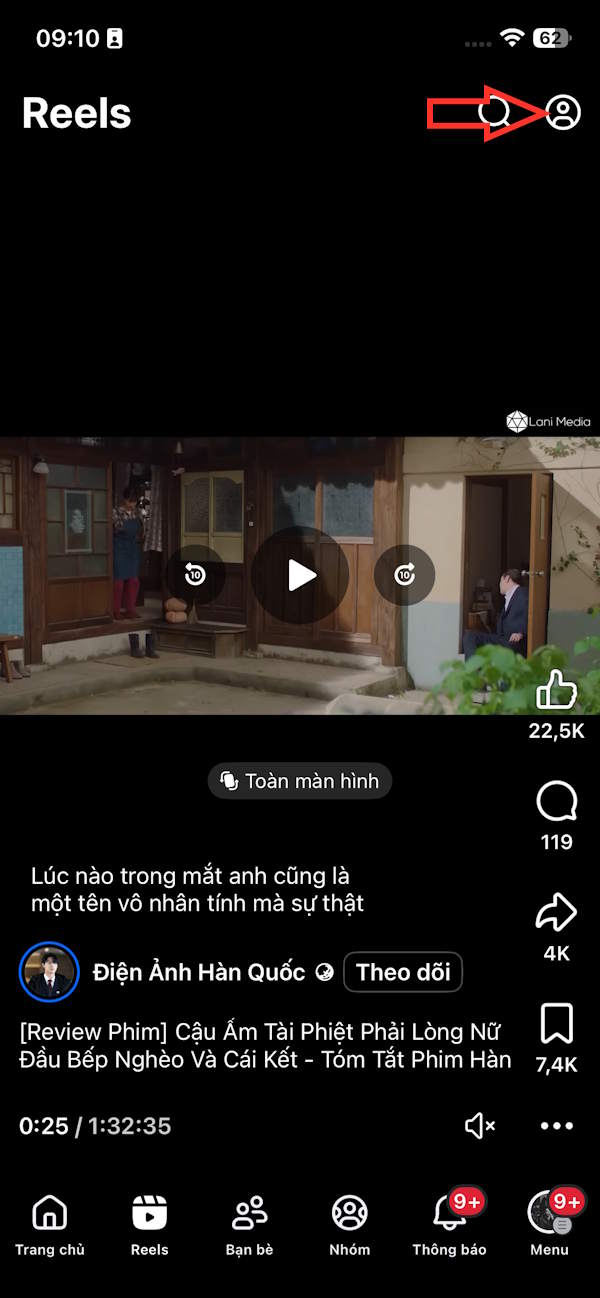
Step 2:
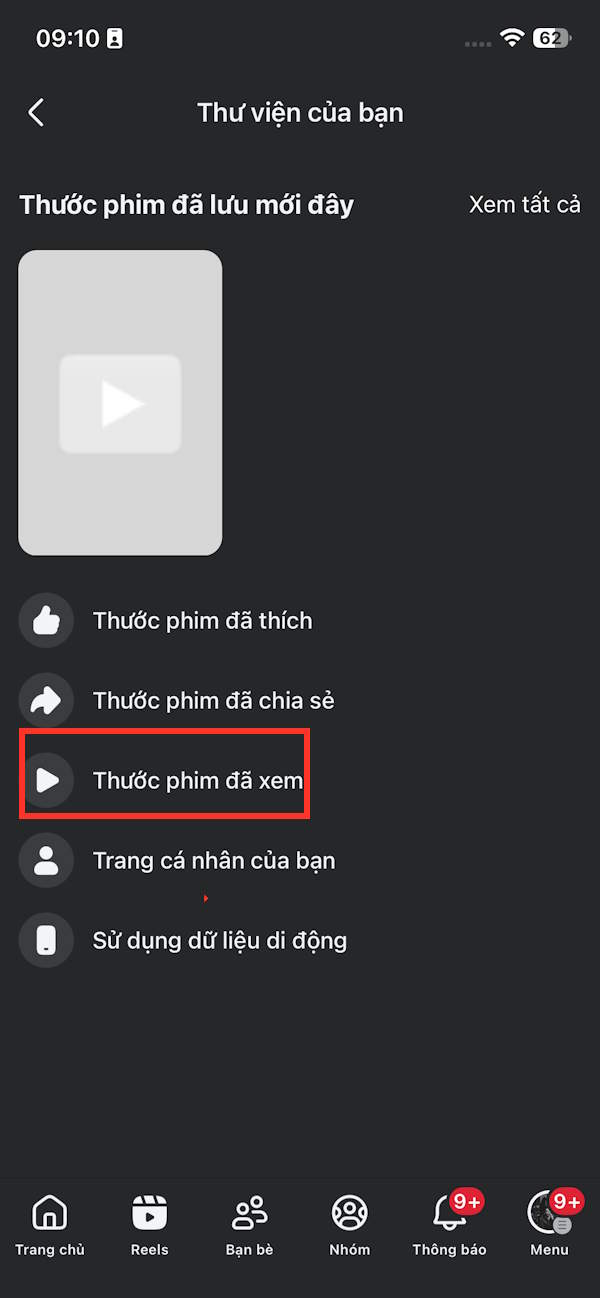
Immediately after, your Library interface will appear, then click on "Watched Videos" to check. You will see a list of Facebook Reels videos you have watched, as shown below.
Currently, the Facebook Reels video viewing interface is quite limited. You can't sort watched videos by time, filter by date, or filter by account that created them, unlike with Instagram Reels video viewing.

When you click on the three-dot icon in Reels video, you'll see options like the one shown in the image.

Find Reesl videos Facebook has watched via Settings
Go to Settings on Facebook, then tap on Saved. Next, tap on Footage to adjust the settings.

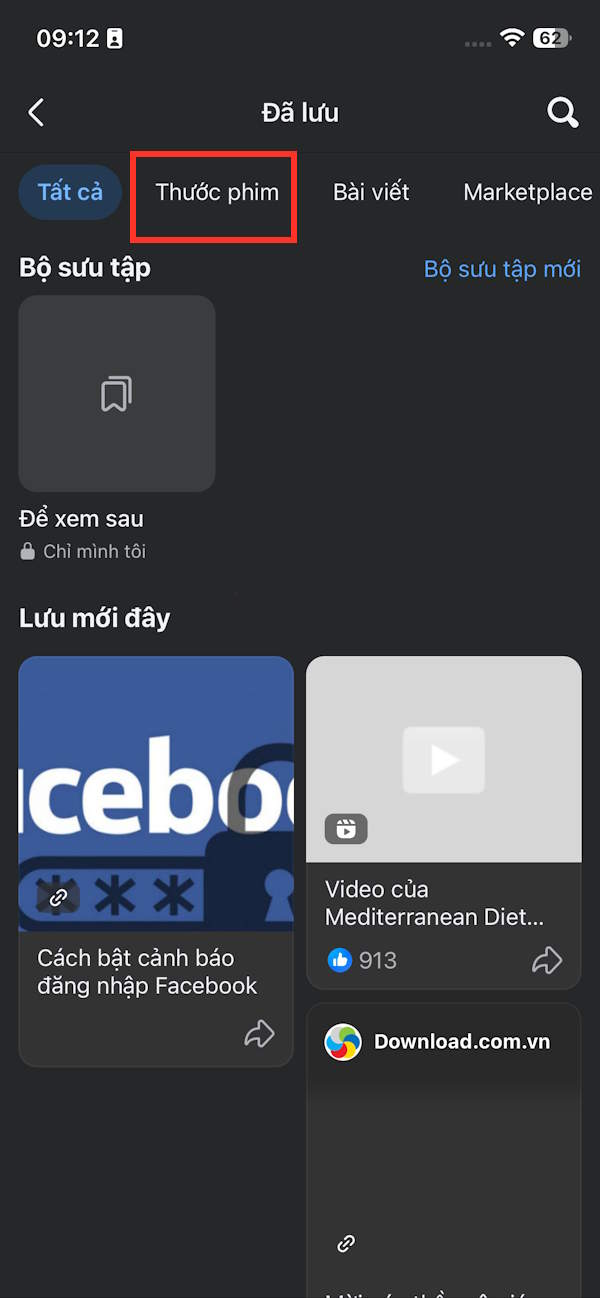
Here you'll also see the "Watched" section, which you can click on to see the Facebook Reels videos you've watched.

How to find previously watched Facebook Reels videos on PC
Step 1:
Go to your personal Facebook account, then click on your profile picture, then select Privacy Settings, and then select Activity Log.
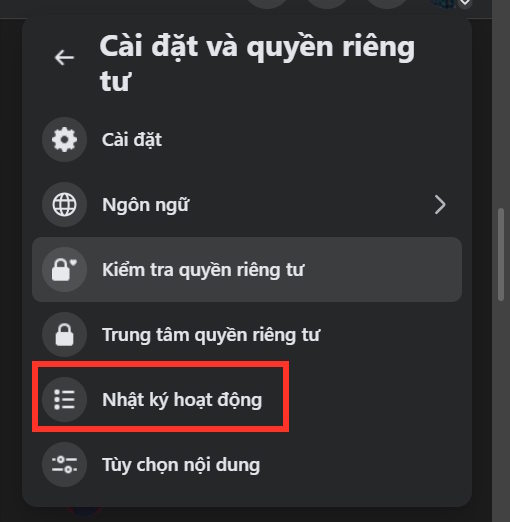
Step 2:
On the new interface, click on the "Videos Watched" section to make adjustments.
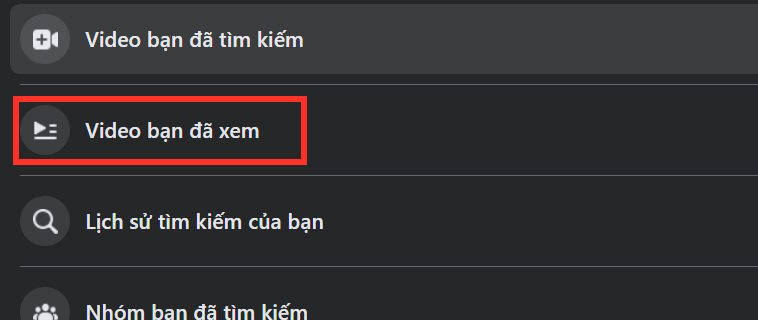
The result will show you a list of all the videos and reels you've watched, along with the exact time and date.

How to delete recently viewed Reels videos on Facebook
If you want to delete videos you've watched on Facebook Reels, you need to do it on a computer.
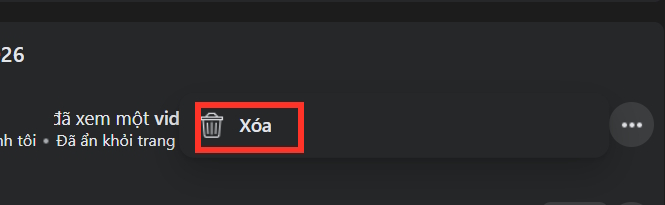
Tap the three-dot icon on the Facebook video viewing interface, then tap Delete to remove your viewing history of a specific Facebook Reels video.
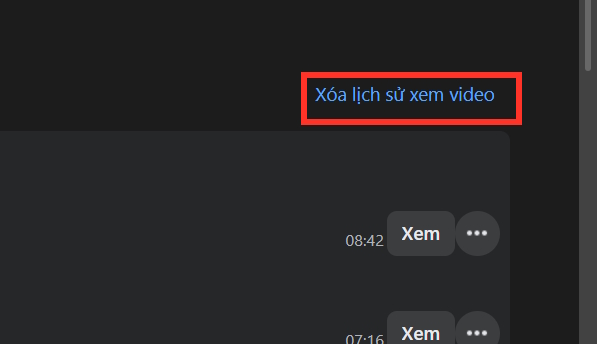
To delete your entire Facebook Reels video viewing history, look at the top and select "Clear video viewing history " in the upper right corner, as shown in the image.
You will then be asked if you are sure you want to delete your Facebook Reels video viewing history; tap Delete video viewing history to confirm.

Related Articles
 Facebook Reels Video Voiceover Tutorial3 minutes read
 Facebook Reels Will Increase Video Length to 90 Minutes: What to Know4 minutes read
 How to Find Videos You Have Watched on Facebook5 minutes read
 Meta Launched Facebook Reels Simultaneously in 150 Countries4 minutes read
 Instructions for Pinning Reels Instagram Videos: Key Facts4 minutes read
 How to Clean up Facebook Reels Video Viewing Interface: Step-by-Step Guide3 minutes read
Reader Comments 0
Sign in with email or Google to join the discussion.