Table of Contents
CapCut can transcribe speech into captions and, on supported versions, detect lyrics in a music track. The generated text saves time, but it should not be published without review: names, accents, background noise, overlapping speakers, and song vocals can all produce errors.
The steps below use the CapCut mobile interface shown in the screenshots. Menu names may vary by device, region, and app version; look for Auto captions or Automatic captions under Text if the shortcut is not on the home screen.
Create automatic captions from speech
1. Add the video to a project
Open CapCut, start a new project, and add the video. Play the clip once to confirm that the spoken audio is clear and synchronized before generating text.
2. Open the automatic caption tool
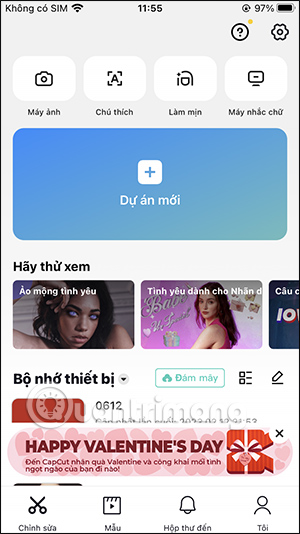
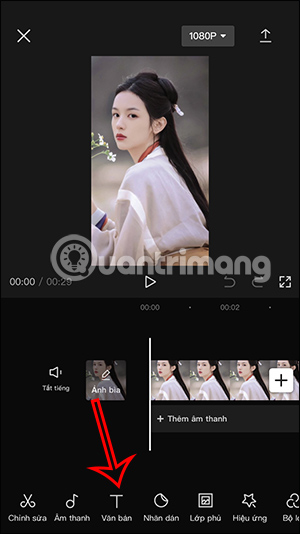
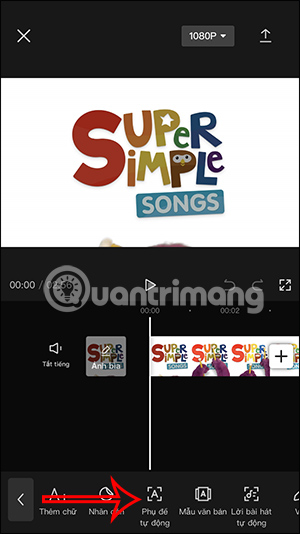
In the editing toolbar, select Text, then choose Auto captions. Some current versions also show Auto captions on the main screen before a project is opened.
3. Select the audio source and language
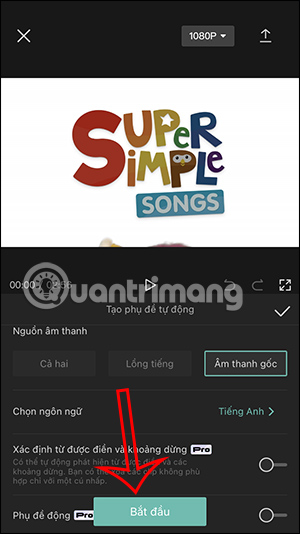
Choose the source CapCut should transcribe, such as the original video sound or a voiceover. Select the language actually spoken in the clip; choosing a similar but incorrect language will noticeably reduce accuracy.
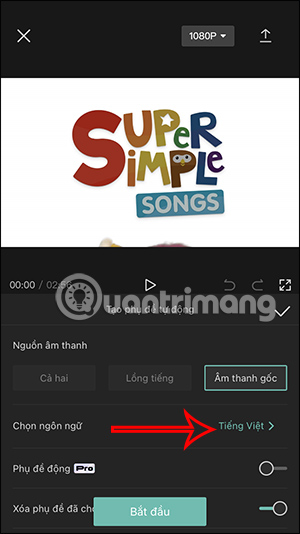
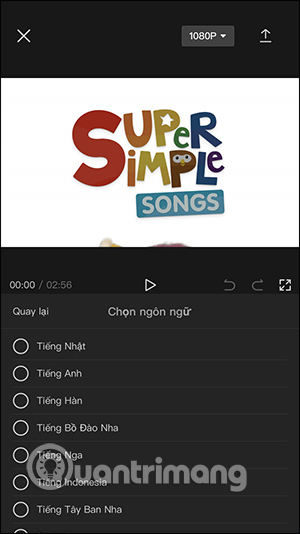
Select Start or Generate and wait for CapCut to process the audio. Cloud-based transcription requires an internet connection and uploads audio for processing, so avoid using sensitive recordings unless that fits your privacy requirements.
4. Correct the transcript before styling it
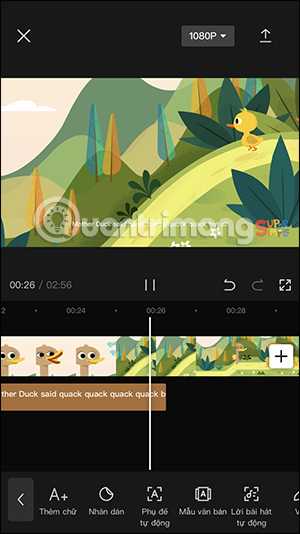
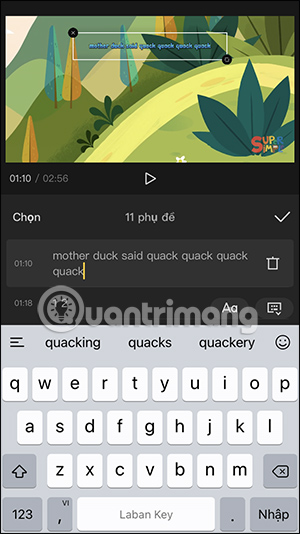
Tap a caption segment to edit its words and timing. Review the entire video rather than correcting only obvious errors in the first few lines. Pay particular attention to names, numbers, technical terms, punctuation, and speaker changes.
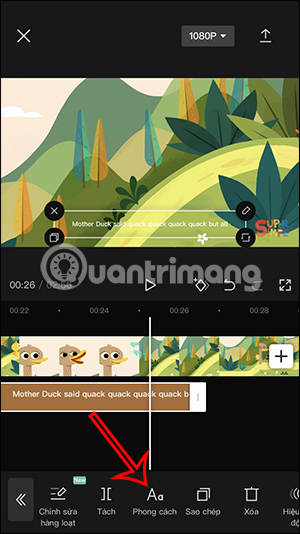
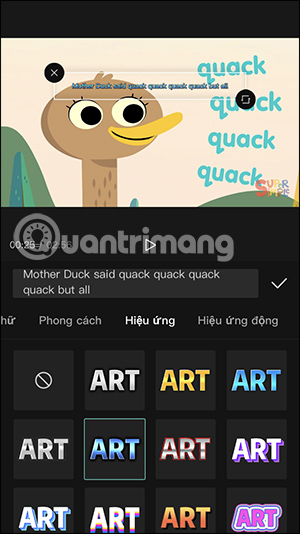
5. Apply a readable caption style
Choose a clear font, strong contrast, and a size that remains legible on a phone. A subtle outline or background can help on changing scenes. Keep captions away from faces, platform buttons, and important text already in the video.
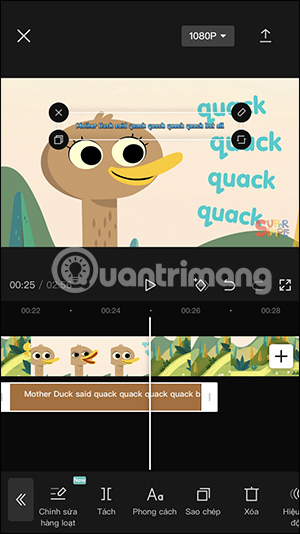
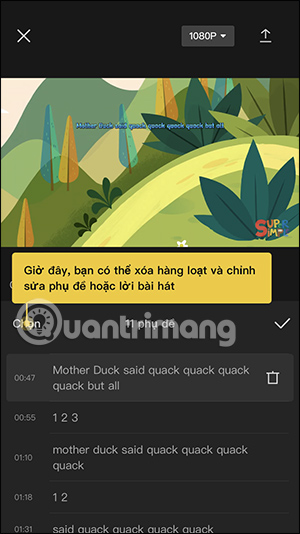
Use Batch edit when you need to proofread the transcript as a list. This is faster for correcting words and punctuation, but return to the timeline afterward to check that every segment appears at the right time.
CapCut’s automatic subtitle guide covers the current entry points for its app and editor. For other automatic-caption choices, compare TipsMake’s apps that automatically add subtitles to social videos.
Generate automatic lyrics in CapCut
Automatic lyrics are intended for a song that is already present in the project. Results depend heavily on vocal clarity, mixing, language support, and whether the feature is available in your version of CapCut.
1. Open Automatic lyrics
Add the video or music to the project. Select Text in the toolbar, then choose Automatic lyrics. If the option is missing, update CapCut and check whether it is offered for your device and region.
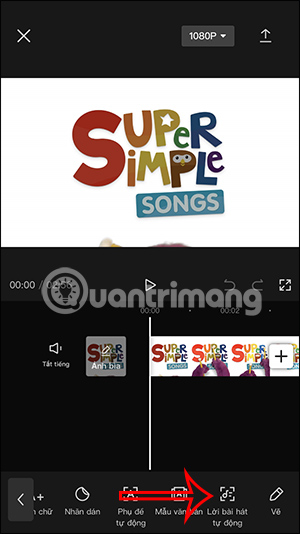
2. Choose the song language
Select the language used by the singer, then tap Start. Use the cleanest available audio: loud instruments, live crowd noise, and multiple vocalists can make lyric recognition less accurate.
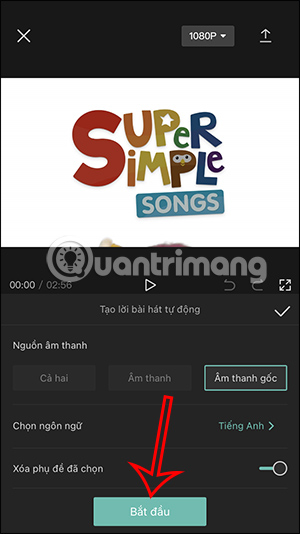
3. Review timing, words, and styling
Play the song from start to finish while reading the generated lyrics. Correct missing words, repeated choruses, line breaks, and timing. Then apply colors or effects consistently instead of changing the style on every line.
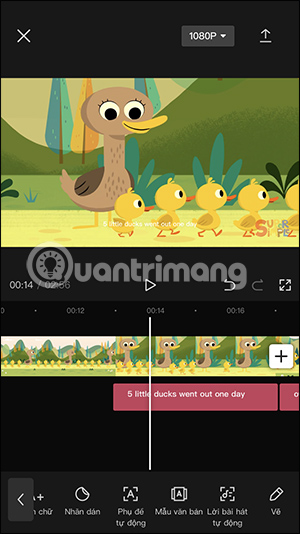
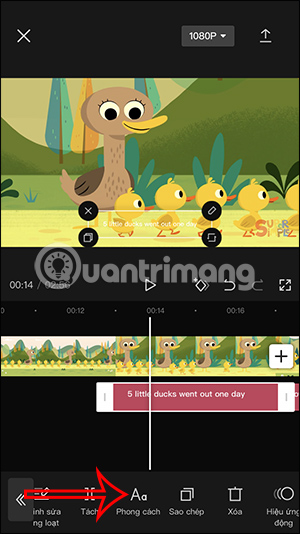
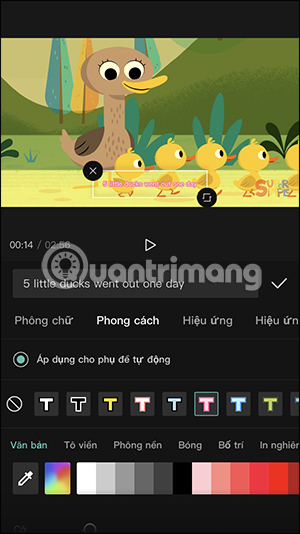
Generating lyric text does not grant permission to use a copyrighted song or reproduce its lyrics. Make sure you have the necessary rights for the audio and the intended distribution.
Caption quality checklist
- Listen with headphones and compare every line with the audio.
- Split long captions at natural phrase boundaries.
- Keep each caption on screen long enough to read without covering key visuals.
- Add speaker labels and meaningful sound cues when creating accessible captions.
- Check spelling after applying all text effects; animation can hide mistakes during editing.
- Export a short test and watch it in the destination app before rendering a long video.
If CapCut’s automatic transcription is not suitable for a detailed subtitle project, TipsMake’s Aegisub subtitle guide explains manual timing and styling in a dedicated editor.
Related Articles
 Guide to Creating Parallel Subtitles in CapCut4 minutes read
 How to Display Lyrics Automatically on YouTube?6 minutes read
 How to Turn on Subtitles on YouTube: Complete Guide6 minutes read
 Instructions for Using Capcut on the Latest Computer4 minutes read
 How to Automatically Sync Subtitles with Subsync6 minutes read
 6 Applications That Automatically Add Subtitles to Videos on Social Networks10 minutes read
Reader Comments 0
Sign in with email or Google to join the discussion.