Table of Contents
A free video editor is only useful for this purpose if it can export your own project without placing the editor’s logo over the result. Several older recommendations no longer meet that test: some products were discontinued, while others now watermark exports on the free plan.
The strongest current choices are VSDC for Windows, iMovie for Apple devices, OpenShot or Shotcut for straightforward cross-platform work, DaVinci Resolve for advanced editing, Blender for video mixed with 3D work, and Clipchamp for browser-based projects. Always make a short test export before committing to a large project because plan limits and premium assets can change.
| Editor | Platforms | Watermark-free free export? | Best fit |
|---|---|---|---|
| VSDC Free Video Editor | Windows | Yes | Capable editing on modest PCs |
| iMovie | macOS, iPhone, iPad | Yes | Apple users and beginners |
| OpenShot | Windows, macOS, Linux | Yes | Simple timeline projects |
| Shotcut | Windows, macOS, Linux | Yes | Format support and flexible filters |
| DaVinci Resolve | Windows, macOS, Linux | Yes, if you avoid Studio-only effects | Professional editing, color, and audio |
| Blender | Windows, macOS, Linux | Yes | 3D, animation, and compositing |
| Clipchamp | Web, Windows | Yes for normal exports | Fast browser-based editing |
| Apowersoft Online Video Editor | Web | Developer says yes | Small, simple edits |
| EaseUS Video Editor | Windows | Trial limitations are unclear or product-specific | Test before use |
| HitFilm Express | Legacy installs | Discontinued | Existing projects only |
| Kapwing | Web | No; free exports carry a watermark | Paid collaborative editing |
1. EaseUS Video Editor: verify the exact trial
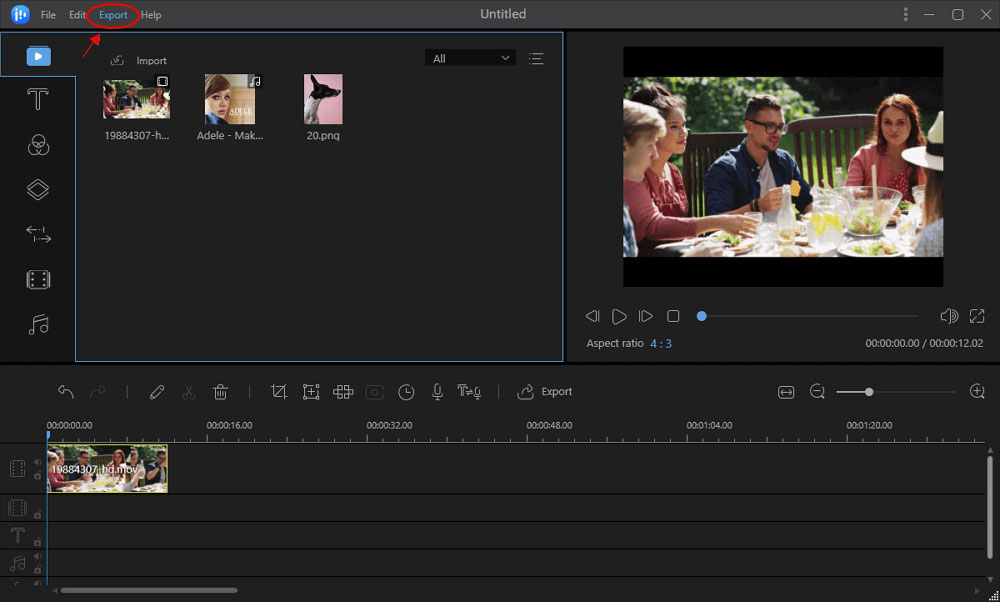
EaseUS promotes a Windows video editor with trimming, transitions, effects, and conversion tools, but its free and trial conditions have varied across products. Older official support material states that a trial can apply a watermark. Do not assume an installer labeled “free download” guarantees watermark-free export.
If you consider EaseUS Video Editor, import a short clip, use only free assets, and complete a test export. Check the entire frame and audio before starting a real project.
2. VSDC Free Video Editor
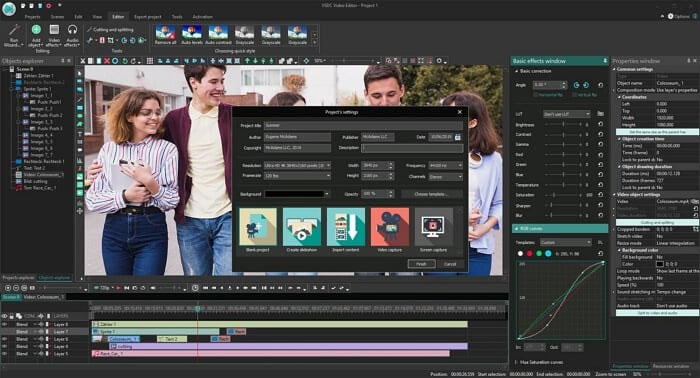
VSDC Free Video Editor is a Windows editor whose developer explicitly states that the free version has no watermark or export-time limit. It supports multitrack editing, masks, effects, color work, voice recording, and a range of formats. Pro adds tools and faster processing, but normal free exports remain unbranded.
Choose it for: a feature-rich Windows editor that can run on less powerful hardware. The interface has more panels than a basic editor, so allow time to learn project settings and export profiles.
3. iMovie
iMovie is free for compatible Macs, iPhones, and iPads and does not add an iMovie watermark to ordinary movie exports. It handles trimming, titles, transitions, voiceover, picture-in-picture, green screen, and supported high-resolution footage.
Choose it for: family videos, school projects, social clips, and a straightforward Apple workflow. It offers fewer detailed color, audio, and compositing controls than a professional editor, but projects can move between iPhone, iPad, and Mac.
4. HitFilm Express: discontinued
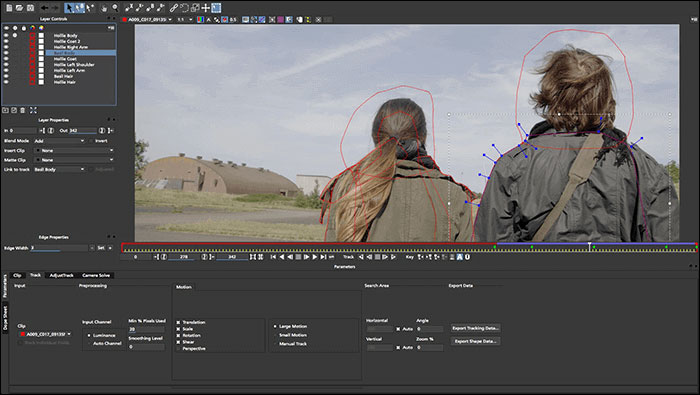
HitFilm Express was once a strong free editor and effects package, but FXhome applications were discontinued and the old website was taken down in January 2025. Existing licensed installations may continue to run, but there are no current downloads, updates, or active product support.
Do not begin a new long-term workflow with HitFilm Express. Migrate existing projects where possible and keep exported masters, source media, fonts, and effect notes before an operating-system update breaks compatibility.
5. OpenShot
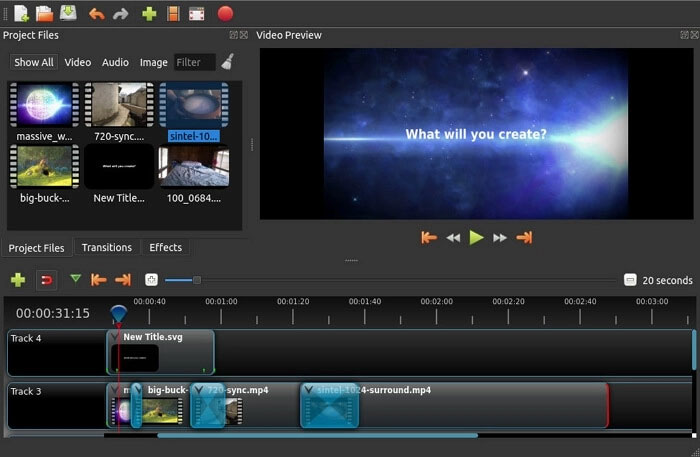
OpenShot is free, open-source software for Windows, macOS, and Linux. It provides trimming, unlimited timeline tracks, keyframe animation, titles, effects, and speed changes without imposing a program watermark.
Choose it for: beginners who want a traditional timeline and open-source software. Save frequently, match the project profile to your footage, and use optimized or proxy media when high-resolution playback is not smooth.
6. Shotcut
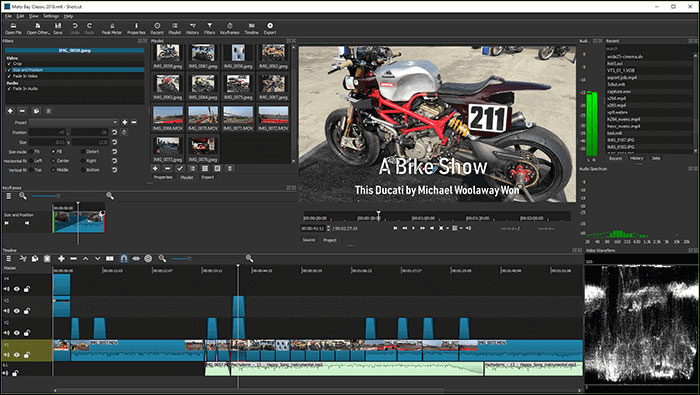
Shotcut is another free, open-source editor for Windows, macOS, and Linux. It offers native timeline editing, broad format support, filters, keyframes, audio tools, and resolution support without a paid tier or automatic watermark.
Choose it for: users who want more manual control than the simplest editors while retaining a fully free, local workflow. Download only from the official Shotcut website; unrelated mobile apps using the name are not the desktop project.
7. DaVinci Resolve
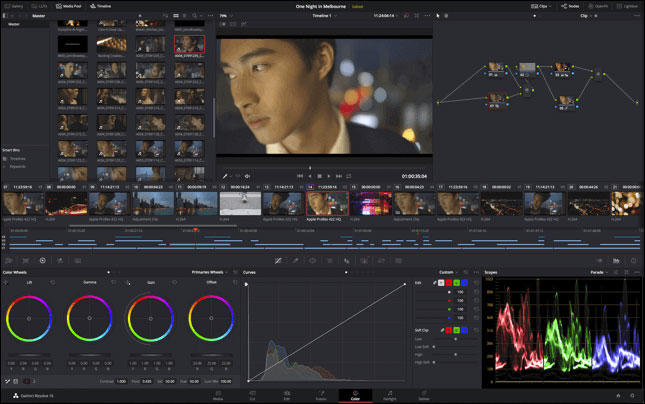
DaVinci Resolve combines editing, color grading, visual effects, motion graphics, and audio post-production. The free edition supports many professional workflows and can export without branding.
The important caveat is that Studio-only effects used inside the free edition can display a DaVinci Resolve Studio watermark. If one appears, inspect the clip for a paid effect—such as certain Resolve FX or advanced processing—rather than assuming every free export is watermarked.
Choose it for: demanding projects and users willing to learn a deeper interface. Check codec, bit depth, frame-rate, and resolution limits against the current free/Studio comparison.
8. Apowersoft Online Video Editor
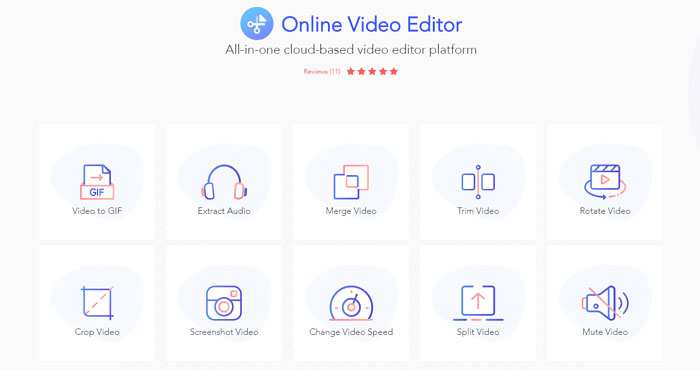
The older “Video Grabber” recommendation is better treated as Apowersoft Online Video Editor. Its current official page says the online tools are free and do not add a watermark. Functions include trimming, cropping, merging, rotating, speed changes, audio extraction, and GIF creation.
Choose it for: a short, non-sensitive clip that needs one or two simple operations. Browser editors upload media for processing, so read the current privacy and retention terms before using private, client, school, or workplace footage.
9. Blender
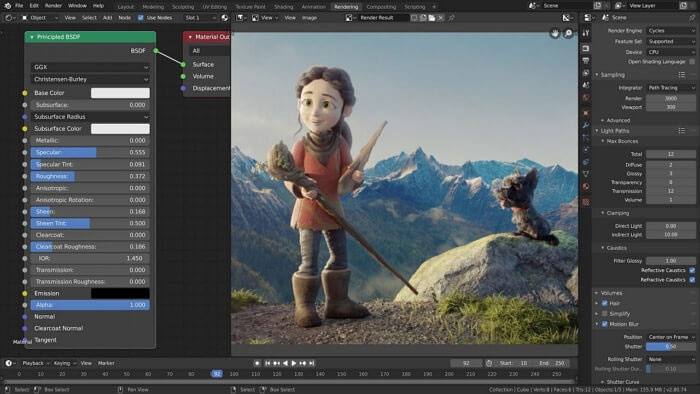
Blender is best known for 3D creation, but its Video Sequence Editor supports cutting, splicing, audio, images, scenes, effects, masks, and keyframes. Blender is free and open source and does not impose an export watermark.
Choose it for: projects that combine video with 3D animation, rendering, or compositing. For ordinary talking-head or social edits, Shotcut, OpenShot, or iMovie will usually be faster to learn.
10. Clipchamp
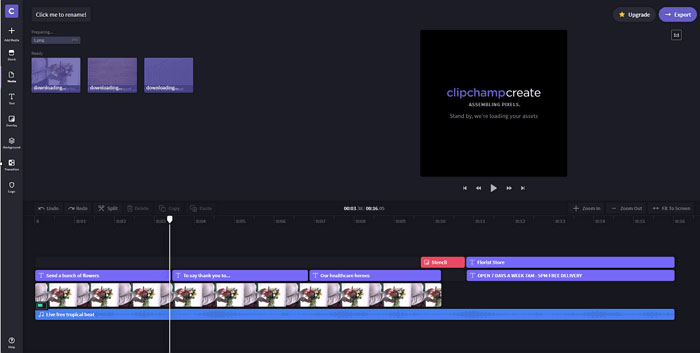
Microsoft states that Clipchamp does not add a visual or audio watermark to normal projects or exports. It provides timeline editing, screen and webcam recording, captions, templates, and stock media in a browser and Windows app.
Free and premium assets or features are labeled separately, and export resolution or storage benefits can depend on the plan. If the project contains a premium element, replace it with your own media or a free alternative before export.
Choose it for: quick videos on Windows or the web, especially when templates and automatic captions matter more than detailed color work.
11. Kapwing: the free plan now adds a watermark
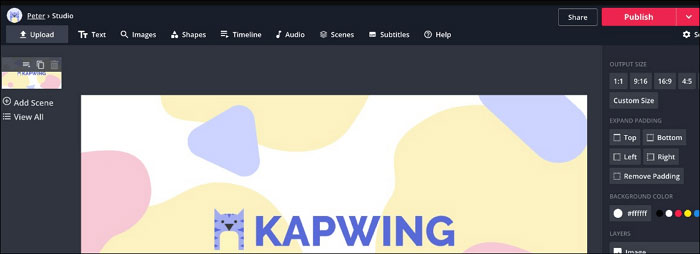
Kapwing remains a useful collaborative browser editor for captions, resizing, templates, and social formats. However, its current watermark policy says that free-plan exports include a Kapwing watermark; watermark-free exports require Pro. It should not be presented as a free no-watermark option.
How to test any editor before a real project
- Create a 20-second project with video, audio, a title, a transition, and one effect you plan to use.
- Export at the target resolution and frame rate.
- Watch the entire result for visual or audio branding.
- Confirm that no premium asset, trial effect, duration cap, or resolution limit was triggered.
- Check picture quality, audio sync, subtitles, and file size.
For a broader Windows comparison, see TipsMake’s list of free PC video editors. If you specifically prefer browser tools, compare the privacy and export limits in TipsMake’s guide to online video editing websites.
Which one should you choose?
- Easiest on Apple devices: iMovie.
- Easiest cross-platform desktop option: OpenShot.
- More control while remaining fully open source: Shotcut.
- Advanced editing and color: DaVinci Resolve.
- Windows on modest hardware: VSDC.
- Video plus 3D work: Blender.
- Fast browser workflow: Clipchamp.
Related Articles
 Top Best Video Editing Software on Computer13 minutes read
 How to Edit Videos Online: Online Video Editing Services7 minutes read
 5 Best Free Online Video Editing Websites8 minutes read
 Summary of Tik Tok Video Editing Apps on Android, iOS8 minutes read
 Download ACDSee Video Studio 3.0 Is Free3 minutes read
 Invite to Download 7 Free Applications on Windows 10, Total Value5 minutes read
Reader Comments 0
Sign in with email or Google to join the discussion.