Table of Contents
When Excel does not recognize a function, the correct fix depends on what appears in the cell. A #NAME? error usually points to a misspelled or unavailable function, a formula shown as plain text points to cell formatting or Show Formulas, and a result that will not update often means calculation mode is set to Manual.
Identify the symptom first
- #NAME?: Check the function name, named ranges, quotation marks, and whether your Excel version supports the function.
- The formula is visible instead of its result: Remove a leading apostrophe, change the cell from Text to General, and turn off Show Formulas.
- The result is old or unchanged: Restore Automatic calculation.
- Excel rejects the formula as you type it: Check parentheses and the list separator used by your regional settings.
For explanations of other worksheet messages, see common Excel errors and how to fix them.
1. Check the formula name and syntax
Every formula must begin with =. Confirm that the function name is spelled correctly and that text arguments are enclosed in straight quotation marks. Also check for an invalid named range or a missing colon in a range such as A2:A20.
Newer functions such as XLOOKUP, FILTER, or LET are not available in every Excel release. If the formula works on one computer but returns #NAME? on another, compare the Excel versions before changing the workbook.
Excel may use either commas or semicolons between function arguments, depending on the system list separator. Use the separator Excel expects; do not mix the two within one formula. The guide to common mistakes in Excel functions provides more examples of syntax-related errors.
2. Check the Windows regional format
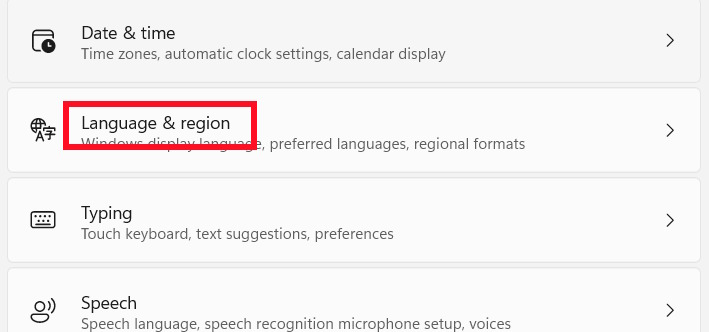
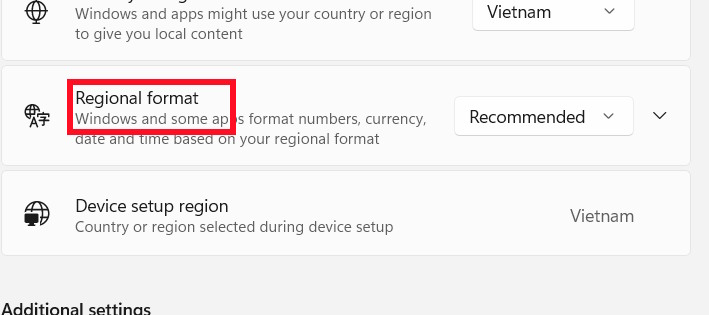
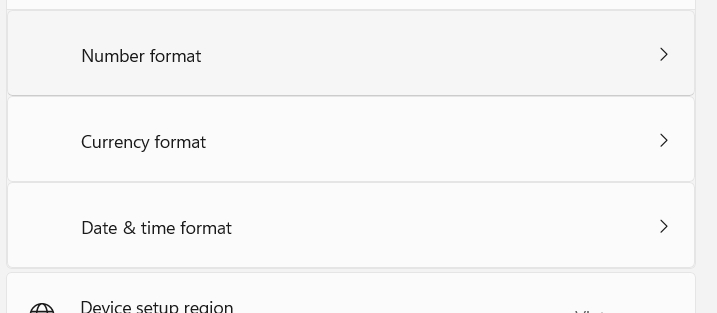
If many otherwise valid formulas are rejected because of separators or number formats, open Settings > Time & language > Language & region and review the current Regional format. Select the format that matches how dates, decimal symbols, and list separators are used in your workbook.
3. Stop Excel from treating the formula as text
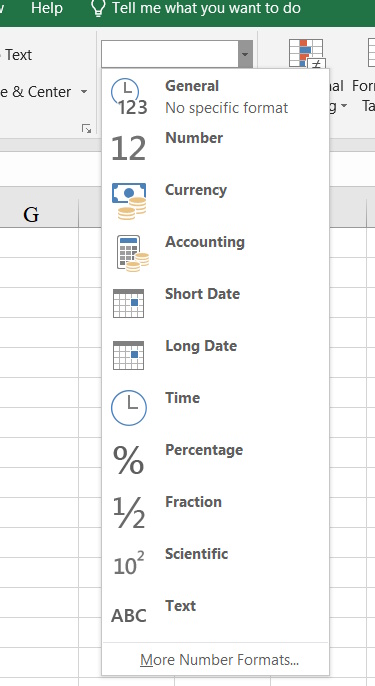
Select the affected cell and set its number format to General. Then press F2 and Enter so Excel parses the entry again. Simply changing the format does not recalculate text that was already entered.
Also remove any apostrophe before the equals sign. If formulas are visible throughout the worksheet, open the Formulas tab and turn off Show Formulas, or press Ctrl + `.
4. Restore Automatic calculation
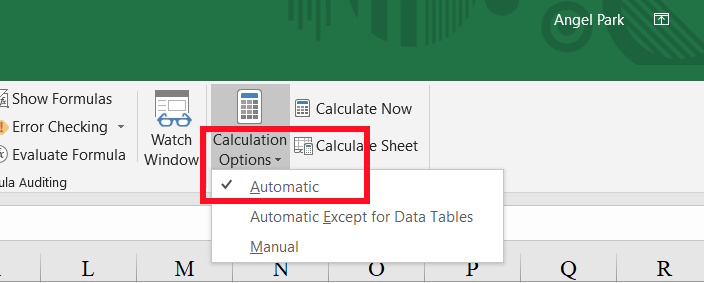
If formulas are accepted but their results do not update, open Formulas > Calculation Options and choose Automatic. Press F9 to calculate the open workbooks once, but keep Automatic enabled if you expect results to refresh after every edit.
5. Enable the add-in required by the function
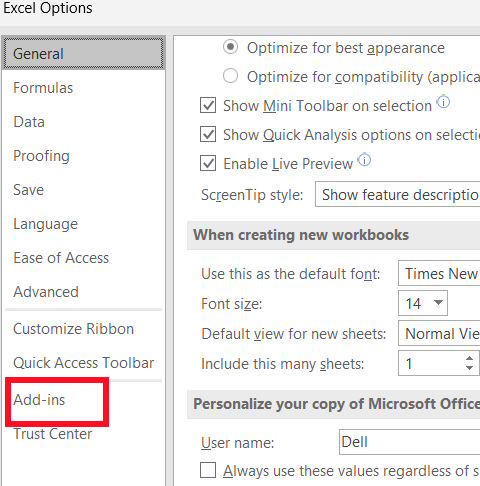
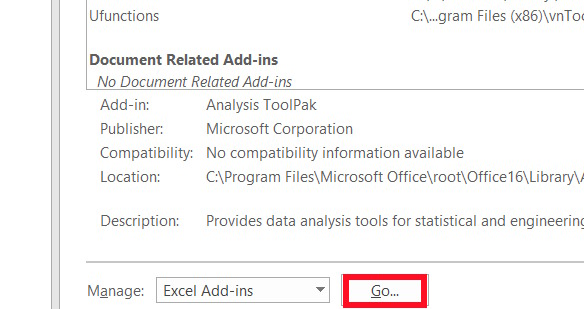
A function supplied by an add-in will not work when that add-in is disabled or missing. In desktop Excel, open File > Options > Add-ins. At the bottom of the window, select the relevant add-in type in the Manage box and choose Go.
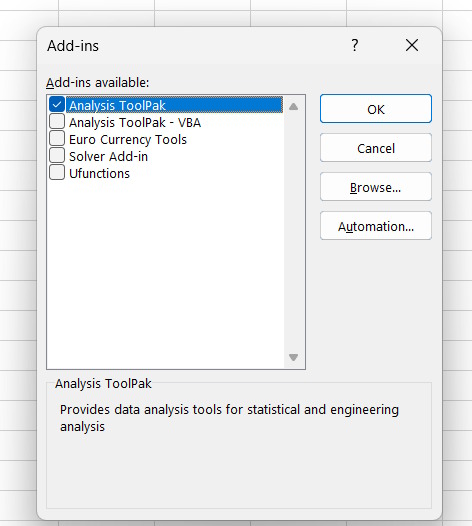
Select the required add-in, such as Analysis ToolPak, and choose OK. Only enable add-ins from a source you trust.
If the problem remains
- Test the formula in a blank workbook to separate a workbook problem from an Excel-wide setting.
- Use Formulas > Evaluate Formula to see where a longer expression fails.
- Check whether a circular reference is involved; follow the dedicated guide to fix circular references in Excel.
- Update Microsoft 365 or repair Office only after formula, format, calculation, and add-in checks fail.
Related Articles
 Summary of Some Ways to Fix USB Device Not Recognized on Windows9 minutes read
 How to Use the SUM Function to Calculate Totals in Excel8 minutes read
 6 Ways to Fix the Error of Not Recognizing SSD Drive in8 minutes read
 How to Fix Winget Not Recognized Error on Windows9 minutes read
 Iferror in Excel: Iferror Function in Excel, Formulas, and Usage5 minutes read
 How to Fix the SUM Function Doesn't Add up in Excel3 minutes read
Reader Comments 0
Sign in with email or Google to join the discussion.