Table of Contents
To download Facebook videos, YouTube videos, or videos from a web browser, users can use extensions installed on the Chrome browser.
Downloading videos from Facebook, or from many other websites, is now very simple and fast, not as complicated as it used to be. You can use online video download websites that don't require account registration, or browser extensions to download videos.
Most video download extensions offer various video quality options for users to download according to their needs. This article compiles 10 of the best video download extensions for Chrome browser websites.
- Extract music from YouTube videos, download MP3s, download music from YouTube without using software.
- How to download YouTube videos to your iPhone
- The fastest way to download Facebook videos to your computer without software.
- How to download YouTube video subtitles quickly and easily?
7. Video Downloader Professional
- Download the Video Downloader Professional utility.
Video Downloader Professional detects videos on websites, allowing users to choose which ones to download to their computer. A pop-up window will open the video in a different interface so you can preview it before downloading.
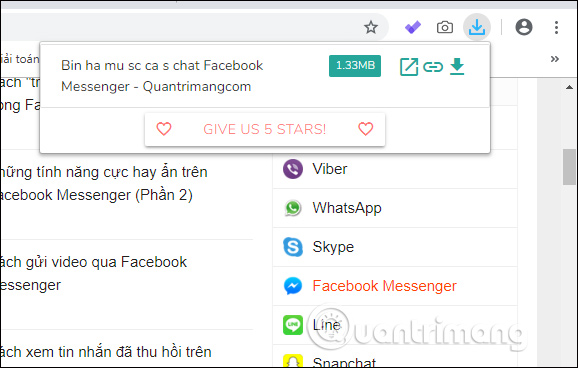
In this video playback interface, users can switch to minimized window mode or press Download to download the video.

6. Easy Video Downloader
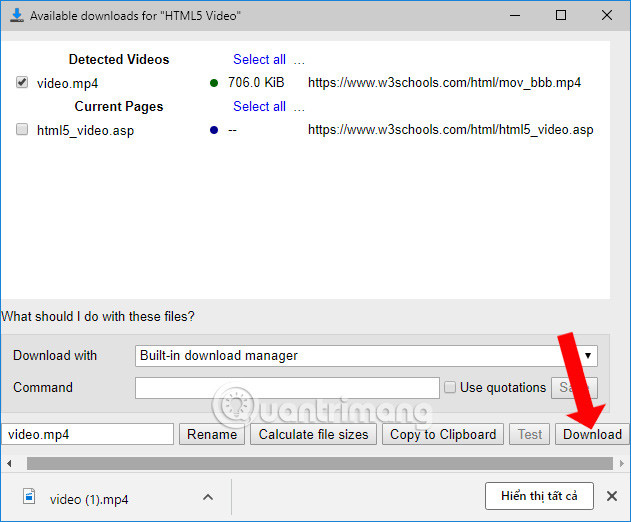
The Easy Video Downloader extension supports downloading videos from many websites, as well as audio and images from your browser. The extension can be installed not only on Google Chrome but also on Firefox and Microsoft Edge browsers.
After installation, the extension will capture video and audio download links from your browser or via IDM software. For instructions on how to use the Easy Video Downloader extension in your browser, please refer to the article " How to download videos, audio, and images on Chrome".
5. Video Download Helper
Video DownloadHelper also supports downloading videos from Facebook, Twitter, Dailymotion, Vimeo, or other websites on Chrome or Firefox browsers. The extension will identify the videos on the page and display them as a list for users to download. You will see the video name, video length, or video size.
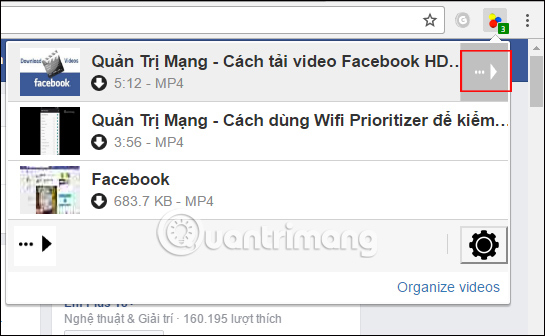
When you click on each video, a list of download options will appear on the Video DownloadHelper extension's interface, such as fast download, copying the video URL, or converting the video format.
For instructions on how to use the Video DownloadHelper extension, please refer to the article " How to download videos on a web browser using Video DownloadHelper".
4. SaveFrom.net
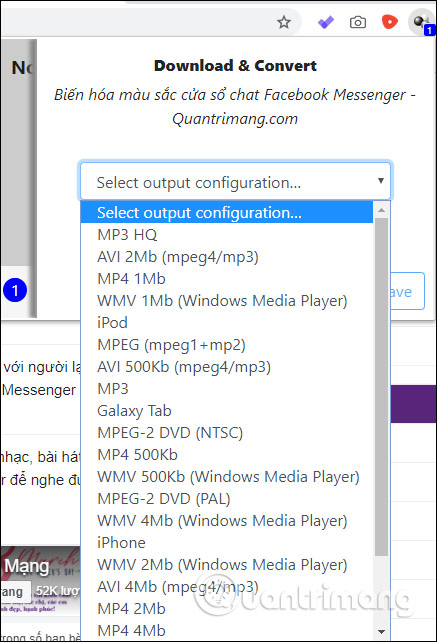
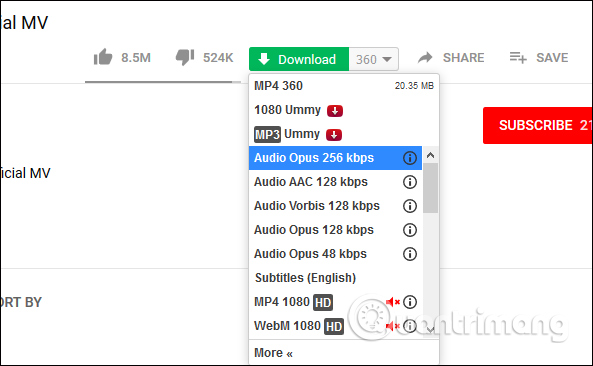
The SaveFrom.net extension will create a download icon on the video interface of YouTube, Facebook, etc., for Chrome, Firefox, and Opera. Users simply click the download icon and choose the desired download format, including MP3. This makes downloading audio from YouTube videos very easy.
Readers can refer to the article " How to add a 'Download' button on YouTube, Facebook, etc. for Chrome, Firefox, and Opera " for instructions on using the SaveFrom.net extension.
3. Video Downloader PLUS
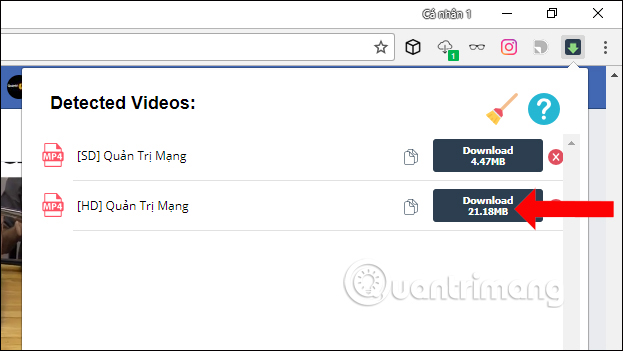
The Video Downloader PLUS utility supports downloading videos from many websites such as Facebook, Vimeo, and Dailymotion. Users can choose the desired video quality (SD or HD). The file size of each video will vary depending on the quality chosen.
After installation, users can click on the extension icon to display videos with the option to download them in SD or HD quality. Readers can refer to the article "How to use Video Downloader PLUS to download Facebook videos " for instructions on how to use the extension.
2. Skyload -- Music and Video Downloader
The Skyload extension, installed on Chrome and Opera, supports downloading videos and audio from many websites such as YouTube, Facebook, Deezer, SoundCloud, Yandex.Music, OK.RU, Vimeo, Coub, Dailymotion, Instagram, Vine, VK, etc. The extension also automatically detects download links with the option to download videos in different quality levels if available.
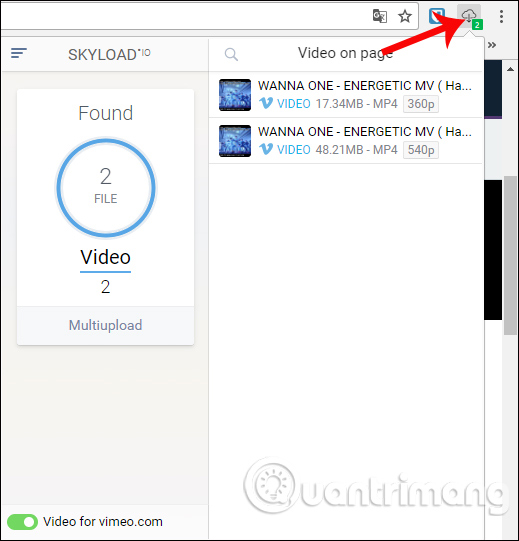
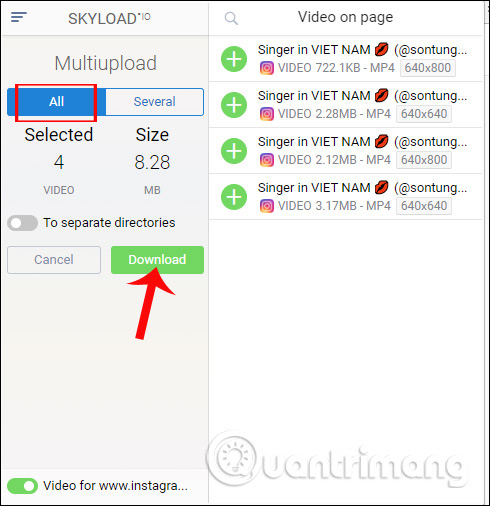
The Skyload utility also includes a video playback option if users want to preview videos before downloading them to their computer. Particularly noteworthy is the feature to download multiple videos simultaneously, or to select specific videos from a list that Skyload detects.
For detailed instructions on how to use the Skyload extension to download videos from your browser, please read the article " How to use the Skyload extension to download music and videos on your computer".
1. the Flash Video Downloader
- Download The Flash Video Downloader utility.
With poor file quality and dropped connections, downloading videos from the internet can be a frustrating experience. Make things a little easier with a program like Flash Video Downloader, an effortless application that helps you retrieve videos from many video websites on the internet.
Flash Video Downloader, as the name suggests, will download flash videos from websites supported by this tool. It works with just one click – you open the video from within your built-in browser, click the large Download button on the toolbar, and the file will download instantly. The interface is very simple and easy to use.
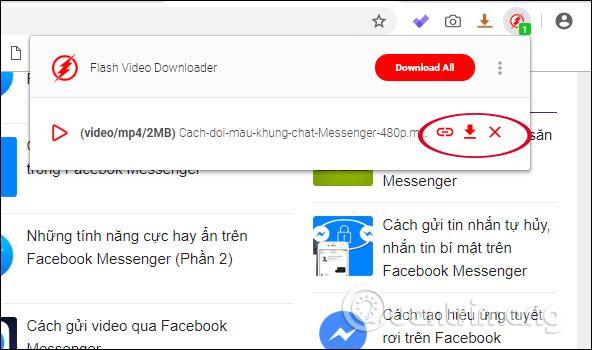
When you install the extension and open a video streaming website, it will display the number of videos detected. Simply click the download icon to download the video or click the link icon to get the video URL. If the extension detects multiple videos, you can click Download All to download them all at once.
Users can play videos directly within the extension interface, along with the option to play videos in a thumbnail frame in the corner of the Chrome screen. This feature is similar to the thumbnail video viewing feature on YouTube or playing videos from a floating screen on Opera.
There are no configuration options for Flash Video Downloader. This makes things simpler but can be frustrating for users who prefer more control.
The lack of configuration options also means users cannot modify the supported websites of Flash Video Downloader. Because some adult video websites are included in the Video Website list, this makes the application unsuitable for certain users. Flash Video Downloader also experiences issues downloading from some of the listed websites, and when you download from within the program, you cannot utilize any download accelerators you may have installed. This means some users will find download speeds somewhat slow.
Above are 10 of the best Chrome video download extensions currently available. All extensions are completely free and do not require an account to download videos. Some applications also offer options to download videos in specific quality and format if the user needs them.
Good luck with your project!
FAQ
What is the main point of top chrome extensions for fast video downloads?
To download Facebook videos, YouTube videos, or videos from a web browser, users can use extensions installed on the Chrome browser.
Why is this development important?
Key takeaway: To download Facebook videos, YouTube videos, or videos from a web browser, users can use extensions installed on the Chrome browser.
What are the key takeaways?
Downloading videos from Facebook, or from many other websites, is now very simple and fast, not as complicated as it used to be.
Related Articles
 Attractive Extensions on Google Chrome8 minutes read
 Top 10 Best Video Download Extensions for Chrome9 minutes read
 TOP 15 Extremely Useful Chrome Extensions That You Should8 minutes read
 Top 7 Most Useful Chrome Extensions You Should Try8 minutes read
 The Best Chrome Extensions You Should Know9 minutes read
 9 Extensions That Help Optimize the Browsing Experience on Chrome8 minutes read
Reader Comments 0
Sign in with email or Google to join the discussion.