Table of Contents
HTTP 403, 404, 500, and 503 messages are website response codes, not general computer errors. The code tells you that the browser reached a web server and received a response about the requested page or action.
The most useful distinction is between 4xx responses, which concern the request or access to the resource, and 5xx responses, which indicate that the server could not complete a request it received.
| Code | Meaning | Usually actionable by |
|---|---|---|
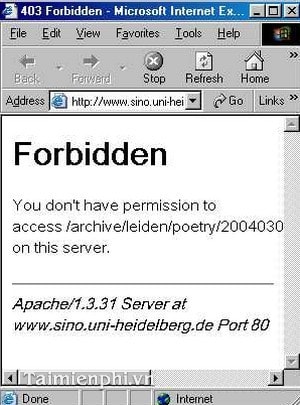
| 403 Forbidden | The server understood the request but refuses to fulfill it. | Visitor permissions or site configuration |
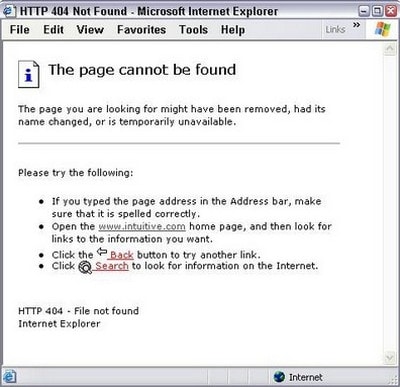
| 404 Not Found | The server cannot find the requested resource, or will not disclose that it exists. | Link author or site owner |
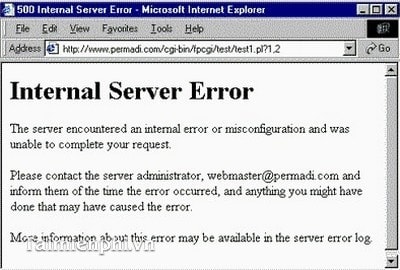
| 500 Internal Server Error | An unexpected server condition prevented completion. | Site owner or hosting provider |
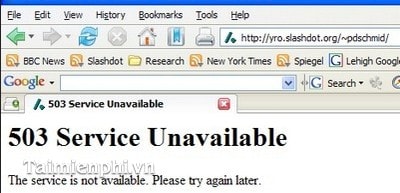
| 503 Service Unavailable | The service is temporarily unable to handle the request. | Site owner; visitor can wait and retry |
These meanings come from the current HTTP semantics standard, RFC 9110.
Safe first checks for any HTTP error
- Read the full error page for a request ID, maintenance notice, sign-in link, or retry time.
- Check the address for a spelling error, missing path segment, or extra punctuation.
- Open the site’s home page and navigate to the content instead of relying on an old bookmark.
- If the page requires an account, sign in with the correct account and organization.
- Reload once. Avoid repeatedly submitting a payment, order, form, or upload because the first request may have completed even if the response failed.
- Test another public page on the same site to determine whether one resource or the whole service is affected.
If the browser instead says it cannot find the server, resolve the domain, or establish a connection, you may have a DNS, network, TLS, or firewall problem rather than an HTTP status response.
404 Not Found
A 404 means the server does not have a current representation for the requested target, or does not want to reveal that one exists. It does not mean that your computer failed to find the server.
If you are visiting the site
- Check the path and filename in the address bar.
- Remove tracking text or obvious extra characters from a copied link.
- Navigate from the site’s home page or use its search.
- Open the link from the original source again in case it was copied incompletely.
- Report the broken link if the page should still exist.
Clearing the entire browser cache rarely repairs a genuinely missing page. A hard refresh is reasonable if the site has just been changed, but repeatedly reloading will not recreate a deleted resource.
If you own the site
- Confirm that the route, file, or database record exists in the deployed environment.
- Check case sensitivity, trailing-slash rules, rewritten paths, and application routing.
- Update internal links and sitemap entries that point to the old URL.
- Add a 301 or 308 redirect only when there is a genuinely equivalent replacement.
- Use 410 Gone when a resource is known to be permanently removed and that distinction is useful.
- Return a helpful 404 page without changing the actual status code to 200.
TipsMake has a focused guide to troubleshooting 404 Not Found and a separate explanation of normal and forced page refreshes.
403 Forbidden
A 403 response means the server understood the request but refuses it. The cause can be an account permission, access-control rule, geographic or network policy, web application firewall, file permission, or an intentionally private resource.
If you are visiting the site
- Sign in and confirm you are using the account that was granted access.
- Ask the document, workspace, or site owner to check your permissions.
- Disable a VPN or corporate proxy only if policy allows and the site explicitly blocks that route.
- Check whether the content is restricted to a school, company, subscription, country, or internal network.
- Do not attempt to bypass the restriction by changing URLs, headers, or accounts you do not own.
Unlike 401, a 403 is not simply a request for authentication. Signing in can still help when the site gave a generic response, but correct authentication does not guarantee authorization.
If you own the site
- Review application roles, object ownership, file and directory permissions, and deny rules.
- Inspect web application firewall and CDN events for a matching request ID, IP, and time.
- Confirm that an index file or directory-listing rule is not causing an unintended block.
- Return the minimum explanation necessary; do not expose private paths or policy details.
500 Internal Server Error
A 500 is a generic response for an unexpected condition that prevented the server from fulfilling the request. Common technical categories include an unhandled application exception, invalid configuration, unavailable dependency, exhausted resource, or failed deployment, but the status alone does not identify the cause.
If you are visiting the site
- Wait briefly and retry once.
- Record the time, page, action, and request or incident ID shown on the error page.
- Check the service’s official status page.
- Contact support if the error persists, especially when it follows a purchase or data submission.
Do not assume that clearing cookies or reinstalling the browser will fix a 500. Those steps may change the request, but the server owner normally needs to investigate.
If you own the site
- Search server and application logs by request ID and timestamp.
- Compare the first failure with recent deployments, configuration changes, migrations, and secret rotation.
- Check database, queue, storage, identity, and third-party API health.
- Reproduce safely in a non-production environment using the same input class.
- Return a generic public error page and keep stack traces, credentials, and internal paths out of the response.
- Add monitoring and a regression test after fixing the cause.
503 Service Unavailable
A 503 means the server is not ready to handle the request, often because of maintenance, overload, capacity protection, or an unhealthy upstream service. It is generally temporary. A server can include a Retry-After header to tell clients when to try again.
If you are visiting the site
- Read the maintenance message and honor any stated retry time.
- Wait before retrying; rapid refreshes add load and can extend an outage.
- Use the official status page or support channel for updates.
- For an API, implement bounded retries with backoff rather than an immediate loop.
If you own the site
- Check capacity, autoscaling, worker queues, connection pools, and rate limits.
- Verify load-balancer health checks and upstream dependencies.
- Use a maintenance response intentionally during planned work.
- Set an appropriate
Retry-Aftervalue when the recovery time is known. - Prevent shared caches from storing a temporary failure longer than intended.
Inspect the response without guessing
Advanced users and site owners can request only the response headers with curl:
curl -I https://example.com/pathLook at the status line, Location, Retry-After, caching headers, and any request ID. A HEAD request is not guaranteed to behave exactly like GET, so use browser developer tools or a normal request when the result differs.
Do not paste passwords, private tokens, session cookies, or customer data into a public troubleshooting post. Redact sensitive query parameters and headers before sharing logs.
Quick decision guide
- One old link returns 404: find the new location or report the broken link.
- A private page returns 403: verify account and permission with the owner.
- A transaction returns 500: check whether it completed before submitting again, then provide the request ID to support.
- The whole service returns 503: wait, check status, and respect retry guidance.
- No HTTP code appears: troubleshoot the connection, DNS, certificate, or browser message instead.
The code narrows the investigation; it does not prove the root cause. Visitors should avoid destructive browser resets for a server-side failure, while site owners should start with logs and request context rather than asking users to refresh indefinitely.
Related Articles
 Common Errors on Computer Speakers and How to Fix Them7 minutes read
 Fix Some Common Computer Errors - Part 212 minutes read
 Common Computer Errors and Remedies (Part 1)8 minutes read
 5 Common Errors When Using LG G3 and How to Fix8 minutes read
 Common Computer Errors and Remedies (Part 2)11 minutes read
 10 Common Windows 10 Errors and the Most Effective Way to8 minutes read
Reader Comments 0
Sign in with email or Google to join the discussion.