
Web browser
How to Manage Bookmarks on Firefox: Manage Bookmarks Firefox
404 Bookmarks is a Firefox utility used to manage bookmarks, delete corrupted bookmarks, and duplicate them.
Browse more Explore practical Web browser guides, useful tools, setup instructions and troubleshooting tips for common tasks, features and problems.
404 Bookmarks is a Firefox utility used to manage bookmarks, delete corrupted bookmarks, and duplicate them.

Install Opera Utility on Chrome is the focus of this article. To install the Opera utility on Chrome, we can use the Chameleon utility with a simple way to.

ViewPure is a private YouTube video sharing service in another interface with a secure password, avoiding strangers watching videos.

To block installation of the utility on Microsoft Edge browser, we can follow 2 ways to customize the system.

Degoo Self-Destruct File Submission is the focus of this article. Degoo is a self-destruct file storage and sharing service with large files.

How to Copy Content on Web Mouse is the focus of this article. At the time, the situation of copying content from one website to another is increasing.

Chrome Canary is a special extension that makes typing emoji easier with a right-click shortcut on Google Chrome.

Always Reading is a utility that helps you save any website on Chrome and then open it at a certain time.

Tor Browser features high security features, allowing you to browse the web anonymously, preventing others from seeing the websites you have visited and.

Instead of the traditional URL for the website, you can refresh the website link with extremely new and unique emoji icons.

Open Me Later Chrome Utility is the focus of this article. To automatically open a website on Chrome, we can use the Open Me Later!

Extension Chrome is the focus of this article. One of the most prominent parts of the Google Chrome Store is productivity extensions.

Google has announced a number of changes to its image search engine, with one of them eliminating the option to view an image without visiting the hosting.

Bitdefender TrafficLight is an access security enhancer in Firefox, which helps you assess the safety of websites when you visit.

Coc Coc is the focus of this article. Like on Google Chrome, all browsing history, download history, cookies.

Knowing how to enable / disable JavaScript will help you take the initiative when working on the browser.

To convert WebP images into PNG and JPG formats, we can do it in many different ways, such as doing it right on the image URL or using image conversion.

Cato utility on Google Chrome will help you control the browser with the commands that the utility provides.
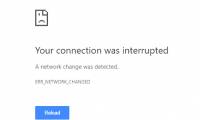
The Error Your Connection Was Interrupted is the focus of this article. The error 'Your connection was interrupted' appears so you cannot access the site.

Create cards 8/3 online to send to your relatives and friends meaningful and happy wishes on colorful cards.