Web browser
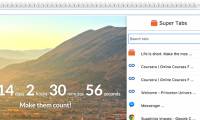
Instructions for Organizing Hundreds of Open Tabs in Chrome Follow a
When you open too many tabs, the icons represented on each tab disappear, making it difficult for you to quickly access any open web page.
Browse more Explore practical Web browser guides, useful tools, setup instructions and troubleshooting tips for common tasks, features and problems.
When you open too many tabs, the icons represented on each tab disappear, making it difficult for you to quickly access any open web page.
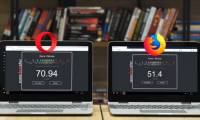
Opera Software has officially launched Opera 51 with 38% faster performance than Firefox Quantum. Review the key facts and practical impact.

Google Chrome is the focus of this article. Please join TipsMake. Review the key facts and practical impact.

The websites you normally visit on Coc Coc will appear automatically when users enter the address in the browser.

Com find out the Top 7 most useful Chrome extensions you should try in this article!. Review the key facts and practical impact.

Suppose you are trying to remain silent when browsing the Internet at home, work, or public space but when opening a new tab, a video or advertisement will.

Turn Off Video Automatically Run on Firefox is the focus of this article. Recently, web browsers have features that automatically play videos when opening a.

When it comes to browser history, people often talk about deleting the browsing history so they won't be monitored, but it can be a good idea to store.

Usually the password you save on the browser is usually hidden under a *** or a dot so that strangers can't steal your password.

On Firefox Quantum or Firefox 57, there are many new options for the interface such as setting the Dark theme theme.

In the updated version, Coc Coc Map has updated its database of over 1.2 million live locations nationwide and will be continuously updated.
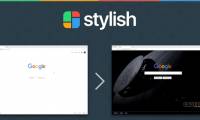
Stylish is a utility on Google Chrome, Firefox, Opera and Safari browsers that can customize the look of any website with simple operation.

Dictionary search utilities on Google Chrome will help users quickly check the meaning of a Word that is not only English but also many other languages.

Firefox browser Quantum launches users with a completely new interface change, speeding up browsing compared to previous versions.
Turn Off Chrome Spell Checking is the focus of this article. On Google Chrome, there is a spell checker when entering content.

Lockbox utility on Firefox browser Quantum helps you manage website passwords, login account information.

Google Chrome 63 has added Parallel Download, which speeds up downloads without Internet Download Manager (IDM).

Although Firefox Quantum brings new features and a new look, you can still make the browser more sparkling with themes and add-ons.

Using your phone to surf the web at night before you sleep can be one of the main reasons your eyes feel tired and have a bad night's sleep.

Temporary Containers utility in Firefox helps users log in multiple service accounts on the same browser tab, without having to open private browsing mode.