
Music Software
How to Play Music with Amazon Echo and Alexa
Learn how to play Music with Amazon Echo and Alexa with clear steps, practical context, and useful troubleshooting guidance.
Browse more Explore practical Music Software guides, useful tools, setup instructions and troubleshooting tips for common tasks, features and problems.
Learn how to play Music with Amazon Echo and Alexa with clear steps, practical context, and useful troubleshooting guidance.

Learn how to transfer Music Playlists Between Spotify and Apple Music with clear steps, practical context, and useful troubleshooting guidance.

Learn how to change the Format of Sub Video on Vlc with clear steps, practical context, and useful troubleshooting guidance.

Learn how to play Local Music Collection on Spotify with clear steps, practical context, and useful troubleshooting guidance.
Learn the key facts about Shortcut Adobe Audition: 60+ Shortcuts Adobe Audition to Remember, with clear context, practical guidance, and useful takeaways.

As we proceed to rip a CD to create digital music files, most people think that the files will be created by default in MP3 format.

Right on VLC Media Player, there is a feature for playing puzzles with the at the time playing video screen.
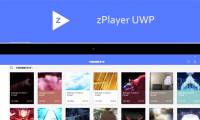
ZPlayer UWP is a video player application on Windows 10, featuring video security with passwords. Review the key facts and practical impact.

CD Grabber Pro is an application to copy music from a CD to a Windows 10 computer, supporting MP3 format.

Watch Free Videos is the focus of this article. Free video watching software supports many video formats, along with other rich features.

Audacity is a software for recording and professional sound editing with different sound editing options.

Autotune is the focus of this article. Auto-tune is often seen as a 'lifeline' for those with weak voices.

Audacity provides audio tuning plugins, which users do not need to install additional software. Follow the main steps and troubleshooting guidance.

To control VLC, in addition to using mouse manipulation or shortcuts, you can control with mouse gestures.

How to sign up for Spotify Premium will give you full access to the music features that the Spotify Free package doesn't have.

To control Spotify music from any web browser, you can use the Spotify Controller utility. Follow the main steps and troubleshooting guidance.

Most Popular Audio Formats is the focus of this article. Audio files come in all sizes and sizes. Review the key facts and practical impact.
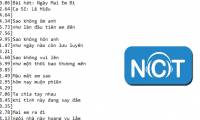
Nhaccuatui is the focus of this article. Here's how to get the lyric. Follow the main steps and troubleshooting guidance.

Bear Audio Editor is an online audio editing tool, there are many useful features when editing sounds. Follow the main steps and troubleshooting guidance.

Music Cutting Software is the focus of this article. MP3DirectCut is a professional audio clipping software, supporting users to handle audio.