Hardware
6 Practical Ways to Reuse an Old USB Drive
Put a reliable spare USB drive to work as boot media, a rescue toolkit, encrypted storage, portable apps, a locking trigger, or a retro-game library.
Browse more Explore computer hardware guides, buying advice, troubleshooting tips and practical information about components, laptops and peripherals.
Put a reliable spare USB drive to work as boot media, a rescue toolkit, encrypted storage, portable apps, a locking trigger, or a retro-game library.

Explore comparing thunderbolt and usb-c, including the key concepts, practical examples, important considerations, and useful guidance.

Choose a USB-C hub, charger, portable display, SSD, and travel router that fit your laptop and coffee-shop workflow, with key compatibility checks.
Compare desktop and NAS hard drives by compatibility, CMR or SMR recording, workload ratings, and warranty terms before choosing storage for your NAS.

Check your second monitor's refresh rate and cable, simplify the taskbar, and arrange windows with PowerToys or other monitor utilities.

Use Task Manager to check whether memory is the bottleneck, reduce optional startup and background apps, and review the paging file before deciding whether a RAM upgrade would help.

The EAH-AZ100 combines magnetic-fluid drivers, adaptive noise cancellation and three-device switching. Its fit, call quality and codec limits matter as much as the headline features.

A keyboard lock only blocks input; it does not protect a powered laptop from moisture. Use an external keyboard while work runs, then follow a shutdown-and-clean procedure for the built-in keyboard.

Check which AirPods support Apple's hearing test, prepare for accurate results, and understand the hearing-level numbers and when to seek professional advice.

Separate monitor limitations from Windows and game settings, understand DisplayHDR labels, and troubleshoot dull or washed-out HDR on your PC.

See which everyday habits shorten laptop runtime, which can contribute to battery aging, and how charging limits, sleep settings, and brightness can help.
Diagnose a wired connection capped near 90–95 Mbps, test each cable segment, and identify whether a port, connector, or shared uplink is the bottleneck.

Choose a work monitor by text clarity, usable connections, stand or mount support, refresh rate, and whether built-in speakers suit your desk.

Understand mistakes when assembling a PC with clear context, practical implications, and the key details you need to evaluate the topic with confidence.

Understand if you're using one of these gpus, it's time to upgrade with clear context, practical context and key details for confident evaluation.

Understand what does the red USB port mean with clear context, practical implications, and the key details you need to evaluate the topic with confidence.

Understand samsung galaxy S25 edge or iPhone air is a better choice with clear context, practical context and key details for confident evaluation.

Understand not multiple monitors: this is what you need! with clear context, practical context and key details for confident evaluation. See key details.
Explore 5 router features with openwrt that will surprise you, with key benefits, limits, and practical details that help you compare choices and decide.
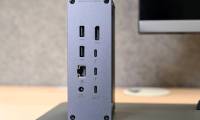
Understand what do the symbols on the USB ports mean with clear context, practical context and key details for confident evaluation. Get useful context.