Table of Contents
Explore airpods can test hearing with surprising accuracy, including the key concepts, practical examples, important considerations, and useful guidance.
How can AirPods test hearing?
Check if you have compatible AirPods
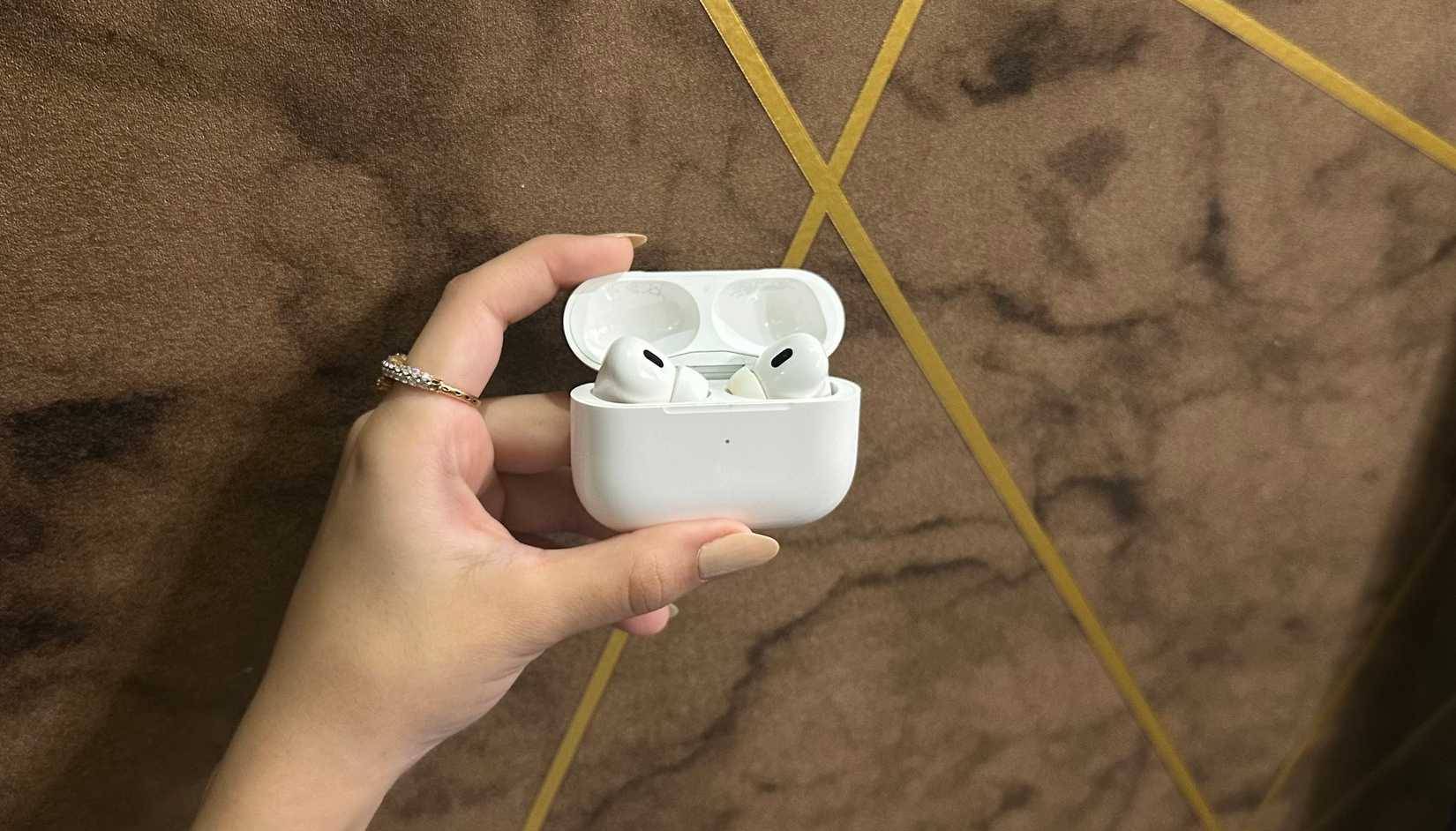
Last year, Apple introduced the Hearing Test feature in the United States and several other countries with the iOS 18.1 update. The feature was later expanded to other countries with iOS 18.2.
Apple's Hearing Test is a five-minute test that provides detailed information about your hearing and helps you determine if you have hearing loss. You can take the test right on your iPhone, and the app plays different sound frequencies through your AirPods. Some sounds are soft and low, while others are loud and high. You have to respond by indicating which sounds you can and cannot hear. All you have to do is tap the screen each time you hear a pulse of sound. The iPhone then converts the results into an audiogram, similar to what doctors use for clinical hearing tests.
Note that not all AirPods models have this feature. Apple's hearing test is only compatible with AirPods Pro 2 or AirPods Pro 3 running the latest software version.
How to test your hearing with AirPods
Prepare and run the test
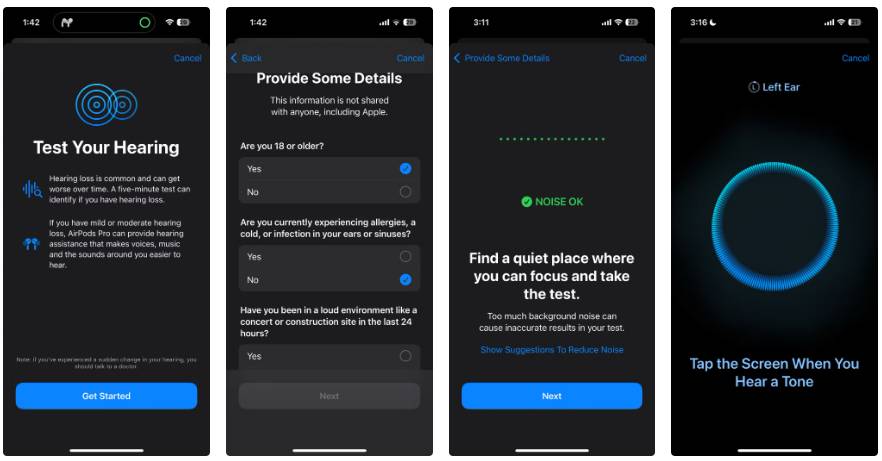
Before you begin, there are a few things you need to keep in mind to ensure a successful test:
- Your AirPods should fit snugly in your ears. If not, you can try a different ear tip that fits better.
- For accurate test results, you should clean your AirPods.
- Make sure your AirPods are fully charged.
- Because the test emits a series of beeps and sometimes at very low volume, you must take the test in a quiet environment.
- Test results may not be accurate if you were in a noisy environment such as a concert or party, or had a cold or ear infection in the past 24 hours.
Once you have all the prerequisites, you are ready to take the test. There are two ways to start a hearing test on your iPhone. The first and quickest way is to go to Settings -> Your AirPods -> Take a Hearing Test . Or you can go to the Health app, select the Browse tab at the bottom, select the Hearing category and tap Take Hearing Test .
- Put AirPods Pro in your ears.
- On the Test Your Hearing screen, tap the Get Started button.
- Answer a few preliminary questions, such as your age, whether you have a cold or allergies, and your recent exposure to noise. Once finished, tap Next .
- Again, click Next to start the test. If there is a lot of background noise, you will see a message asking you to find a quiet place to test.
- Next, you'll be asked to put the AirPods in your ears and adjust the position. The AirPods will then check the fit and measure the ambient noise.
- Once everything is okay, you will be guided through a few more instructions.
- When prompted, press the Start Test button.
- First, your AirPods will play a sound in your left ear. Remember to tap the screen when you hear the sound.
- After completing the left ear test, the test will continue to test your right ear.
It takes about 10 minutes to complete the test.
Read the results
How to read test results
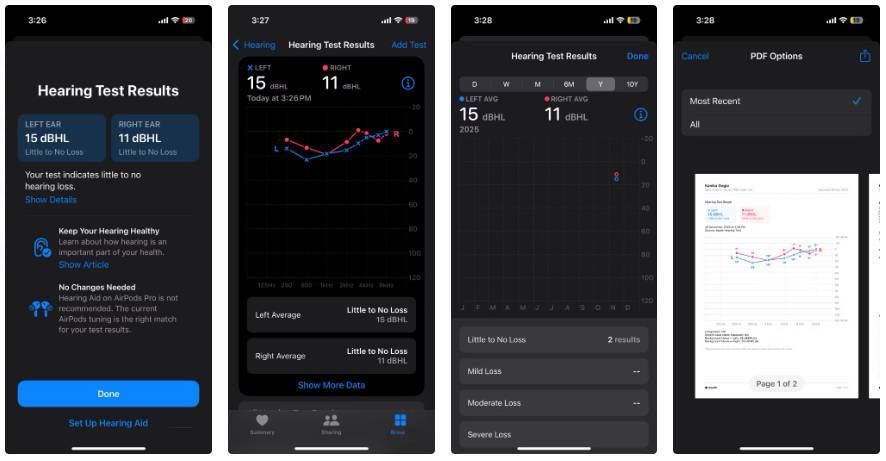
Once the test is complete, you'll see a result that shows your overall hearing loss in dB HL (decibel hearing level), along with an easy-to-understand hearing classification and what you need to do next. You'll see a unique value for each ear. Note that the higher the value, the louder the sound needs to be for you to hear clearly. Here's a quick summary:
- Up to 25 dB HL : You have virtually no hearing loss.
- 26 to 40 dB HL : Mild hearing loss, you can hear normal speech at close range.
- 40 to 40 dB HL : Moderate hearing loss, you can hear loud voices.
- 61 to 80 dB HL : Severe hearing loss, where you can understand words that are very loud or shouted into your ear.
In the example case, the author has almost no hearing loss.
Most people will sometimes have difficulty hearing speech in crowded restaurants, parties, or any other noisy environment. This is normal and nothing to worry about.
If your test results show you have mild to moderate hearing loss, you can use AirPods Pro as hearing aids; they're FDA-approved.
In case of severe hearing loss, you must seek medical help.
How accurate are AirPods hearing tests?
Are these tests reliable?
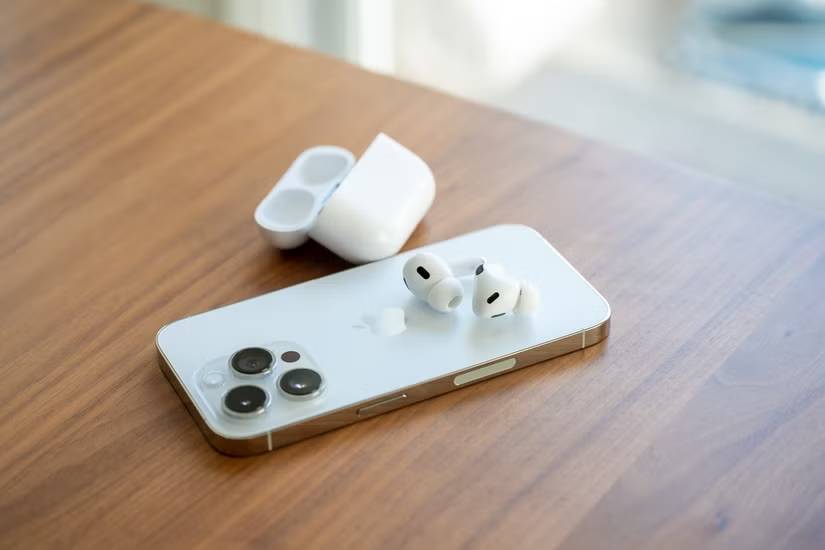
You're probably wondering if the AirPods hearing test is accurate. Let's do some research to satisfy your curiosity!
According to several surveys, studies, and expert opinions, the Apple Hearing Test is impressively accurate. If you're concerned about your hearing, this is a great tool to rule out any potential issues. It's quick and convenient, and can produce results that closely match a clinical audiogram. Overall, it's a great monitoring tool, but it shouldn't be used as a substitute for a full medical evaluation by a professional.
Final Thoughts
Understanding airpods can test hearing with surprising accuracy makes it easier to evaluate the information and apply the most relevant recommendations. Focus on the key points above and verify details that may change over time.
FAQ
What is airpods can test hearing with surprising accuracy?
Explore airpods can test hearing with surprising accuracy, including the key concepts, practical examples, important considerations, and useful guidance.
What key points does this article cover?
The article focuses on How can AirPods test hearing?, Check if you have compatible AirPods, How to test your hearing with AirPods, with practical explanations and examples.
How can you use this information in practice?
Use the explanations to compare options, verify important details, and make a more informed decision. Apply the recommendations that best match your goals and situation.
Related Articles
 Notes When Using Airpods as Hearing Aids: Airpods Pro Hearing Aid5 minutes read
 How AirPods Pro Protect Your Hearing: Explained5 minutes read
 Apple May Add Hearing Aid Features to Airpods4 minutes read
 How to Perform Ear Tip Fit Test on Airpods Pro3 minutes read
 How to Enable Conversation Boost on Airpods Pro4 minutes read
 Detailed Comparison of Airpods Pro 3 vs Airpods Pro 2: Should You: Key Facts6 minutes read
Reader Comments 0
Sign in with email or Google to join the discussion.