Artificial intelligence
How to Create an Alphabet Word-Guessing Game in Educaplay
Create an Educaplay Alphabet game manually or with Ray AI, review every clue, configure timing and lives, test the activity, and share it with students.
Browse more Explore artificial intelligence guides, AI tools, model comparisons and practical tutorials for using AI at work and in everyday tasks.
Create an Educaplay Alphabet game manually or with Ray AI, review every clue, configure timing and lives, test the activity, and share it with students.
Use TikViral to study a public TikTok video's hook and structure, generate a short-form script draft, and rewrite it into accurate, original content.

Compare four AI presentation tools by workflow, editability, source inputs, export options, and brand fit, then learn how to verify and refine the generated deck.

Combine people, clothing, products, or backgrounds in Google Flow, refine one change at a time, and check the result for identity and detail errors.
See what VoiceStudio, formerly OmniVoice Studio, can do locally, what hardware it needs, where the active beta still has limits, and how to test it safely.

Create Wayground quizzes from a document, prompt, webpage, YouTube video, curriculum, or worksheet photo, then verify and improve every generated question.

Create and protect an OpenAI API key, make a first Responses API call in Python, connect a no-code workflow, choose a model, and control spending.

Generate an image from a detailed prompt in Microsoft MAI Playground, refine it with targeted edits, review common AI errors, and download the result.
Understand how Google Docs Live turns spoken ideas into an organized draft, how it differs from Voice Typing, who is expected to receive it, and what to verify.

Compare SWE-bench Verified, GAIA, WebArena, the tau-bench family, ARC-AGI, OSWorld, and AgentBench by task design, metric, limitations, and production relevance.
Connect Google Docs to n8n using Managed OAuth2 on n8n Cloud or a custom Google OAuth client for self-hosted deployments, with secure redirect and token handling.

Create a Readdy AI website from a focused prompt, refine its pages and responsive layout, then test SEO, forms, links, and domain settings before publishing.

Create a reusable instruction note in ChatGPT Library, attach it with an @ mention, and use clear text aliases for recurring summaries, drafts, or formatting tasks.

Review model-training controls for LinkedIn, Meta, Gemini, Claude, ChatGPT, and Microsoft Copilot, including what each opt-out does—and does not—change.

Add meeting notes to NotebookLM, generate an implementation plan, verify owners and deadlines, and export the checked draft to Google Docs.

Compare Comet, Dia, Opera Neon, Brave, DuckDuckGo, Vivaldi, Opera Air, SigmaOS, Zen, and emerging browsers by use case, access, and trade-offs.

Choose a free AI learning path based on your goal, from practical AI use and prompting to machine learning, open-source models, and API development.

Create a short product ad in Google Flow using reference images, a controlled shot plan, generated dialogue, scene assembly, and a careful accuracy check.
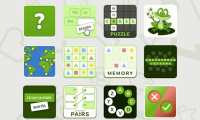
Use Educaplay's Ray assistant to generate a classroom game from a topic or document, then verify the content, adjust the rules, test it, and share it safely.

Long contexts and concurrent AI agents expand the KV cache, putting pressure on GPU memory capacity and bandwidth. Here is how tiered memory and cache reuse address it.