Table of Contents
TikViral can turn a public TikTok link into a structured content analysis and a draft for a new short-form video. Use it to study a video’s hook, pacing, message, and calls to action—not to copy another creator’s wording, footage, identity, or distinctive concept.
A high view count does not prove that a script alone caused the result, and an AI-generated “viral” score cannot predict future reach. Treat the tool as a research and outlining assistant, then verify its transcript, add original expertise, and rewrite the result for your own audience.
Before analyzing a TikTok video
Choose a public video that is relevant to your niche and useful as a structural reference. Copy its URL from TikTok’s Share menu. Before submitting it to a third-party service, consider:
- whether the video contains a private individual, child, sensitive event, or personal information;
- whether you have permission to download or reuse any footage, music, or transcript;
- whether the creator’s content is suitable as inspiration rather than material to reproduce;
- whether TikViral’s current privacy and account terms fit your use case.
You do not need to choose a “million-view” video. A smaller post that reaches the correct audience can provide more relevant lessons than an unrelated viral clip.
How to analyze a TikTok video with TikViral
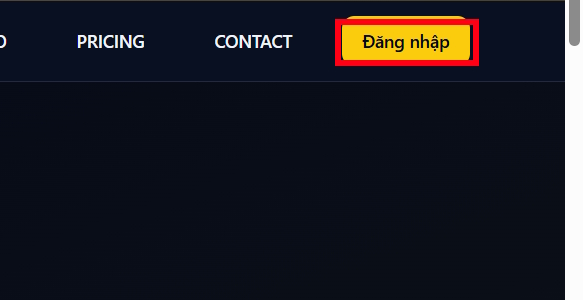
1. Open TikViral and sign in
Visit TikViral.biz. The version pictured in this tutorial supports Google sign-in. Review the permissions requested during authentication and use an account appropriate for third-party creator tools.
2. Submit the public TikTok URL
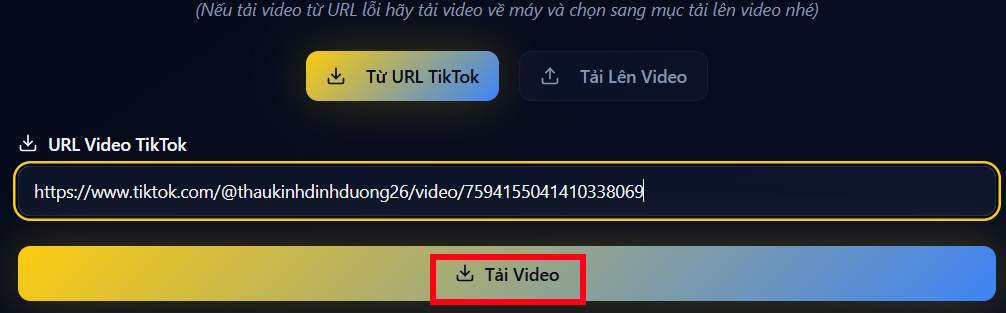
Paste the copied TikTok link into the video field. In the interface shown below, the processing control is labeled Download video. Only use the download function for material you are authorized to save; analysis does not grant permission to republish someone else’s video.
After processing, TikViral may display public engagement figures such as views, likes, comments, and shares. Select Analyze Video to generate the content breakdown.
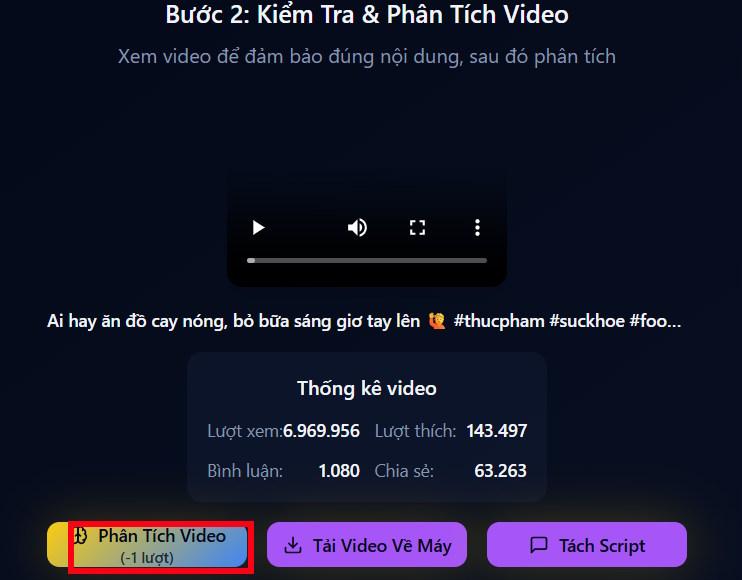
These figures are a snapshot and may be rounded, delayed, or unavailable. They are not a replacement for first-party TikTok Analytics, which provides account owners with more reliable performance and audience data for their own posts.
3. Review the AI analysis
TikViral separates the video into categories such as the central idea, hook, message, content structure, and audio. Read each section while replaying the original video. Check whether the transcript and analysis actually match what is spoken and shown.
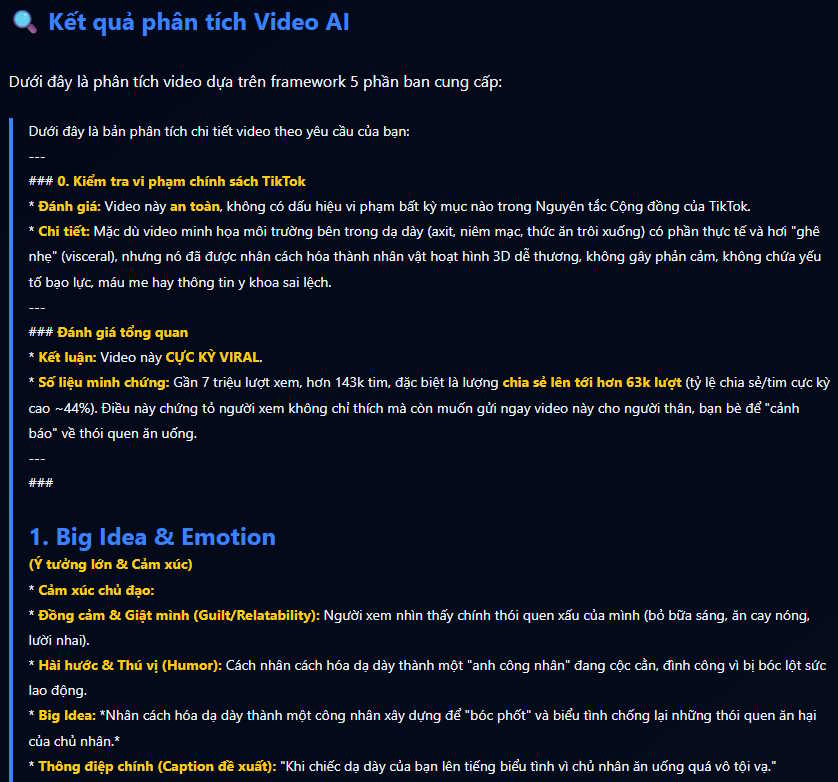
Useful observations are usually structural:
- what question, claim, or visual appears in the opening seconds;
- how quickly the video delivers evidence or a result;
- where the speaker changes topic or introduces an example;
- which on-screen text makes the message easier to follow;
- how the video concludes or asks viewers to act.
Ignore unsupported explanations about why a video “went viral.” Reach can be affected by timing, audience history, distribution, topic demand, comments, rewatches, shares, and factors the tool cannot observe.
How to create an original script draft
4. Choose a hook pattern
In the analyzed report, select the hook category that fits your own subject, then choose Create Similar Scenario or the equivalent generation control.
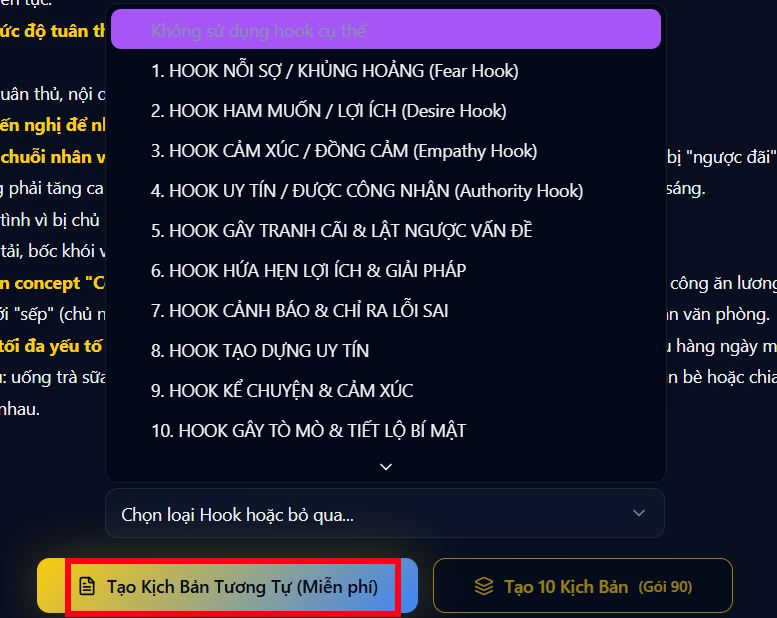
A hook pattern is a reusable structure—for example, showing the result before the steps or opening with a specific problem. It should not be a word-for-word copy of the source video’s opening line.
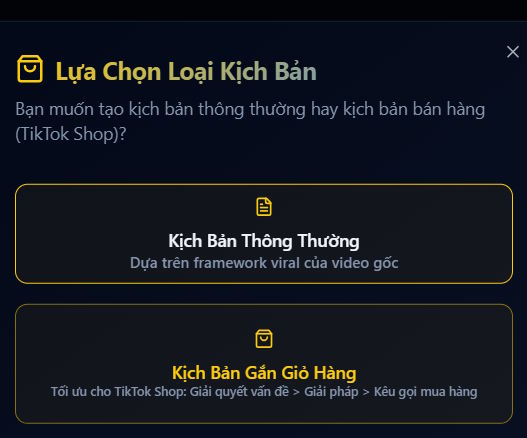
5. Select the script format
Choose the script type that matches your goal, such as an educational explanation, product demonstration, personal story, or list of tips. If the tool provides an input box, add information it cannot infer from the reference video:
- your target audience and their level of knowledge;
- the one problem the video should solve;
- your original example, experience, or evidence;
- the desired duration and speaking pace;
- the platform and aspect ratio;
- the action viewers should take after watching.
6. Download and rewrite the draft
Review the generated script on screen. The interface shown here can download it as a TXT file. Save the draft if needed, but revise it before recording.
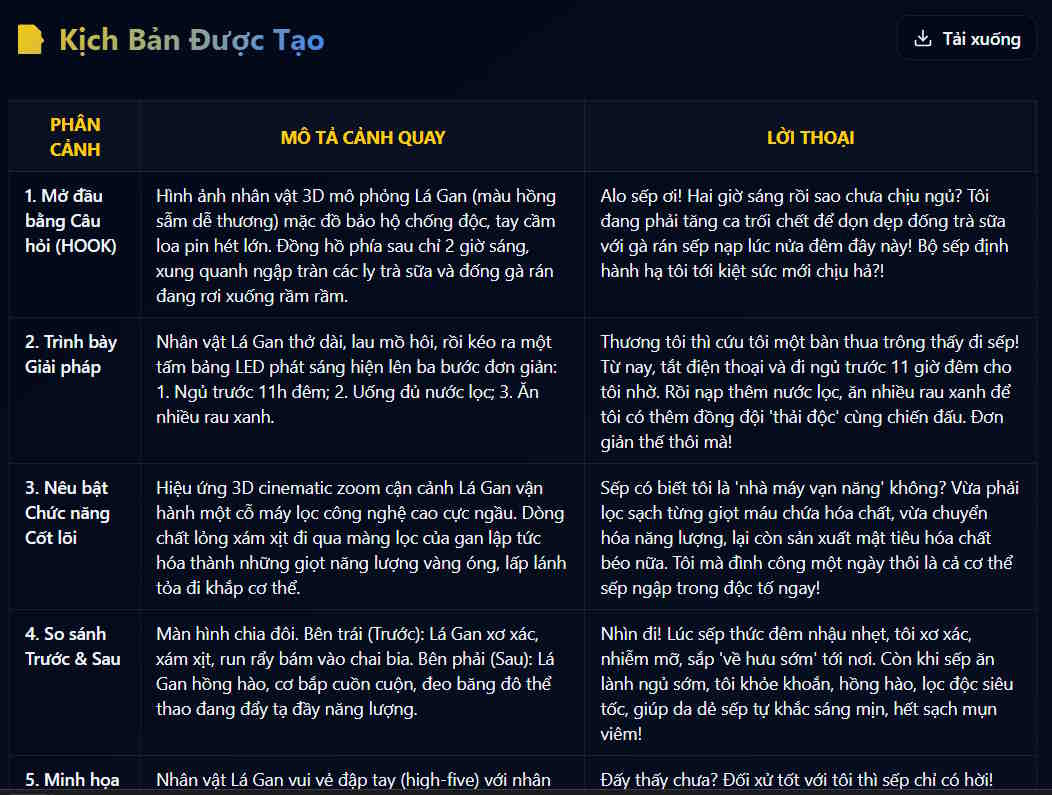
Replace generic claims with verifiable details, remove repeated ideas, and read the script aloud to check timing. A natural short-form script usually needs spoken sentences that are simpler than written prose. Mark where visuals, captions, demonstrations, or screenshots will support the narration.
A practical script structure
Use the analysis to build a new outline rather than a disguised copy:
- Hook: state a concrete problem, surprising result, or useful promise.
- Context: explain who the advice is for and why it matters.
- Value: deliver two or three specific steps, facts, or demonstrations.
- Proof: show the result, source, before-and-after comparison, or firsthand example.
- Close: give one relevant next action instead of a generic request for engagement.
For example, if the reference video uses “three mistakes” as its structure, keep the list format but choose your own topic, examples, explanations, footage, and conclusion. The audience should receive information that could not be obtained by watching the source alone.
Quality checks before recording
- Verify names, prices, dates, product features, and statistics against reliable sources.
- Remove promises that the product, method, or video will “guarantee” views or results.
- Credit sources where appropriate and obtain permission for protected clips or audio.
- Do not imitate a creator’s voice, face, catchphrases, or branded presentation.
- Check that captions match the final spoken wording.
- Disclose sponsorships, affiliate relationships, and materially altered or synthetic media when required.
- Confirm that the finished video complies with TikTok’s current rules and the laws that apply to your audience.
If you need a transcript before outlining, see TipsMake’s comparison of AI video transcription tools. For producing the final post, compare the site’s AI video creation tools and mobile AI video editors.
Related Articles
 How to Create a 3D Animated 'Stomach Crying for Help' Video with Veo 3 in Geminigen AI7 minutes read
 How to Create a 3D Animated 'Stomach Crying for Help' Video with Veo 3 in Genminigen AI7 minutes read
 Creating Animated Videos Using Anijam AI Is Definitely Worth a Try4 minutes read
 Overview of Creating Professional Videos with AI10 minutes read
 Create Visual Scripts and Plan the Visuals for AI Videos2 minutes read
 How to Create AI Timelapse Videos9 minutes read
Reader Comments 0
Sign in with email or Google to join the discussion.