Table of Contents
AI presentation tools are most useful for turning an approved brief, document, or outline into a first draft. They can suggest a structure, create slide layouts, rewrite text, and source or generate visuals, but they cannot decide which claims are accurate or what an audience truly needs.
This comparison covers four current approaches: Plus AI works inside PowerPoint and Google Slides, MagicSlides and SlidesAI focus heavily on Google Slides workflows, and Gamma creates web-native presentations that can also be exported.
Quick comparison
| Tool | Where you work | Best fit | Main trade-off |
|---|---|---|---|
| Plus AI | PowerPoint and Google Slides | Editing an existing deck or corporate template | Advanced branding and template support depend on the plan |
| MagicSlides | Google Slides add-on and other integrations | Turning text, PDFs, videos, or prompts into a quick draft | Generated decks still need content and layout review |
| SlidesAI | Google Slides | Converting source text into an editable Slides presentation | Design variety and image choices require manual checking |
| Gamma | Standalone web app | Shareable, web-first presentations and documents | PowerPoint export can require cleanup |
1. Plus AI
Plus AI is designed for people who want AI assistance without leaving PowerPoint or Google Slides. It can generate a new deck or insert individual slides, rewrite existing text, and use Remix to move content into a different layout.
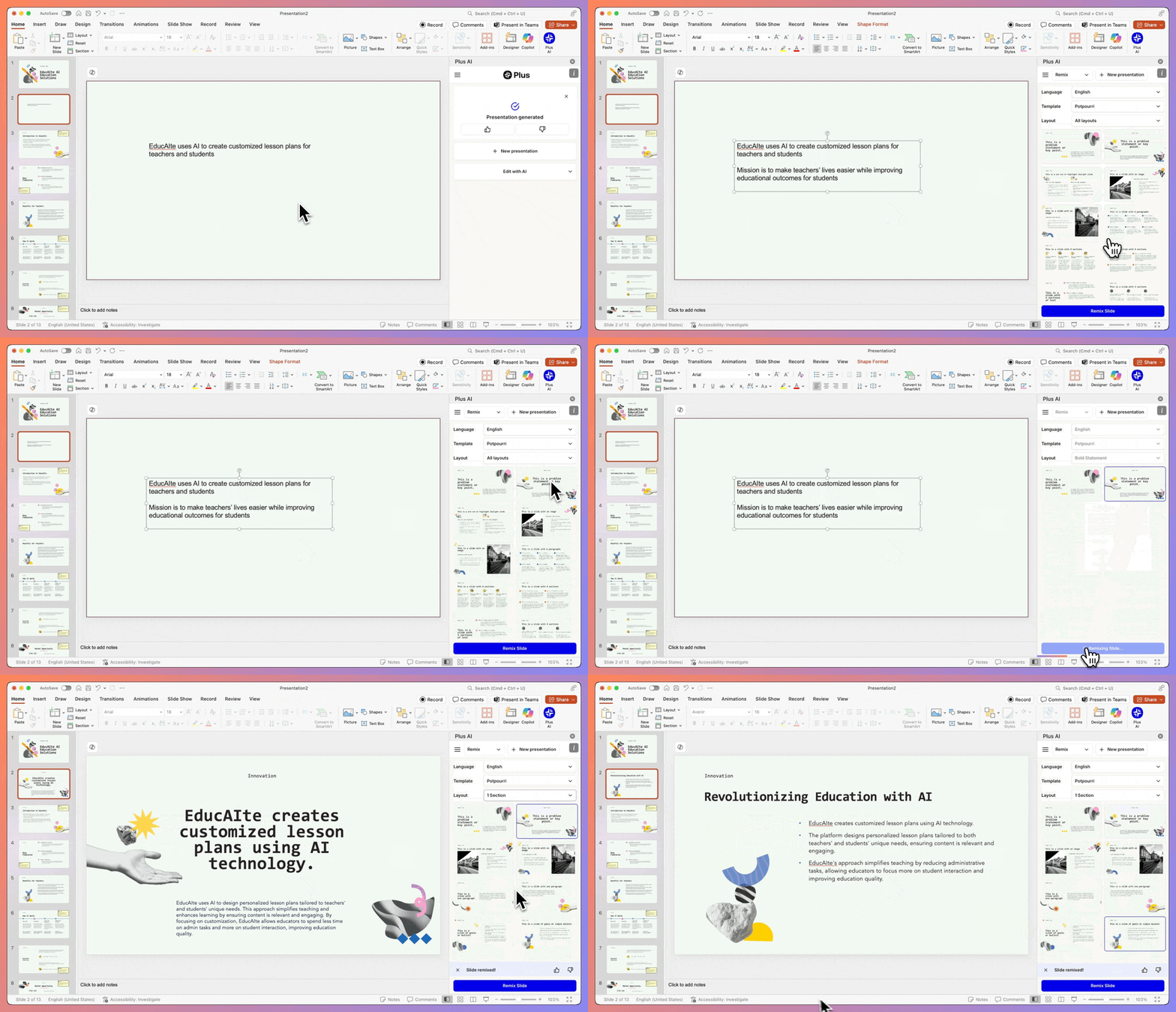
The native-editor approach is Plus AI’s main advantage. Team members can continue using ordinary PowerPoint or Google Slides features, comments, version history, and sharing instead of exporting from a separate design platform. Custom instructions and reusable presets can also give repeated decks a more consistent brief.
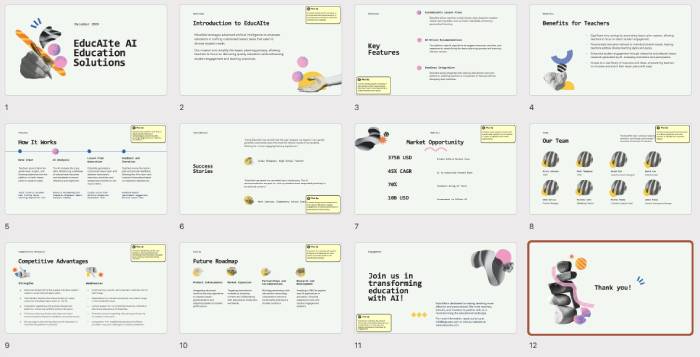
Choose Plus AI when
- the final deliverable must remain an editable PowerPoint or Google Slides file;
- you need to improve an existing deck rather than generate only from scratch;
- your team has established slide masters, layouts, colors, fonts, or logos;
- you frequently insert, rewrite, or reformat individual slides.
Check the plan before assuming it can use an organization’s exact template. Plus AI distinguishes simple branding controls from enterprise-level custom-template setup.
2. MagicSlides
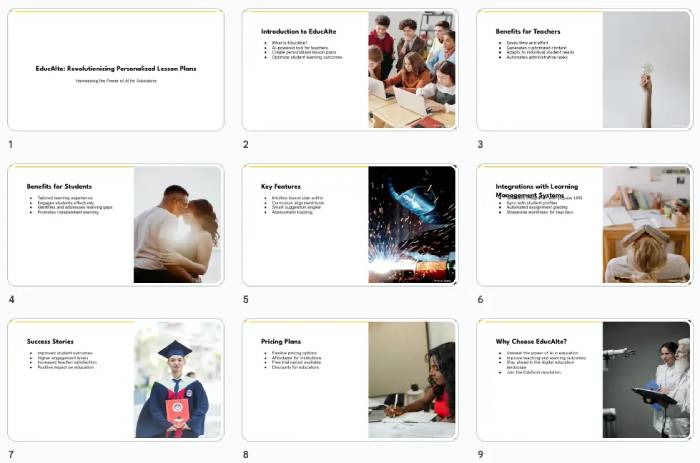
MagicSlides can create a presentation from a prompt, pasted text, a PDF, a web page, or supported video input. Its Google Slides add-on keeps the generated deck inside a familiar collaborative editor, while the service also offers integrations outside Google Slides.
Choose MagicSlides when
- your source material already exists as a document, article, PDF, or video;
- you want a fast Google Slides draft rather than a new presentation platform;
- multilingual generation or translation is part of the workflow;
- you want to reuse an existing presentation as a style reference.
Source-to-slides automation can preserve the wrong information as efficiently as the right information. Compare every generated point with the source, remove unsupported additions, and reorganize the deck around the audience’s decision rather than the source document’s paragraph order.
3. SlidesAI
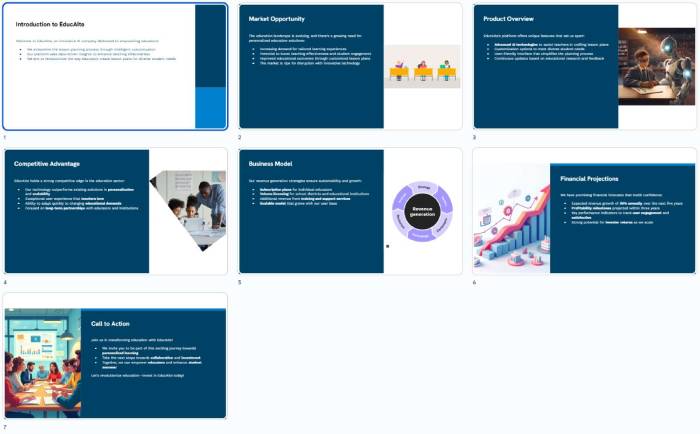
SlidesAI converts text into an editable Google Slides presentation. It can create a deck from supplied material, suggest layouts and images, and provide rewriting controls in a sidebar.
Choose SlidesAI when
- you mainly work in Google Slides;
- you already have a structured outline or text to transform;
- the priority is an editable first draft rather than a polished web experience;
- collaborators need to revise the result with standard Slides controls.
Review repeated text-and-image layouts, generic stock imagery, and bullet-heavy slides. A presentation should vary its visual form only when the content calls for it—for example, a timeline for a sequence, a chart for a numeric comparison, or a diagram for a process.
4. Gamma
Gamma is a standalone creation platform for presentations, documents, and web pages. It organizes content into responsive cards and is well suited to a presentation that will be shared as a link and viewed in a browser.
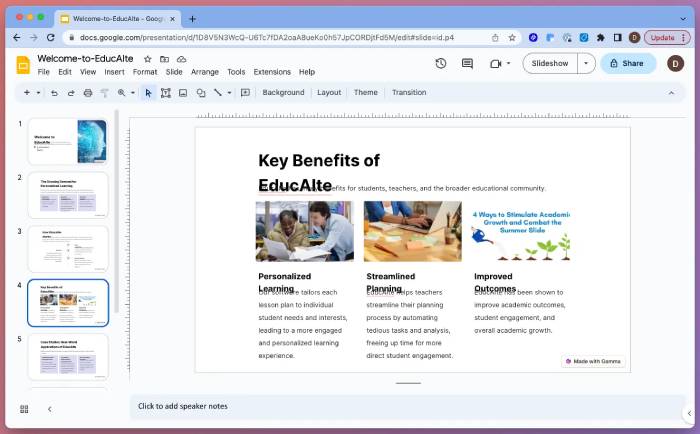
Choose Gamma when
- the presentation will be consumed online rather than handed off as a traditional deck;
- you want a shareable link, embedded media, and a scrolling or card-based format;
- the same source material may become a document or simple web page;
- viewer analytics matter to the publishing workflow.
Gamma can export to PDF, PNG, and PowerPoint (PPTX). Its help center notes that exported content follows Present Mode. Always open the PPTX on the actual presentation computer and check fonts, spacing, image crops, charts, animations, and speaker notes before relying on it offline.
Which tool should you choose?
- PowerPoint-first team: Plus AI has the clearest fit because generation and editing happen in PowerPoint.
- Google Slides with varied source files: compare MagicSlides with Plus AI.
- Google Slides with an existing outline: SlidesAI provides a focused text-to-slides workflow.
- Web-first, link-based delivery: Gamma avoids forcing responsive content into a fixed slide canvas.
- Strict brand template: test the exact template, not a vendor demo, and confirm which plan supports it.
Microsoft Copilot is another option for organizations already licensed for Microsoft 365; TipsMake explains how it can create a PowerPoint presentation from a file. If you prefer non-AI software, compare free alternatives to PowerPoint.
How to test presentation generators fairly
Give every tool the same approved brief. A useful test prompt includes the audience, purpose, duration, required evidence, brand constraints, and output format:
Create an eight-slide briefing for department managers deciding whether to run a four-week pilot. Use only the facts in the attached document. Include a problem statement, current process, proposed pilot, responsibilities, timeline, risks, success measures, and decision slide. Do not invent metrics or customer quotes. Keep each slide to one main message and add speaker notes for supporting detail.
Score each draft on:
- Accuracy: every fact, number, attribution, and date matches the source.
- Story: the sequence leads the audience toward a clear decision or understanding.
- Editability: text, charts, images, and layout elements remain easy to change.
- Brand fit: fonts, colors, logos, spacing, and slide masters are correct.
- Visual communication: diagrams and charts explain information rather than decorate it.
- Portability: the deck renders correctly in the target app, browser, and presentation room.
- Accessibility: readable type, sufficient contrast, meaningful alt text, and a logical reading order.
Turn the AI draft into a usable presentation
Rewrite the opening
Replace generic scene-setting with the decision, problem, or answer the audience came to hear. The title slide should identify the topic, while the next slide should establish why it matters now.
Give each slide one job
A slide title should state its takeaway, not merely name a category. “Support tickets rose after the migration” is more informative than “Ticket data.” Move detail that supports the speaker—but not the audience’s immediate comprehension—into notes.
Rebuild charts from verified data
Do not present an AI-generated chart until you have inspected its underlying values, units, date range, labels, and source. Decorative charts with invented numbers should be deleted. Keep an editable source table so later updates do not require recreating the visual.
Check every image and license
Confirm that an image is accurate, relevant, and licensed for the intended use. Generated visuals can contain incorrect text, brand marks, UI details, equipment, or anatomy. Add attribution where required and do not upload confidential images to an add-on without reviewing its data practices.
Test the final format
Export early, not only when the deck is finished. Verify the file on another device, check linked media, and keep a PDF backup when appropriate. TipsMake’s guide to designing clearer PowerPoint slides can help with the manual refinement stage, while its list of PowerPoint and Google Slides template sites offers non-AI starting points.
Privacy and account permissions
Presentation add-ons may request access to files, slides, or cloud storage so they can generate and edit content. Use an organization-approved tool for confidential, regulated, client, or student information. Review the requested permissions, retention policy, model-training policy, sharing settings, and account controls before uploading a source document.
AI should shorten the mechanical work of outlining and formatting. The presenter remains responsible for the facts, argument, visual hierarchy, accessibility, and final delivery.
Related Articles
 How to Create Professional Presentations in Canva11 minutes read
 Create Professional Presentations with Prezi AI4 minutes read
 Creating a Professional Presentation7 minutes read
 15 Facts About Presentations That You Should Know8 minutes read
 Turn Any Document Into a Presentation with This AI Trick!5 minutes read
 How to Giving Offline Presentations on Canva4 minutes read
Reader Comments 0
Sign in with email or Google to join the discussion.