Table of Contents
The best Chrome or Safari alternative depends on what you want to change. Choose Comet or Dia for built-in AI assistance, Opera Neon for paid agentic workflows, Brave or DuckDuckGo for stronger privacy defaults, Vivaldi for customization, and Opera Air, SigmaOS, or Zen for a more focused way to manage tabs.
No browser is automatically the fastest, safest, or most private for every person. Compatibility, operating-system support, extensions, synchronization, data handling, and update frequency matter as much as headline AI features.
Quick browser comparison
| Browser | Best for | Main trade-off |
|---|---|---|
| Comet | AI-assisted research and web tasks | Agent access requires careful permission control |
| Dia | AI help across active work tabs | Features and platform availability change quickly |
| Opera Neon | Users who want a paid agentic browser | Subscription product in public early access |
| Aside | Experimental browser automation | Early-stage product; unsuitable for sensitive workflows without testing |
| Brave | Tracker blocking with optional AI | Some users may not want its rewards and crypto features |
| DuckDuckGo | Simple privacy defaults and optional private AI chat | Less interface customization than power-user browsers |
| Vivaldi | Deep tab and interface customization | Its large feature set can take time to configure |
| Opera Air | Distraction reduction and guided breaks | Wellness tools will not appeal to every workflow |
| SigmaOS | Workspace-based browsing on macOS | Mac-focused and some AI usage requires a paid plan |
| Zen Browser | Open-source workspaces and split views | Community-driven development can bring interface changes |
| Ladybird | Following an independent browser engine | Still a development project, not a mainstream daily browser |
AI-first browsers
Comet by Perplexity: best for AI-assisted browsing
Comet places Perplexity's assistant inside the browser. It can work with the current page, research across sites, organize information, and carry out supported tasks. The official download page is now open, so the original claim that Comet is limited to a $200-per-month plan and a waiting list is no longer accurate.
Comet is a practical choice if you frequently summarize pages, compare sources, or want an assistant beside your tabs. It is less compelling if you only need occasional AI answers, because a normal browser plus a chatbot tab may provide enough value with fewer permissions.
Dia: best for knowledge work across tabs
Dia, from The Browser Company, combines a conventional browser interface with contextual AI. Its current site emphasizes turning work context into outputs such as presentations and connecting work taking place in services such as GitHub and Notion.
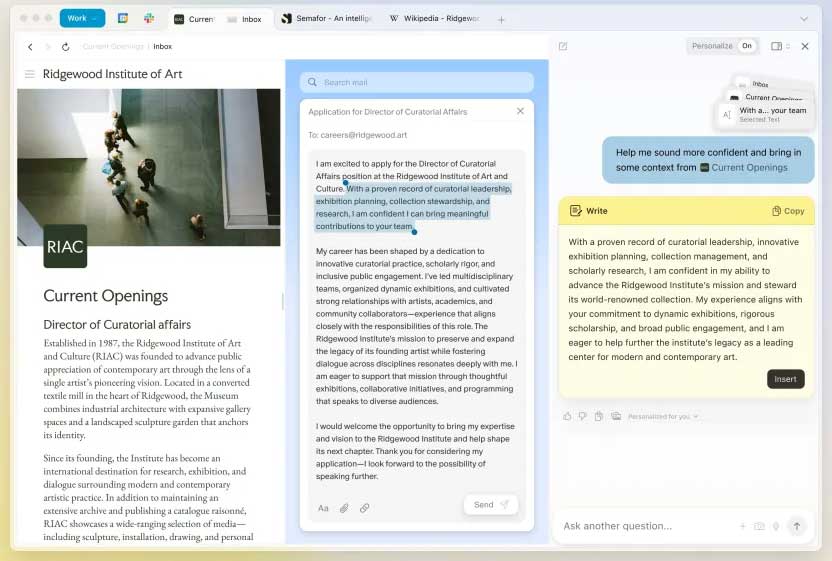
Dia is most useful when several tabs belong to the same project and the assistant needs that context. Before enabling history or account-connected features, check exactly what the browser can read, whether the setting is optional, and how to clear stored context. Consult the current download page rather than relying on older beta or wait-list instructions.
Opera Neon: best for paid agentic workflows
Opera Neon is built around AI agents that can research, create content, and perform supported web tasks. It also includes familiar Opera features such as tab management, snapshots, a sidebar, ad blocking, and VPN access.
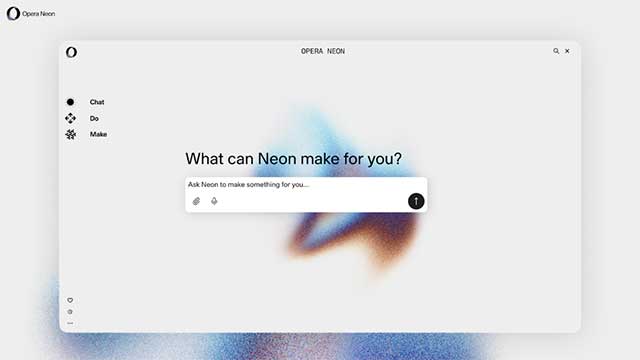
Neon is no longer merely an unreleased wait-list product. Opera opened public early access as a paid subscription. Because prices and included models can change, verify the current plan before subscribing. It is a better fit for frequent agent use than for someone who only wants page summaries.
Aside: an early browser-automation option
Aside is an early-stage AI browser designed to act inside websites rather than depend entirely on service APIs. Its published description includes work across email, dashboards, documents, and spreadsheets, with local browsing history used as context.
This approach may help with repetitive internal workflows, but it also raises the stakes of a mistake: an agent working in an authenticated tab can potentially edit or submit real data. Test Aside with a low-risk account and reversible tasks before considering it for business systems. Check the product's current access and security documentation because availability remains less established than the browsers above.
Why ChatGPT Atlas is not on the recommendation list
Atlas appeared in the original article, but OpenAI scheduled the browser to stop working on August 9, 2026. Users were instructed to export bookmarks and save important pages because browser data would not transfer automatically. A discontinued browser should not be installed or used as a long-term Chrome or Safari replacement.
Privacy-focused alternatives
Brave: best for built-in tracker blocking plus optional AI
Brave blocks many ads and trackers through its Shields feature without requiring an extension. It is available on Windows, macOS, Linux, Android, and iOS, and includes the optional Leo AI assistant. Brave says Leo supports page summaries, tab management, and writing help, with limited free use and a paid tier.
Brave Rewards and its Basic Attention Token are optional rather than a requirement to use the browser. The Firewall + VPN service is also a separate paid feature, so do not confuse the browser's free tracker blocking with a full-device VPN subscription.
Brave is a sensible transition for Chrome users who want Chromium extension compatibility and stronger defaults. The detailed Brave versus Chrome comparison covers the practical differences.
DuckDuckGo: best for simple privacy controls
DuckDuckGo Browser combines its search engine with tracker-loading protection and a one-click control for clearing browsing data. Duck.ai provides optional conversations with third-party AI models through DuckDuckGo's privacy layer, and the company provides a setting to disable AI features completely.
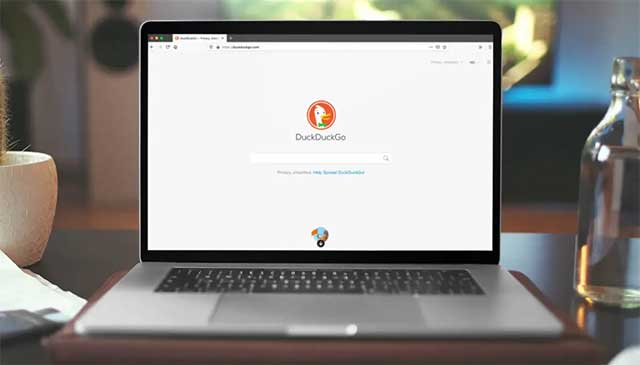
This is a good option for users who prefer a smaller set of understandable privacy features. Tracker blocking reduces exposure but does not make a user anonymous, replace safe account practices, or guarantee that every fraudulent site will be detected.
Customization and focused browsing
Vivaldi: best for detailed customization
Vivaldi is designed for users who want to control tab placement, keyboard shortcuts, panels, themes, and page layout. Its built-in tools include notes, mail and calendar options, an ad blocker, and tracker protection. Sync can carry supported items such as open tabs, saved logins, and notes between devices.
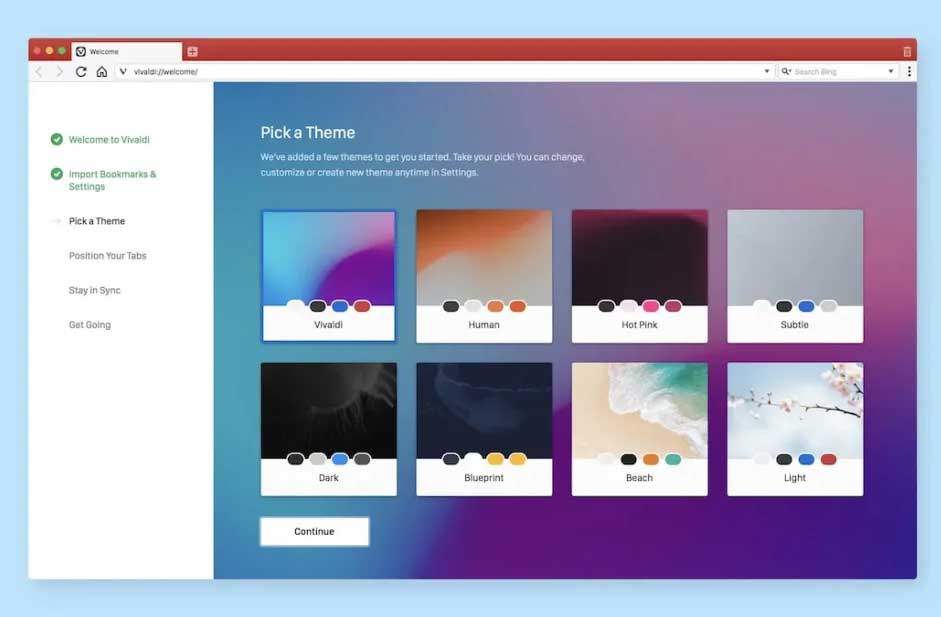
Vivaldi is the strongest option here for power users who dislike the fixed layout of mainstream browsers. Start with the default setup and add features gradually; enabling every panel and gesture at once can replace tab clutter with interface clutter.
Opera Air: best for reducing distractions
Opera Air is a free browser built around a quieter interface, reduced distractions, guided breaks, and optional Boosts intended to support focus or relaxation. Opera describes Breaks as short guided pauses and Boosts as subtle audio-based support.
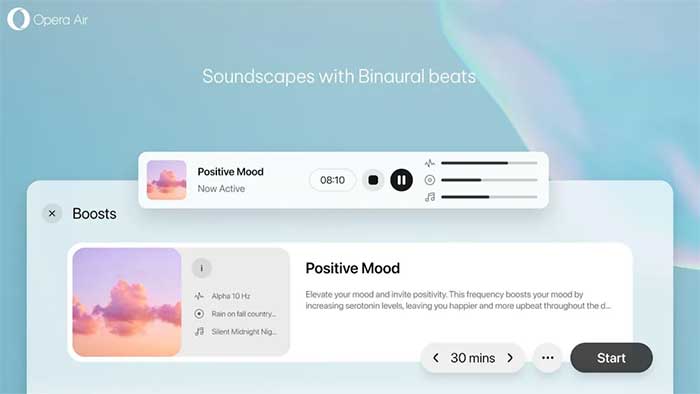
These features may be useful if endless scrolling and skipped breaks are the main problems you want a browser to address. Treat them as focus aids, not medical or mental-health treatment.
SigmaOS: best for a Mac workspace workflow
SigmaOS organizes pages into workspaces and treats tabs more like tasks. It uses Apple's WebKit engine and Keychain on macOS, automatically unloads inactive pages to reduce memory use, and includes AI assistance through its A1Kit and Airis features.
The personal version is free. SigmaOS currently advertises a Pro plan starting at $20 per month for unlimited Airis usage, so the original article's $8 price and three-workspace explanation should not be used for a purchase decision. Verify current plan limits on the official page.
Zen Browser: best for open-source workspaces and split views
Zen Browser focuses on vertical organization, Workspaces, a compact interface, and Split View. Current documentation says Split View can display up to four tabs, which is useful for comparing documents, monitoring dashboards, or keeping reference material beside an editor.
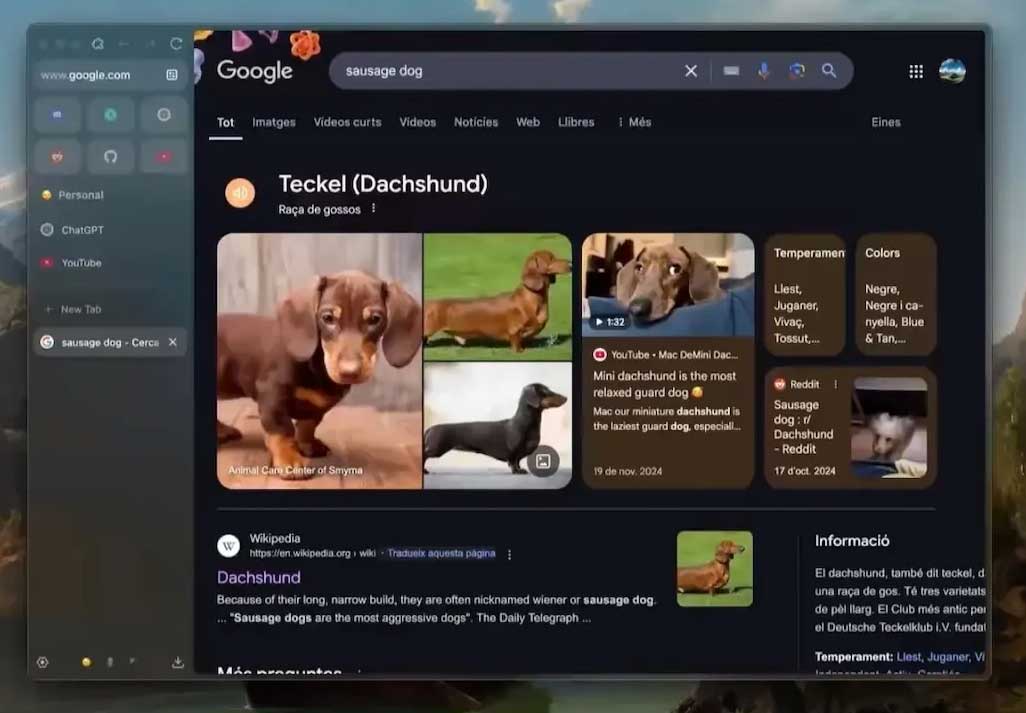
Zen also offers community-created Mods for themes and interface changes. As with any community-driven customization, install only what you trust and keep the browser updated.
Ladybird is promising, but it is still a watchlist project
Ladybird is building a new browser engine from scratch rather than forking Chromium or another existing engine. It is backed by a nonprofit and targets its first alpha for Linux and macOS in 2026.
That independence matters for long-term browser-engine diversity, but an alpha target is not the same as a stable daily-driver release. Follow the project or test it separately if you are a developer; do not replace a supported browser until Ladybird publishes a suitable release and security-update process.
How to test a new browser safely
- Check platform and update support. Make sure the browser supports your operating system and receives current security patches.
- Import selectively. Start with bookmarks. Avoid importing passwords or cookies until you trust the browser and understand its storage.
- Use a separate profile. Test AI agents with low-risk accounts and non-sensitive tasks.
- Review AI permissions. Disable history, memory, page access, or model-training options you do not need.
- Do not delegate irreversible actions. Keep payment, banking, account deletion, permission changes, and final submissions under manual control.
- Verify summaries and research. Open the cited pages and check claims before using AI output for work.
- Keep the old browser temporarily. Confirm that extensions, video calls, password management, and required websites work before switching the default.
For a broader comparison that also covers mainstream choices, see TipsMake's best web browsers guide. If agent security matters more than convenience, the risks discussed in the OpenClaw suitability guide provide a useful checklist for any tool that can act in authenticated services.
Which browser should you choose?
Start with one reason for switching. Choose Comet or Dia for contextual AI, Opera Neon for frequent paid agent work, Brave or DuckDuckGo for stronger privacy defaults, Vivaldi for customization, Opera Air for focus, SigmaOS for Mac workspaces, or Zen for open-source tab organization. Keep Ladybird and Aside on the watchlist unless their current release and risk profile fit a specific testing need.
Related Articles
 Top 10 Best Alternative Web Browsers for Safari on iPhone6 minutes read
 9 Browsers Replace Safari on iPhone9 minutes read
 Dynamics of Google, Apple and Microsoft When the Browser Has a Security Error3 minutes read
 Safari: Complete Guide and Key Details4 minutes read
 Why Use Chrome Instead of Safari on iPhone?6 minutes read
 Tips for Importing Passwords and Bookmarks from Safari to Chrome Extremely Quickly3 minutes read
Reader Comments 0
Sign in with email or Google to join the discussion.