
Office information
How to Rotate Text in Excel: Rotate the Word on Excel
Excel can also rotate text similarly when rotating text on Word to match the layout of the table, as well as make a difference to the content.
Browse more Find practical software and app guides, setup instructions, troubleshooting steps and productivity tips for popular desktop and online applications.
Excel can also rotate text similarly when rotating text on Word to match the layout of the table, as well as make a difference to the content.
SmartArt in PowerPoint 2016 allows presenters to transmit information in graphics instead of just using plain text.

To insert images into cells in Excel, you have many different ways to perform them, manually or using formulas.

Draw on PowerPoint is the focus of this article. On PowerPoint 2019, there is a Draw tab used to draw pictures in a slide and more options.

Excel Ribbon is the focus of this article. You can hide and display the ribbon, add commands to tabs on the ribbon and even create your own tabs.
How to Create Wordart is the focus of this article. When creating a winding typeface on Word, it will make the content more interesting.

Change the Heading Word Format is the focus of this article. On Word there are available Heading styles to use.

Create a Column of Text is the focus of this article. Google Docs also has a feature to create text columns, similar to those on Word.
Users can arrange objects on the slide at will by aligning, ordering, grouping and rotating them in different ways.
How to insert a table into PowerPoint is as simple as when you perform table insertion on Word or create tables in Excel.

Attaching a PowerPoint file will help the reader better understand the content when it cannot be displayed on the slide.
Create PowerPoint Slides is the focus of this article. When users add a frame to a PowerPoint slide, the slide show will look better, attracting viewers.
PowerPoint 2016 allows users to add audio to the presentation. Follow the main steps and troubleshooting guidance.

MS Word is the focus of this article. If you are working on a long document, you should create a table of contents for viewers to follow.

Countif Excel Function is the focus of this article. Users can compare data on 2 Excel columns with the COUNTIF function.

During the presentation, the slideshow always comes with speech, so it's not surprising that sometimes you need to pause the audio during a presentation.
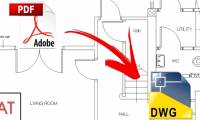
Any PDF to DWG Converter is the focus of this article. From PDF files to convert to Autocad files, users can use many different ways.

LibreOffice provides document encryption support. Follow the main steps and troubleshooting guidance.

To separate photos from the background users can use the tools available in Word with a simple way to do.

Setting up 2 screens when PowerPoint slide show will help you see the next notes and slides on your computer.