Email reader
Move Daily Email to a Folder in Outlook
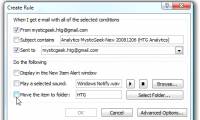
Today we will see how to create rules in Outlook to automatically include regular email messages in a specific folder.
Browse more Find practical software and app guides, setup instructions, troubleshooting steps and productivity tips for popular desktop and online applications.
Today we will see how to create rules in Outlook to automatically include regular email messages in a specific folder.
If you have never tried to learn about the features of Calendar in Outlook 2007, you will think it is a superfluous and rather boring feature.

Instructions for using basic Outlook Express, Yahoo Mail, and Hotmail emails. Review the key facts and practical impact.

Today your computer is in great danger, such as hackers, computer viruses, spyware and especially the curiosity of those around you.

The door to the graphics world in Word is found on the Insert tab. Follow the main steps and troubleshooting guidance.

It's a waste of work and boring to enter a pile of data in Excel, but with the data entry form, your productivity will increase faster.
The Microsoft Office interface can be changed to many different types, with the interface types provided on the system.

Creating your PowerPoint presentation by running the Word like in Star Wars is a great way to engage your audience, make them more interested and participate.
OneNote 2016 has a lot of page templates. Follow the main steps and troubleshooting guidance.

Google Sheets allows users to automate repetitive tasks with macros and link them with keyboard shortcuts for quick execution.

This article will show you how to create typewriter effects to help the audience focus more on the content of the presentation.

Microsoft Word comes with a powerful grammar checker, but many of its advanced grammar detection features are hidden by default.
Create Word Resume is the focus of this article. Resume is like a successful ticket to help you achieve your dream jobs.
Word is the focus of this article. There are times when you need to create a form that others can fill out.
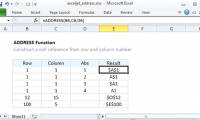
The ADDRESS function in Excel takes the number of rows and column numbers as arguments and returns the reference of the standard cell (cell address).

Today's article will give you a list of 96 ways to manipulate things faster in a Microsoft Office environment.
Onenote 2016 is the focus of this article. OneNote is great for tracking and organizing all information and is available on all devices.
Draw PowerPoint Flowchart is the focus of this article. The flowchart, called PowerPoint, will create a step-by-step process diagram.

Alt text allows the screen reader to identify descriptions and read aloud, to assist visually impaired people.
Access Shortcuts is the focus of this article. Microsoft Access is part of the Microsoft Office toolkit and comes with all Microsoft Office versions.