Table of Contents
Learn what are the 6 new AI features in Google photos means, how it works, and which key concepts, benefits, or limitations matter most.
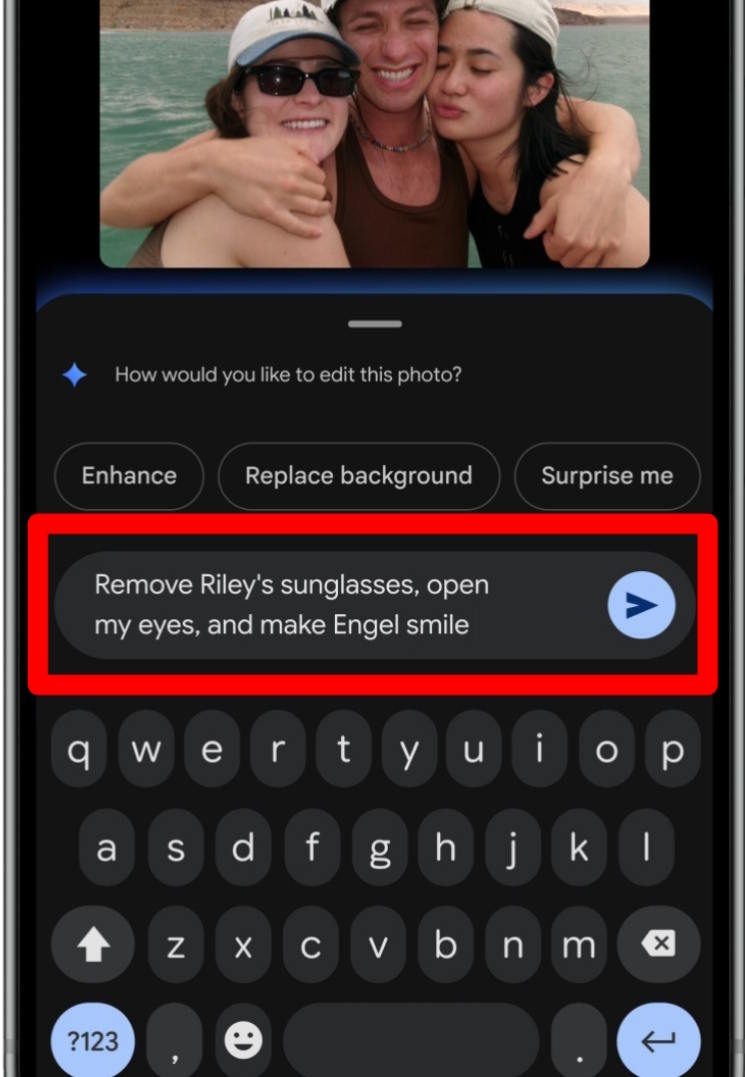
Edit photos with commands in Google Photos
If you take a photo and are not satisfied with the results, it can be fixed using the prompt.
Click on the photo, select Edit, then click Help me edit . Now you enter the message you want to edit the photo as you like.
Then you will see the new photo and click Save to save the new photo if you are satisfied.
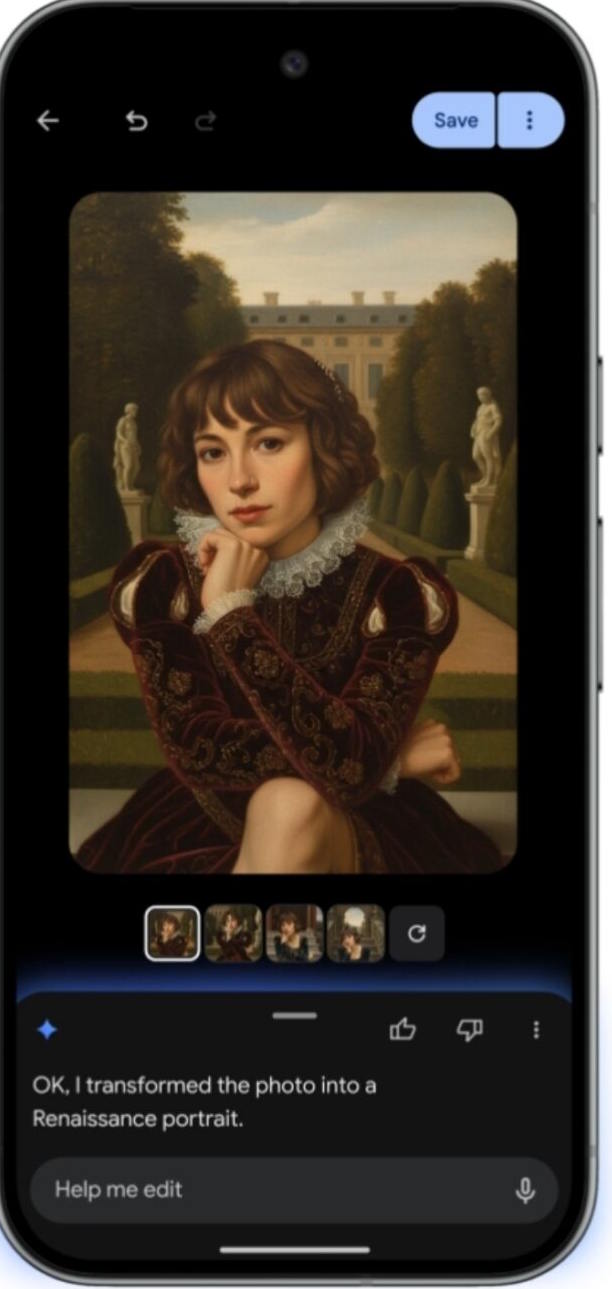
Change your photo style with Nano Banana
You just need to enter the command to convert the photo to another art style that you like. Then the photo will be completely changed.
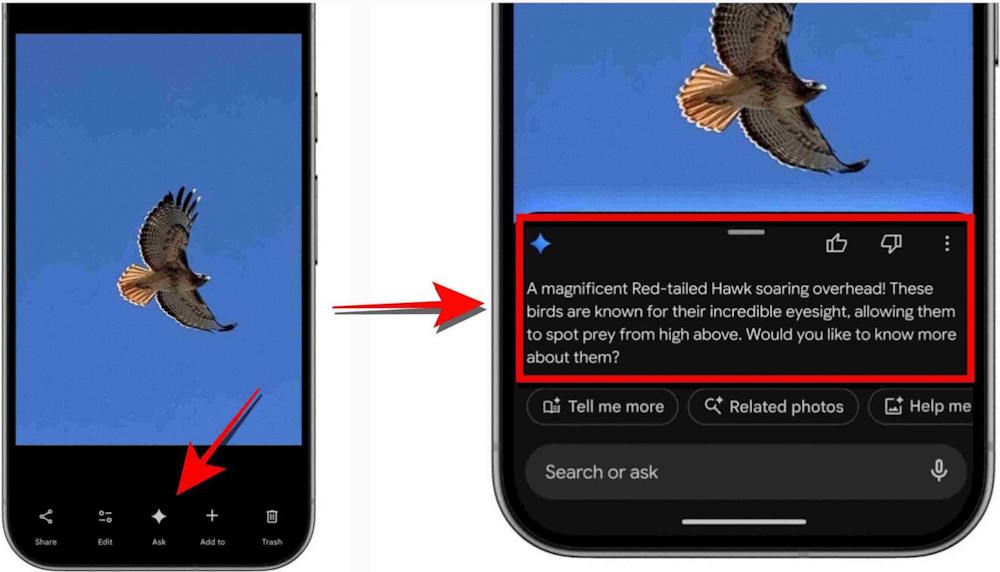
Get information about the photo via the Ask button
When viewing any image and want to know more about the subject, click the Ask button. You can learn anything about the image. This Ask option will answer every question of the user.
Support for 17 new languages
Ask Photos helps you find specific photos by simply writing a description, and supports 17 different languages. Just enter the photo subject, photo content, or photo name, and then the AI engine in Google Photos will find the photo for you right away.
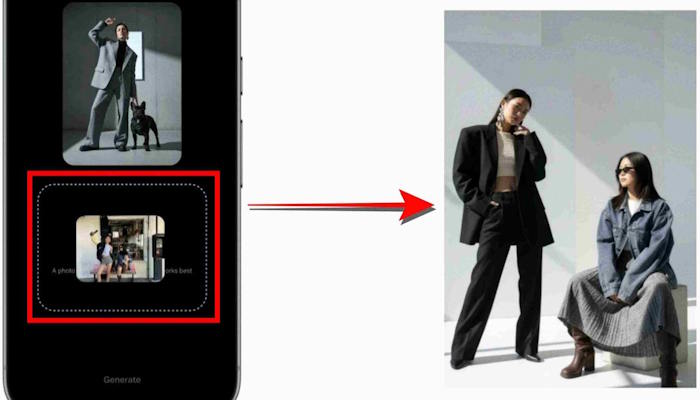
Edit photos with AI templates
For the US and India regions, the Create with AI tool offers pre-made AI templates powered by Nano Banana, helping you instantly create photos based on edits like high-fashion photography or professional portraits.
Edit photos with voice on iOS
The US version of Google Photos for iOS lets you edit photos with voice commands without having to use manual adjustment tools. Just describe what you want, whether it's removing an object from the background or adding a mirror reflection effect, and Google Photos listens and does it.
Final Thoughts
Understanding what are the 6 new ai features in google photos makes it easier to evaluate the information and apply the most relevant recommendations. Focus on the key points above and verify details that may change over time.
FAQ
What is what are the 6 new ai features in google photos?
Learn what are the 6 new AI features in Google photos means, how it works, and which key concepts, benefits, or limitations matter most.
What key points does this article cover?
The article focuses on Edit photos with commands in Google Photos, Change your photo style with Nano Banana, Get information about the photo via the Ask button, with practical explanations and examples.
How can you use this information in practice?
Use the explanations to compare options, verify important details, and make a more informed decision. Apply the recommendations that best match your goals and situation.
Related Articles
 8 Google Photos Features You're Missing7 minutes read
 5 Annoying Features on Google Photos You Should Turn Off Immediately6 minutes read
 5 Settings That Make Using Google Photos Easier: Explained8 minutes read
 What Can Google Photos Assistant Do for You?6 minutes read
 6 Annoying Google Photos Features You Should Turn Off5 minutes read
 Edit Videos on Google Photos: How to Edit Videos in Google Photos4 minutes read
Reader Comments 0
Sign in with email or Google to join the discussion.