Table of Contents
Learn what is the Google photos storage feature means, how it works, and which key concepts, benefits, or limitations matter most.
What does Google Photos Archive do?
Google Photos storage has only one task: to delete images from the main Photos interface.
Although the archive does not show the image in the main Photos interface, there is no security feature so anyone who accesses it can find the image.
The archive is for cleanup purposes only. Archived images are still searchable and still show up in albums. This is useful for cleaning up screenshots and scans that are piling up in the main app library.
How to use storage on Google Photos effectively
To store photos on Google Photos, go to Photos, then click on the image you want to store . Click on the 3-dot icon in the right corner of the image.
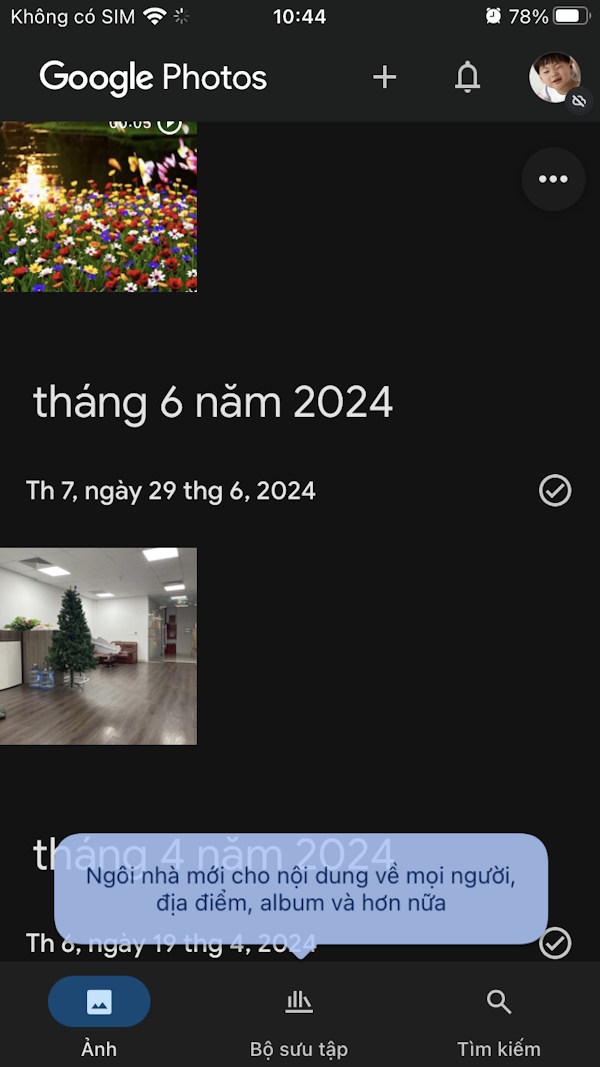

Show the options below you click on Archive . The image will disappear from the main Photo interface of the application. The image result has been stored on the application.


We can also store multiple photos in Google Photos . You click on the photos you want to store. Then below the photo options, click on Store to do so.

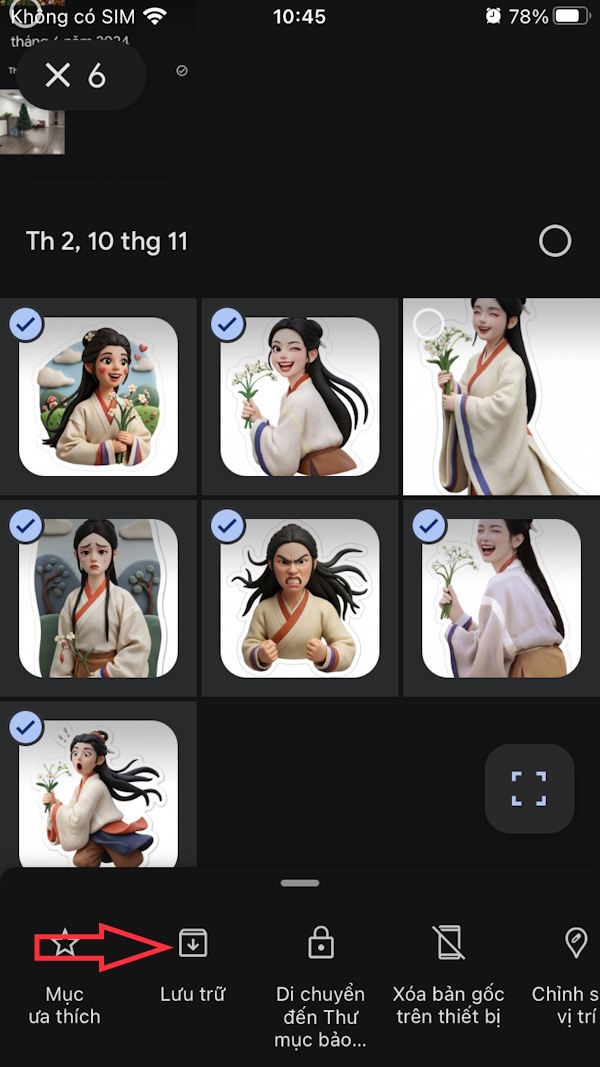
Instructions for managing photos stored on Google Photos
Images after being stored will be added to a separate folder for easy management.
Step 1
We click on Collection and then click on Archive . Here you will see the stored images or videos.


When you select a photo and tap the 3 dots icon there will be an option to Unarchive if you want.

Step 2
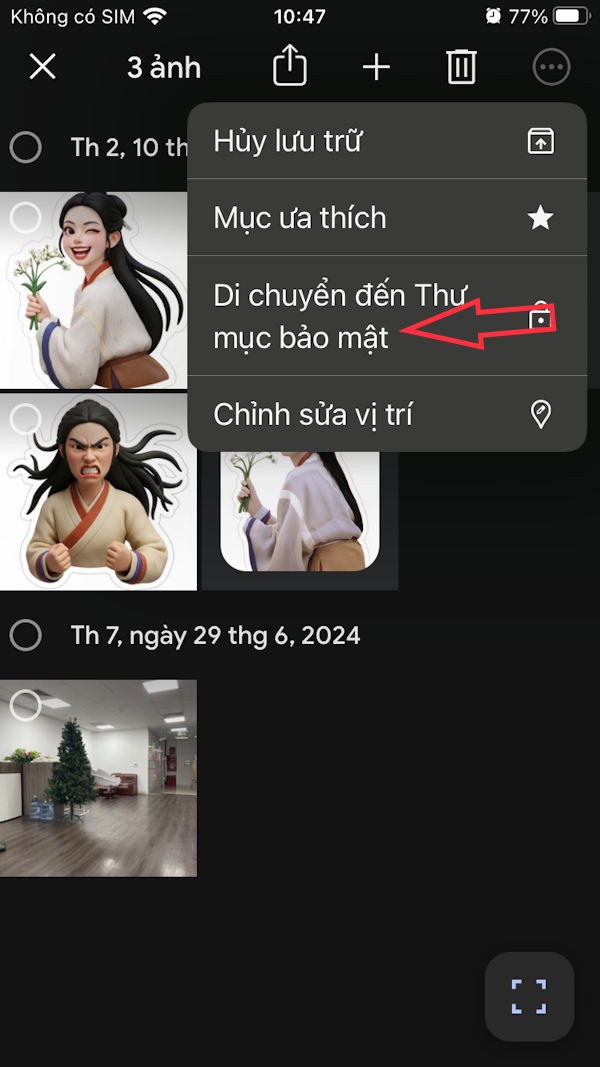
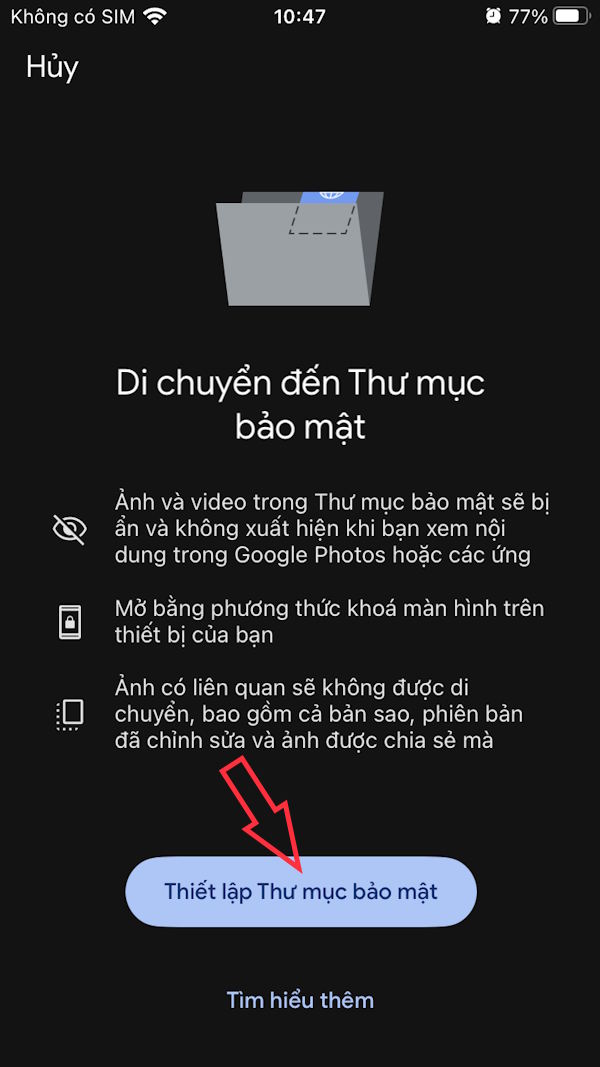
In addition, if you want to hide important photos , you should move the stored photos to a secure folder on Google Photos.
Select the photos you want to add to the secure folder, then tap the 3-dot icon and select Move to Secure Folder . Then you proceed to create the secure folder according to the instructions displayed on the screen.
Final Thoughts
Understanding what is the google photos storage feature makes it easier to evaluate the information and apply the most relevant recommendations. Focus on the key points above and verify details that may change over time.
FAQ
What is what is the google photos storage feature?
Learn what is the Google photos storage feature means, how it works, and which key concepts, benefits, or limitations matter most.
What key points does this article cover?
The article focuses on What does Google Photos Archive do?, How to use storage on Google Photos effectively, Instructions for managing photos stored on Google Photos, with practical explanations and examples.
How can you use this information in practice?
Use the explanations to compare options, verify important details, and make a more informed decision. Apply the recommendations that best match your goals and situation.
Related Articles
 6 Tips to Free up Storage Space on Google Photos7 minutes read
 22 Tips to Help You Master Google Photos23 minutes read
 10 Google Photos Tips and Tricks You Shouldn't Miss9 minutes read
 Instructions for Using Google Photos on Windows 105 minutes read
 Five Apps Will Replace Google Photos When Things Start to6 minutes read
 Use Google Photos to Store Unlimited Photos6 minutes read
Reader Comments 0
Sign in with email or Google to join the discussion.