Table of Contents
For most Windows users, Caesium is a strong choice for straightforward batch compression, RIOT is useful when you want a detailed before-and-after preview, and IrfanView combines viewing with flexible batch conversion. Light Image Resizer focuses on reusable resizing profiles, while High Quality Photo Resizer is a legacy option that needs extra compatibility checks.

Compression and resizing are not the same
Compression changes how image data is encoded; resizing changes pixel dimensions. Either can reduce a file, but aggressive lossy compression or a large reduction in dimensions can remove visible detail. Keep original files, preserve the aspect ratio and inspect output images before replacing anything.
| Tool | Best suited to | Important consideration |
|---|---|---|
| Caesium | Simple batch compression and resizing | Compare lossy and lossless settings by format |
| RIOT | Visual quality-versus-size tuning | Windows-focused workflow |
| IrfanView | Viewing, conversion and advanced batch jobs | More settings to learn |
| Light Image Resizer | Reusable size profiles and batch processing | Check current licensing and edition limits |
| High Quality Photo Resizer | Older wizard-based batch resizing | Legacy software; verify compatibility and source |
1. Caesium Image Compressor
Caesium is an open-source image compressor with desktop and browser versions. The desktop application supports batch processing, per-image quality settings, resizing and preview controls for common web image formats.
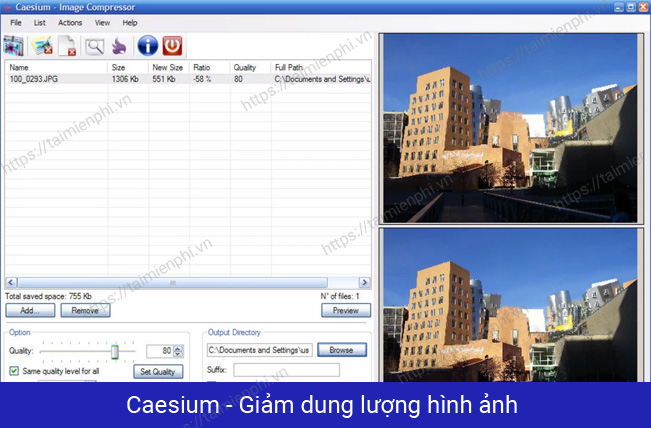
Choose it when: you need a clear batch workflow for website photographs or a mixed folder of images.
Watch for: a dramatic percentage reduction is possible only for some source files and settings. Use the preview rather than expecting a fixed saving without visible change.
Get the program from the official Caesium site.
2. RIOT Image Optimizer
RIOT displays the source and optimized image for direct comparison. It can save JPEG, PNG or GIF output and provides controls for compression, color count and metadata.
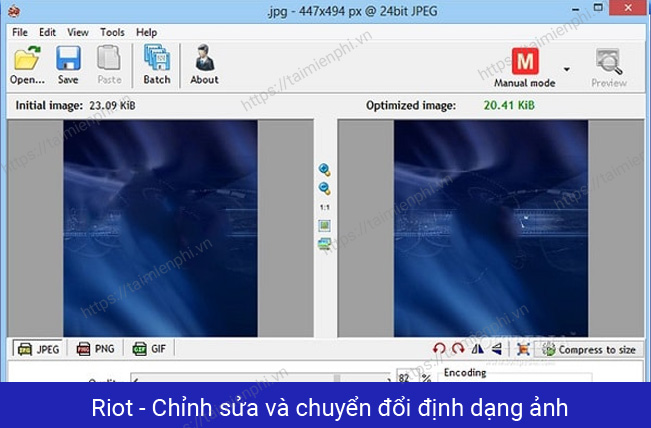
Choose it when: you want to adjust quality while watching the estimated size and visual result.
Watch for: “looks identical” is subjective. Inspect text, gradients and high-contrast edges at 100% zoom.
Download from the official RIOT website.
3. IrfanView
IrfanView is a lightweight Windows image viewer with resize, format-conversion and batch-processing features. For a single image, use Image > Resize/Resample and then save a copy. For a folder, use File > Batch Conversion/Rename and enable the advanced resize options.
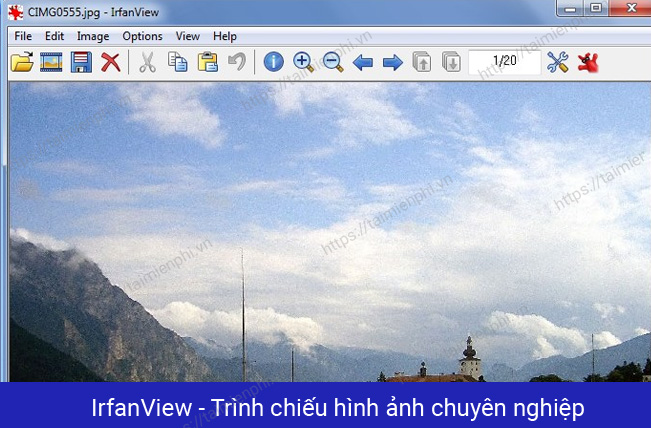
Choose it when: you already need a fast viewer or want detailed batch actions in one utility.
Watch for: batch settings can overwrite or rename many files, so use a separate output folder and run a small test.
Use the official IrfanView site for downloads and plug-ins.
4. Light Image Resizer
Light Image Resizer processes individual files or batches and can save reusable profiles for common sizes. It also offers format conversion and additional presentation features, depending on the current edition.
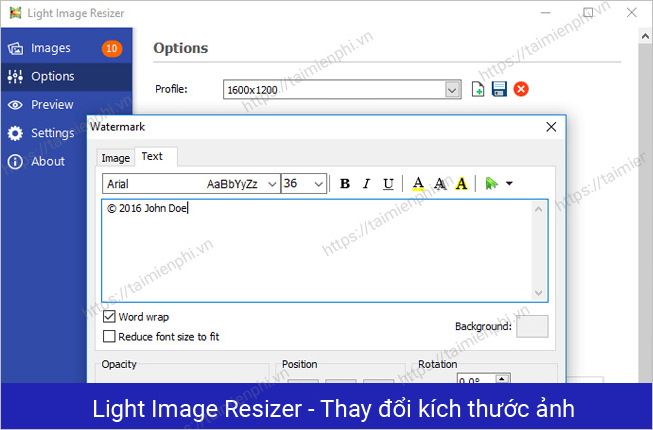
Choose it when: you repeatedly prepare images for the same website, device, email or print dimensions.
Watch for: check the current license, trial restrictions and available features before committing a large workflow.
See the publisher's Light Image Resizer page.
5. High Quality Photo Resizer
High Quality Photo Resizer uses a wizard to resize or convert multiple images. It is an older Windows program, and the age of the available installer makes source verification and compatibility testing especially important.
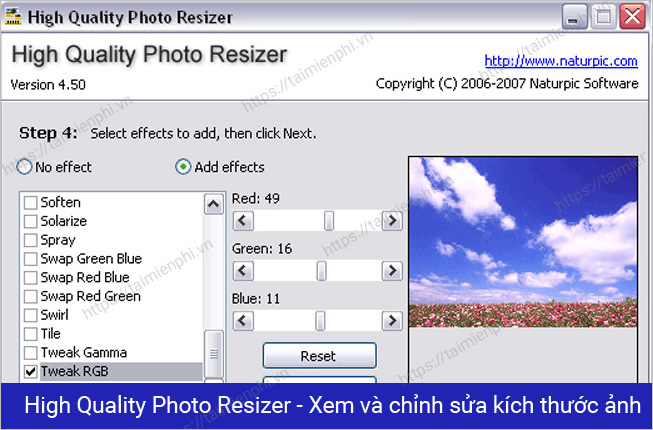
Choose it when: you already have a trusted, working installation and prefer its simple wizard.
Watch for: do not assume an old installer supports Windows 10 or 11 securely just because it launches. Use a maintained alternative if the publisher, signature or compatibility is unclear.
Which tool should you choose?
- Start with Caesium for a simple, maintained batch compressor.
- Use RIOT when the visual comparison is the main decision tool.
- Use IrfanView for a viewer plus flexible batch operations.
- Use Light Image Resizer for repeatable profiles after checking its current license.
- Treat High Quality Photo Resizer as a legacy option.
If you only need an occasional image, TipsMake's online image tools include resize and compression options. For local alternatives, compare the broader list of free image-compression tools. Do not upload confidential images to an online service without reviewing how it handles files.
Related Articles
 Instructions to Reduce the Volume of Photos in Photoshop3 minutes read
 Compress Photos, Reduce Image Size with Bzzt! Image Editor3 minutes read
 Instructions for Reducing Image Size with Fileminimizer Pictures6 minutes read
 How to Reduce the Capacity of Free Online Images14 minutes read
 Reduce Image Size, How to Compress Images Online for Free8 minutes read
 3 How to Compress Images, Reduce Image Size Effectively5 minutes read
Reader Comments 0
Sign in with email or Google to join the discussion.