Table of Contents
15 Most Annoying Features in Windows is easier to understand when the core ideas are paired with practical examples. The sections below explain the topic clearly, highlight useful steps, and point out details that can prevent common errors.
22 years of birth and domination of the operating system world, Microsoft program is considered a popular computing platform as well as making it most annoying for users. Which features in this software irritate customers?
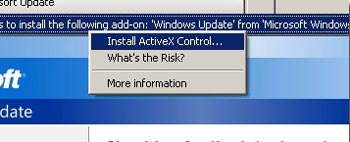 ActiveX Controls : This technology from Windows 3.0 can put users' computers at risk.It currently exists primarily to serve Microsoft benefits such as Windows Update and Windows Genuine Advantage support.
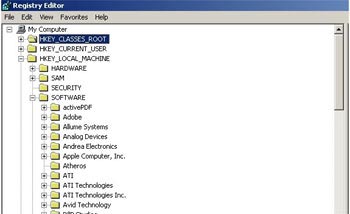 The Registry : Microsoft puts too much Windows configuration data in one area, so small trouble in a file can also be disastrous for both computers.
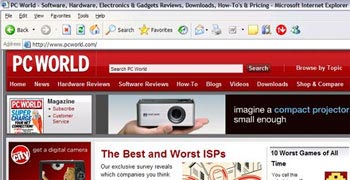 Internet Explorer 6 : Previously, Microsoft continuously upgraded the browser to deal with Netscape.But with the advent of IE 6, they implicitly claimed to have completed the task.Version 6 has remained virtually unchanged for five years, even when it frequently encountered security flaws and faced the threat of rivals Firefox and Opera.
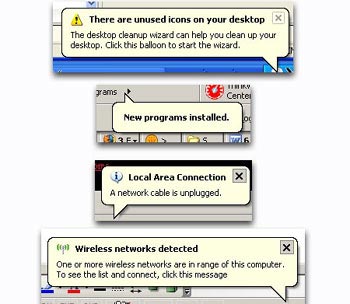 Notifications : Have you just installed a new program?You do not use some icons on the desktop?Windows constantly reminds you of things you already know.
 Messenger Service : Some advertisers use this service to send information over the Internet and such messages can be exploited to spread viruses.Thankfully, Vista has removed it.
 Windows Update : The dialog box asking to upgrade Windows appears every time the user restarts the computer and goes on every 10 minutes until they are updated.
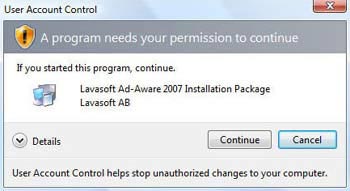 User Access Control : If the computer is about to perform a task that can be dangerous, UAC will redefine the user.However, the way UAC does it is not as pleasant as expected.
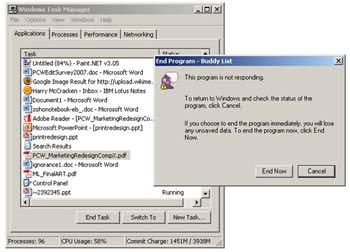 End Task : When a program crashes, press Ctrl + Alt + Del, open Task Manager and select End Task to close the program.But nothing happened, causing you to click and press again and again and succeed.
 Windows Genuine Advantage : This program requires users to prove that they are using a copyrighted Windows before downloading software from Microsoft.com, or displaying a warning if it detects that someone else's PC is installing pirated versions.This action annoys millions of computer users.
 Windows 95 USB : 10 years ago, using USB without trouble was a miracle.Bill Gates also damaged a computer when connecting to a USB during a demo.
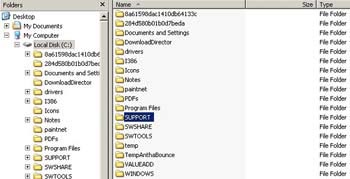 Windows Explorer : File management technology File Manager appeared before Windows 95. However, the same feature Windows Explorer now lacks many features that File Manager has ever provided.
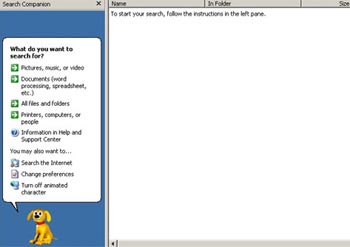 Windows XP Search : Windows users have to wait nearly a quarter of a century, until the version of Vista, to enjoy the truly remarkable search engine.
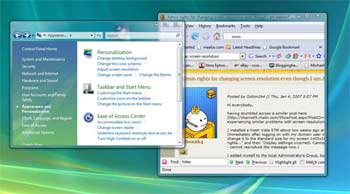 Windows Aero : The Aero interface with transparent borders was announced by Microsoft as a "breakthrough" of Vista.But users must own a "robust" configuration system to have the opportunity to enjoy it.
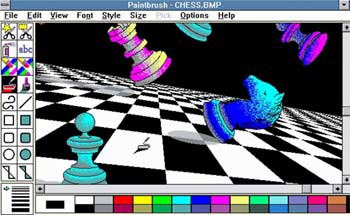 Paint : This utility has appeared since Windows 1.0 and has not changed much during the past 20 years.
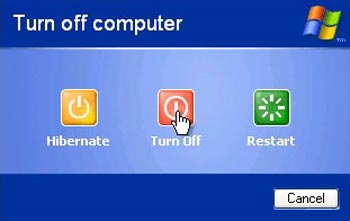 Shut Down : People often wonder how long Windows needs to boot.But every time they shut down, they have to wait a long time for the operating system to complete the task.
FAQ
What is 15 Most Annoying Features in Windows?
22 years of birth and domination of the operating system world, Microsoft program is considered a popular computing platform as well as making it most annoying for users.
Why is 15 Most Annoying Features in Windows important?
A clear understanding of 15 Most Annoying Features in Windows helps you make informed decisions, avoid common mistakes, and use the relevant tools or techniques more effectively.
How should beginners approach 15 Most Annoying Features in Windows?
Start with the fundamental concepts, follow the examples step by step, and test each change in a safe environment before applying it to important systems or data.
Related Articles
 9 Most Annoying Features of Windows 119 minutes read
 Turn Off These Annoying Features Immediately on iOS 107 minutes read
 6 Annoying Google Photos Features You Should Turn Off5 minutes read
 5 ''annoying'' Features You Can Turn Off on Samsung Phones5 minutes read
 30+ Most Annoying and Annoying Things in the World6 minutes read
 How to Get Rid of 10 Annoying Things on Windows 105 minutes read
Reader Comments 0
Sign in with email or Google to join the discussion.