Table of Contents
Nano Banana is the latest AI creative tool developed by Google, helping you create artistic or unique photos from text or many different images. And now you can use Nano Banana to freely create the image you want through text. Below is a guide to using Nano Banana to create images.
How to use Nano Banana to create and edit AI photos
Step 1:
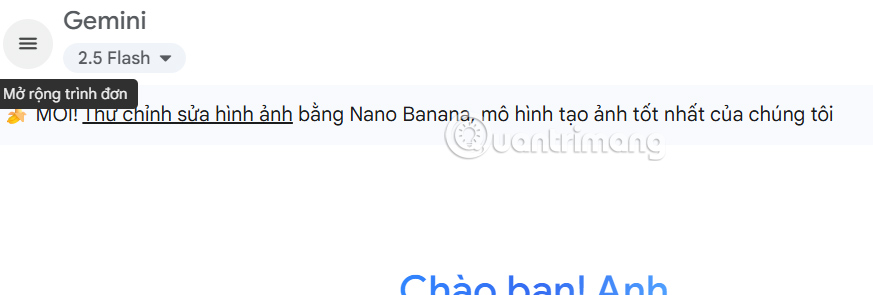
You access Gemini and then you will see a notification to try Nano Banana to edit images, you click Try photo editing to use.
Step 2:
Now you can use Nano Banana to generate images. You can enter a description to generate your own AI image.

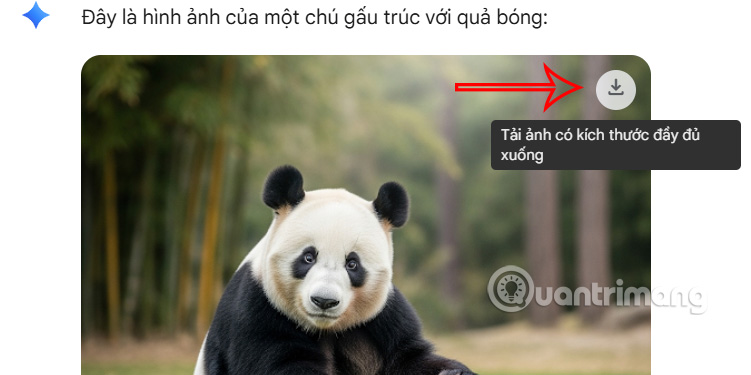
Then you also get the AI image created with Nano Banana on Gemini as shown below. Click the arrow icon to download the image.
Step 3:
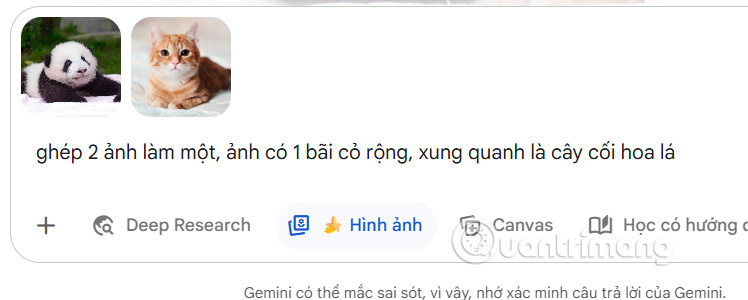
Nano Banana also supports you to merge images into one with the image creation content you describe the image. You upload the images and then enter the image merging request and send as usual.
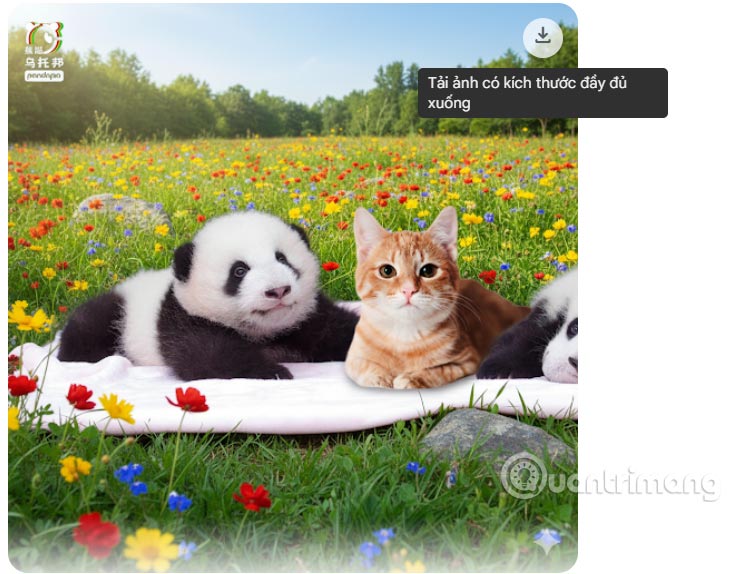
Then you also get a collage like the image below.
Step 4:
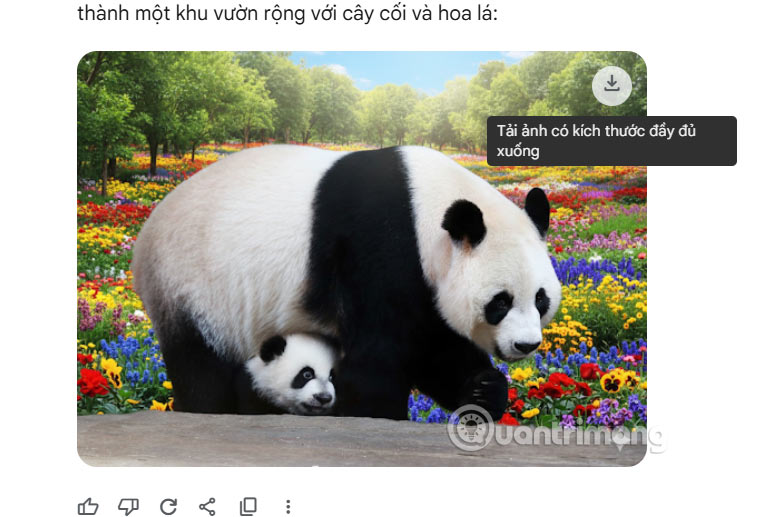
Nano Banana also has the option to re-edit the image through the description content that you want to change for the image.
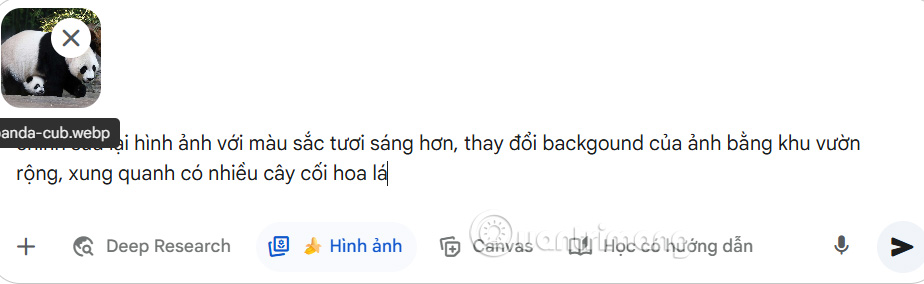
The edited photo will basically change back to your description while keeping the subject intact.
Final Thoughts
Following the steps in order and checking version-specific settings should make it easier to Use Nano Banana to Create Effective AI Images. If an option looks different, verify the device, app, or operating-system version before changing additional settings.
FAQ
What is the best way to Use Nano Banana to Create Effective AI Images?
Start with the requirements described in the article and follow the steps in order. Nano Banana is the latest AI creative tool developed by Google, helping you create artistic or unique photos from text or many different images. And now you can use Nano Banana to freely create the image you want through text.
What should you know about How to use Nano Banana to create and edit AI photos?
You access Gemini and then you will see a notification to try Nano Banana to edit images, you click Try photo editing to use.
What should you do if the instructions do not match your screen?
Check the device, software version, account permissions, and regional settings. Interfaces can change after updates, so use the closest matching option and consult the official support documentation when necessary.
Related Articles
 10 Best Photo Creation Prompts Using Google Gemini's Nano: Key Takeaways8 minutes read
 How to Obtain Nano Banana Tokens to Automatically Create AI Images6 minutes read
 How to Create High-end Fashion Campaigns Using AI with Nano Banana Pro7 minutes read
 Embrace Cinematic Realism in AI Photography with Nano Banana Pro6 minutes read
 Detailed Instructions for Using the ChatGPT Images 2.0 Image Creation Tool10 minutes read
 Top Free AI Image Creation Tools in 20268 minutes read
Reader Comments 0
Sign in with email or Google to join the discussion.