Table of Contents
ChatGPT Images can create a new image from a text description or edit an image you upload. The most reliable workflow is to define the purpose, composition, text, and output format first, generate one strong draft, and then request focused revisions. It is not necessary to select a model named “Images 2.0” from a model menu.
How to open ChatGPT Images
- Open ChatGPT on the web or in the app and start a conversation.
- Describe the image you want, or choose More and then Images if that option appears in your interface.
- To edit an existing picture, attach it with the upload control, paste it into the conversation, or drag it into the prompt area on a supported device.
- Send your request and wait for the image to finish. Complex generations may take several minutes.
Image creation is available on multiple ChatGPT plans, but usage limits and workspace controls vary. If a button is missing, check the plan, region, app version, and organization settings rather than looking for a specific model name. OpenAI's current ChatGPT Images help page documents the supported interface.
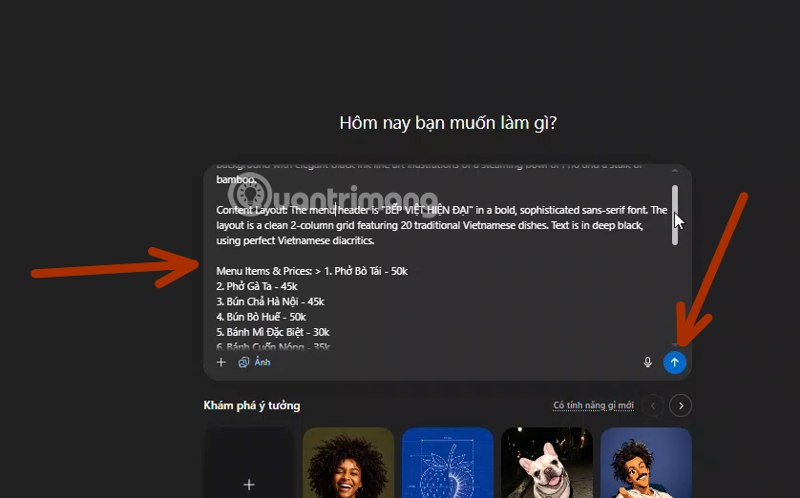
Write a prompt that is easy to revise
A long prompt is not automatically a good prompt. Include the details that affect the result and separate them clearly:
- Purpose: product mockup, editorial illustration, social post, menu, diagram, or another use.
- Subject: the people or objects that must appear, including their actions and relationships.
- Composition: camera angle, framing, placement, background, and empty space for later text.
- Visual direction: lighting, palette, materials, mood, and a general medium or design era.
- Text: the exact wording, capitalization, hierarchy, and location.
- Output: orientation or aspect ratio, transparent or opaque background, and the number of variations needed.
- Constraints: elements to keep unchanged and elements to exclude.
For example:
Create a square launch graphic for a fictional productivity app called Lumen.

Composition: a dark-blue phone mockup centered on a warm off-white background, with generous empty space around it.
Text: place the exact headline "Plan less. Finish more." above the phone. Do not add any other words.
Style: clean editorial product photography, soft studio shadow, restrained navy and coral palette.
Output: 1:1 aspect ratio, suitable for a social post.
Avoid: extra logos, hands, watermarks, and tiny decorative text.
This is more useful than specifying an exact RGB value for every element before seeing a draft. Start with the hierarchy and composition, then refine color and typography after the main structure is correct.
Generate text inside an image carefully
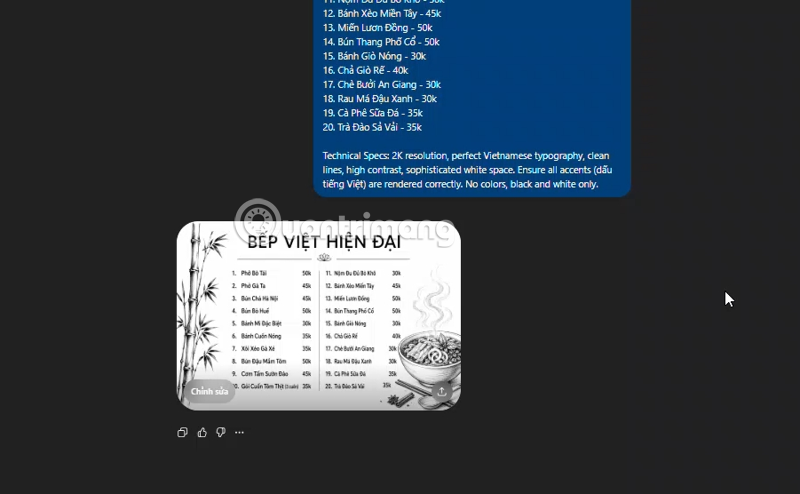
Current image models are better at rendering words than earlier systems, but spelling, repeated letters, punctuation, and small labels can still be wrong. Keep the amount of text modest, provide it exactly in quotation marks, and ask for a clear type hierarchy.
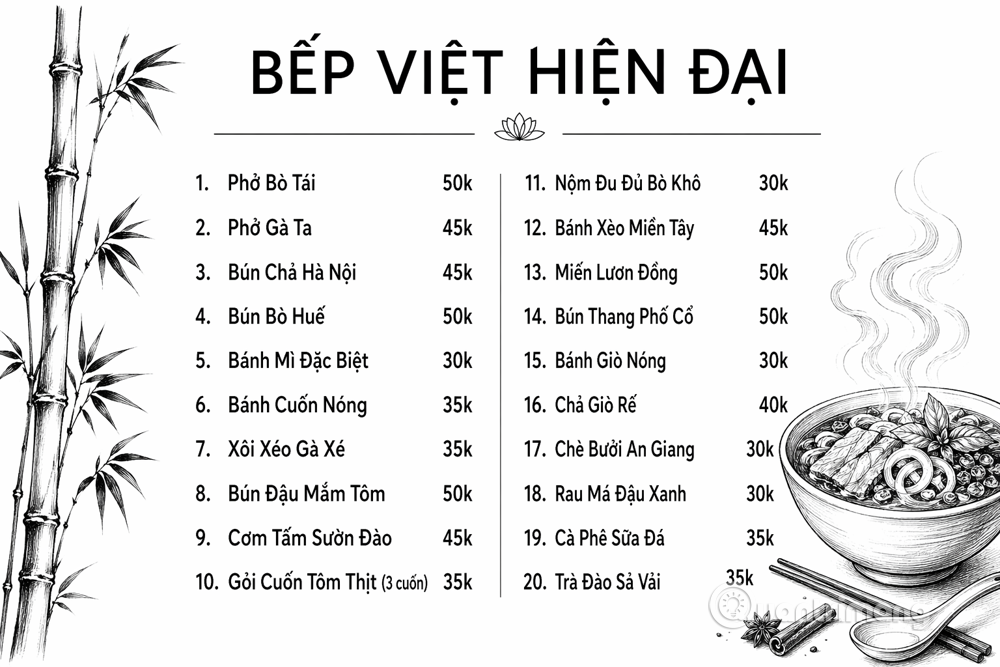
For a menu, poster, or infographic, verify every word and number at full size. Do not trust an AI-generated chart, dosage, price, address, QR code, or legal disclaimer without checking it against the source. For production work, it is often safer to generate the visual without fine print and add final copy in a layout editor.
Use reference images for controlled edits
Attach a reference when you need to preserve a product, character, room, color palette, or layout. State what must remain unchanged as well as what should change:
Use the attached product photo as the reference.
Keep the bottle shape, cap, label wording, proportions, and camera angle unchanged.
Replace only the background with pale stone and add a soft shadow falling to the right.
Do not add props or alter the logo.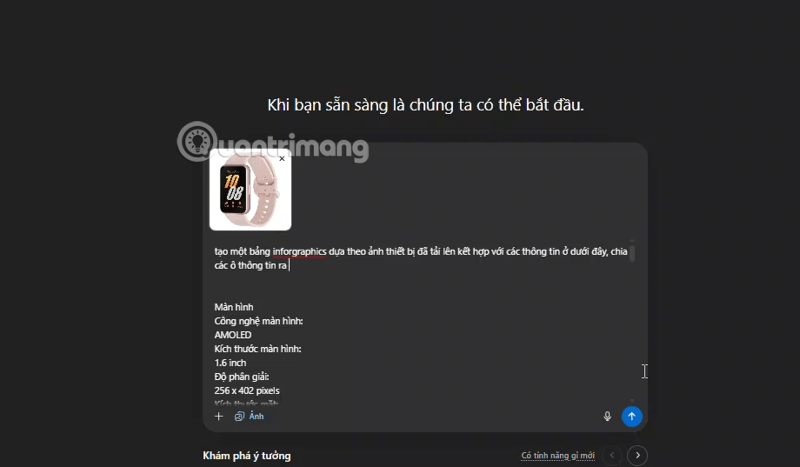
You can upload a supported static image and describe the edit in the conversation. When the editor is available, open the image, choose the selection tool, highlight the area, and describe the change. Selections are approximate, so an edit may affect pixels beyond the highlighted region. If identity or product fidelity matters, compare the revised image with the original before publishing it.
Revise one problem at a time
Broad requests such as “make it better” give the model too much freedom. Keep the successful parts and change one or two variables per turn:
- “Keep the composition and subject unchanged; make the background lighter.”
- “Keep every word except replace the subtitle with ‘Available Friday’.”
- “Remove the cup on the left; do not redraw the person's face or clothing.”
- “Regenerate in a 16:9 aspect ratio, extending the background rather than cropping the subject.”
- “Make the background transparent and preserve the object's soft edge.”
ChatGPT's image editor also provides controls such as aspect-ratio changes, undo, and redo when supported. Save a good version before a substantial revision so you can return to it if the next generation drifts.
Create a multi-panel story without losing continuity
For a comic or storyboard, define the page grid, recurring character details, and action in each panel. Avoid requesting the style of a living artist or relying on a protected character when an original description will do.
Create a four-panel horizontal storyboard in an original hand-painted storybook style.

Recurring character: Mina, an adult bike mechanic with short black hair, green overalls, and a red scarf. Keep her clothing and facial features consistent.

Panel 1: Mina finds a damaged bicycle outside her shop.
Panel 2: Close-up of her examining the loose chain.
Panel 3: She repairs the chain at a workbench.
Panel 4: The owner rides away safely while Mina waves.

No captions, speech bubbles, logos, or watermarks.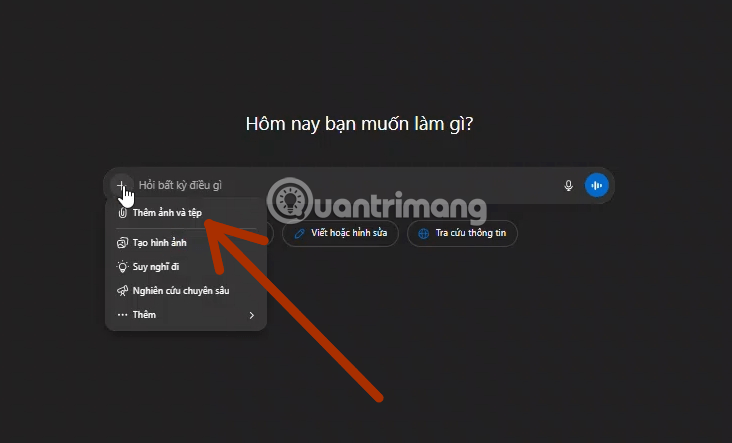
If continuity breaks, generate a character reference first and use it for later scenes. For more prompt-analysis ideas, see TipsMake's guide to studying AI image prompts on Lexica.
ChatGPT Images and the API are different workflows
In ChatGPT, you ask for an image conversationally; the service chooses the underlying image system and exposes controls appropriate to your plan. Developers using the API select a GPT Image model and configure supported parameters in code. At the time of this update, OpenAI's image-generation API guide lists gpt-image-2 as the latest model and also documents earlier GPT Image models. That does not mean a ChatGPT user needs to select gpt-image-2 in the chat interface.
Do not copy old pricing, dimensions, or model identifiers into a production estimate. API prices and supported sizes can change, while ChatGPT usage is governed by plan limits. Check the official model and pricing pages when budgeting an API project.
Quality and safety checks before publishing
| Area | What to inspect |
|---|---|
| Text | Spelling, punctuation, dates, prices, contact details, labels, and language-specific characters. |
| Visual details | Hands, reflections, repeated objects, perspective, shadows, edges, and background artifacts. |
| Reference fidelity | Faces, product shape, logo, colors, proportions, and any element the prompt said to preserve. |
| Claims | Facts, charts, instructions, and product information checked against authoritative sources. |
| Rights and consent | Permission for reference images, recognizable people, trademarks, and commercial assets. |
| Disclosure | Any labeling required by your organization, publisher, platform, or jurisdiction. |
| Delivery | Actual pixel dimensions, aspect ratio, background, file format, and suitability for the intended print or screen use. |
AI image output should be treated as an editable draft, not as proof of a fact or a print-ready asset. If you are choosing among several tools, TipsMake's comparison of AI photo editors explains which tasks benefit from conversational editing, while the overview of text-to-image tools provides broader alternatives.
A good ChatGPT Images workflow is simple: specify the goal, generate a clear first draft, revise narrowly, and perform a human quality check at the final size. This produces more dependable results than inflated claims about perfect text, fixed quality percentages, or one-click production readiness.
Related Articles
 How to Create AI Images Using ChatGPT on WhatsApp2 minutes read
 Instructions on Creating Toy Set Images with ChatGPT AI5 minutes read
 How to Obtain Nano Banana Tokens to Automatically Create AI Images6 minutes read
 Prompt to Create Toy Models with Gemini4 minutes read
 How to Create a YouTube Thumbnail with ChatGPT8 minutes read
 If You Haven't Used ChatGPT's Special Tools, You're Definitely11 minutes read
Reader Comments 0
Sign in with email or Google to join the discussion.