Table of Contents
Gemini can handle everyday Android tasks through connected apps, making it useful for more than answering questions. Whether it suits you depends on the actions you need, the apps on your phone, and the permissions available to your account.
If an earlier experience put you off, test your essential tasks again instead of judging it by a model name or a broad claim that it is smarter. Setting an alarm correctly may matter more to you than generating a polished paragraph.
Why early impressions do not settle the question
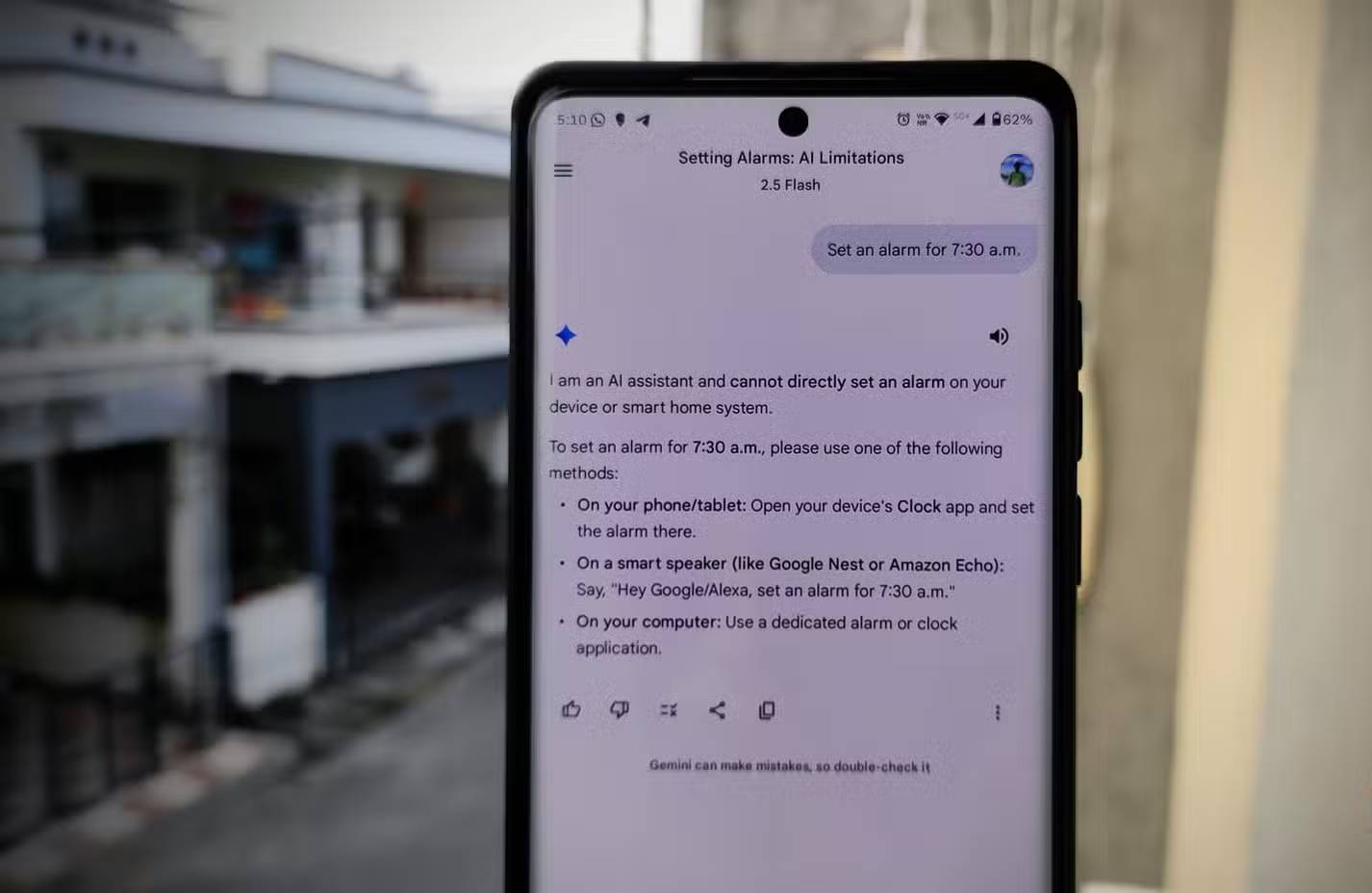
The original appeal of a phone assistant was practical: make a call, set a timer, or open an app without navigating menus. A conversational answer is not a substitute for completing those actions. That distinction explains why a capable chatbot can still disappoint as a default assistant.
Gemini's connected-app features address some of that gap. Availability is not identical across devices, languages, accounts, and app versions, so a feature demonstrated elsewhere may still be unavailable on your phone. The images here show an earlier interface; labels and model choices can change.
Judge speed by completed tasks
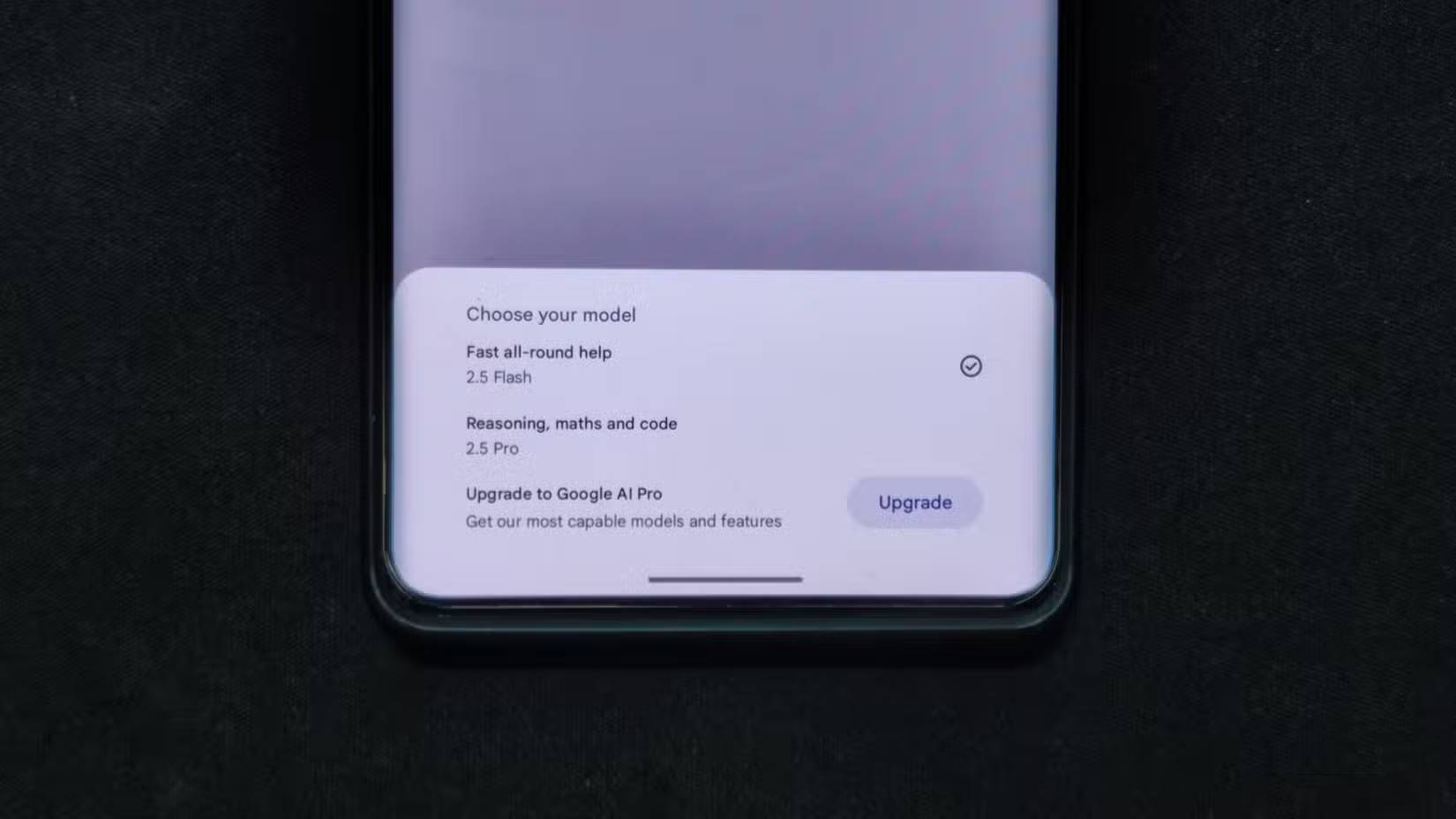
A quick response is useful only if it gives the right result. Test a few requests you use regularly and include the time spent clarifying or correcting them. Avoid assuming that a newer model makes every action faster or more reliable.
For example, ask for a short timer, then check the Clock app. Try a question with an answer you already know. These tests evaluate different abilities: carrying out an action and producing accurate information.
Use visual and conversational features for the right jobs
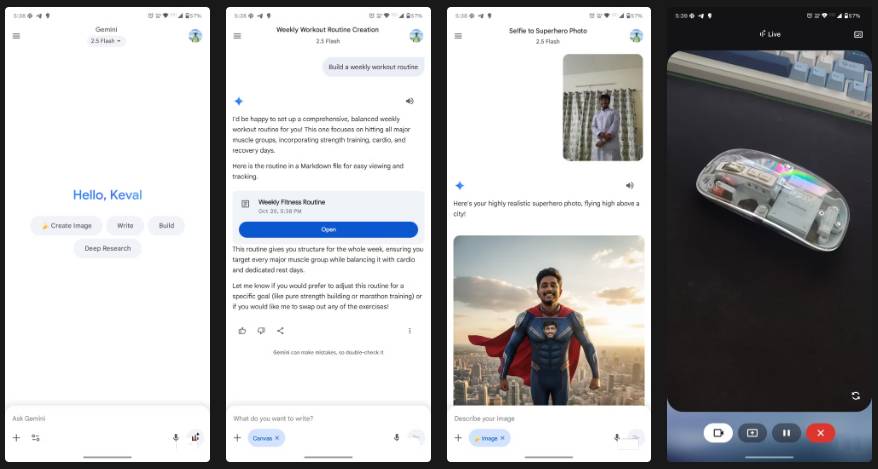
Image-related features can be useful when describing something is awkward. Where the relevant feature is available, you might provide a picture and ask about a visible detail or request an image edit. Check the output against the original rather than assuming the model interpreted it correctly.
These creative and explanatory features are separate from phone control. Decide which ones you actually need before paying for a plan or changing your daily workflow.
Check what each connected app can do
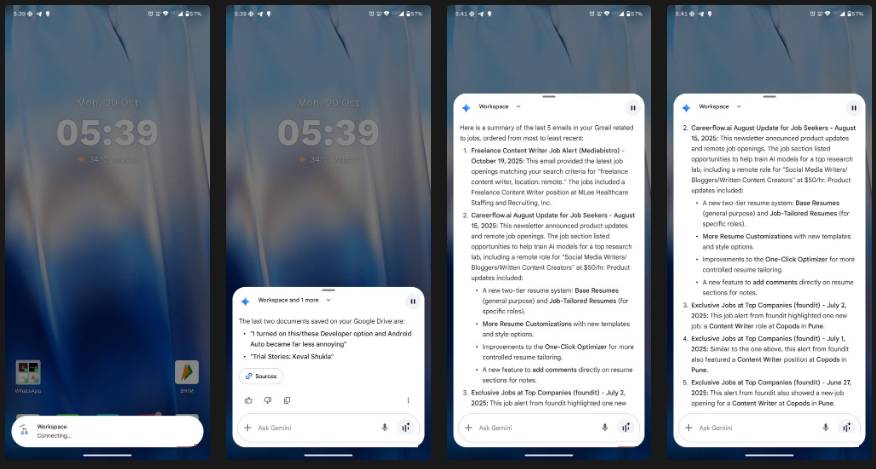
Connecting an app does not give Gemini every function available inside that app. Reading or summarizing information, drafting text, and changing a record are different operations. Do not assume that access to Gmail or Drive means unrestricted email sending or file management.
Review the apps shown in your account and the supported actions for each. Google's Connected Apps documentation explains the available integrations. If a requested operation is unsupported, finish it in the original app.
Try everyday Android controls
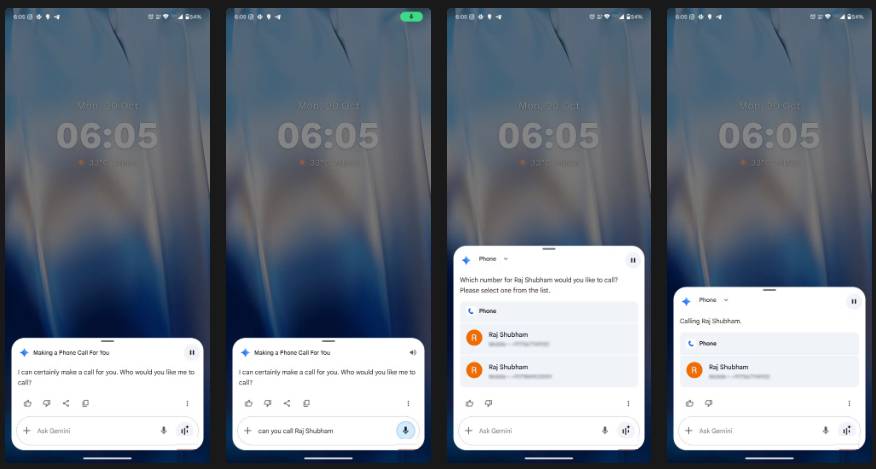
Google's Device assistance integration, formerly called Utilities, supports actions such as managing alarms and timers, opening apps, and controlling some device settings. Some actions require additional permissions or the Google app to be the default digital assistant. See Google's Device assistance instructions for the requirements.
Use a short trial to check the functions you depend on:
- Timer: request a one-minute timer and verify that it started.
- Alarm: specify the day and time, then check the saved alarm.
- App access: ask to open an installed app.
- Messages: if you use this integration, check the recipient and wording before sending.
For supported message requests, Gemini uses its connected messaging app; Google documents the setup and behavior in its Android messaging guide. Test while the phone is unlocked first, then separately check any lock-screen behavior you intend to use.
Use Gems for repeatable instructions
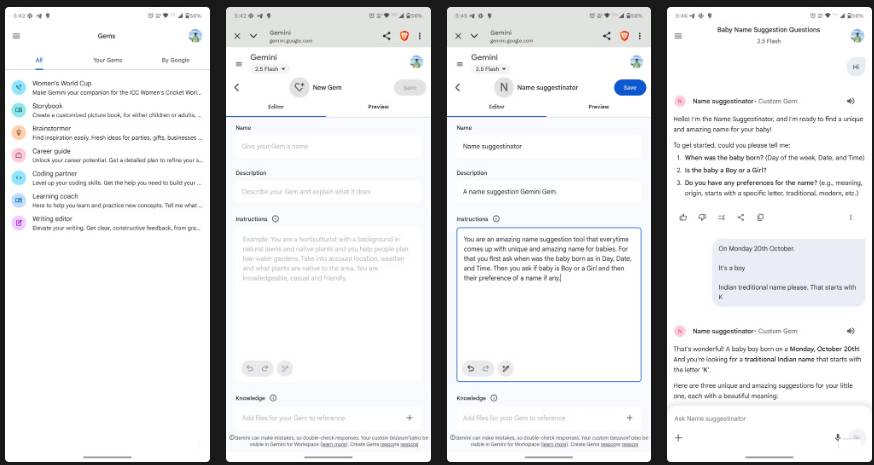
Gems let you tailor Gemini with instructions for recurring tasks. A useful starting point is a narrow job, such as reviewing a practice explanation against criteria you provide. Specify the expected format and how to handle missing information.
A custom instruction does not make the output expert-verified. Review answers and revise the instructions when you notice recurring mistakes. If you are comparing approaches, TipsMake's overview of no-code AI platforms offers broader context.
Decide based on your own routine
Keep a brief list of requests that worked, failed, or needed correction. Check permissions when a supported action fails, and avoid granting unrelated access merely to troubleshoot.
If your essential tasks work consistently, Gemini may fit your routine. If they do not, compare the capabilities of other Android digital assistants or use the relevant apps directly. There is no need to treat one assistant as the best choice for every task.
Related Articles
 Gemini 3.1 Pro or Gemini 3 Pro: Better?8 minutes read
 Quickly Summarize Documents in Google Drive Using Gemini3 minutes read
 How to use Gemini API14 minutes read
 Instructions for Getting Started with Gemini Embedding 211 minutes read
 How to Turn Gemini into a Powerful Productivity Tool: Step-by-Step Guide8 minutes read
 4 Google Apps That Work Better with Gemini: Explained5 minutes read
Reader Comments 0
Sign in with email or Google to join the discussion.