 Home
Home
 Wifi Tips
 Fix Computer
 Windows 10
 Windows 11
 Artificial Intelligence
 Space Science
 Strange story
- Check website IP, check the IP address of any domain.
 These are three simple and effective ways to easily check your website's IP address/domain name, which you can do on both computers and phones.
 - How to fix Ultraview not being able to retrieve ID.The error of not displaying the ID on Ultraviewer will affect remote computer connections.
- How to set up Cloudflare 1.1.1.1 DNS on your computer for better security and faster web browsing.Cloudflare's 1.1.1.1 DNS service, with a response time of just 14ms and impressive security capabilities, provides users with another option for faster and safer internet browsing.
- How to convert IPv4 addresses to IPv6 - IPv4 addresses are replaced with IPv6 addresses.With the development of information technology, IPv6 addresses are widely used and have replaced IPv4 addresses. So, what are the ways to convert from IPv4 to IPv6 and vice versa?
- Measure your internet speed online, no software required.To check your internet and Wi-Fi speed, there are many internet speed testing apps and software available on your phone.
- How to crimp network cables correctly in just 3 steps.Network cables come in two standards, A and B. The method of crimping depends on whether you're connecting a computer to a modem/router or two computers to each other. Below,
- How does switching to Google Public DNS on routers and PCs improve internet speed?Changing your DNS settings is often touted as a way to speed up your internet browsing. But many people are skeptical about how much of an impact a simple change of DNS server has
- What is Network Layer? Data security methods in Network LayerNetwork Layer, also known as the network layer, is located at the third position in the OSI (Open Systems Interconnection) model. This layer is responsible for managing data
- Can I use 2 routers on the same home network?If you have a large home network, you may have difficulty connecting to it wirelessly from certain points in your home. A second router can improve network performance and help you
- How to change MAC address on Windows, Linux and macOS XOne of the errors of not being able to catch WiFi waves is because the MAC address of the computer network card does not match the MAC address of the main WiFi network. Therefore,
- What is wide area network WAN?WAN, on the contrary, connects geographically distant devices and therefore WAN technology is also different from LAN technology.
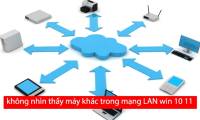
- Can't see other computers on Windows 10/11 LAN, what to do?One of the common mistakes when using LAN. That is not seeing other computers on the LAN network Win 10/11. Please refer to how to fix quickly
- Disadvantages of using HubNetwork hubs are at a disadvantage against switches in every technical area. Switches and hubs perform the same general function of connecting computers, as well as computer-like
- How to block Internet access for a specific user accountThe easiest way to block a user's Internet access is to set their proxy server settings to a non-existing proxy server and prevent them from changing the settings.
- How to block Internet access using Group Policy (GPO)This article will show you how to block Internet access for users or computers in the Active Directory Group Policy Object. This feature has been tested on Windows 7, Windows 10
- Difference between Segment and Backbone in networkA network segment is a logical division of a local network, often linked to other segments by routers or bridges. On the other hand, a backbone is a high-bandwidth link, used to
- Learn about Border Gateway Protocol (BGP)Border Gateway Protocol (BGP) is used to exchange routing information for the Internet and is the protocol used between ISPs (which are different ASs).
- How to assign a static IP address in Windows 11, 10, 8, 7, XP or VistaSometimes, it's better to assign an IP address to a computer so that the router automatically assigns the IP address. Let's read this article to know how to assign static IP
- How to Detect Remotely Accessed ComputersSurely there are few things that make you feel as scared as having your personal computer hacked. If you think your computer is being controlled by a hacker, the first thing you
- How to Talk to a Vodafone Customer Service RepresentativeWhen you have a problem with your phone or Vodafone service package, it will be very difficult and annoying if you want to talk directly to a switchboard operator. For the fastest














Most viewed
- Install safe home network
- Fix Remote Access Service problems
- Local area network - LAN: Devices - Part III
- Plan to upgrade 802.11n LAN wireless
- WiFi will reach 1Gbps speed in 2012
- Wireless technology: Too many options
- Press cross cable for 1 Gigabit network card - EASY or DIFFICULT?
- Introduction to Network Access Protection (Part 7)


 System
 Mac OS X
 Hardware
 Game
Game Tech info
 Technology
 Science
 Life
Life Application
 Electric
 Program
 Mobile