Table of Contents
An IPv4 address cannot be turned into an ordinary, routable IPv6 address by simply adding zeros. You can encode the 32 IPv4 bits inside certain IPv6 formats, but the correct prefix depends on the purpose: application compatibility, NAT64 translation, documentation, or another transition mechanism.
What “IPv4 to IPv6 conversion” really means
IPv4 uses 32 bits, while IPv6 uses 128 bits. Converting each IPv4 octet to hexadecimal only preserves the original 32-bit value; it does not allocate a usable IPv6 address or make an IPv4-only host reachable over IPv6.
For example, 173.194.38.101 becomes AD.C2.26.65 in hexadecimal, so its low-order 32 bits can be written as adc2:2665. What belongs before those bits is determined by the address format.
Convert the IPv4 value to hexadecimal
- Split the address into octets:
173,194,38, and101. - Convert each value to two hexadecimal digits:
AD,C2,26, and65. - Pair the bytes into two 16-bit groups:
adc2:2665.
| IPv4 octet | Hexadecimal |
|---|---|
| 173 | AD |
| 194 | C2 |
| 38 | 26 |
| 101 | 65 |
Choose the address format for the actual use case
IPv4-mapped IPv6 address
Software APIs commonly represent an IPv4 peer as ::ffff:173.194.38.101, equivalent to ::ffff:adc2:2665. This is an IPv4-mapped IPv6 address used inside systems and applications; it is not a new public IPv6 address to configure on the host.
NAT64 address
A NAT64 network synthesizes an IPv6 destination from an IPv4 address. The well-known prefix is 64:ff9b::/96, which would produce 64:ff9b::adc2:2665 for this example. Many networks use a network-specific prefix instead, so use the prefix supplied by the administrator or discovered through DNS64.
Deprecated IPv4-compatible notation
The old form ::173.194.38.101 (or ::adc2:2665) is an IPv4-compatible IPv6 address. It has been deprecated and should not be used as a general conversion result. The original article’s zero-padding method produced this obsolete form.
Can this create a working IPv6 address?
No. A working IPv6 address must be assigned by an ISP, router, network administrator, VPN, or translation service, together with the correct prefix length, gateway, and routing. If the goal is to enable IPv6 on a device, check the connection and router configuration instead of using a converter. See what an IPv6 address is, how IP addressing works, and TipsMake’s IP and DNS tools.
Legacy converter screenshots
The following screenshots show the interfaces documented in the original guide. Third-party tools can change or disappear, and their output may represent different formats, so verify the label and prefix before using a result.
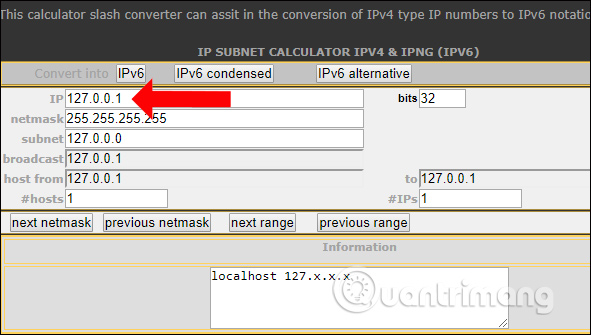
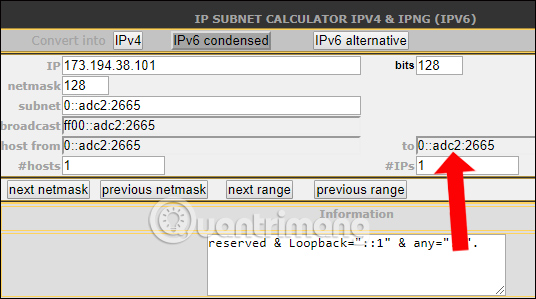
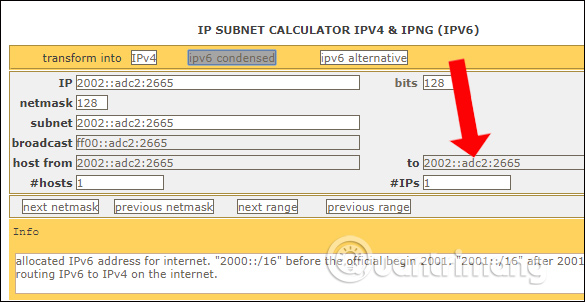
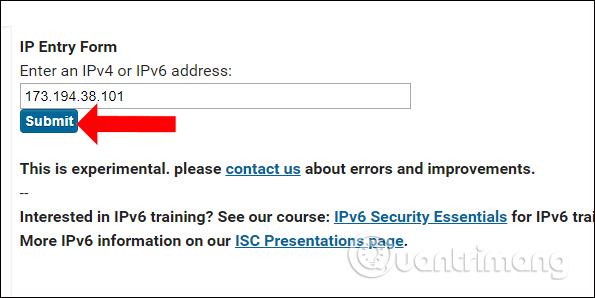
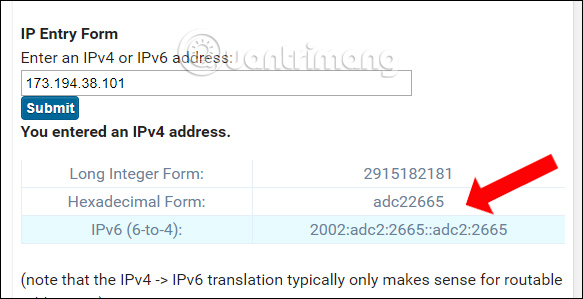
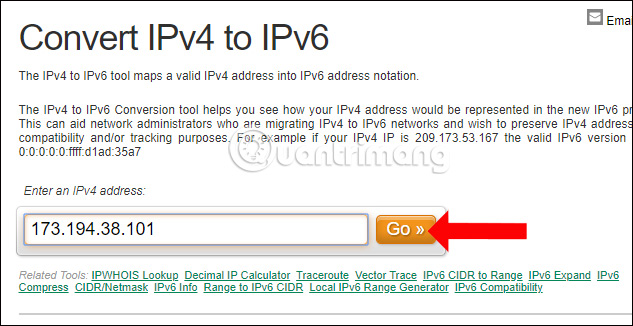
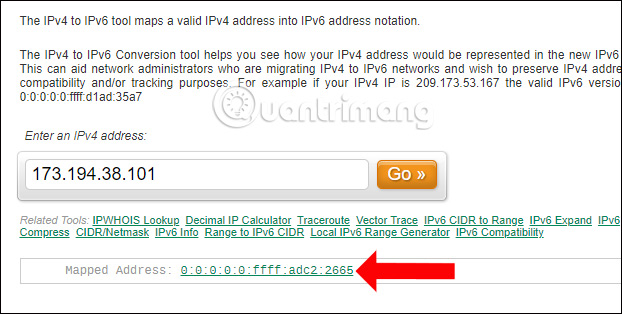
For the standards behind these formats, consult RFC 4291, RFC 5156, and the NAT64 address format in RFC 6052.
Related Articles
 What Is Ipv6: How to Transfer Ipv4 Addresses to Ipv64 minutes read
 Ipv4 Address: 9 Things to Know When Moving to Ipv68 minutes read
 What Is Ipv6: About Ipv6 Address24 minutes read
 Assign Ipv6 Address: How to Configuring Ipv6 on Windows Server12 minutes read
 How to Fix 'IPv4/IPv6 No Internet Access' Error on Windows10 minutes read
 Disable Ipv6 to Troubleshoot Internet Connectivity Issues on4 minutes read
Reader Comments 0
Sign in with email or Google to join the discussion.