Table of Contents
Amid privacy concerns and sky-high subscription costs, they realized they didn't need to pay for AI anymore if they could run models locally.
Online AI tools are getting incredibly good, but once you start using them, you'll find that their subscription costs quickly add up. Free versions are limited in access and often only give you access to inferior models.
When building local coding AI for VS Code, many people think they're done paying for GitHub Copilot. But amid privacy concerns and sky-high subscription costs, they realize they don't need to pay for AI anymore if they can run models locally.
Local AI models are getting pretty good
Free tools compete with big-name AI services
The open source AI scene has exploded with some truly impressive models. While there is no one-size-fits-all solution like GPT-5, there are models like Llama, Mistral, Gemma, and DeepSeek that are incredibly good at specific tasks. And since you run these models locally, you can pick the model you want for a specific task without any hassle.
These models also compare quite well to similar paid models. In many cases, a carefully chosen open source model running locally can match the performance of a web-based AI like ChatGPT or GitHub Copilot for specific tasks.
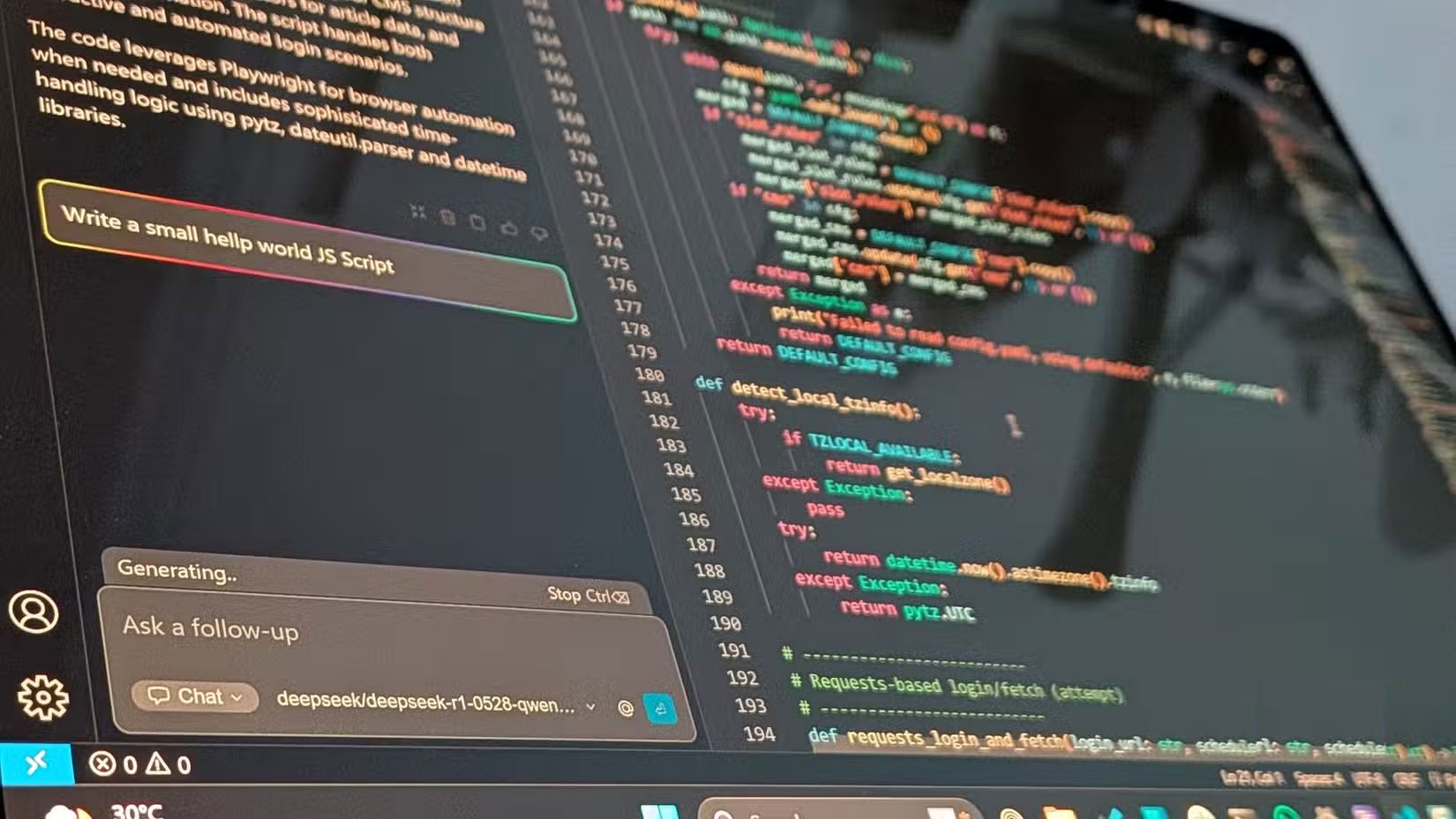
The variety of AI models is staggering, meaning you will have hundreds, if not more, of AI models to experiment with. Just keep in mind that the larger the number of parameters, the higher the hardware requirements of the AI model.
Run AI locally with LM Studio
A simple app that makes local AI easy
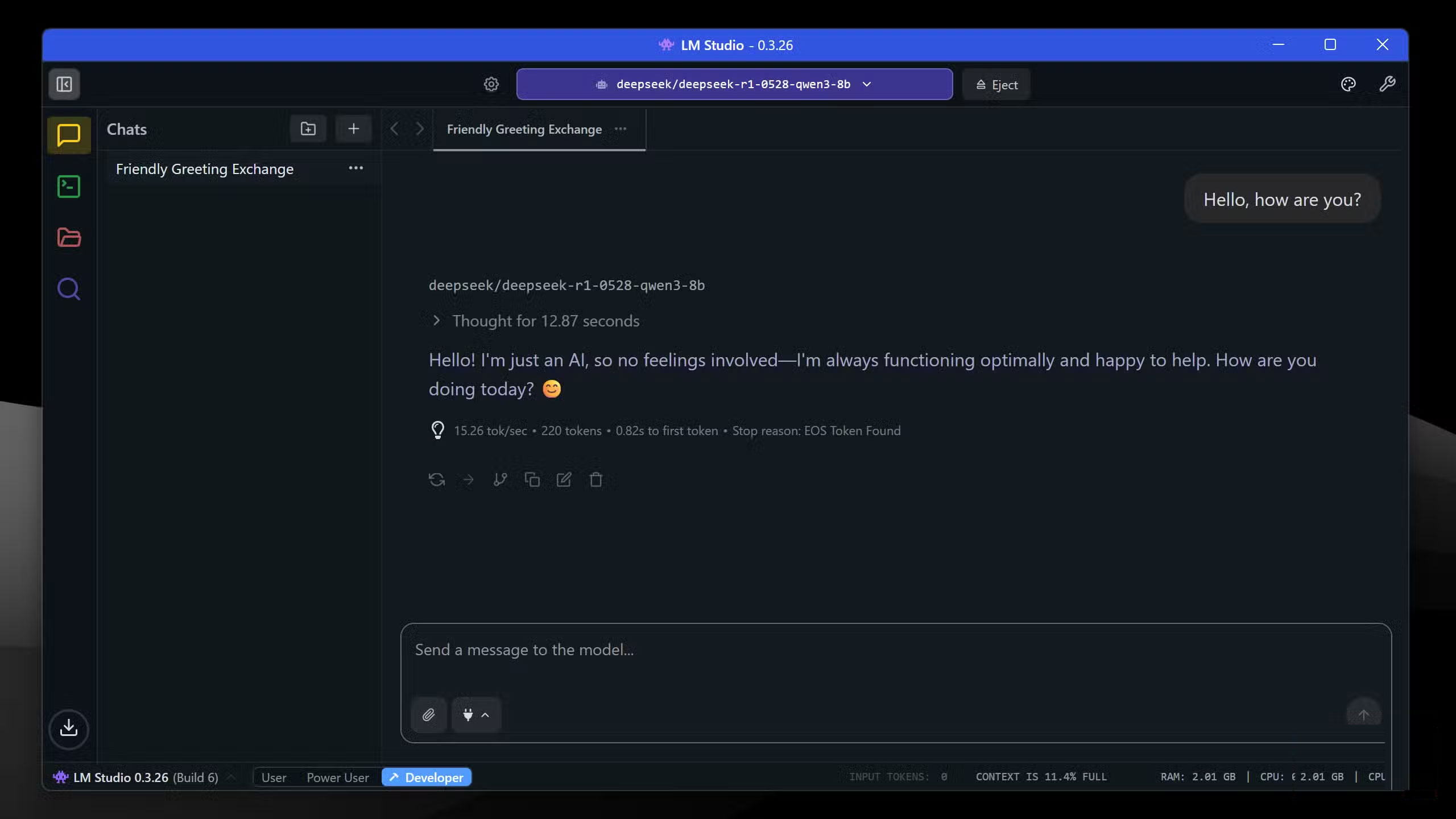
Running these models is also surprisingly easy. You can enjoy the benefits of a local LLM with a variety of applications, including LM Studio and Ollama.
These tools give you access to a wide range of open-source AI models that you can download and run as per your requirements. People like LM Studio because it comes with a fairly easy-to-use GUI, but you can feel free to try out other options to find the one that works best for you.
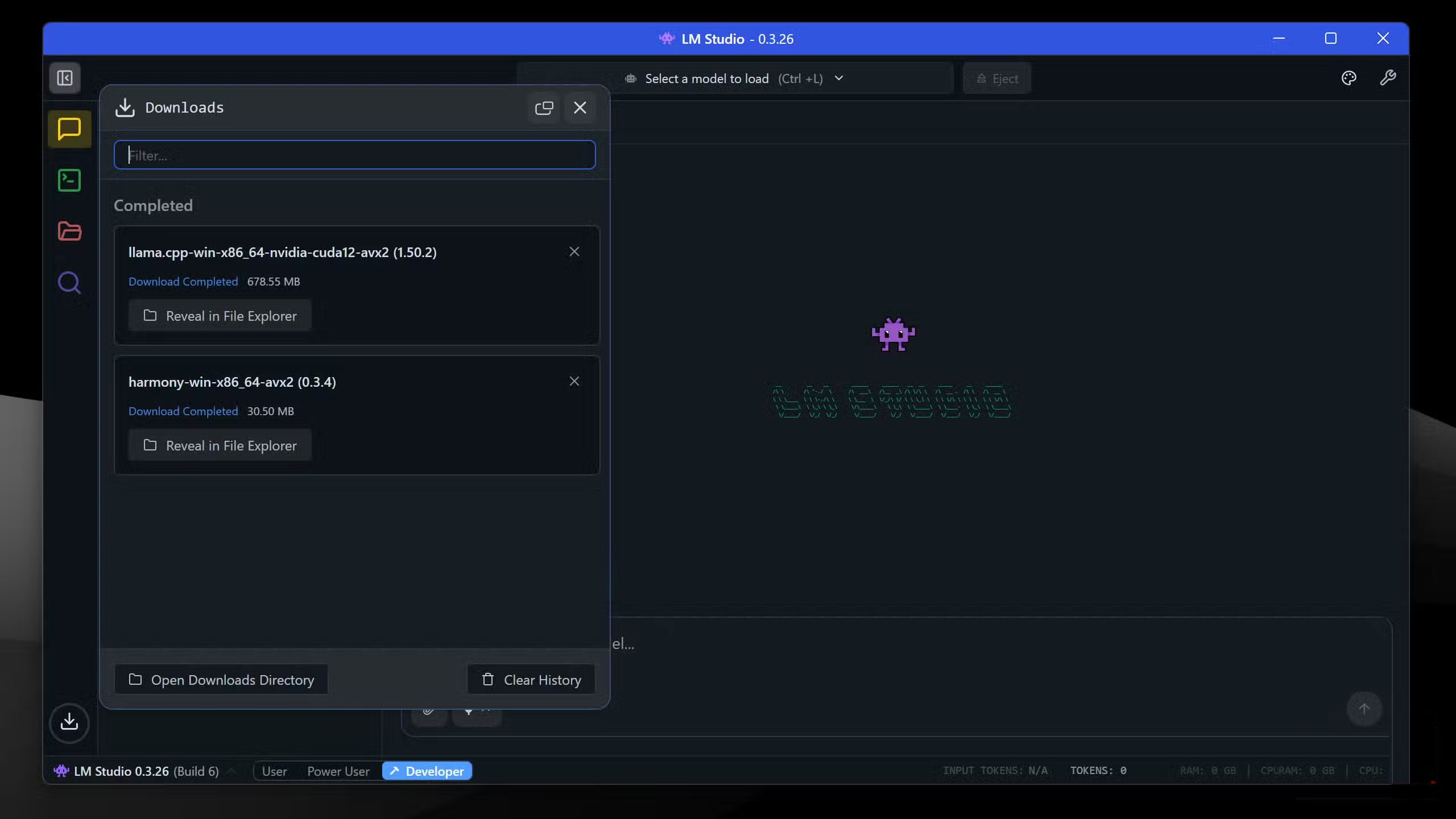
Installing and setting up LM Studio with AI models is quite easy. Download LM Studio from the official website and run the installer. Follow these steps when running LM Studio for the first time:
- You may be prompted to follow the setup wizard. You can skip this step by clicking the gray Skip button in the upper right corner.
- Once the main interface loads, LM Studio will automatically begin downloading any necessary drivers or updates. Please wait for these steps to complete before continuing.
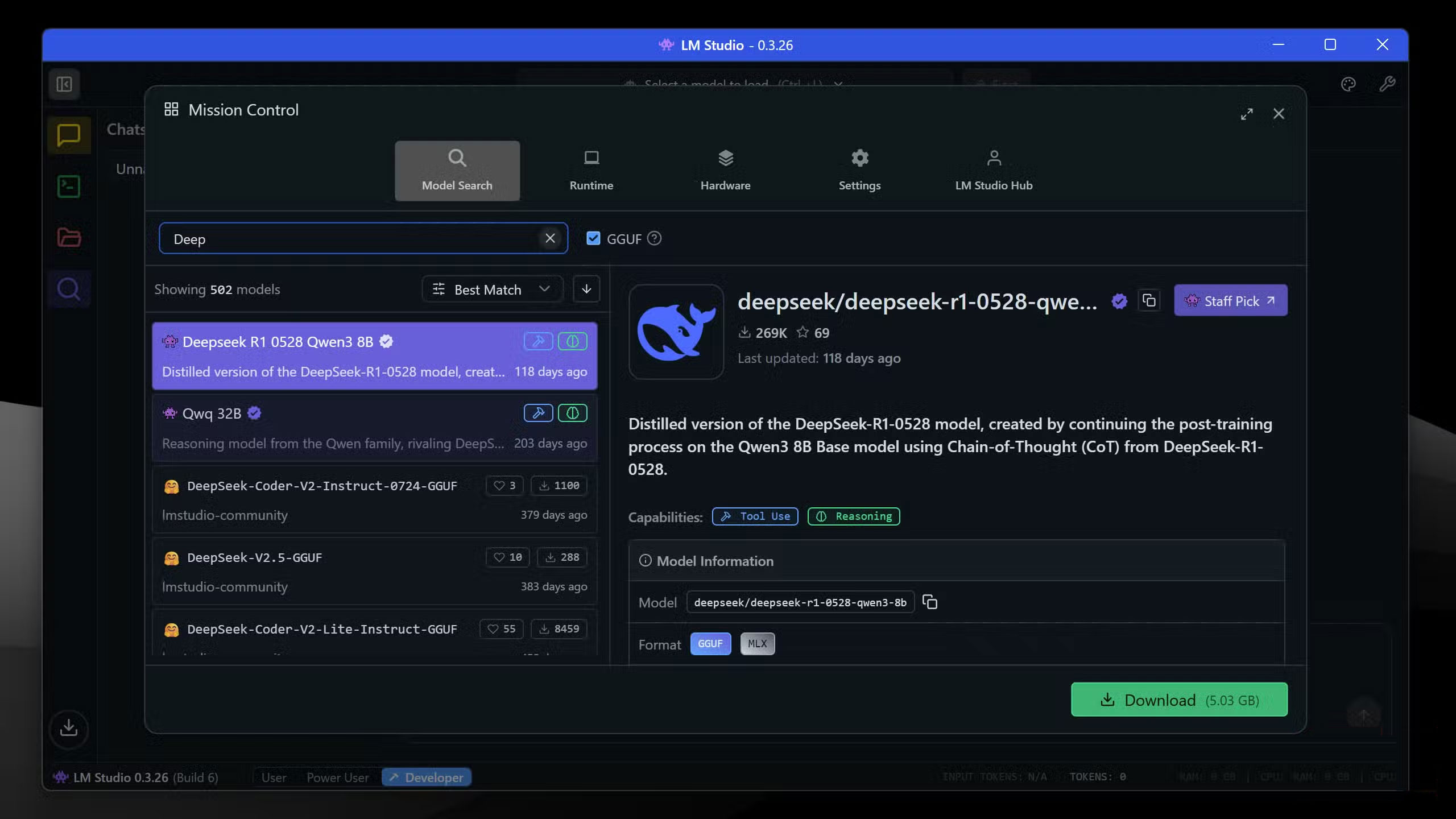
- Click the magnifying glass icon to open the Discover Tab and search for the model you want to download. Click the green Download button in the lower left corner to continue.
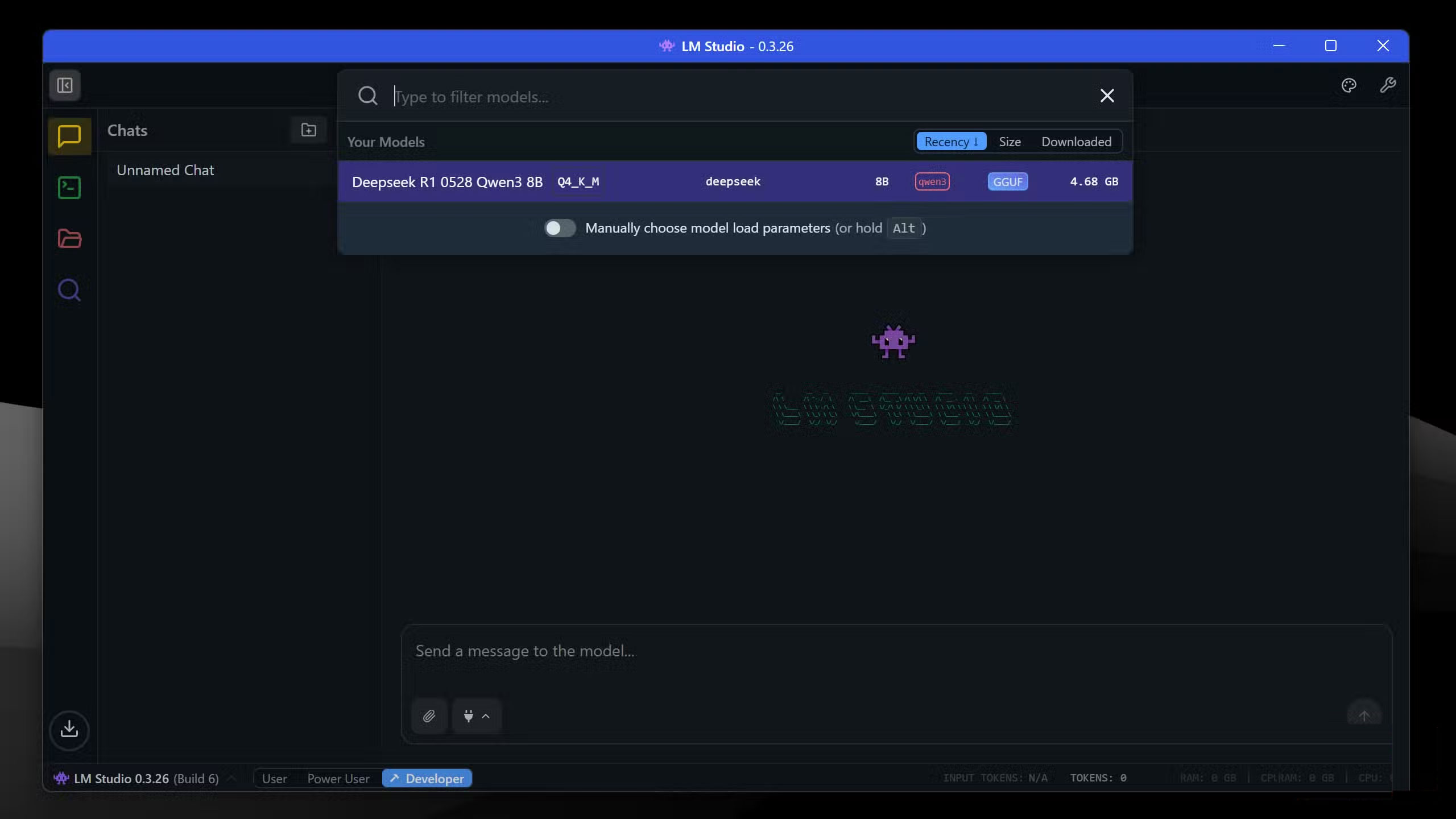
- Once the model has finished downloading, go to Chat And click the drop-down menu at the top of the screen to load the downloaded model.
AI can finally be used for sensitive work
Secure your data
Some people have used many free chatbots and have never paid a penny for AI, but these are still web tools that are trained on their data. In practice, using AI for sensitive work like programming is out of the question. Additionally, most AI chatbots have usage policies that prohibit you from using the AI output for commercial purposes until you sign up for the appropriate plan.
Running AI locally gets rid of these limitations. Conversations with your AI chatbot never leave your computer, which means you can freely integrate AI into projects you've never done before. There's no data collection, no training on inputs, and no corporate oversight of the creative process. Having an AI chatbot protects your privacy, but it's not quite the same as running AI locally.
Exit AI registration
Own your own AI setup
If you are tired of paying monthly subscription fees for AI tools, try downloading LM Studio or any of the alternatives and spend an afternoon experimenting with AI models. Mistral 7B Instruct and Gemma 3 are good models to start with.
You don't have to cancel all your subscriptions at once. Keep the important ones while you experiment, then scale back as you find local models that meet your needs. You can cancel almost all of your subscriptions in the first month.
Local AI has benefits that online tools don't, and it's definitely worth losing some performance or intelligence. Don't pay for AI subscriptions because you don't have to!
FAQ
Why You Should Never Pay for AI Again: Explained?
In practical terms, amid privacy concerns and sky-high subscription costs, they realized they didn't need to pay for AI anymore if they could run models locally.
What factors are most important?
The article highlights that AI can finally be used for sensitive work Secure your data Some people have used many free chatbots and have never paid a penny for AI, but these are still web tools that are trained on their data.
What is the main takeaway?
The main takeaway is that conversations with your AI chatbot never leave your computer, which means you can freely integrate AI into projects you've never done before.
Related Articles
 How to Play Pokémon GO on a Computer6 minutes read
 How to Play Pokémon GO on a Smartphone6 minutes read
 26 Types of Poké Balls Explained: Part 25 minutes read
 How to Earn and Use Stardust in Pokémon GO5 minutes read
 Pokémon GO Eggs: Incubation and Hatching Guide4 minutes read
 26 Types of Poké Balls Explained: Part 18 minutes read
Reader Comments 0
Sign in with email or Google to join the discussion.