Table of Contents
Use =TODAY() when you want Excel to display the current date and update it when the workbook recalculates. Use =NOW() when you need both the current date and time. For a date that must remain fixed, use a keyboard shortcut instead of a formula.

TODAY, NOW, and fixed dates
| Need | Method | Behavior |
|---|---|---|
| Current date | =TODAY() | Updates when Excel recalculates |
| Current date and time | =NOW() | Updates when Excel recalculates |
| Fixed current date | Ctrl + ; | Does not change |
| Fixed current time | Ctrl + Shift + ; | Does not change |
TODAY takes no arguments: enter =TODAY() and press Enter. If the result appears as a number, apply a Date number format to the cell.
Useful TODAY formulas
The following examples update as the date changes:
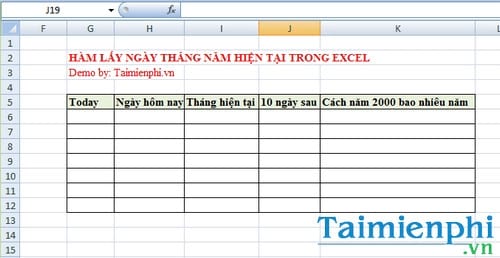
=TODAY()+10returns the date ten days from today.=TODAY()-7returns the date seven days ago.=DAY(TODAY())returns today's day number.=MONTH(TODAY())returns the current month number.=YEAR(TODAY())returns the current year.

Extract the day, month, or year
DAY, MONTH, and YEAR return individual parts of a date. These functions return numbers, not formatted date strings.


For a worksheet date stored in another cell, reference that cell instead—for example, =YEAR(B2). See how to separate day, month, and year in Excel.
Add days to the current date
Excel stores dates as serial numbers, so adding 10 adds ten calendar days:
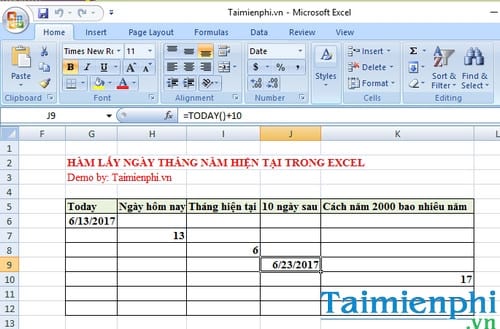
=YEAR(TODAY())-2000 calculates the difference between the current year number and 2000. It does not calculate a person's exact age because it ignores the month and day.

If TODAY shows the wrong date
- Check the computer's date, time, and time zone; Excel relies on the system clock.
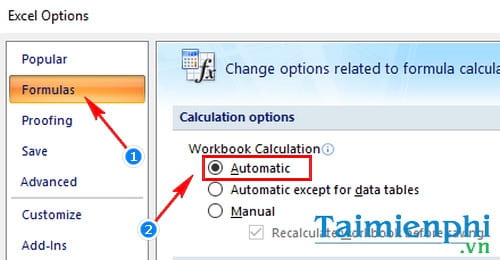
- Ensure workbook calculation is set to Automatic under File > Options > Formulas.
- Press F9 to recalculate if calculation is manual.
- Check the cell's number format. A valid date may display as a serial number or in an unexpected regional order.
For date values imported as text, use a conversion approach such as the DATEVALUE function before performing date arithmetic.
Related Articles
 How to Use the NOW Function in Excel3 minutes read
 DATE Function: Converts Numbers to a Valid Date Format5 minutes read
 Instructions on How to Insert the Current Date in Excel5 minutes read
 Quickly Insert Current Date and Time into a Cell in Excel5 minutes read
 How to Use the TODAY Function in Excel3 minutes read
 The RIGHT Function in Excel: Syntax and Illustrative Examples17 minutes read
Reader Comments 0
Sign in with email or Google to join the discussion.