Table of Contents
That changed when I found Txtfy. This little app has 76 different text editors.
If you're a student or office worker, you know how frustrating it can be to constantly need word processing tools. Tools like comparing two documents, adding line numbers in bulk, or deleting all blank lines at once. Most of the time, you're forced to choose between apps that are full of ads and trackers, or clunky websites that only do one thing well—meaning you have to use multiple sites just to complete a single task.
That changed when I found Txtfy. This little app has 76 different text editors. It's completely free, no registration required, and no ads.
Basic tools
Format text here
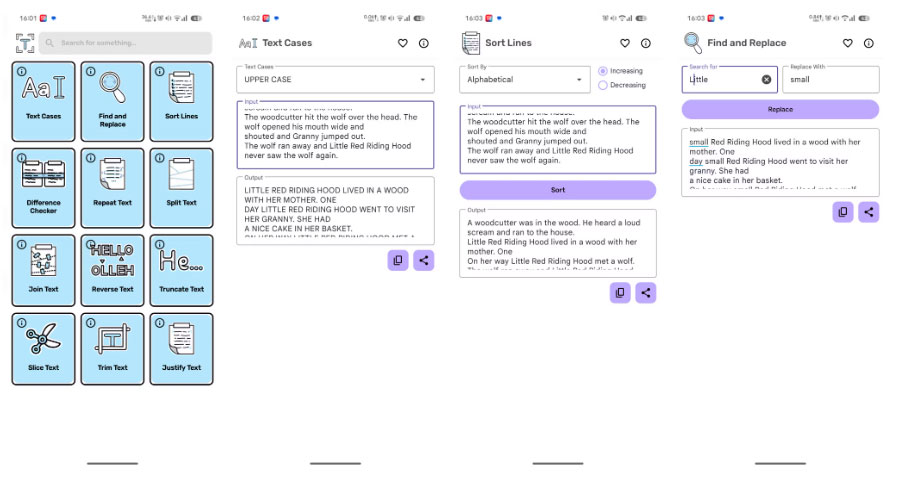
As the name suggests, this section introduces basic text manipulation tools. It helps you convert uppercase/lowercase in a snap. There is also a Find and Replace feature that lets you replace text in notes and posts, finding, deleting, and replacing any specific word, term, or character in seconds on your phone. But that's not all; there are many other tools, such as the Sort Lines tool, which helps you sort lines alphabetically or numerically. And many more text manipulation tools.
List creation tools
Create lists, edit, format with just a few taps
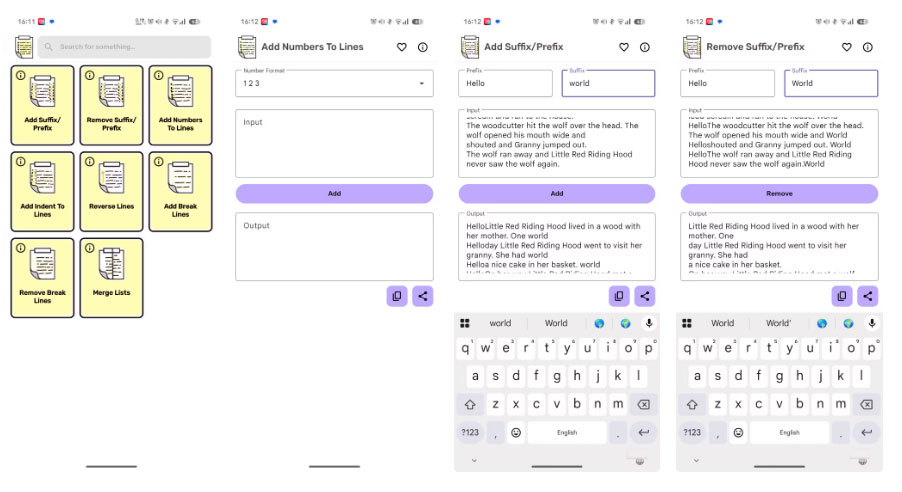
List builders help you complete batch processing. Whatever you want to add – prefix or suffix, add numbers, indent, change order, break lines or merge multiple lists into one. List builders have it all. Everything we need for list-based text editing is available in the list builder section.
Eraser tools
Remove unwanted extra parts from the article
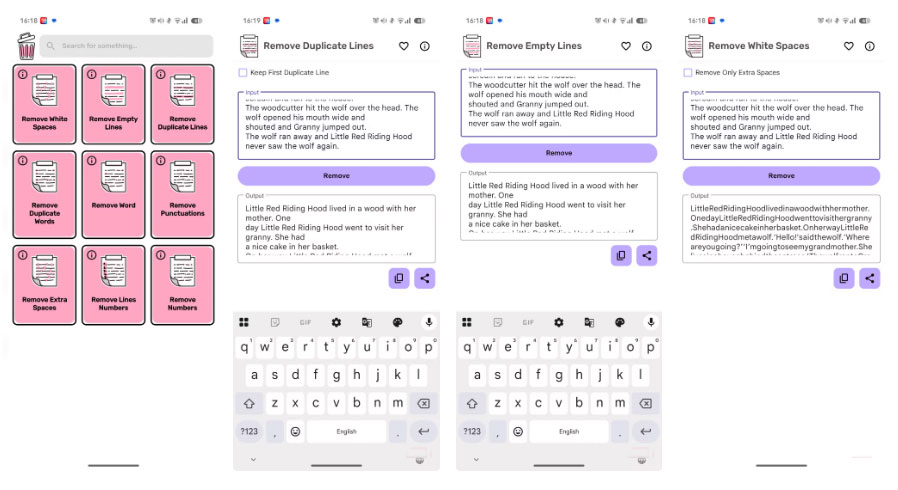
Did you write something that needs to be deleted? Everyone does it. When you finish writing, you often realize that there is something that should not be there. If you find yourself in that situation, the Remove tool can help. From numbers to spaces that were accidentally inserted into your post, here you can delete anything in any text you want. There are 9 different erase tools available to use.
Conversion tools
Convert any text without any extra effort or thought
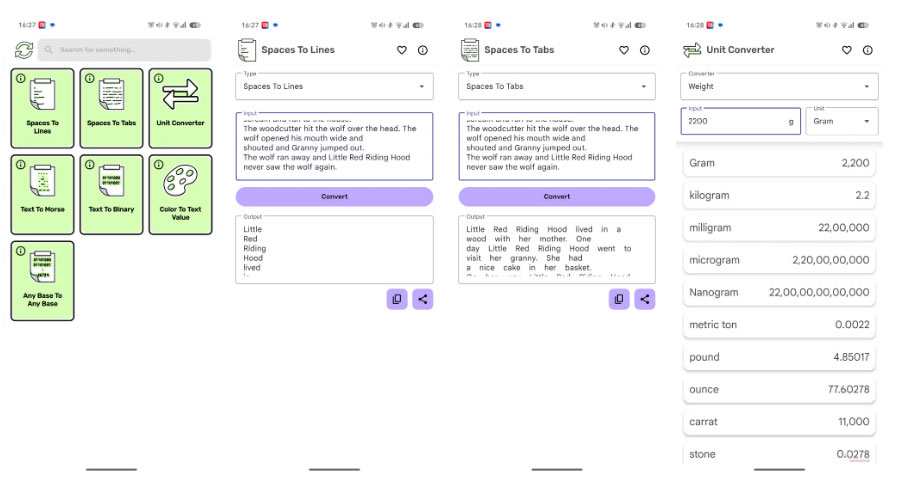
With the conversion tools in the txtfy app, you can convert any text to a variety of formats. Whether you want to convert units, text to Morse code, text to binary code, or convert colors to text values, the conversion tools have it all covered with a list of 7 conversion tools. The Convert Tools section is not only useful but also fun, making it a great hobby. Its one drawback is that it cannot convert handwriting to text.
Analytical tools
Convert speech to text, analyze any text content
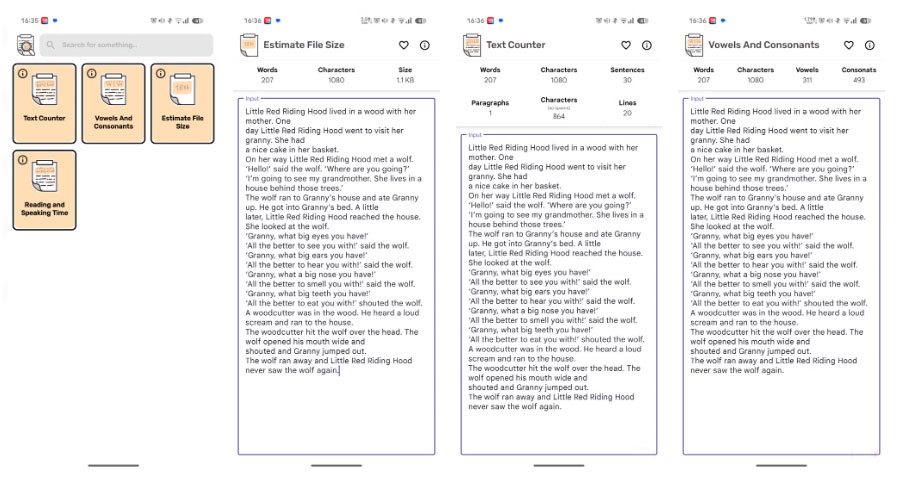
When You should know how long it takes to read or speak from a text, use the analysis tools. There is an option in the Analyze tool that provides a near-perfect analysis of recitation and speech times. But that's not all. There is even a text counter, a vowel and consonant counter, and a file size counter in the analysis tools.
Styling tools
Make your writing more engaging
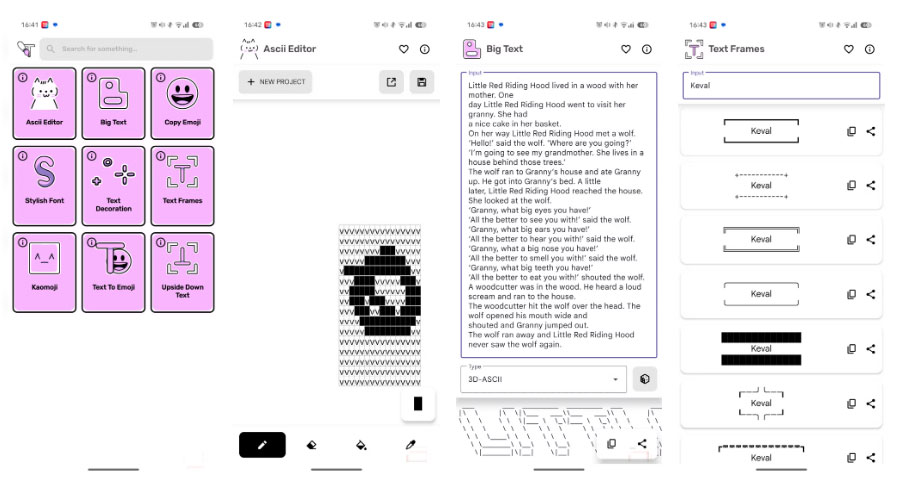
In this section, you can make your text interesting and stylish. If you want your text to stand out or highlight a particular point in a paragraph, this is the place to do it. The Stylish Tools section includes 9 different cool tools to make your text stand out. You can draw shapes with the ASCII Editor, enlarge text, add emojis, stylize fonts, add frames, and much more. If you like to add a unique touch to your writing, Stylish Texts is the perfect place for you.
FAQ
What should you know about txtfy?
In practical terms, that changed when I found Txtfy. This little app has 76 different text editors.
Why does txtfy matter?
The article highlights that list creation tools Create lists, edit, format with just a few taps List builders help you complete batch processing.
What is the main takeaway?
The main takeaway is that conversion tools Convert any text without any extra effort or thought With the conversion tools in the txtfy app, you can convert any text to a variety of formats.
Related Articles
 How to Play Pokémon GO on a Computer6 minutes read
 How to Play Pokémon GO on a Smartphone6 minutes read
 26 Types of Poké Balls Explained: Part 25 minutes read
 How to Earn and Use Stardust in Pokémon GO5 minutes read
 Pokémon GO Eggs: Incubation and Hatching Guide4 minutes read
 26 Types of Poké Balls Explained: Part 18 minutes read
Reader Comments 0
Sign in with email or Google to join the discussion.