Table of Contents
Gemini can draft quiz and test questions, but a generated test is not ready for students until a teacher verifies it. The reliable workflow is: define a blueprint, provide approved source material, generate a draft, review every question and answer, create equivalent versions, and check the final document after export.
1. Prepare the source material
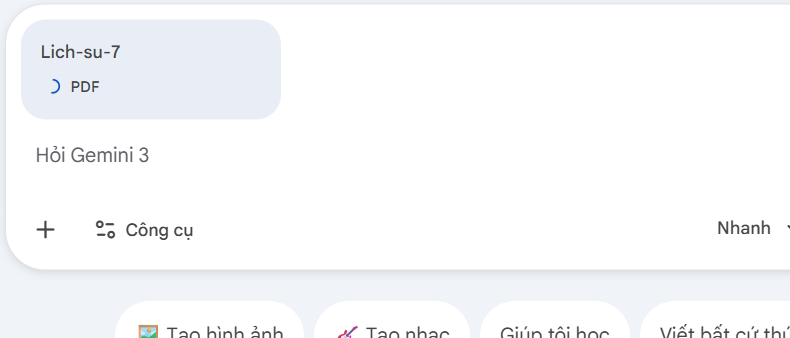
Collect the exact curriculum documents, lesson objectives, vocabulary, worked examples, and rules that the assessment must follow. Remove irrelevant pages and identify the sections students were actually taught.
Before uploading a file, confirm that you are allowed to process it with the service. Do not include student names, grades, accommodations, disciplinary records, unpublished exam items, or other sensitive information.
2. Create a test blueprint
A blueprint prevents the model from producing a random collection of questions. Define:
- subject, grade, unit, and taught content;
- learning objectives and their relative weight;
- question types and number of items;
- difficulty distribution;
- time available and total points;
- skills to assess, such as recall, explanation, application, or evaluation;
- content, language, accessibility, and formatting constraints.
| Objective | Easy | Moderate | Challenging | Total |
|---|---|---|---|---|
| Identify key events and people | 6 | 2 | 0 | 8 |
| Explain causes and consequences | 2 | 6 | 2 | 10 |
| Use evidence to compare developments | 0 | 2 | 2 | 4 |
Replace the example counts with a distribution that fits your course. “Easy to hard” is too vague unless the prompt explains what each level requires students to do.
3. Give Gemini a structured prompt
Use a prompt that separates role, source boundary, blueprint, item rules, and output format:
You are assisting a Grade 7 history teacher.

Use only the attached approved lesson material. If the source does not support
a fact, write NEEDS SOURCE instead of inventing it.

Create a 45-minute assessment on [unit].
Blueprint:
- [number] multiple-choice questions
- [number] constructed-response questions
- objectives and counts: [paste blueprint]
- total: [points]
- difficulty definitions: [define]

Multiple-choice rules:
- one unambiguously best answer;
- three plausible distractors based on common misunderstandings;
- no “all of the above” or trick wording;
- do not reveal the answer through grammar or length.

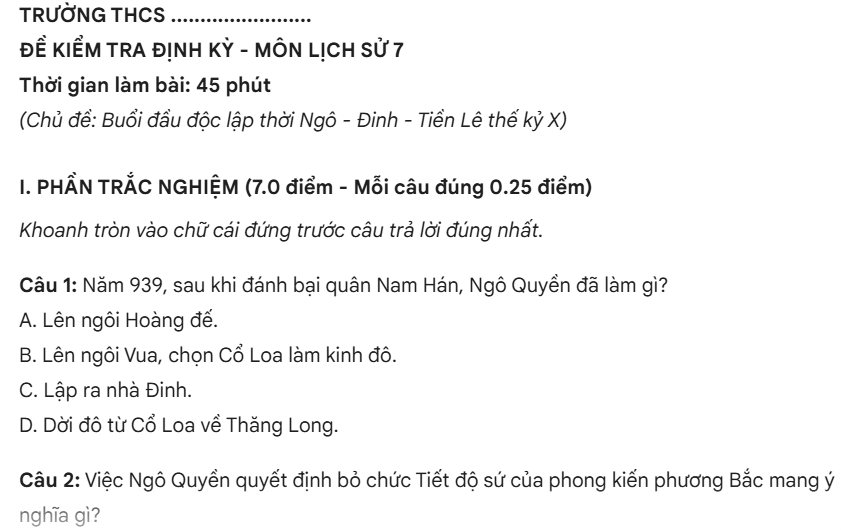
For each item, provide:
- learning objective;
- source page or section;
- difficulty and reason;
- correct answer;
- concise explanation;
- scoring guidance for written responses.

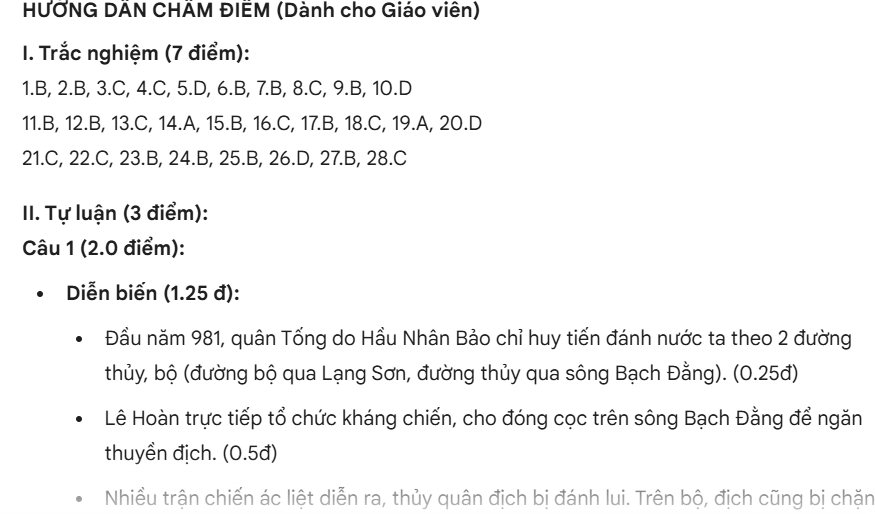
Return the student test first and a separate teacher key afterward.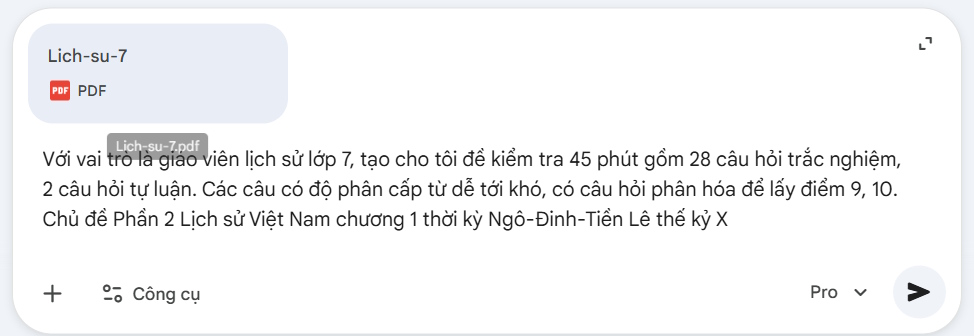
4. Review the generated draft
Do not review only the answer key. Check each item against the original source and learning objective.
Question-quality checklist
- The content was taught and is supported by the source.
- The question measures the intended objective, not an unrelated reading trick.
- There is one defensible best answer for a single-answer item.
- Distractors are plausible but clearly incorrect for a knowledgeable student.
- Wording does not contain hidden clues, unnecessary negatives, or ambiguous pronouns.
- Difficulty comes from the thinking required, not obscure trivia or confusing language.
- The item does not depend on a stereotype, inaccessible image, or unstated context.
- The explanation justifies the answer rather than merely repeating it.
Answer-key checklist
- Solve every item independently before accepting the key.
- Recalculate numerical answers and check units.
- Confirm dates, names, quotations, formulas, and terminology from the source.
- Test whether another option could also be correct.
- For written questions, define required evidence and partial-credit rules.
- Make sure points add to the stated total.
5. Ask Gemini to revise specific defects
Do not use “make it better” as the only feedback. Name the item, defect, and constraint:
Revise items 4, 9, and 12 only.
Item 4 has two defensible answers.
Item 9 depends on a date not included in the source.
Item 12 tests vocabulary rather than the stated comparison objective.
Keep the blueprint counts unchanged and show the revised items with explanations.
Review the replacements with the same checklist. A second generation can introduce new errors.
6. Create equivalent test versions
Multiple versions should measure the same objectives at comparable difficulty. Merely shuffling question order can help with seating, but it does not create a genuinely new assessment.
Create versions B and C from the approved item set.
Keep the same blueprint, points, objective coverage, and difficulty distribution.
Change contexts and values only where the source supports them.
Do not reuse distinctive answer patterns.
Provide a separate answer key and a mapping from each new item to its source
objective and corresponding item in version A.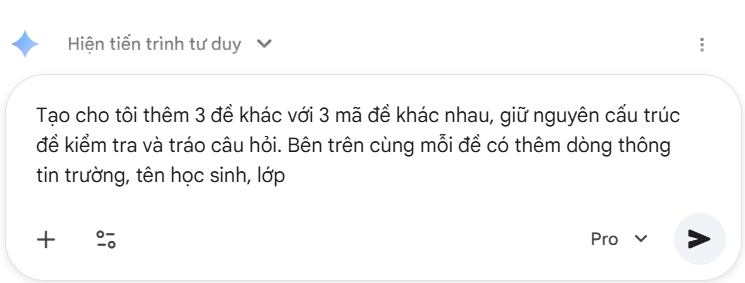
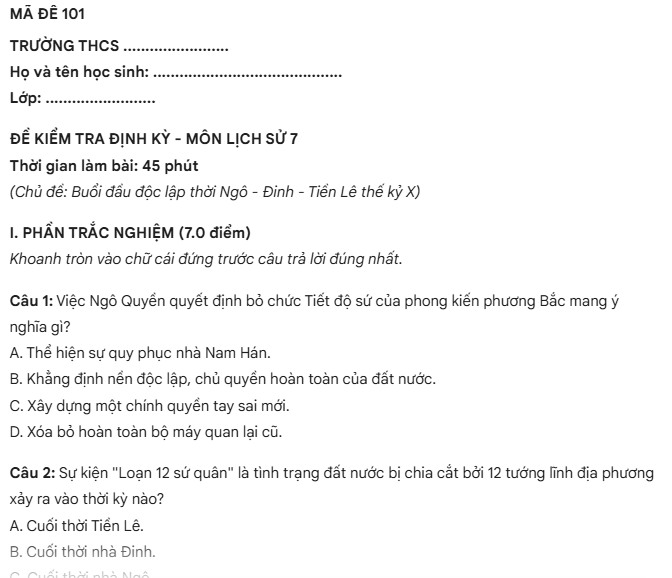
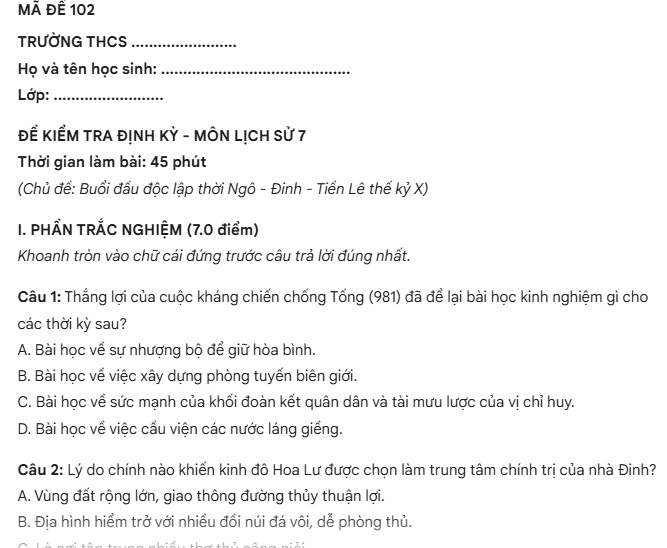
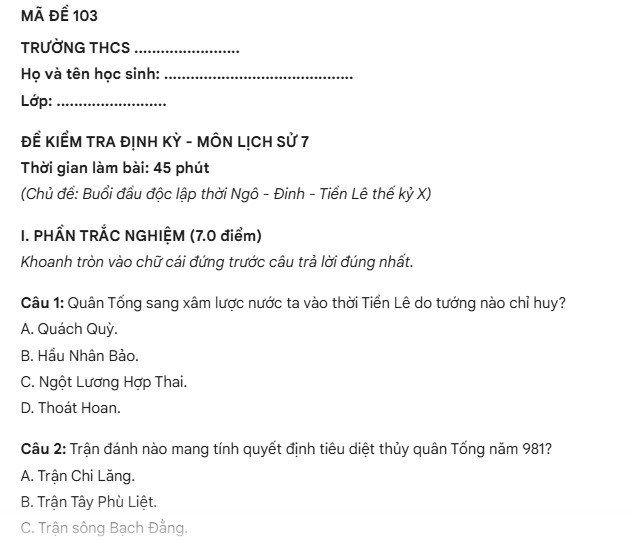
Check that every version has the same total points and time demand. If a value changes in a math or science problem, recompute the answer and distractors; do not assume the model updated them consistently.
7. Export to Word without losing structure
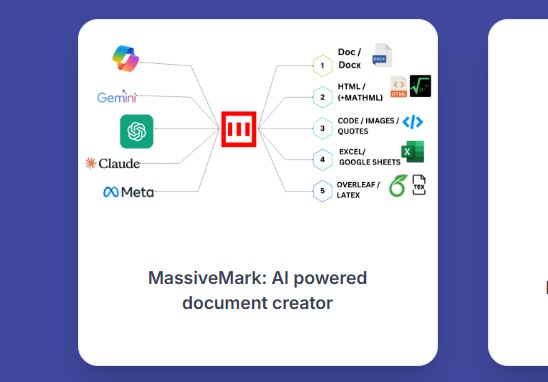
For ordinary text, ask Gemini to return clean headings, numbered questions, tables, and a separate key, then paste into Word and apply your institution's template. For equations, request LaTeX or another format your Word workflow supports.
A third-party Markdown-to-DOCX converter can preserve complex structure, but it also receives the material you paste. Review its privacy policy and do not upload restricted test content or personal student information.
8. Perform a final paper-level review
- Print or preview the student version exactly as it will be delivered.
- Confirm instructions, time, points, page numbers, names, and class fields.
- Check that a question and all its choices stay together across page breaks.
- Make sure images, tables, formulas, and answer spaces are readable.
- Remove the teacher key and metadata from the student file.
- Have another qualified teacher review high-stakes or new items when possible.
- Save the approved item set, source references, version mapping, and final keys.
After the assessment
Use item results to improve the bank. A question missed by almost everyone may reveal difficult content, but it may also be ambiguous or keyed incorrectly. Review unexpected response patterns before drawing conclusions about students.
Gemini can reduce drafting time. The teacher remains responsible for curriculum alignment, factual accuracy, fairness, accessibility, security, scoring, and the decision to use an item.
Related Articles
 Instructions on Creating Automated Exam Scoring Sheets Using Gemini1 minutes read
 Instructions on Creating Multiple-choice Questions on Gemini3 minutes read
 A Guide to Creating Presentation Slides Quickly Using Gemini4 minutes read
 How to Create Mind Maps for Lessons Using Gemini5 minutes read
 Tips to Help You Use Gemini Effectively7 minutes read
 How to Build an AI Agent with Gemini 3 in 10 Minutes13 minutes read
Reader Comments 0
Sign in with email or Google to join the discussion.