Version 24H2 is a major release for Windows 11 and has sent out a series of new updates to users this year. This update has brought many significant upgrades compared to previous versions, both in terms of features and interface upgrades.
But let's be honest, Windows 11 updates are notoriously buggy. Like previous releases, the latest release has a problem that users should be aware of before installing the update. The problem is so bad that Microsoft has blocked the Windows 11 24H2 update.

A piece of software called Voicemeeter is the culprit that is forcing Microsoft to temporarily suspend compatibility with Windows 11 PCs that are using this application. Simply put, any computer that has Voicemeeter installed will not be upgraded to Windows 11 24H2 for the time being, and this is only a temporary measure.
The reason is because the driver for Voicemeeter is not compatible with the Windows 11 24H2 Memory Manager, which is the reason for the blue screen error. So this error is not entirely on Microsoft, VB-Audio Software, the company that developed the Voicemeeter application, has started to fix this problem, but it is not clear how long it will take.
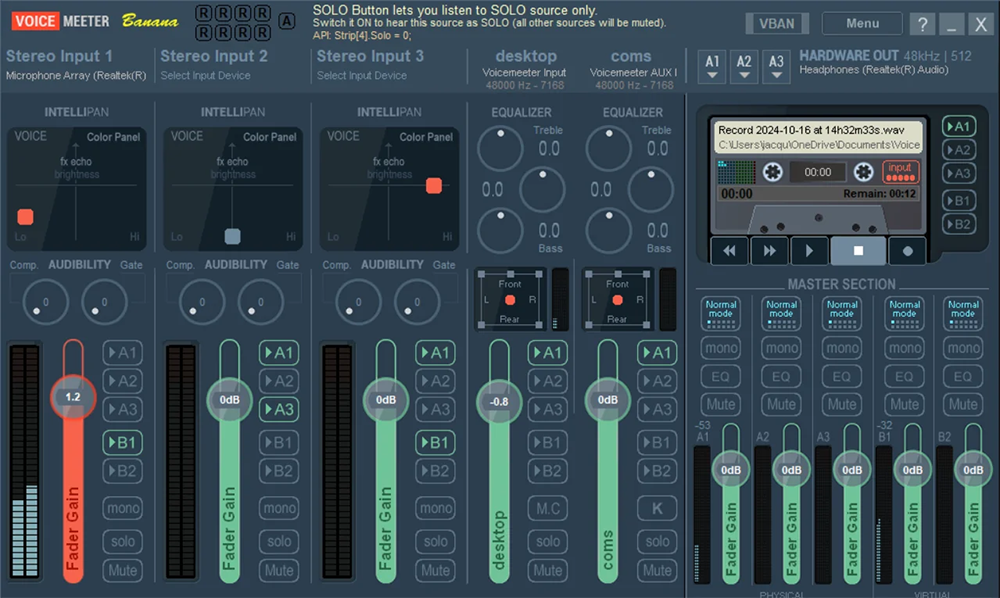
If you have Voicemeeter installed on your PC, you won't get the 24H2 update via Windows Update in Settings. In addition to updating directly on Windows 11, you can install the latest Windows 11 feature update using the Windows 11 Installation Assistant or media creation tools, even if you're using Voicemeeter on your PC.



Reader Comments 0
Sign in with email or Google to join the discussion.