Table of Contents
T.DIST.2T returns the two-tailed probability for a Student's t-distribution. It is useful when you already have a nonnegative t statistic and degrees of freedom and want the probability in both tails beyond ±t.
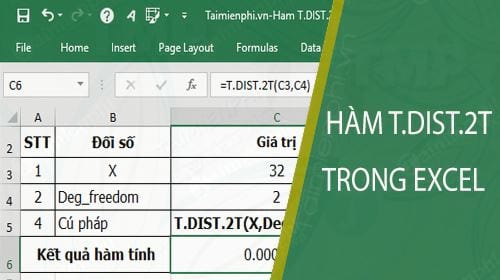
Syntax
=T.DIST.2T(x, deg_freedom)- x: the nonnegative t value at which to evaluate the distribution.
- deg_freedom: the number of degrees of freedom; it must be at least 1. A non-integer value is truncated.
For a t statistic that may be negative, use its absolute value: =T.DIST.2T(ABS(t_statistic),degrees_freedom).
Example
Assume cell C3 contains the t statistic and C4 contains the degrees of freedom.
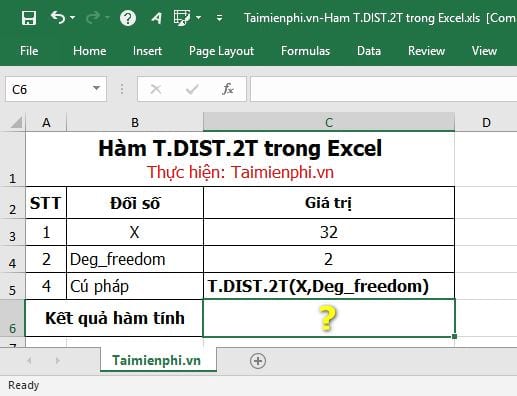
Enter:
=T.DIST.2T(C3,C4)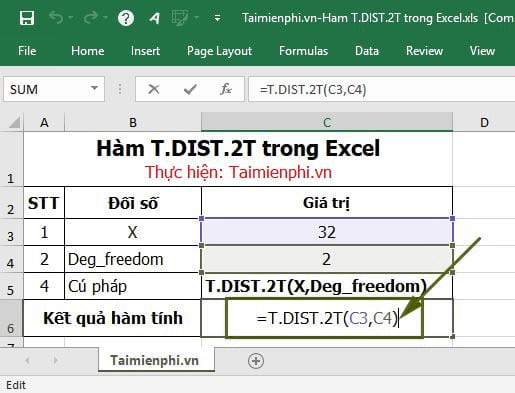
Press Enter and format the result as a number or percentage.
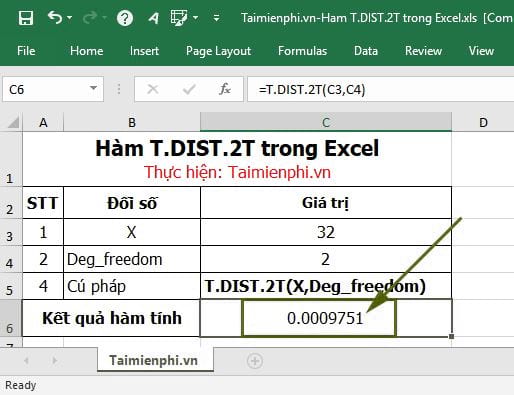
How to interpret the result
The returned value is the combined probability in the left and right tails beyond the magnitude of x. In a two-sided hypothesis test, it can be compared with a preselected significance level, but the function alone does not verify that the assumptions of the statistical test are satisfied.
T.DIST.2T is not the same as T.TEST. Use T.TEST when you have two data arrays and want Excel to calculate a t-test probability from those samples.
Common errors
#NUM!
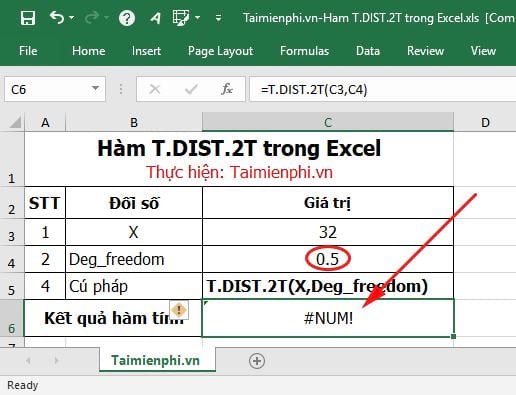
Excel returns #NUM! when the degrees of freedom are below 1.
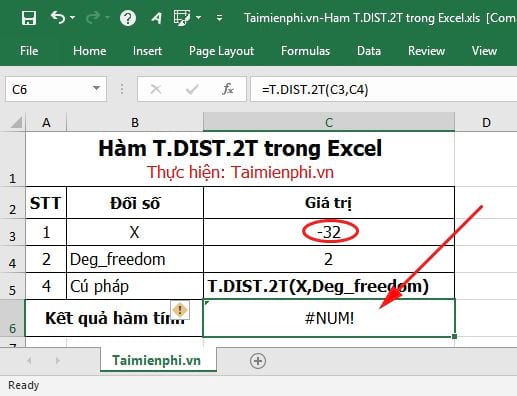
It also returns #NUM! when x is negative. Wrap a signed t statistic in ABS when you want the corresponding two-tailed probability.
#VALUE!
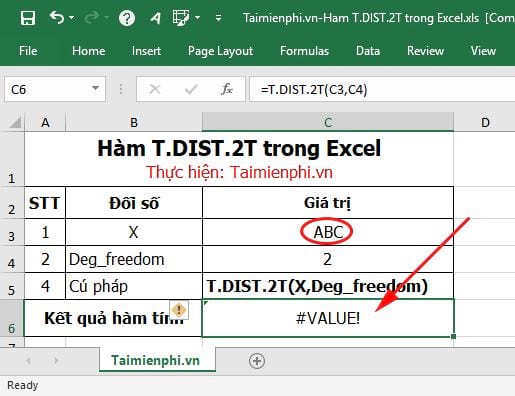
A nonnumeric argument returns #VALUE!. Check whether a cell contains text, a leading apostrophe, or a number stored as text.
Related functions
T.DIST(x,deg_freedom,cumulative)returns the left-tailed cumulative distribution or probability density.T.DIST.RT(x,deg_freedom)returns a right-tailed probability.T.INV.2T(probability,deg_freedom)returns a positive critical t value for a two-tailed probability.T.TEST(array1,array2,tails,type)calculates a t-test probability from samples.
For the wider context, use the Excel statistical functions reference. If the task is ordinary totals rather than a distribution, follow the separate guide to the SUM function in Excel.
Related Articles
 The Index Function in Excel: Formulas and Usage9 minutes read
 How to use the VALUE function in Excel - A function to4 minutes read
 Basic Excel Functions That Anyone Must Know20 minutes read
 How to Use Hlookup Function on Excel: Excel Hlookup Function4 minutes read
 How to Use the SUM Function to Calculate Totals in Excel8 minutes read
 DATE Function: Converts Numbers to a Valid Date Format5 minutes read
Reader Comments 0
Sign in with email or Google to join the discussion.