Table of Contents
This updated guide examines The Recently Released Windows 10 Kb4535996 Update Has Received and organizes the essential facts, background, and practical takeaways in clear American English.
However, according to user feedback on the Microsoft website, the KB4535996 update was subjected to an installation failure. Specifically, when downloading and installing the update to 100%, the computer automatically reboots, the blue screen appears and continues to install to 6%, then reboot. This means that Windows cannot complete the installation of update KB4535996.
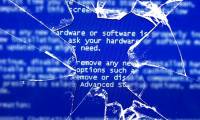
Some users also encounter the blue screen of death - BSOD after installing KB4535996, causing the system to freeze.
However, after uninstalling this installation, the computer can work normally again.
In short, users should wait for Microsoft to fix the error, not download and install the optional update KB4535996. If you have already downloaded, installed, and unfortunately encountered the above errors, you should try to uninstall the update by clicking on Windows -> selecting Settings -> selecting Update & security -> selecting View update history -> selecting Uninstall updates line is okay.
FAQ
What is The Recently Released Windows 10 Kb4535996 Update Has Received about?
It provides a structured overview of Windows 10 is corrupted, explains the main context, and highlights practical takeaways for readers.
Why does this topic matter?
Understanding the main concepts helps readers evaluate the issue, avoid common mistakes, and make better-informed decisions.
How should readers use this information?
Use the guidance as a practical starting point, confirm details that may have changed, and follow current product, safety, or security recommendations.
Related Articles
 Update Windows 11: Complete Guide3 minutes read
 Who Wrote the 'Dead Blue Screen' Message for Windows?4 minutes read
 In Addition to the Blue Screen of Death, There Are 8 Other6 minutes read
 Prevent 'Blue Screen Errors' on Windows 82 minutes read
 The Windows 10 Update Makes Surface Book 2 a Dead Blue Screen Error3 minutes read
 Do You Know That Microsoft Also Has Blue Screensaver Screensavers?5 minutes read
Reader Comments 0
Sign in with email or Google to join the discussion.