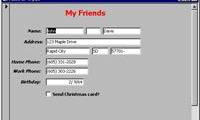
Article on the subject of "create forms in access 2016"
-

Create forms (forms) in Access 2016
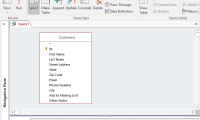
creating a form for your database can make data entry more convenient. when you create a form, you can design it to match your database.
-
Create forms (forms) in Access 2016
creating a form for your database can make data entry more convenient. when you create a form, you can design it to match your database.
-
Format forms in Access 2016
after creating the form, you may want to modify its interface. formatting a form can help make your database look consistent and professional. some format changes can even make your form easier to use.
-
Introduction to tables, queries, forms, reports in Access
access database includes 4 objects: tables, queries, forms and reports. combining these 4 objects together can import, store, analyze and compile data the way you want.
-
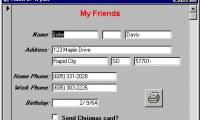
MS Access 2003 - Chapter 9: Creating Form
from the beginning of the lessons so far, you have entered and edited the information in the tables. in this lesson, you will learn how to use forms for entering and editing data.
-
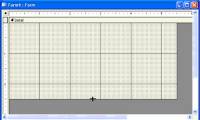
MS Access 2003 - Lesson 36: Defining individual Forms
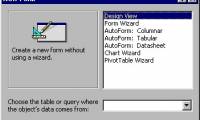
when wizard forms do not meet your needs, you can use the design window to create a separate form or edit an existing form.
-
Work with data in Access 2016
in the previous lesson, you became familiar with the access 2016 interface as well as the opening and closing of the basic database. this article will continue to go deeper into access 2016 around the content of working with data in access 2016.
-
Create reports in Access 2016 and use advanced reporting options
in this article, we'll learn how to create, edit, and print reports in access 2016 and how to use advanced reporting options.
-
Edit tables in Access 2016
in this lesson, you will learn how to create and rearrange fields in tables, how to ensure data is formatted correctly and consistently by setting validation rules, character limits, and data types in the school
-
Get familiar with Acccess 2016 interface and basic operations
if you have used access 2013 or 2010 you will be familiar with the access 2016 interface: ribbon ribbon and quick access toolbar (providing commands to perform common tasks in access) as well as file menu.
-
How to add branches or nested questions in Google Forms
want to create more interactive, dynamic forms on google forms? then let's learn how to add quick logic and nested questions in google forms.
-
MS Access 2007 - Lesson 12: Design Forms
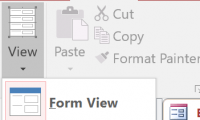
forms allow you to control the interface of the data entry screen and the generated reports. in this article, we will show you how to create a form and view the form in access 2007.
-
How to create a quiz on Google Forms, generate multiple-choice questions, and automatically grade them.
google forms helps teachers create multiple-choice tests and send them to students, then automatically grade them. students simply access the test link provided by the teacher and complete the test directly on their computer.
-
Create data queries in Access 2016 from simple to complex
the query allows to retrieve information from one or more tables based on the search conditions you defined. in this lesson, you will learn how to create queries on a simple table and query on multiple tables in access 2016.
-
Options to create data queries in Access 2016
in this article, we will learn how to modify and sort queries in query design view, as well as how to use totals functions to create queries that can compute data. you will also learn more about other query options in access 2016.
-
Introduction to databases - Database
microsoft access is a database creation and management tool. in order to understand access, you must first understand the database.
-
MS Access 2003 - Lesson 35: Creating a Form using the Form Wizards
for other database objects, access provides form wizards that you can use to create forms.
-
MS Access 2003 - Lesson 37: Summary of chapter 9
forms provide a convenient and convenient way to represent information and import data from users.
-
How to create calculated and total rows fields in Access 2016
calculated fields and totals rows allow you to perform calculations from data in your tables.
-
Instructions for using Microsoft Forms
microsoft launched microsoft forms in september 2018. it is used to create surveys, polls and puzzles. this article will show you how to use microsoft forms.
-
How to create data entry forms in Excel
it's a waste of work and boring to enter a pile of data in excel, but with the data entry form, your productivity will increase faster.
 Home
Home Tech info
 Technology
 Science
 Life
Life Application
 Electric
 Program
 Mobile
 System