Table of Contents
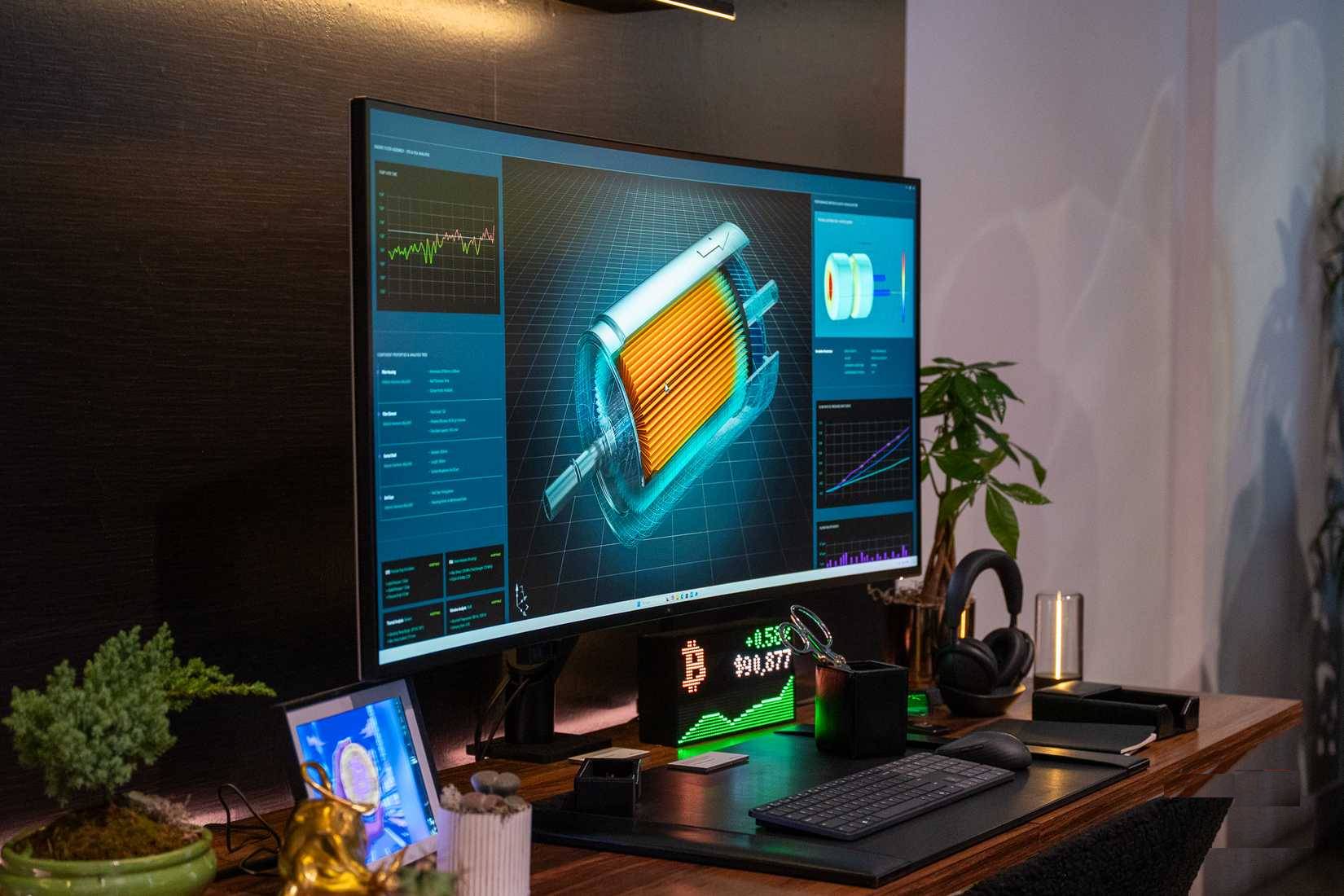
The Dell UltraSharp 52 Thunderbolt Hub Monitor (U5226KW) is a 51.5-inch, 21:9 curved display built to replace a wide multi-monitor arrangement. Its 6144 × 2560 resolution, 120Hz refresh rate, extensive USB hub, 2.5Gb Ethernet, Picture-by-Picture mode, and built-in KVM make the most sense for people who keep many business applications visible or work across several computers.
This is primarily a productivity display, not a general recommendation for every desk. Its physical width, demanding native resolution, and premium price make compatibility and workspace planning essential.
Core U5226KW specifications
| Display | 51.5-inch curved IPS Black panel, marketed as 52 inches |
|---|---|
| Native resolution | 6144 × 2560 at up to 120Hz |
| Aspect ratio and density | 21:9, 129 pixels per inch |
| Curve | 4200R |
| Color coverage | 99% DCI-P3, 99% Display P3, 100% sRGB, and 100% BT.709 |
| Audio | Two built-in 9W speakers |
| Stand adjustment | Height, tilt, slant, and swivel; no portrait pivot |
Dell positions the panel as an alternative to several displays with bezels between them. The 129 PPI density is useful for text and detailed interfaces, while 120Hz makes cursor movement and scrolling look smoother than on a 60Hz office monitor. An ambient-light sensor and anti-glare, low-reflectance surface are included, but users should still set comfortable brightness and scaling for their room.
Ports and laptop docking
The monitor can serve as a single-cable dock for a compatible laptop. Dell's U5226KW specifications list the following connections:
- Two HDMI 2.1 inputs
- Two DisplayPort 1.4 inputs
- One upstream Thunderbolt 4 port with up to 140W Extended Power Range delivery
- Three upstream USB-C 10Gbps ports
- Four downstream USB-A 10Gbps ports
- One downstream USB-A 10Gbps port with BC 1.2 charging
- Two downstream USB-C 10Gbps ports with up to 27W delivery
- One 2.5Gb Ethernet port
A laptop must support the required video mode over Thunderbolt or DisplayPort Alt Mode to drive the full resolution and refresh rate. Cable capability, GPU support, operating-system scaling, and dock restrictions can also affect the available modes. Do not assume that any computer with a USB-C connector can output 6144 × 2560 at 120Hz.
How multi-computer viewing and KVM control work
Picture-by-Picture can divide the panel among separate sources, while Dell's internal multi-stream transport can present screen partitions as individual displays. The built-in KVM lets one keyboard and mouse control connected computers. Dell says the workflow can cover up to four PCs, which is more capable than a basic two-source split.
This is useful for a workstation and laptop, an isolated test machine, or systems with different operating environments. The benefit depends on the chosen source layout and software support, so check the user guide for connection combinations. Windows users can also refine scaling and window arrangement with these tips for maximizing usable screen space.
Who should consider it?
- Financial and analytics work: Multiple charts, tables, dashboards, and communication tools can remain visible without display bezels.
- Engineering and software development: A wide workspace can hold an editor, documentation, terminal, and preview together.
- Multi-PC desks: The KVM, Ethernet, power delivery, and hub reduce the need for separate peripherals and a standalone dock.
- Large timelines and canvases: Video editors and designers can use the width for tools and timelines, although color-critical buyers should compare panel technology and calibration needs with a dedicated reference display.
Limitations to check before buying
- Desk space: Measure usable width and depth, and include the stand, viewing distance, speakers, and other equipment.
- Computer output: Verify full-resolution 120Hz support for every device and input you plan to use.
- Application behavior: Some software handles unusual aspect ratios, scaling, and screen partitions better than others.
- Gaming: The 21:9 resolution demands substantial GPU performance, and individual games may use black bars or imperfect interface layouts. This is an office-oriented IPS Black display rather than a low-latency gaming model.
- Video calls: The display does not include a microphone; plan separate audio and camera hardware if required.
How the 32-inch U3226Q differs
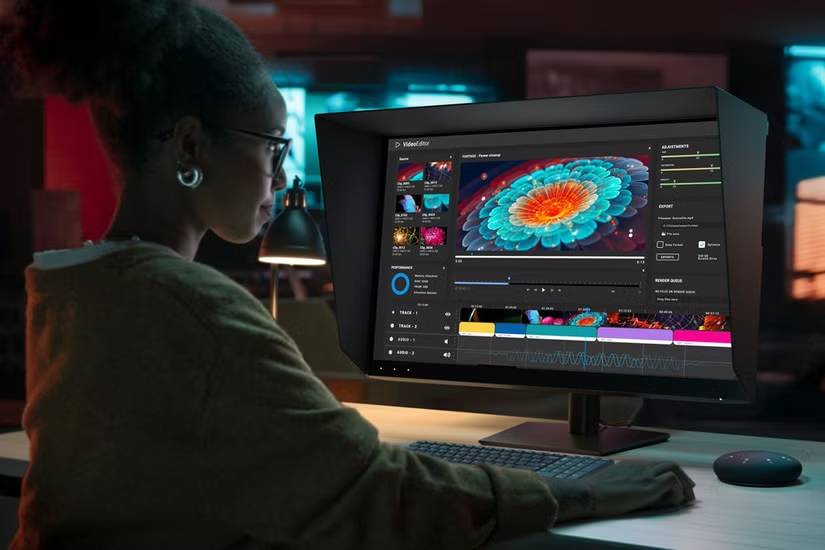
Dell announced the UltraSharp 32 4K QD-OLED Monitor (U3226Q) alongside the 52-inch model, but it targets a different workflow. The 31.5-inch U3226Q uses a 3840 × 2160 QD-OLED panel at 120Hz and includes an integrated colorimeter, DisplayHDR True Black 500, Dolby Vision HDR, and broad professional color-gamut support. Its smaller 16:9 canvas is less suited to replacing several displays, while its OLED contrast and calibration tools are more relevant to color-critical creative work.
At its CES 2026 announcement, Dell listed launch prices of $2,899.99 with a stand for the U5226KW and $2,599.99 for the U3226Q, with availability beginning January 6 and February 24 respectively. Retail price and availability can change, so consult Dell's announcement and current regional store rather than treating those launch figures as a permanent price.
Related Articles
 Dell Launches 40-inch Ultrasharp: Ultrawide Display with 5K4 minutes read
 What Is Thunderbolt 3: Compare Thunderbolt 3 and Usb-c11 minutes read
 Comparing Thunderbolt and USB-C: Explained9 minutes read
 6 Best Uses of Thunderbolt 37 minutes read
 Why Only 2 Monitors Are Needed to Increase Work Productivity: Explained7 minutes read
 How Does Thunderbolt Actually Work: What You Need to Know7 minutes read
Reader Comments 0
Sign in with email or Google to join the discussion.