Table of Contents
Learn what hotswap is, how it works, why it matters, and the key features or considerations to understand before using it.
Key points
- Hotswap is a feature that allows for easy removal and replacement of mechanical keyboard switches at home without the need for soldering.
- Unlike traditional soldered keyboards, hotswap keyboards use sockets to securely hold the flexible switch pins in place.
- This feature lets users freely personalize their typing feel, try different switch types, and easily repair malfunctioning keys.
- Users should be careful to select the correct switch type (3-pin or 5-pin) and handle it carefully to avoid damaging the keyboard socket.
- Hotswap is suitable for those who like custom keyboards or gamers, but it's not really necessary if you just need stable, basic functionality.
1. What is Hotswap? How does it work?
1.1. What is Hotswap?
Hotswap is a feature that lets users remove and replace switches on a mechanical keyboard without soldering. Instead of soldering the switch to the PCB ( the keyboard 's circuit board ), the hotswap design uses a socket to hold the switch, making replacement easier.
Simply put, a switch is a component located under each key that determines the typing feel. The PCB is the circuit board that connects all the keys. A hotswap socket is a component attached to the PCB that lets you remove an old switch and plug a new one into the correct position.
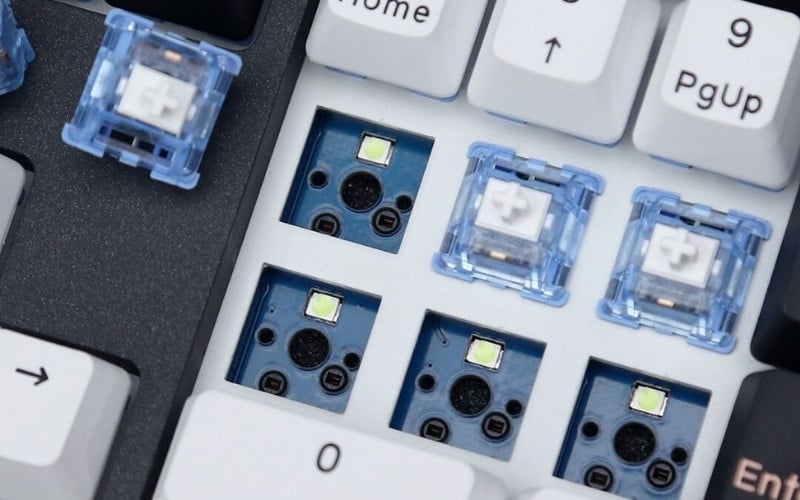
Hotswap lets you remove and replace switches on a mechanical keyboard without soldering the circuit board.
1.2. How does Hotswap work?
- Hotswap sockets are pre-mounted on the PCB to hold the switch pins.
- Users use a switch puller to remove the old switch from the socket.
- The new switch was plugged in correctly, facing the right direction, without the need for soldering.
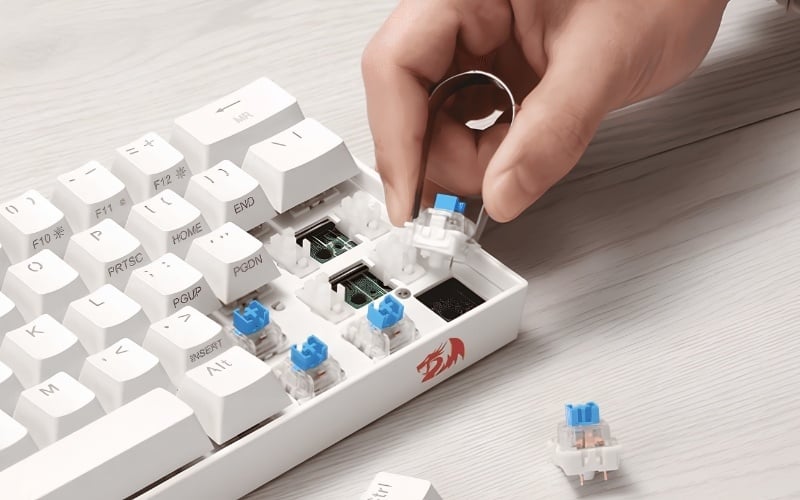
Users use a switch puller to remove the old switch from the socket.
1.3. Differentiating between hotswap keyboard and hotswap switch
Hotswap is a feature of the keyboard or PCB, not determined by the switch itself. The switch is simply a component that is plugged in. Therefore, a common switch like Cherry MX, Gateron, or Kailh will only work if the keyboard has a compatible socket.
2. How does a hotswap keyboard differ from a regular mechanical keyboard?
The biggest difference lies in how switches are replaced and the level of customization. With hotswap keyboards, users can replace faulty switches or change to a faster typing feel. With soldered keyboards, this is more complicated as it requires disassembly and resoldering.
| Criteria | Hotswap keyboard | Soldering keyboard |
|
Replace the switch. |
Unplug and plug back in, no soldering required. |
It needs to be disassembled and re-welded. |
|
Customization options |
More flexible, easier to try different switches. |
More restrictive |
|
Repair faulty switches |
Convenient if individual keys malfunction. |
It takes more time. |
|
Beginner level |
It becomes more accessible if done correctly. |
It's harder for beginners. |
|
Cost |
Usually a little higher |
Usually more accessible |
3. Advantages and disadvantages of hotswap on mechanical keyboards
3.1. Outstanding Advantages
- It's easy to change the switches to alter the typing feel without having to replace the entire keyboard.
- It's easy to fix faulty switches on individual keys without needing to resolder the circuit.
- Suitable for testing various switch types such as linear (smooth typing), tactile (slight tactile bump), or clicky (clear clicking sound).
- Flexible for gamers who want quick response times or office workers who want to reduce typing noise.
- Convenient for basic customization needs without requiring extensive modding knowledge.
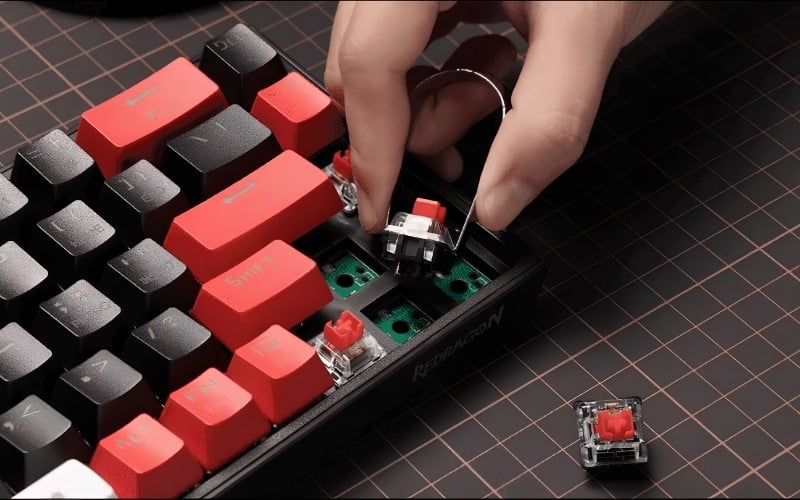
Hotswap allows for easy troubleshooting of faulty switches on individual keys, eliminating the need for resoldering the circuit.
3.2. Limitations to note
- The selling price may be higher than the soldered circuit version in the same segment.
- Not all hotswap keyboards support all types of switches.
- Incorrect handling can bend the switch pins or damage the socket.
- Unless there's a need to change switches, the practical value of hotswap isn't that significant.
4. Who should use a hotswap keyboard? Is it necessary for the average user?
4.1. Who should use a hotswap keyboard?
Whether or not to buy a hotswap keyboard should be based on your actual needs. Don't choose one simply because it's a common feature in the mechanical keyboard community.
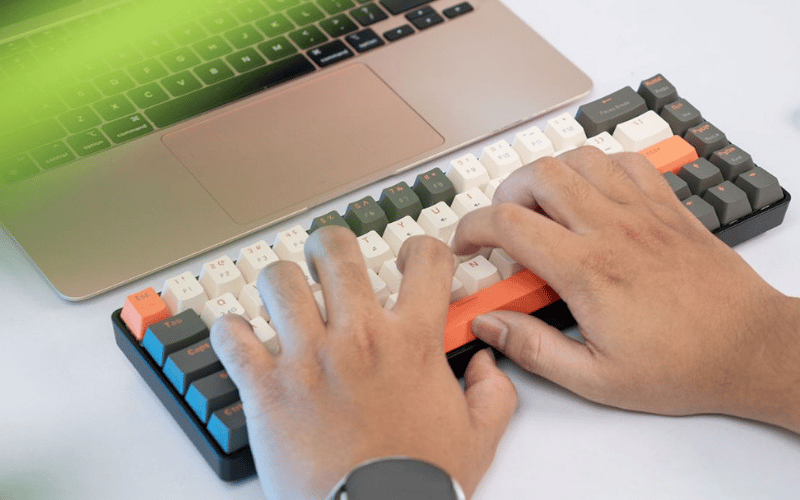
Choose a keyboard according to your needs.
4.2. Hotswap should be chosen if
- I want to try different types of switches to find the right typing feel.
- For gaming or heavy typing, you need to optimize key press force, noise level, and key responsiveness.
- I intend to customize a basic keyboard.
- The goal is to easily replace faulty switches during long-term use.
4.3. Hotswap may not be necessary if
- All you need is a keyboard that will work reliably for a long time.
- There's no need to replace the switches yourself or try different types of switches.
- Prioritize budget savings over customization options.
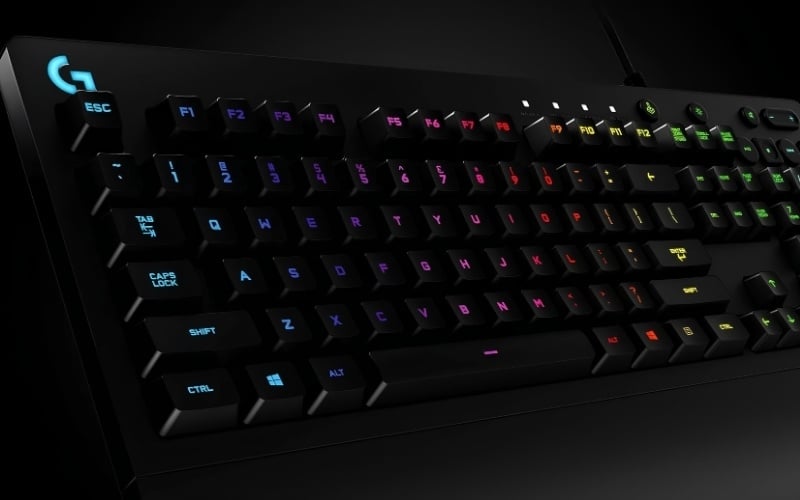
You don't need to worry about hotswap unless you need to replace the switches yourself.
5. How to tell if a keyboard supports hotswap?
5.1. How to identify
A common mistake is looking only at the product name or external image without carefully reading the specifications. Some people also confuse replacing keycaps with replacing switches , leading to choosing the wrong type of keyboard. Here's a quick way to identify it:
- Look in the specifications for terms like hotswap, hot-swappable, or solderless, which mean no soldering is required.
- Check whether your keyboard supports 3-pin or 5-pin switches.
- Check the PCB or socket image if the manufacturer provides detailed information.
- Ask the retailer for a list of compatible switches before purchasing additional switches.
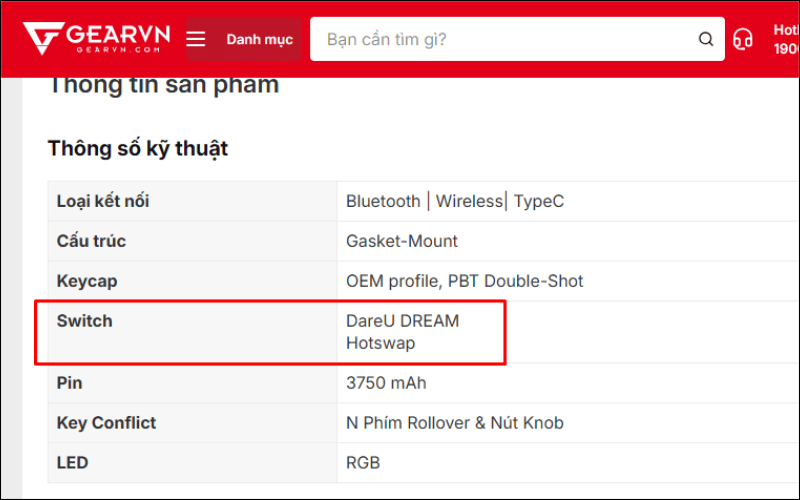
Check the specifications on the website.
5.2. Notes on 3-pin and 5-pin switches
3-pin and 5-pin are two common switch connector standards. The main difference lies in the number of pins and PCB compatibility. Not all keyboards support the same connectors, so beginners should prioritize models with clear compatibility information.
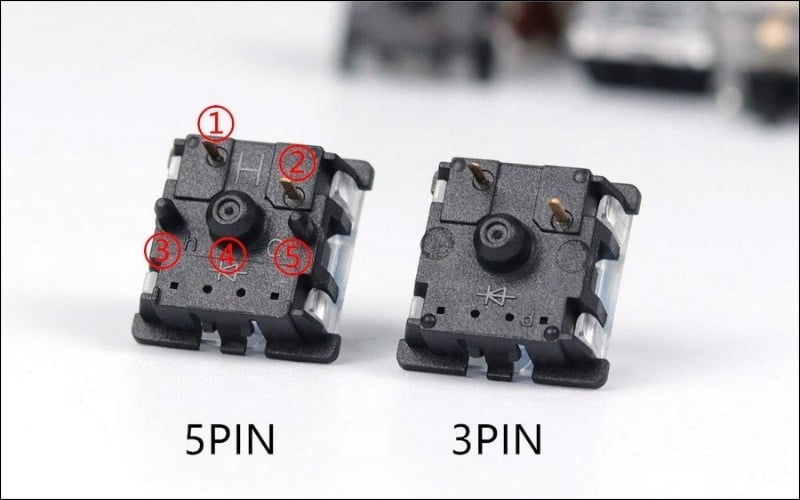
3-pin and 5-pin are two common switch connector standards.
6. Basic hotswap switch replacement techniques and important considerations
6.1. Equipment needed
- Keypuller for removing keycaps
- Switch puller for removing switches.
- The new switch is compatible with the keyboard.
6.2. Basic steps for replacing a switch
This is the most basic procedure. For beginners, it's best to try replacing a few keys before replacing all of them.
- Step 1: Remove the keycaps using a keypuller to expose the switches underneath.
- Step 2: Use a switch puller to properly clamp the latch and pull the switch straight up.
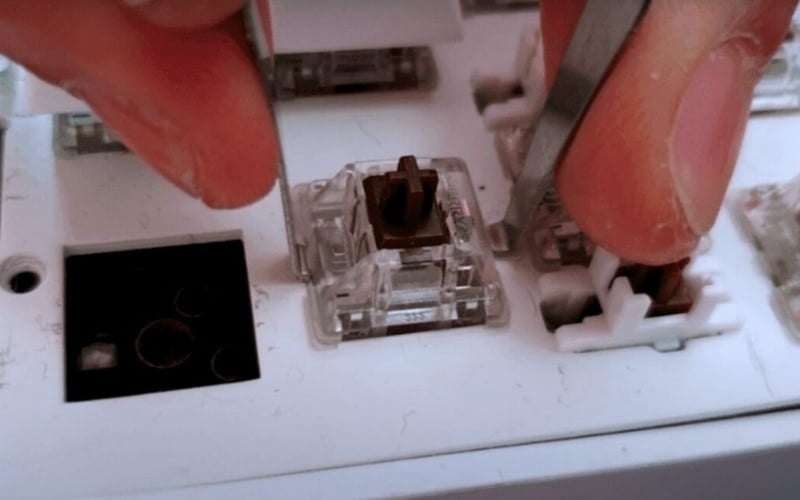
Use a switch puller to properly clamp the latch and pull the switch straight up.
- Step 3: Inspect the new switch, ensuring the switch pins are not bent.
- Step 4: Insert the switch correctly, apply even pressure, and press down firmly.
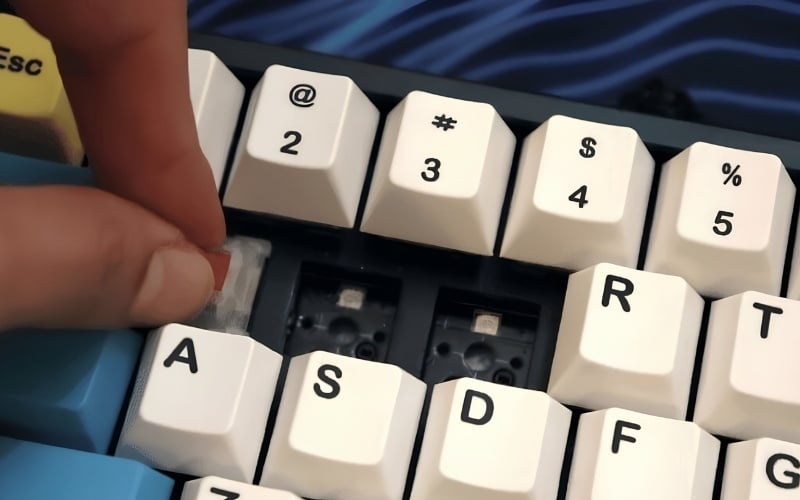
Insert the switch correctly, apply even pressure, and press down firmly.
- Step 5: Reattach the keycaps and test the keys to check the signal.
6.3. Precautions to avoid damaging the switch or socket
- Do not bend the switch sideways when removing it.
- Do not plug in the switch if the pins are bent.
- Do not attempt to install a switch that is incompatible with the socket.
- You should test a few keys before replacing the entire keyboard.
- If you find that it's plugged in too tightly or incorrectly, stop and check it.
Incorrect operation can damage the socket. This is a much more costly error than replacing a single switch.
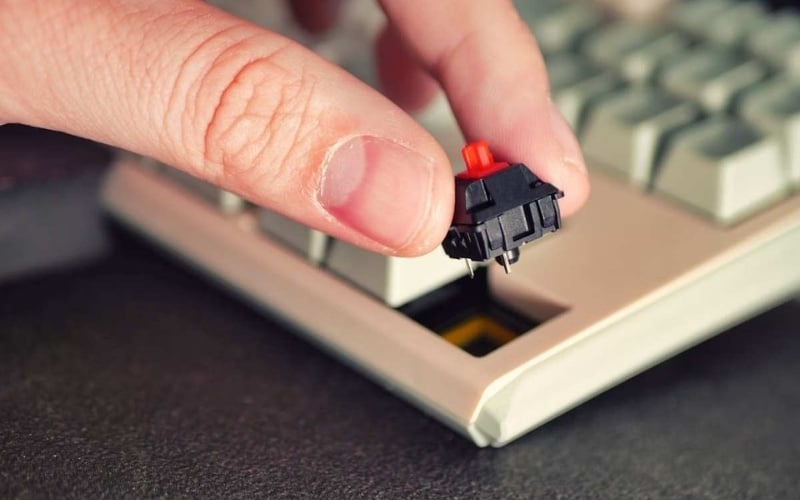
If you find the switch plugged in too tightly or incorrectly, stop and check it.
7. Some related questions
7.1. Is hotswap the same as replacing keycaps?
No. Hotswap is a switch replacement process that changes the feel and sound of typing. Replacing keycaps only involves replacing the plastic cover for decoration or to improve tactile feel; it doesn't affect the key's functionality.
7.2. Can hotswap keyboards be used with all types of switches?
Not all of them. You need to check whether your keyboard supports 3-pin or 5-pin switches and the compatible socket type. Carefully read your keyboard's specifications or consult with the seller before buying new switches.
7.3. Should beginners buy a hotswap mechanical keyboard?
If you want to explore different switch types or easily replace switches when they fail, hotswap is a very worthwhile option. If you only need stability and have no intention of customization, a traditional soldered keyboard will still meet your needs well.
FAQ
What Is Hotswap?
Learn what hotswap is, how it works, why it matters, and the key features or considerations to understand before using it.
How does Hotswap work?
Hotswap sockets are pre-mounted on the PCB to hold the switch pins. Users use a switch puller to remove the old switch from the socket.
What should you know about differentiating between hotswap keyboard and hotswap switch?
Hotswap is a feature of the keyboard or PCB, not determined by the switch itself. The switch is simply a component that is plugged in.
Related Articles
 Instructions for Replacing Mechanical Keyboard Switches with 5 Simple8 minutes read
 How to Easily Replace Mechanical Keyboard Switches for Beginners9 minutes read
 Comparing Silent Switches and Speed Switches: Which Is Right for You?10 minutes read
 6 Most Popular Mechanical Keyboard Switches8 minutes read
 What Is Cisco's New Programmable Switch?7 minutes read
 Disadvantages of Using Hub: Complete Overview6 minutes read
Reader Comments 0
Sign in with email or Google to join the discussion.