Table of Contents
This guide provides a clear, practical overview of "NeuralCam: Mobile Camera Features and How It Works". It organizes the most useful details, explains important considerations, and highlights the steps or choices that matter most.
NeuralCam helps you take better photos
Since 2019, NeuralCam's iOS apps have been helping photographers get better. The app's initial focus was a dedicated night mode app, but now there's an entire suite of photography apps, each of which improves the results of anyone's shots. People love NeuralCam because it subtly—or sometimes, more obviously—enhances their photos.
The settings in NeuralCam are similar but different from those commonly found in other camera apps. With detailed tools, photos are simply better than with other cameras or apps.
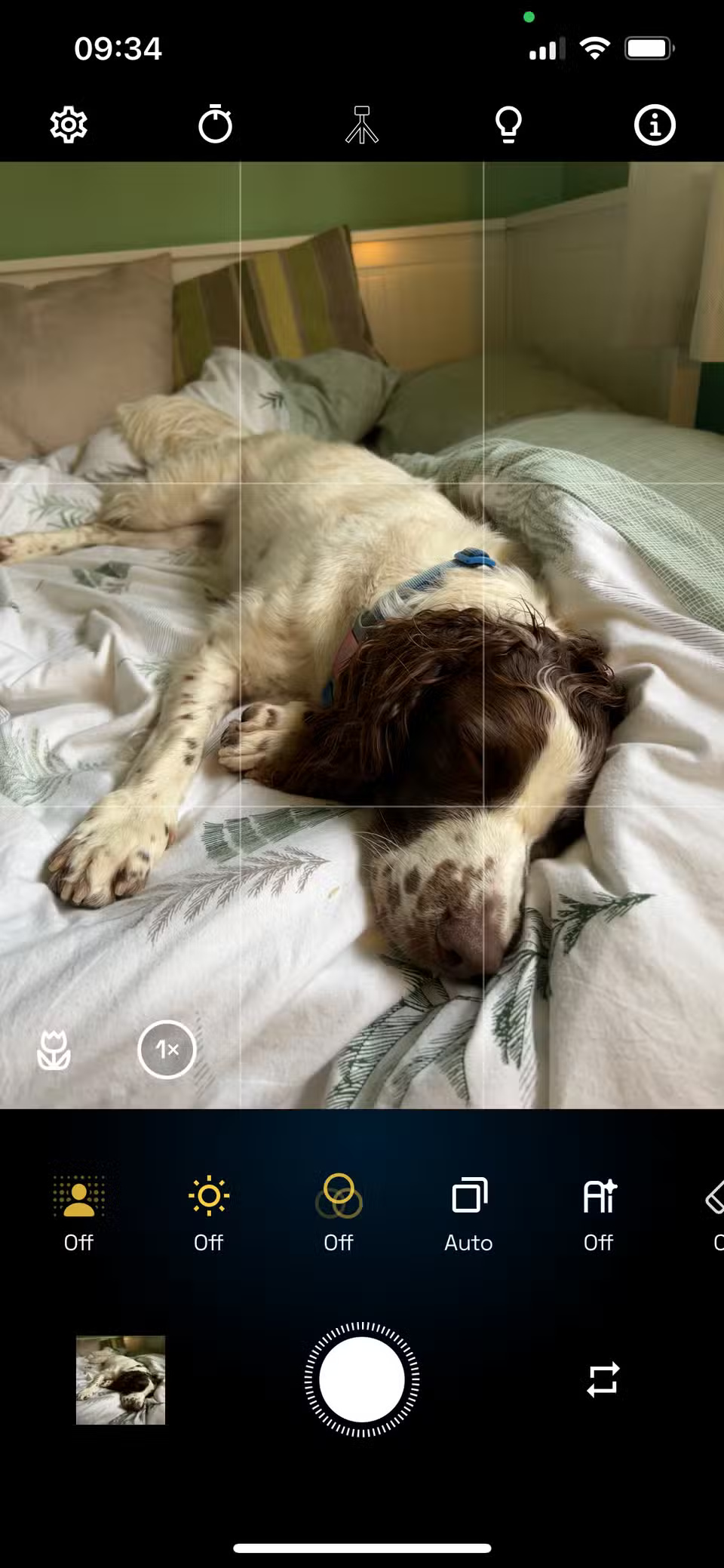
You'll find a timer, expandable frame count for more contrast depth, AI styles to apply to photos, brightening options, bokeh settings and background features, along with many other standard features like white balance, exposure and focus area.
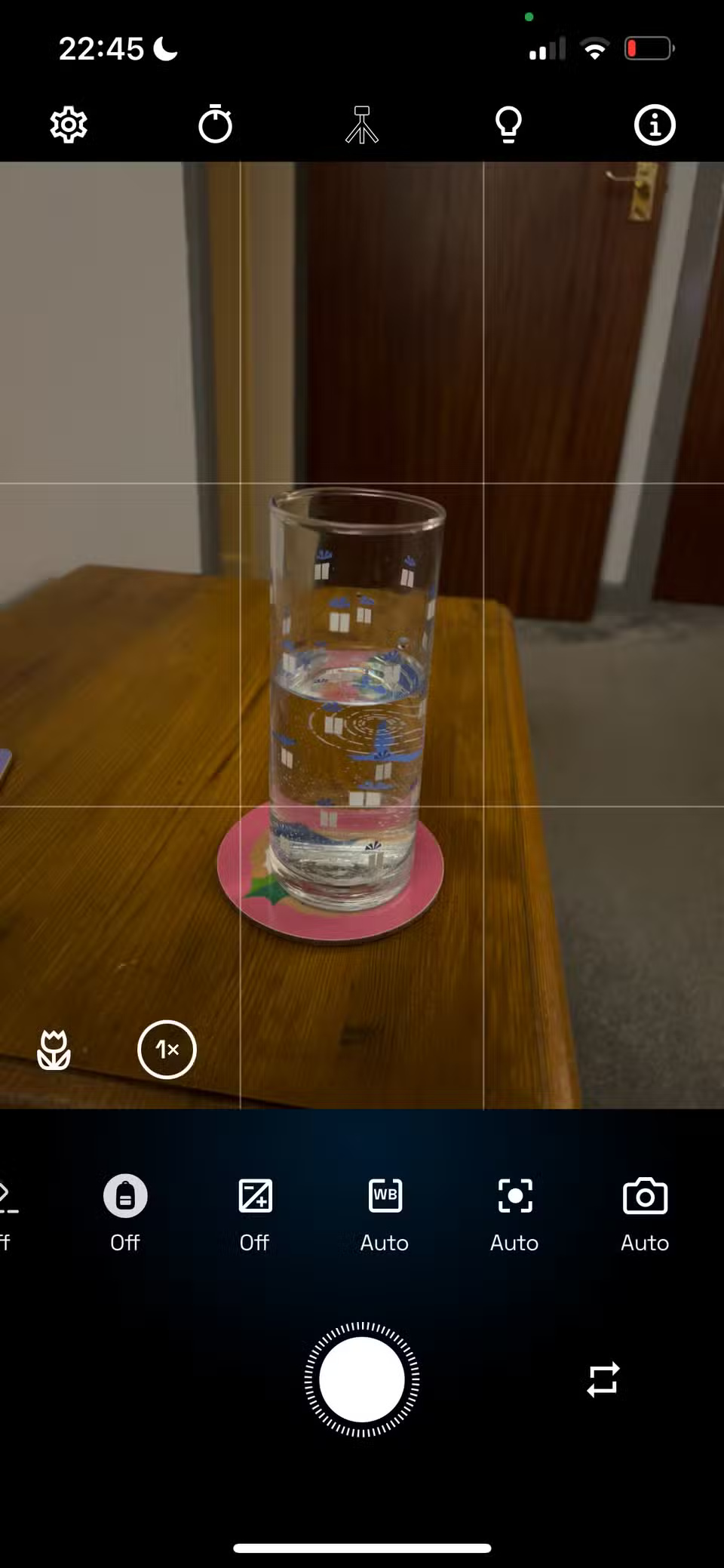
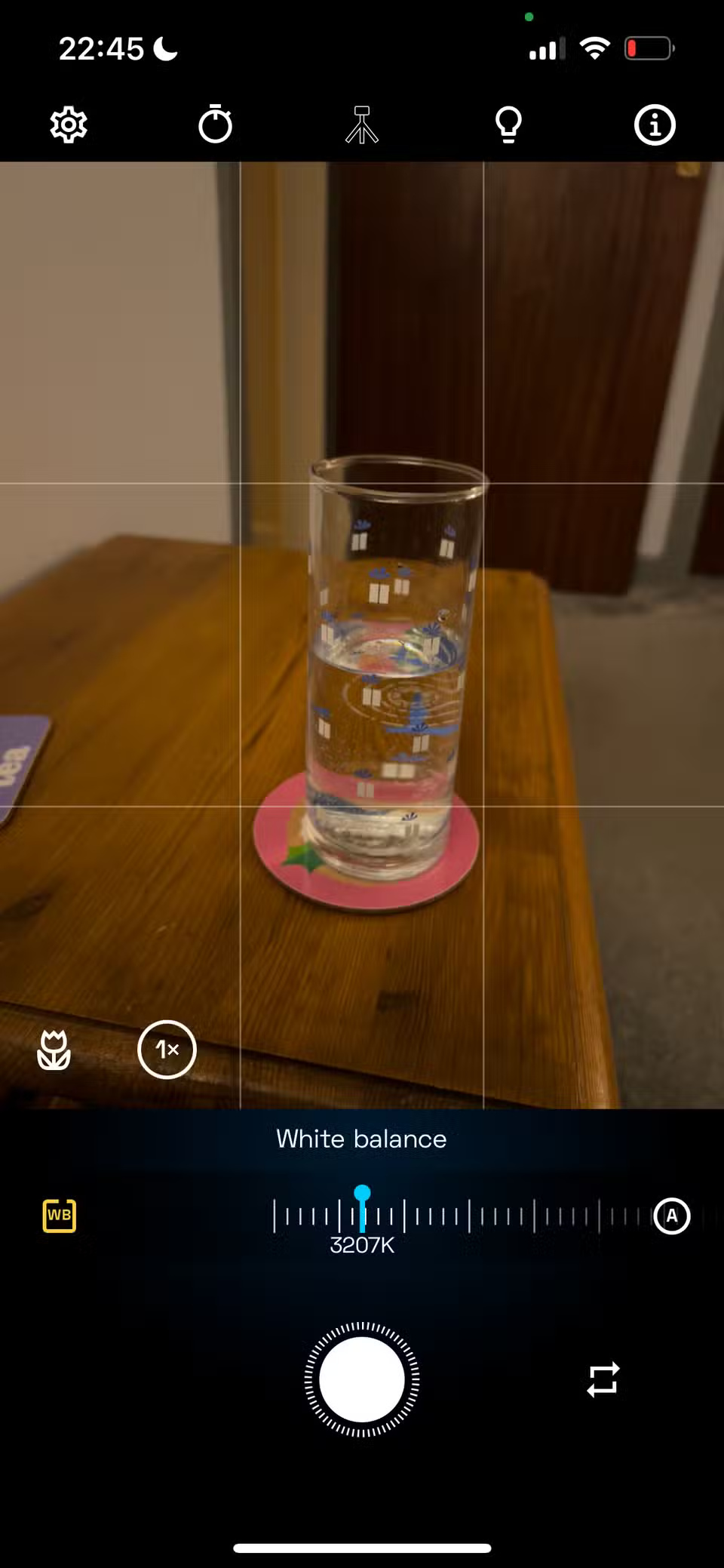
NeuralCam shines with night mode
When NeuralCam first released its app in 2019, it focused on night mode photography. The app implemented night mode before it was available for free on the iPhone's native camera.
While NeuralCam can be used for all types of photography now, it shines brightest in its night mode. Whether you're taking a photo of the evening sky or a low-light photo of your pet indoors, the tools in NeuralCam make the shadows come alive in your photos.


Built-in and automatic editing for the best look
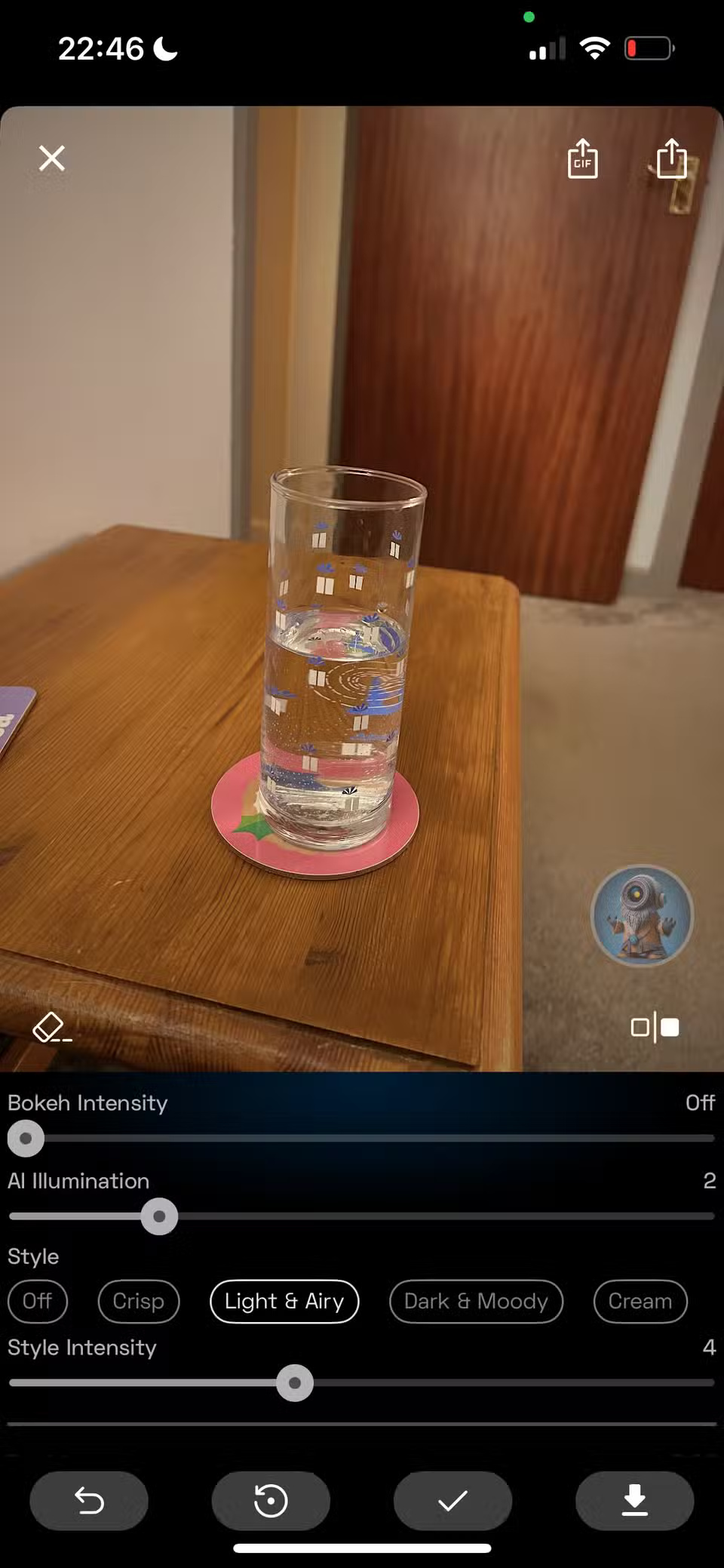
While you can choose camera settings before taking a photo, there are ways around it if you want to apply or edit them later. After taking a photo, you'll enjoy experimenting with NeuralCam's editing features.
NeuralCam highlights the best version of your photo with a before and after preview so you can see the subtle differences. This helps you decide how much to edit your photo or whether it simply looks better in camera.
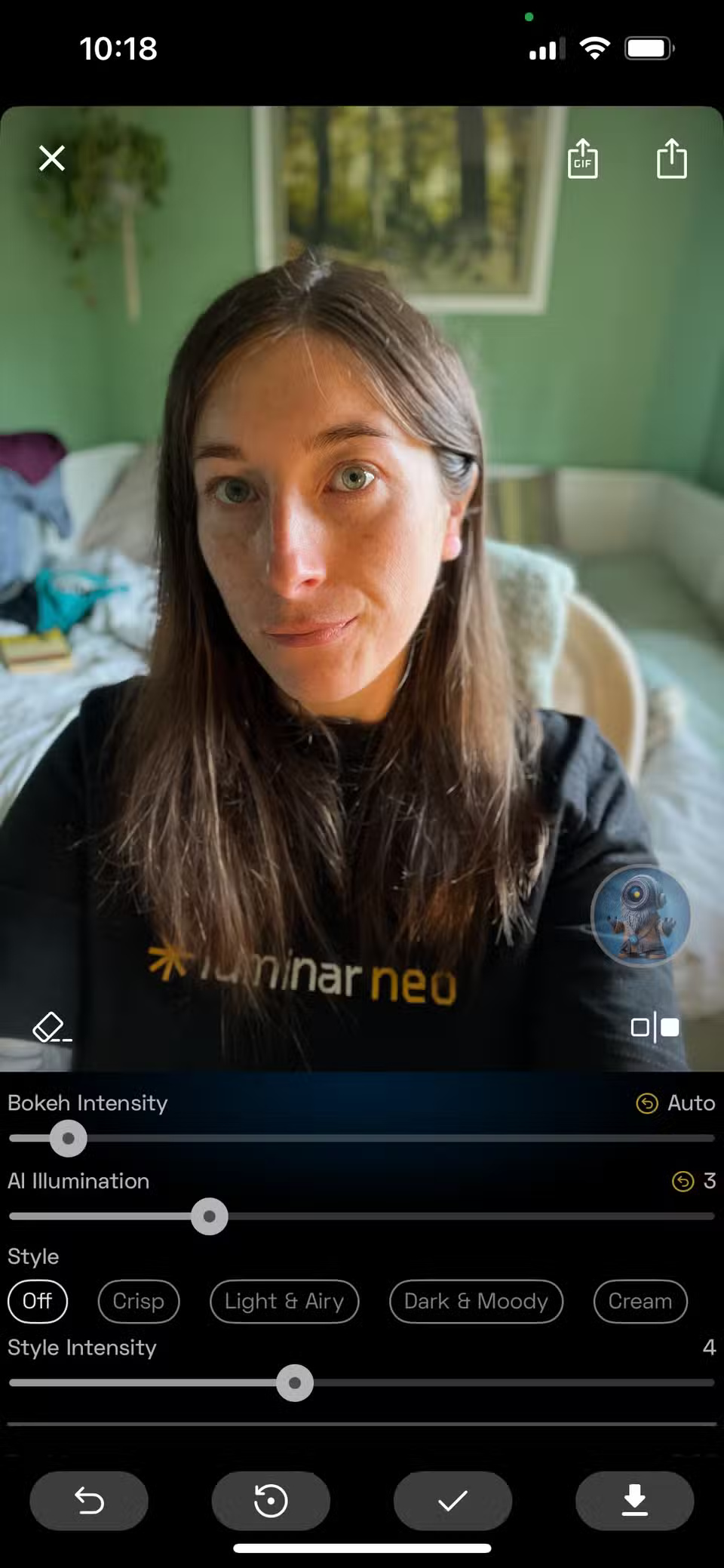
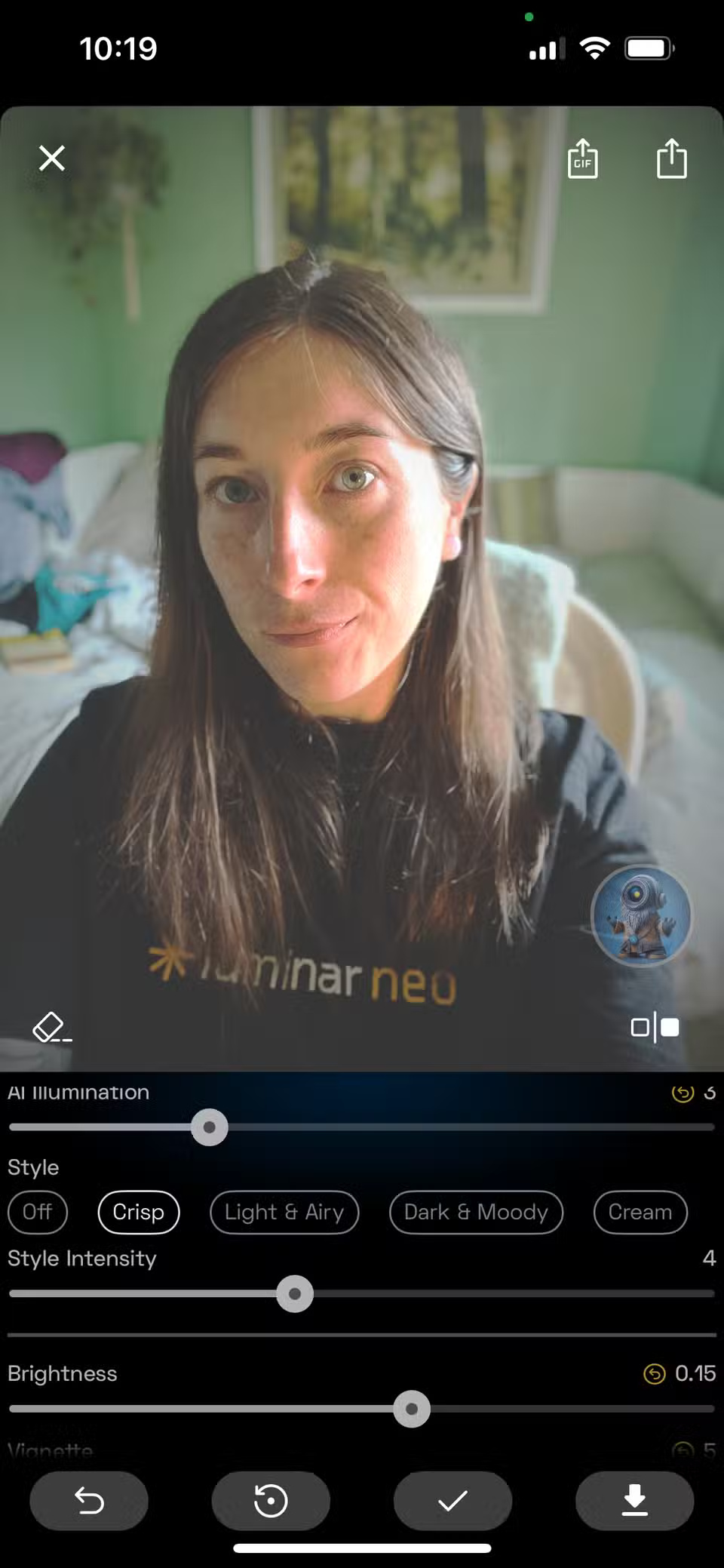
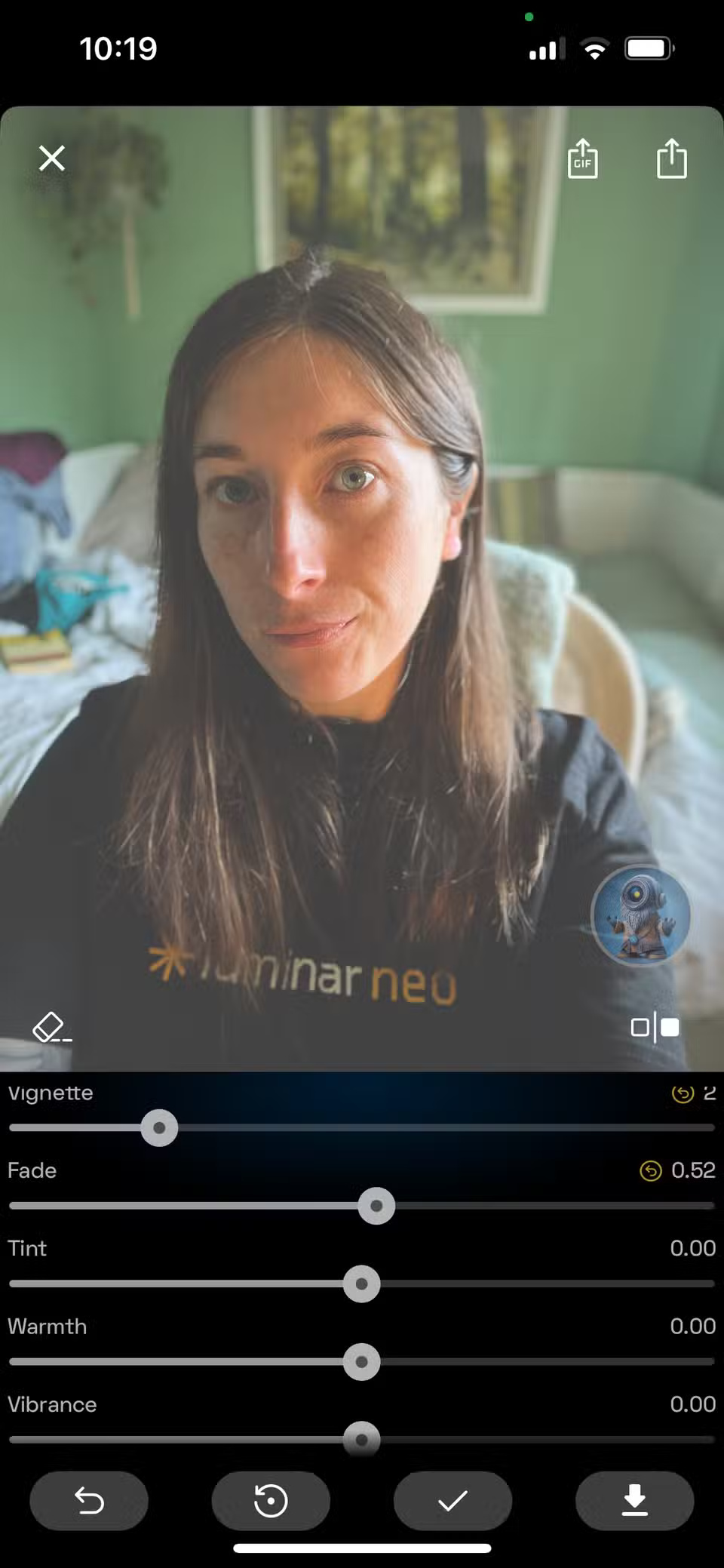
The editing settings are largely the same as the built-in camera settings, but you can apply them after you take a photo instead of setting up the camera with those settings. It's nice to have the option for both.
Improvements to selfie focus and general photography
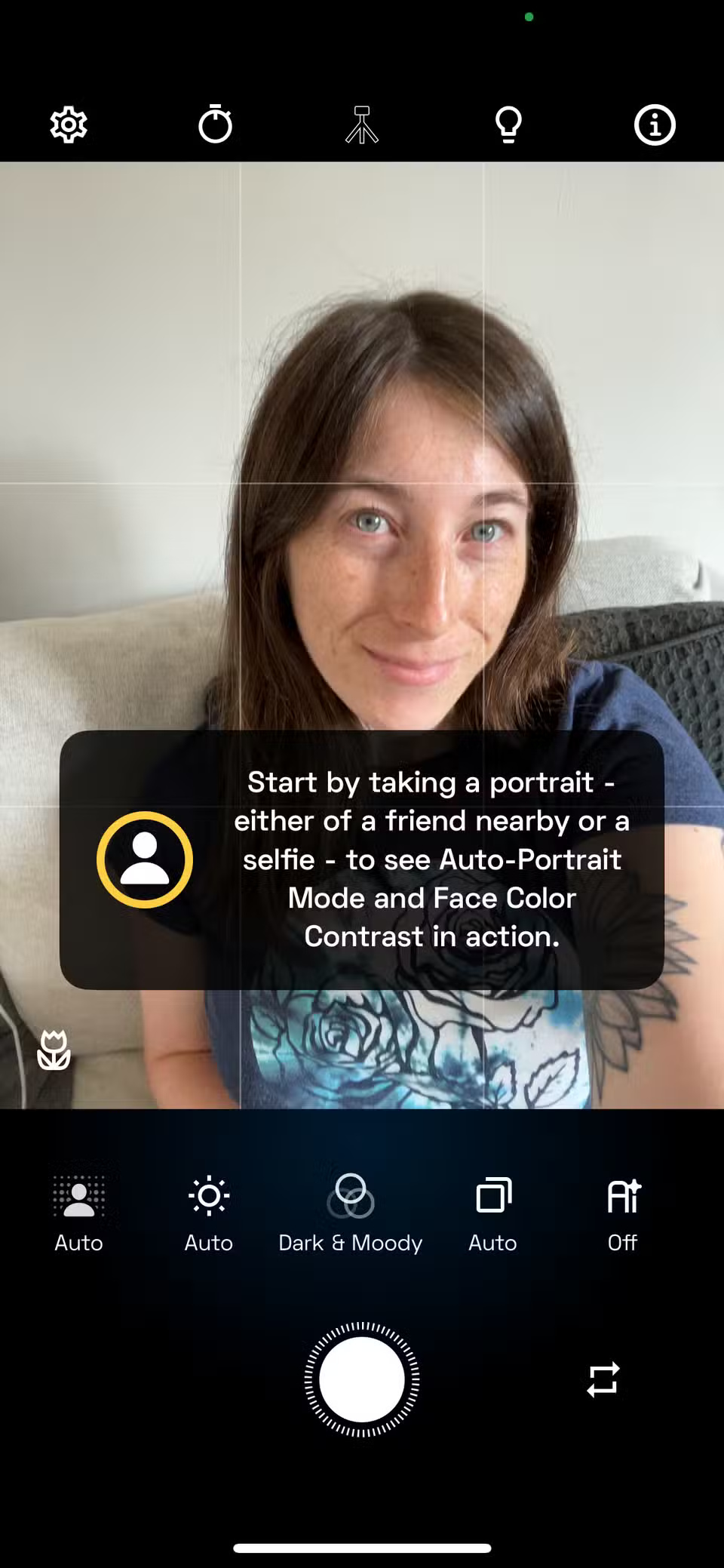


While NeuralCam is great for improving your photography, it's also a great tool for taking better selfies and portraits. You can still get creative when taking selfies.
NeuralCam has a timer with 2 seconds and 10 seconds as options, allowing you to place your iPhone on a tripod or prop it up against something sturdy so you can get the perfect pose in time.
All the editing and styling features are there even when using the selfie camera, so you can also set exposure, AI style, white balance, focus mode, etc.
NeuralCam applies automatic portrait mode and face color contrast to selfies or portraits. This instantly improves the photo without you having to do anything.
NeuralCam Pro offers even more features
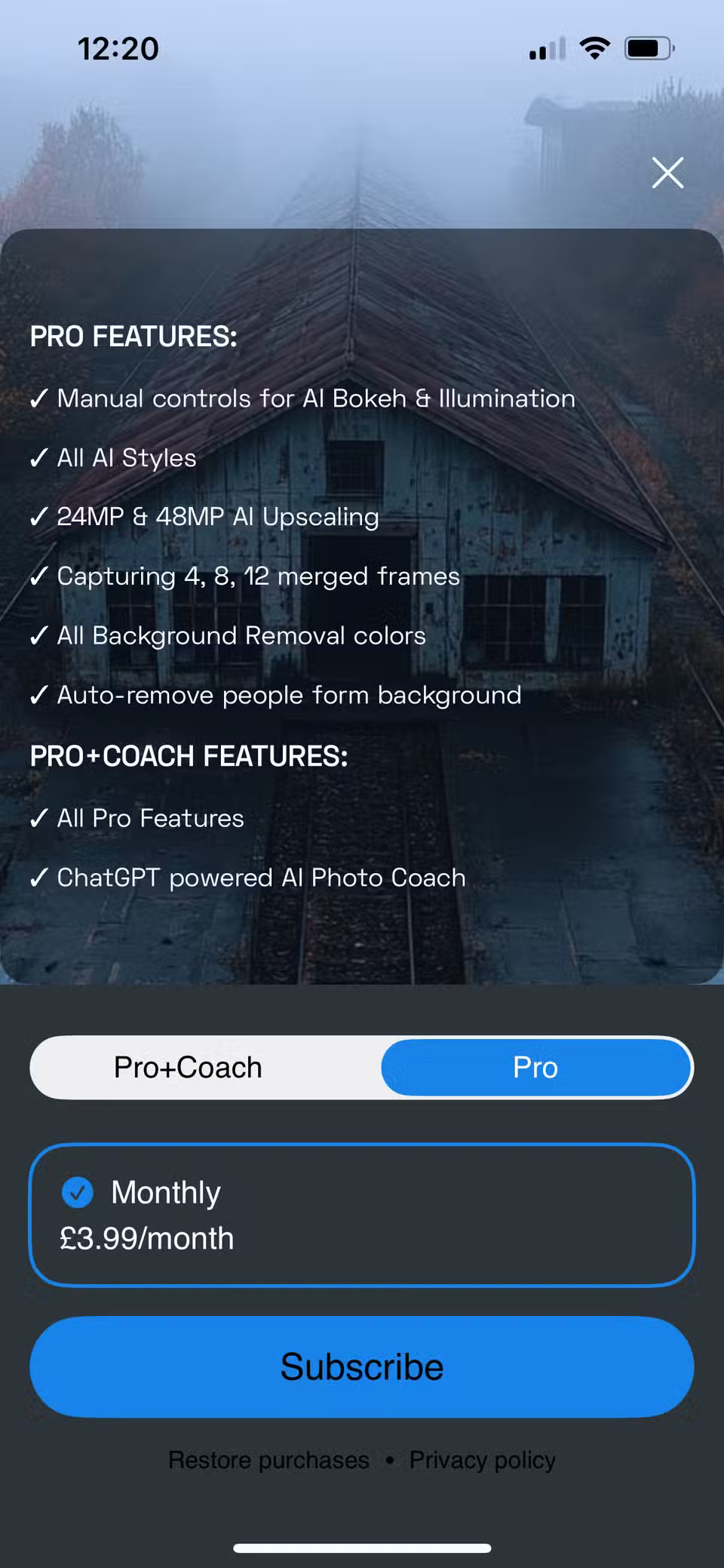
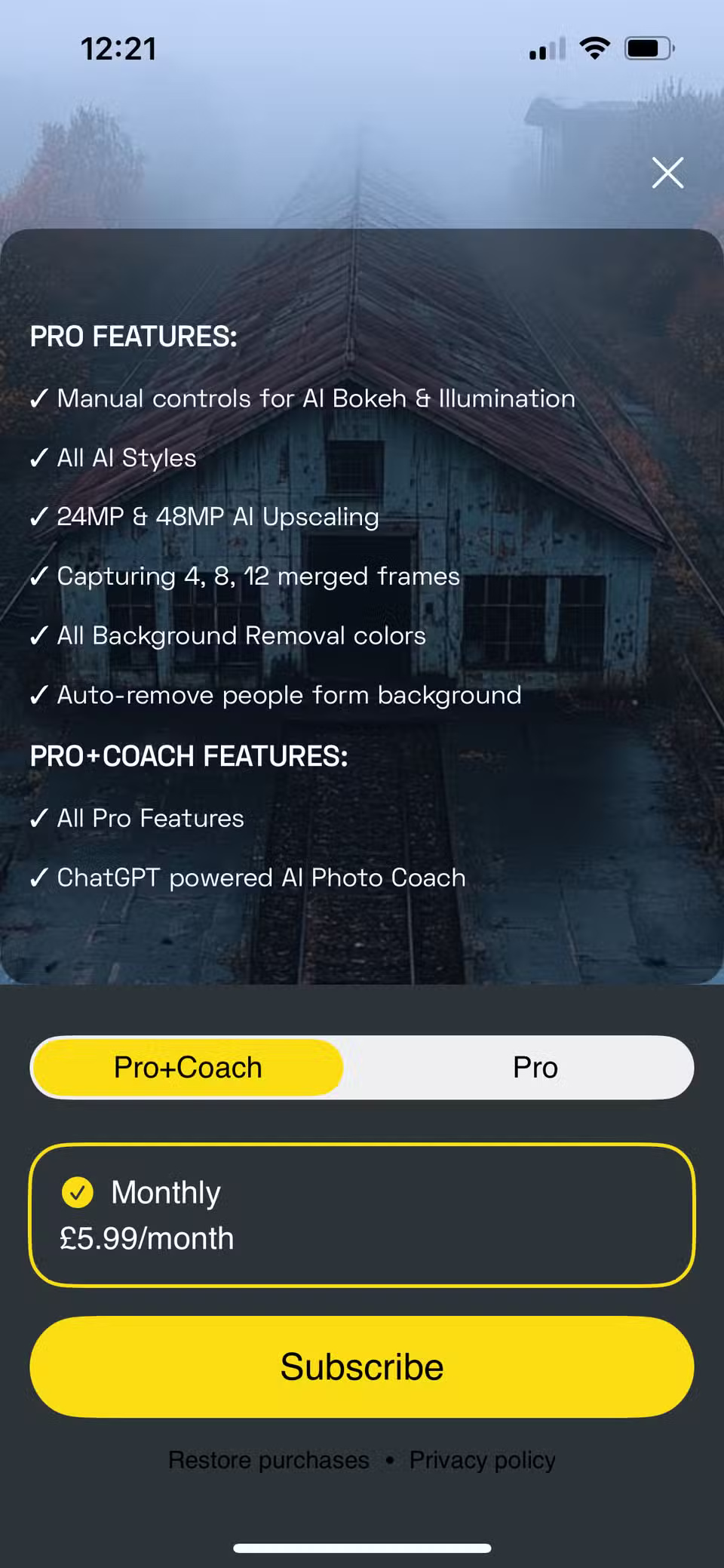
The free features and capabilities of NeuralCam are great. You can change many aspects, like styling, editing, and applying AI features to get great photos - but with NeuralCam Pro, you have even more options.
NeuralCam Pro is a monthly subscription that costs $3.99. For that small amount, NeuralCam unlocks more features, including manual override controls for AI bokeh and AI lighting effects. You get access to all the AI photo styles, not just the free version. You can upgrade to even more advanced levels, such as 24MP and 48MP, using the AI Pro upgrade feature.
The Pro version also lets you select multiple shots, essentially letting you create HDR-style photos by taking multiple frames at different exposures and then merging them together to get the most out of each exposure. Some smartphone HDR modes don't make that difference, but NeuralCam does.
Some of the better features of Pro include automatic removal of people from photos, saving you time and frustration when your perfect shot is ruined by people in the background. There's also a background removal tool that benefits from the additional colors in Pro. The free version only offers white.
FAQ
What should you know about neuralCam helps you take better photos?
Since 2019, NeuralCam's iOS apps have been helping photographers get better. The app's initial focus was a dedicated night mode app, but now there's an entire suite of photography apps, each of which improves the results of anyone's shots. People love NeuralCam because it subtly—or sometimes, more obviously—enhances their.
What should you know about neuralCam shines with night mode?
When NeuralCam first released its app in 2019, it focused on night mode photography. The app implemented night mode before it was available for free on the iPhone's native camera.
What should you know about built-in and automatic editing for the best look?
While you can choose camera settings before taking a photo, there are ways around it if you want to apply or edit them later. After taking a photo, you'll enjoy experimenting with NeuralCam's editing features.
What should you know about improvements to selfie focus and general photography?
While NeuralCam is great for improving your photography, it's also a great tool for taking better selfies and portraits. You can still get creative when taking selfies.
Related Articles
 How to Play Pokémon GO on a Computer6 minutes read
 How to Play Pokémon GO on a Smartphone6 minutes read
 26 Types of Poké Balls Explained: Part 25 minutes read
 How to Earn and Use Stardust in Pokémon GO5 minutes read
 Pokémon GO Eggs: Incubation and Hatching Guide4 minutes read
 26 Types of Poké Balls Explained: Part 18 minutes read
Reader Comments 0
Sign in with email or Google to join the discussion.