Table of Contents
Quick Overview
Microsoft Outlook : Get a clear, practical overview of Microsoft Outlook.
Microsoft has officially warned users about the existence of a vulnerability that could allow hackers to easily spread malware through the Outlook email application. The company has also released a patch for this user-after-free vulnerability (currently tracked as CVE-2025-21298), and urged users to apply it immediately.
The vulnerability, CVE-2025-21298, is rated as critical (9.8) and can cause the use of freed memory to corrupt valid data or remotely deliver malware. The flaw resides in the Object Linking and Embedding (OLED) feature of Windows, which lets users embed and link to other documents and objects, such as adding Excel charts to Word documents. The vulnerability is also particularly dangerous because it lets users be infected with malware when previewing specially crafted emails.
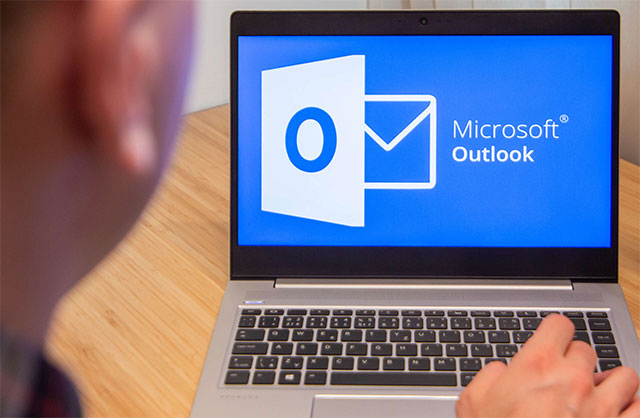
" Exploitation of the vulnerability could occur if a victim opens a specially crafted email using an affected version of Microsoft Outlook software, or if the victim's Outlook application displays a preview of a specially crafted email. This could result in an attacker executing remote code on the victim's machine," Microsoft said in a security alert .
If you can't apply the patch at this time, Microsoft recommends that you take steps like viewing your email on large LANs as plain text, and disabling or restricting NTLM traffic altogether.
What happens when you view your email in plain text? Basically, all the animations, images, and fonts are removed. Your email won't look as fancy in plain text, but it's necessary to avoid interruptions while you wait for the update to the new version of Outlook.
FAQ About Microsoft Outlook
What is Microsoft Outlook?
The vulnerability is also particularly dangerous because it lets users be infected with malware when previewing specially crafted emails
Why is Microsoft Outlook important?
The vulnerability is also particularly dangerous because it lets users be infected with malware when previewing specially crafted emails
How can you use or manage Microsoft Outlook effectively?
Use the steps and recommendations in this guide, confirm important settings, and review the results before making further changes.
Related Articles
 Vulnerability in Microsoft Outlook Makes Users Believe in3 minutes read
 Microsoft Patches Vulnerability in Windows Appx Installer3 minutes read
 The 4 Most Common Ways to Spread Malware Today9 minutes read
 Serious Vulnerability in Microsoft Word Is Being Used by Hackers to Install Malware on Computers4 minutes read
 Microsoft Warns of New Malware Threat Spread Through Teams3 minutes read
 Microsoft Outlook RCE Vulnerability Can Sell for $400,0003 minutes read
Reader Comments 0
Sign in with email or Google to join the discussion.